How to donate computer power to scientific research: best projects
When COVID-19 hit in early 2020, Folding@home put out a call for volunteer computers. Within a month, its user base grew from roughly 30,000 to more than one million. The combined network briefly became the world's first exascale computer, outpacing the Summit supercomputer, then the world's fastest dedicated machine, by a factor of at least five (Folding@home / PMC, published in early 2023). That's not a thought experiment. It happened because enough ordinary people left a background program running.
If you want to donate computer power to scientific research, the mechanics are simpler than they sound: install a small, free program that downloads scientific calculation tasks to your machine, runs them quietly in the background whenever your computer is idle, and sends the results back to researchers. You don't see it. You don't manage it. It runs while you sleep.
The scale of what's already been contributed is worth understanding before you decide. World Community Grid alone reports that its volunteers have collectively contributed more than 2.7 million years of computing time (World Community Grid, as of two weeks ago). The BOINC platform, the open-source infrastructure that powers dozens of projects, currently hosts around 30 separate research efforts, from cancer research to pulsar detection (BOINC, this week).
Whether this is worth doing depends on your hardware, your tolerance for modest electricity use, and which cause you'd want your machine working on at 2 a.m. This is a good fit if you have a desktop or well-ventilated laptop that stays plugged in overnight and want to support research passively. It's a poor fit if your laptop already runs hot, you're on metered power, or you need your machine genuinely quiet while it's "idle."
How volunteer computing works, and the two main ways in
Video of the Day
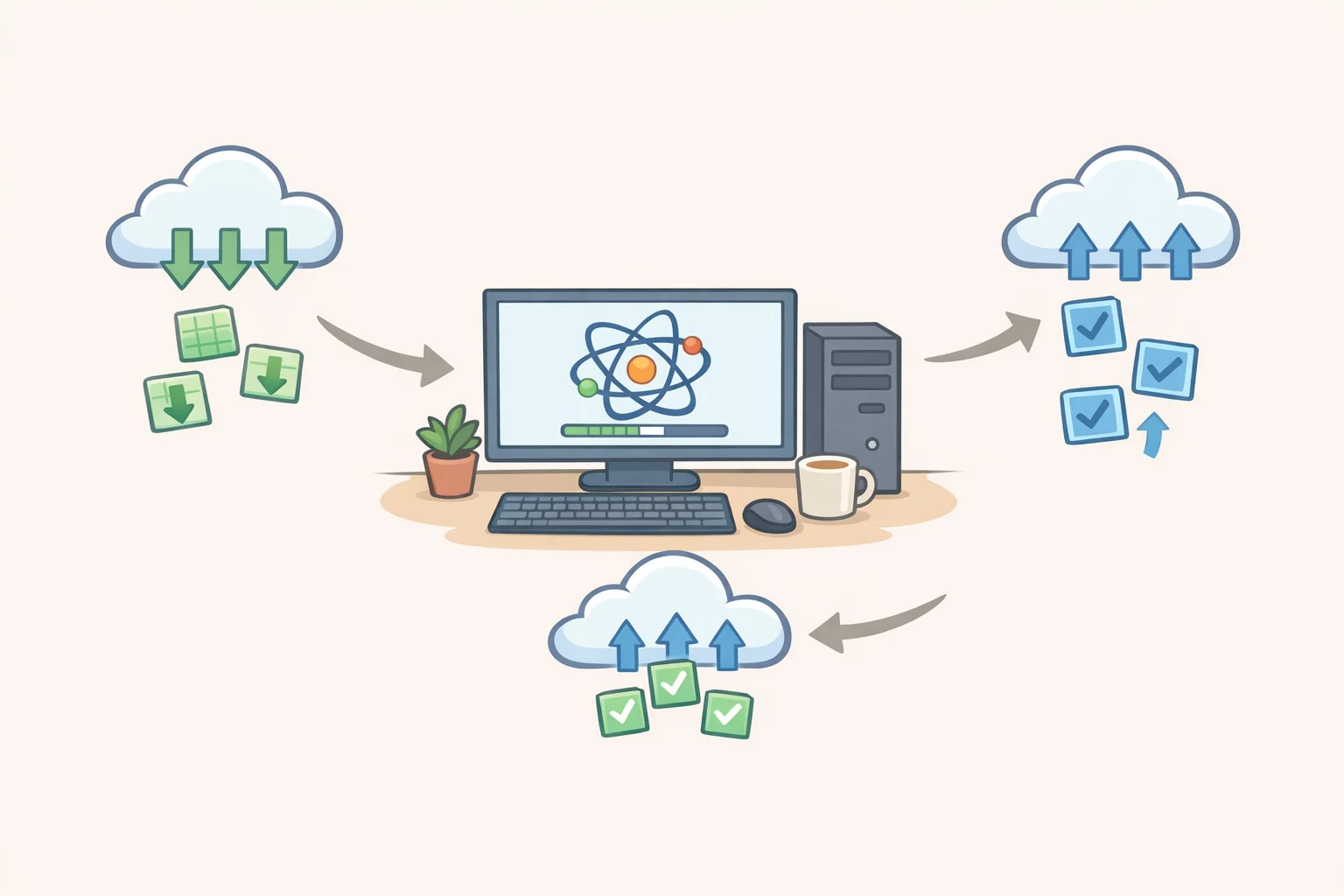
Large scientific computing problems get broken into thousands of small, independent calculation chunks. Your machine downloads one chunk, works on it invisibly in the background, and returns the result. The project server collects results from many machines, cross-validates them against each other before accepting any as scientifically usable, and assembles the larger picture (BOINC analysis, undated). No single volunteer sees the whole problem. You're one thread in a much longer calculation, and your result isn't treated as valid until it matches an independent run from someone else's machine.
The ecosystem splits into two primary entry points, and the distinction matters before you pick a project.
BOINC (Berkeley Open Infrastructure for Network Computing) is the infrastructure layer: a free, open-source platform, licensed under the GNU LGPL with source code publicly available on GitHub, that research teams build their projects on top of (BOINC analysis, undated). Install it once, and you can participate in any of roughly 30 projects, including World Community Grid and SPACIOUS@home, from a single interface (BOINC, this week). Think of it as a farmers' market: a shared venue where many different research teams set up stalls.
Folding@home runs its own independent platform, separate from BOINC entirely, focused specifically on biomolecular simulation and drug discovery. It has its own installer and client. It has one of the strongest peer-reviewed track records among volunteer computing projects, with more than 20 years of published scientific literature behind it. Folding@home is the standalone specialist shop that runs its own operation. Both deliver something real; they just operate differently.
Video of the Day
Does this actually help? The evidence for real impact
The Folding@home COVID case is the clearest documented example. In February 2020, researchers launched the first simulations of SARS-CoV-2 protein structures using early structural data. As the user base surged past one million volunteers, the network's peak aggregate compute power ran at least five times faster than Summit, the world's fastest traditional supercomputer at the time (Folding@home / PMC, published in early 2023). This wasn't symbolic. The compute enabled researchers to screen tens of thousands of potential antiviral compounds at a pace that would have been impossible with conventional supercomputing access, and novel chemical scaffolds from that work have since progressed toward clinical trials.
World Community Grid's self-reported outcomes include identifying drug candidates targeting neuroblastoma, a childhood cancer, and discovering nanotechnology approaches relevant to clean water access (World Community Grid, as of two weeks ago). These are platform self-reports rather than peer-reviewed findings, so treat them as directional rather than confirmed.
The honest calibration: Folding@home's impact is well-supported in published scientific literature. The equivalent documentation for other platforms is thinner in publicly available sources. No single home computer drives a measurable outcome. You're contributing a fraction of a very large collective effort, and the honest framing is that you're buying into a model that has worked at scale, not a guaranteed result from your specific machine.
If documented scientific impact is your primary criterion, Folding@home is the strongest-evidenced option. If cause alignment or ease of setup matters more, the broader BOINC ecosystem offers comparable onboarding friction with considerably more project variety.
Choosing a project: how to use spare computer power for research that matches your priorities
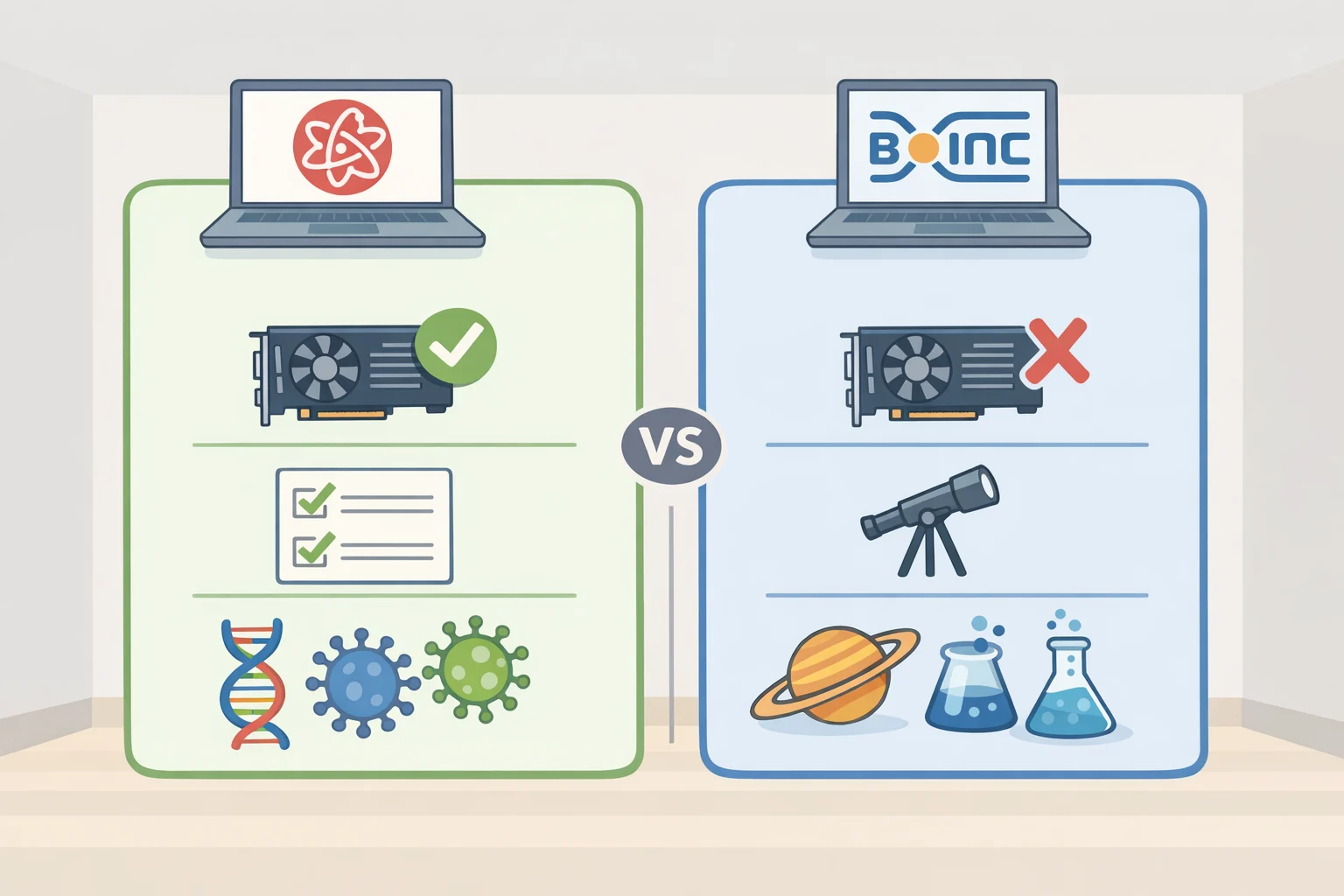
The decision turns on three things: what cause you want to support, how conservative you want to be about device impact, and whether peer-reviewed impact evidence matters to your choice.
Folding@home carries the strongest documented research track record, with over 20 years of peer-reviewed publications in biomolecular simulation and drug discovery (Folding@home / PMC, published in early 2023). Its current focus spans protein dynamics, disease mechanism research, and antiviral development. It runs its own client, separate from BOINC, and is GPU-capable, meaning it can use your graphics card for substantially more compute if one is available. Best for anyone who wants the highest confidence that their contribution maps to documented scientific output.
World Community Grid (via BOINC) is the most conservative and beginner-friendly option. By default, it runs only when connected to mains power and transfers data only over Wi-Fi, not mobile data (World Community Grid, as of two weeks ago). Current projects include cancer-marker analysis across thousands of tissue samples and a rainfall forecasting initiative for sub-Saharan African farmers, where roughly 95 percent of agriculture depends on rain rather than irrigation. Best for first-time participants, laptop users who want conservative defaults, or anyone who wants to pick a cause from a curated shortlist.
SPACIOUS@home (via BOINC) launched in March 2025 and routes volunteer CPU cycles toward processing observational data from the European Space Agency's Gaia telescope (SPACIOUS@home, March 2025). CPU-only, no GPU required, no special hardware. Best for anyone drawn specifically to astronomy and comfortable setting up BOINC.
Quick selection guide:
- Easiest general entry point → World Community Grid
- Strongest peer-reviewed track record → Folding@home
- Astronomy-specific, CPU-only → SPACIOUS@home
- Want to browse 30+ research causes → BOINC project list
One category of user should skip this entirely: if your laptop already runs hot, you're on metered or expensive electricity, or fan noise from sustained CPU load would be disruptive, the tradeoff isn't favorable. This works best on always-on desktops or newer laptops with good thermal headroom.
How to set up safely, and what to honestly expect
Step 1: Choose your entry point. For Folding@home, the project's published instructions direct participants to foldingathome.org/start-folding (Folding@home / PMC, published in early 2023). For everything else, download BOINC from boinc.berkeley.edu. Both are free. BOINC runs on Windows, macOS, Linux, and Android.
Step 2: Install and attach to a project. BOINC's setup wizard walks you through connecting to a project after installation. World Community Grid, SPACIOUS@home, and around 30 others are available directly from BOINC's project list.
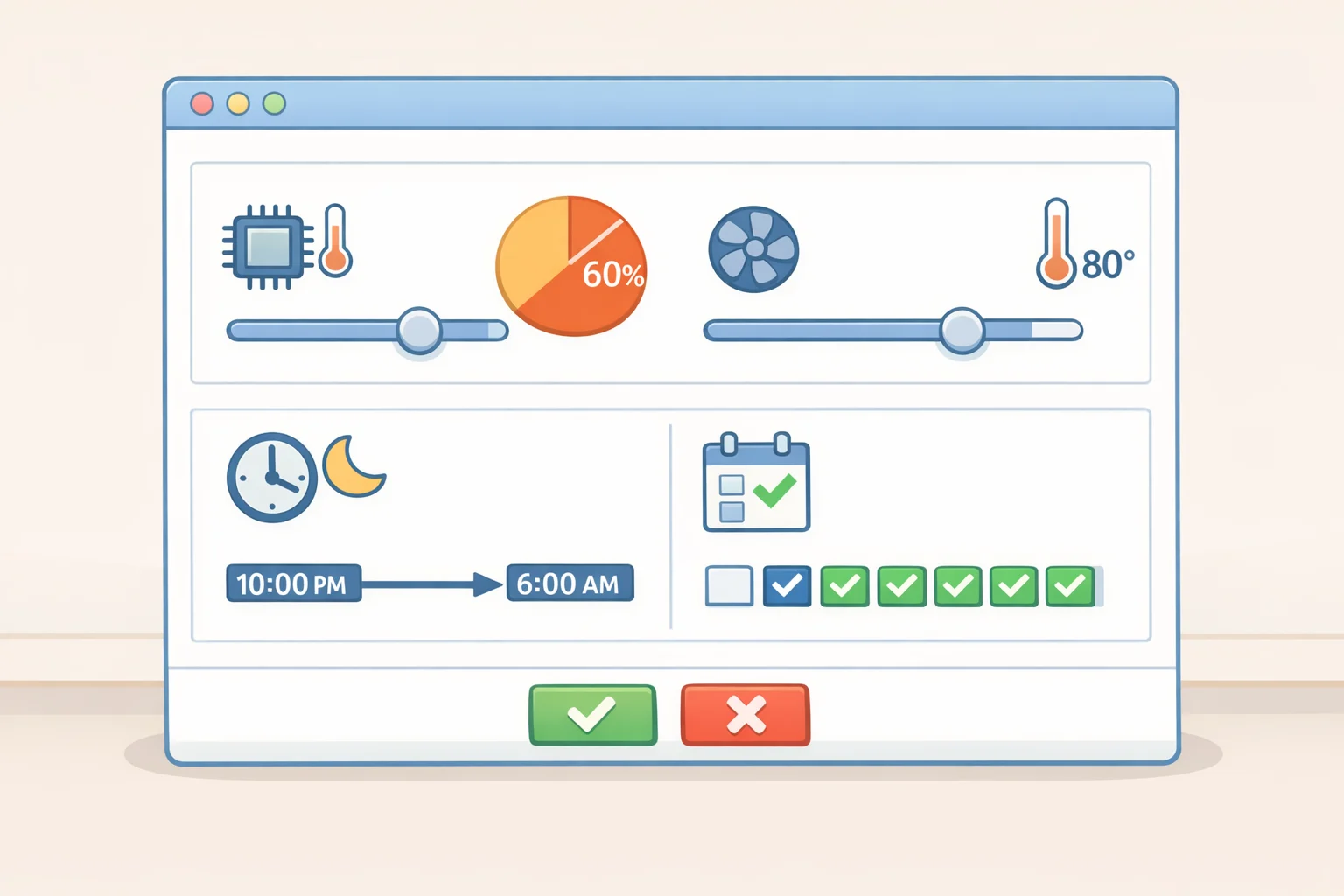
Step 3: Configure your limits before walking away. Set a CPU usage cap 50 percent or lower is a reasonable starting point for laptops confirm the "run only when connected to power" default is active, and set a schedule if you want the software active only during off-hours. These settings are the difference between a background program and a performance problem.
Step 4: Let it run. Both BOINC and Folding@home are designed to yield to your active use automatically. When you return to the machine, the software steps back.
On security: World Community Grid states that its software monitors active device load and pauses when the machine is in use, and that security experts continuously test the system for vulnerabilities (World Community Grid, as of two weeks ago). The public-facing materials reviewed here don't link to a formal third-party audit report, so users who want that level of verification will need to look further. BOINC's open-source code is publicly reviewable on GitHub, which provides more external auditability than a closed platform.
The tradeoff the platforms understate: electricity. Running a CPU at sustained load overnight uses meaningfully more power than idle standby, and no platform provides standardized estimates because the number varies too much by hardware. A workable method: look up your processor's TDP (thermal design power, listed in watts on the manufacturer's spec page), estimate the hours per day the software will run at your configured CPU cap, and multiply by your local cost per kilowatt-hour. As a rough illustration, a 65W desktop CPU running 8 hours nightly at roughly half load uses about 0.26 kWh per night multiply that by your local rate and you have a usable monthly estimate. Treat it as a ballpark, not a bill guarantee. A high-TDP gaming PC running at full load continuously will add considerably more. Know your number before you commit.
Laptop users: sustained CPU load means sustained fan activity and heat. Older thin laptops are poorly suited to this. Newer laptops with a CPU cap of 30 to 50 percent are generally fine, but run it for an hour and check the temperature before leaving it overnight.
What you're actually signing up for
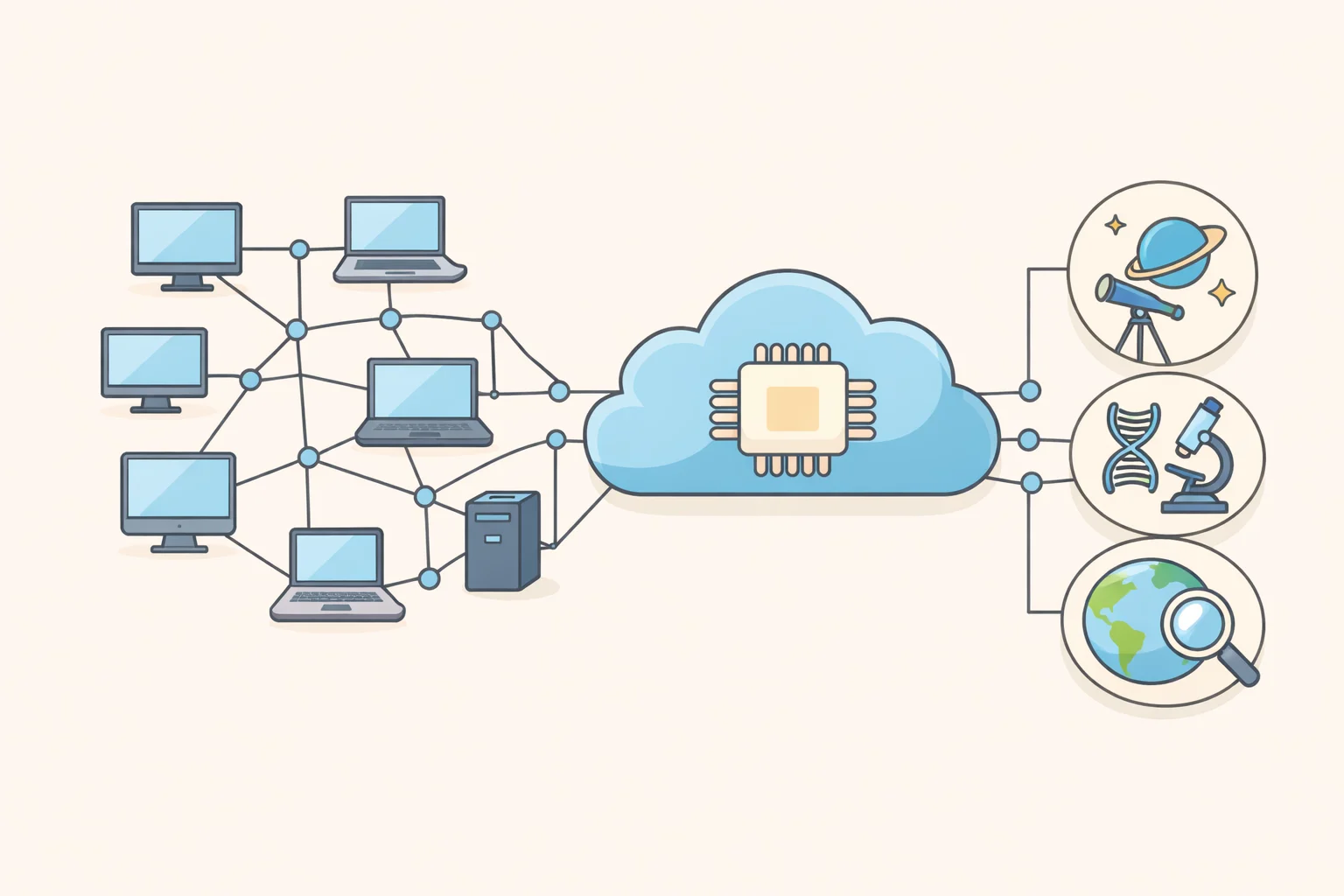
Volunteer computing is a proven model, not a concept still waiting to be tested. Folding@home's COVID-era peer-reviewed record stands as the clearest evidence that distributed volunteer networks can match and briefly exceed the world's fastest dedicated supercomputers (Folding@home / PMC, published in early 2023). World Community Grid's 2.7 million years of contributed compute time represents something different: sustained collective effort at a scale no individual institution could purchase (World Community Grid, as of two weeks ago).
Your machine's role is small but real. Beyond the scientific findings themselves, work done through Folding@home has produced novel algorithms, including GPU computing approaches and adaptive sampling methods, now used in cloud and institutional computing more broadly (Folding@home / PMC, published in early 2023). Consumer GPUs grow more powerful every year, and volunteer GPU compute is increasingly valuable to the research teams that depend on it. The model's ceiling is still rising.
Where to go next: BOINC project list for the full menu of research causes; foldingathome.org for drug discovery and protein research with the longest published track record; worldcommunitygrid.org for a simpler onboarding flow and a curated set of health, climate, and agriculture projects.