Avid Pro Tools Review 2026: Which Tier Fits Your Studio?
Ask any mix engineer which DAW runs the room at a commercial recording studio, a major post house, or a broadcast facility, and the answer is almost always Pro Tools. Not brand loyalty. Infrastructure. Sessions, contractors, and clients circulate in Pro Tools format, and switching costs are measured in years, not hours. This Avid Pro Tools review is written for professionals making an actual purchase or renewal decision: studio owners, post engineers, and working producers who need to know which tier fits their work, what's genuinely changed, and whether the price holds up against the alternatives.
PCMag UK awarded it Editors' Choice this month, calling its workflow "second to none for veteran mix engineers" and the best DAW for serious studios with extensive outboard hardware and strong support network needs. In PCMag's broader roundup, Pro Tools is the specific pick for studio workflows, distinguished from Logic Pro for Mac-only shops and Cubase for PC-focused editors. The current version reviewed by PCMag UK is Pro Tools 2026.4.1, which extended M5 Mac support to a feature set introduced across the 2026.4 and 2026.4.1 releases including MPEG-H immersive mixing, Dolby Headphone Personalization, and refined Speech-to-Text building on a sustained update cadence that began in late 2023 (Avid).
The question worth asking isn't whether Pro Tools is dominant. It's whether your specific workflow justifies what the platform demands. For most working studios, the answer lands at Pro Tools Studio. For large post houses and HDX facilities, it's Ultimate. For solo Mac-based producers without serious outboard hardware dependencies, the alternatives deserve a real look before signing the annual plan.
Which Pro Tools tier actually fits your work
Video of the Day
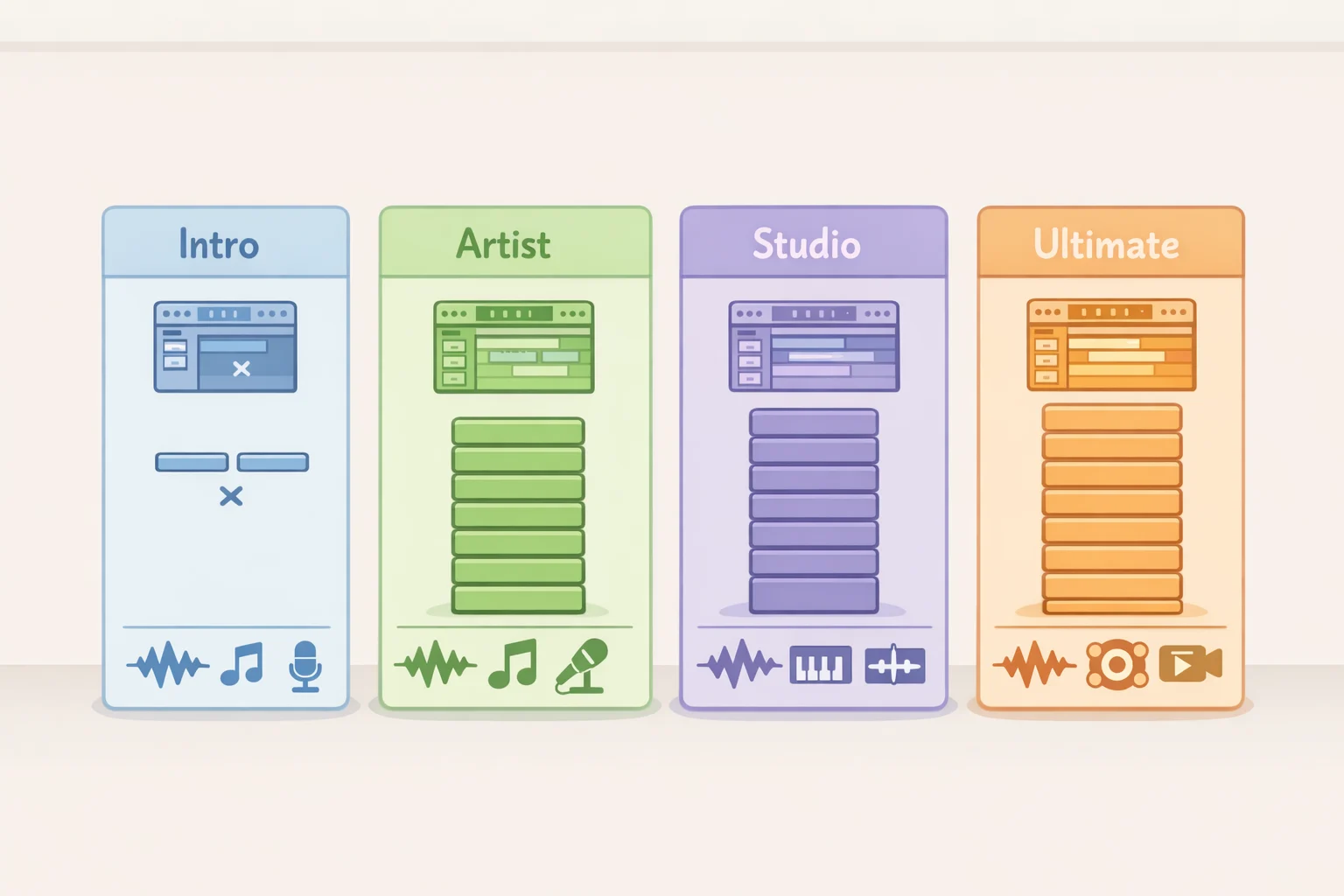
Pro Tools spans four tiers: Intro (free), Artist ($99/year), Studio ($299/year), and Ultimate ($599/year). The distinctions between them aren't marketing gradations. They define what's possible in a session, and more importantly, where the walls are.
Intro caps at eight audio tracks, eight instrument tracks, and 40 basic plug-ins. Production Expert frames it plainly as an interface learning tool, not a professional production environment that's the right read. Artist ($99/year) supports 32 audio tracks, 16-channel simultaneous recording, and 130 plug-ins including Melodyne Essential. PCMag UK calls it "fully usable for professional work"; Production Expert frames it as entry-level with constrained track counts. Both are defensible. Artist is a ceiling for serious session work, not a floor. The 32-track wall arrives faster than most producers expect, particularly in live recording or dense production work where auxiliary routing eats headroom before the mics are even patched.
Studio at $299/year is the professional workhorse: up to 512 simultaneous stereo tracks at 192kHz, one video track, Clip FX, surround mixing, and a built-in Dolby Atmos renderer included at no extra cost since late 2023. Production Expert describes it as fitting "most working music studios," which holds. It covers the full Speech-to-Text, SoundFlow, and immersive format features added through 2025 and 2026 reviewed in the next section.
Ultimate ($599/year) is a different category: 2,048 audio tracks, 256 simultaneous record inputs, up to 64 video tracks, field recorder workflows, and broadcast standards support. importantly, it's the only tier that supports HDX hardware, Avid's DSP acceleration platform used by large commercial studios and post houses (Production Expert; PCMag UK). If the workflow doesn't involve HDX, advanced post delivery, field recorder sessions, or large-scale multi-track video, Ultimate adds cost without adding much of practical value.
The hardware infrastructure behind the premium is worth understanding, because it's where the tier distinction stops being about software and starts being about what the studio actually does. Avid's 64-bit Audio Engine dynamically allocates processing across CPU cores with a low-latency input buffer built to handle dozens of plug-ins simultaneously (PCMag UK). AVB and Dante audio-over-IP networking have moved from niche to mainstream in multi-room studios, with Dante now broadcast-standard and common in university facilities (Production Expert). Avid's Carbon interface offers native mixing and HDX DSP onboard for tracking, connecting over AVB ethernet rather than DigiLink an option for facilities that want DSP offloading without committing to a full HDX card (Production Expert). For a solo studio running a single audio interface, none of this shifts the value calculation. For a facility running three interconnected rooms, it's the entire argument for staying on the platform.
Video of the Day
When the ecosystem justifies the price and when it doesn't
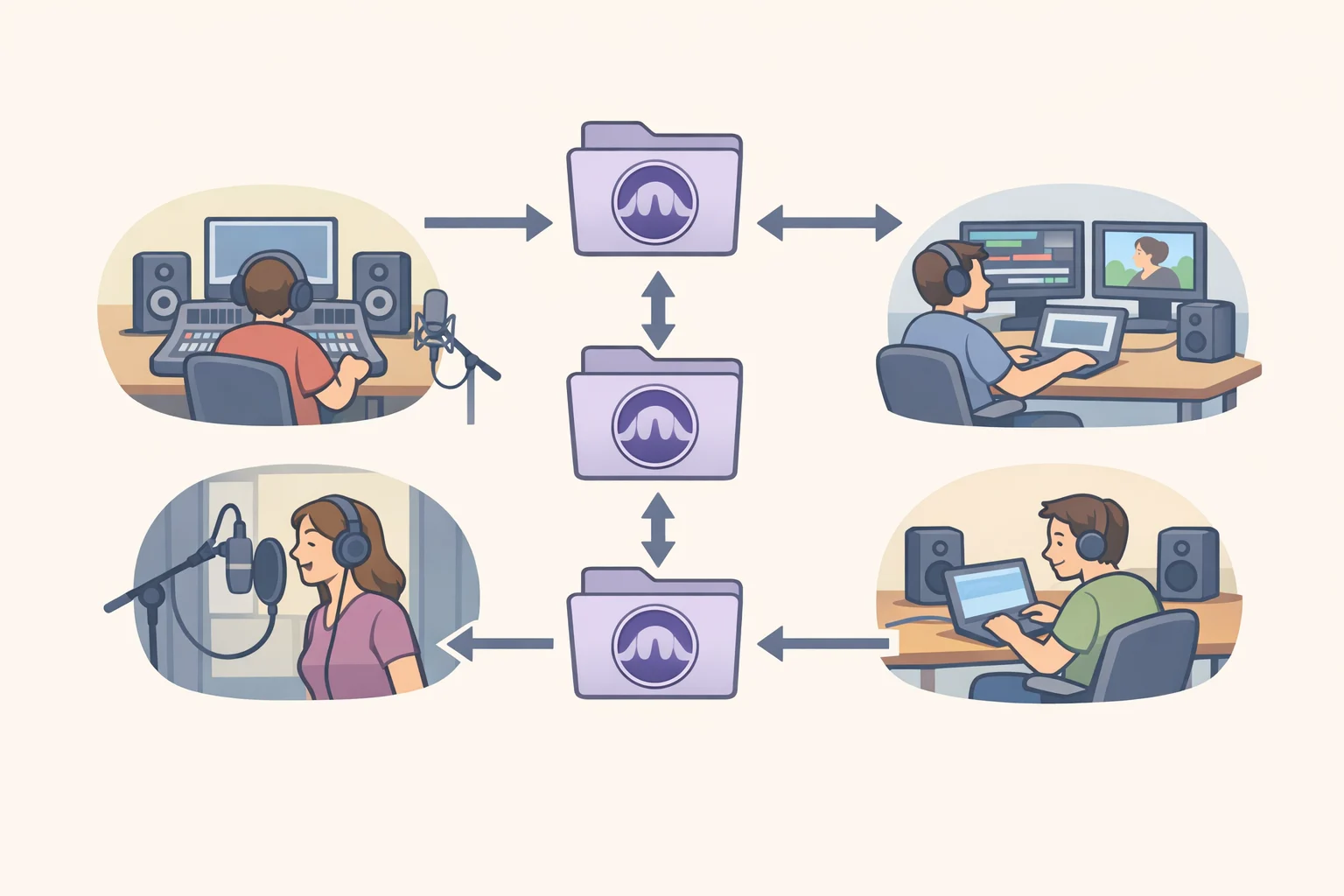
This is the question the tier comparison doesn't fully settle on its own: at what point does Pro Tools' professional network outweigh the cost of buying into it?
The answer turns on session interchange. A studio that regularly receives sessions from outside clients, sends work to contractors, or collaborates with other facilities isn't just buying software it's buying fluency in the format those partners use. That matters when a film editor drops a session on your desk and expects to pick it up tomorrow, or when a contractor charges less because they don't need to convert anything. Session files circulate in Pro Tools format throughout commercial post, broadcast, and major studio work. Facilities that replace Pro Tools take on the overhead of translating on both ends of every project, and that overhead doesn't appear on any spec sheet comparison.
The case weakens significantly for studios that operate in a closed loop. A music producer who records, mixes, and masters their own projects without taking in outside sessions has no session interchange dependency. Neither does a small music studio whose clients care about the output, not the format it was built in. For these workflows, the $299/year Studio subscription is paying for compatibility with a network the studio isn't actually using. That's a legitimate purchase if the workflow genuinely matches the platform; it's an expensive habit if the match has drifted.
The clearest threshold: if your studio regularly handles sessions it didn't originate, Pro Tools is likely earning its keep. If you originate everything you work on and have no outboard hardware dependencies, the alternatives particularly Logic Pro for Mac-based work deserve a serious look before renewing. Logic Pro's one-time purchase price covers a wide range of music production and basic post work with no track count limits. The gap closes once multi-room infrastructure, complex hardware, or client-originated sessions enter the picture. Until then, it doesn't.
What the recent updates actually change
Avid has shipped six major point releases since late 2023, and the pattern across them is consistent enough to read as a strategy rather than a feature checklist. The investment is concentrated in post-production efficiency, multi-format immersive delivery, and workflow automation at scale.
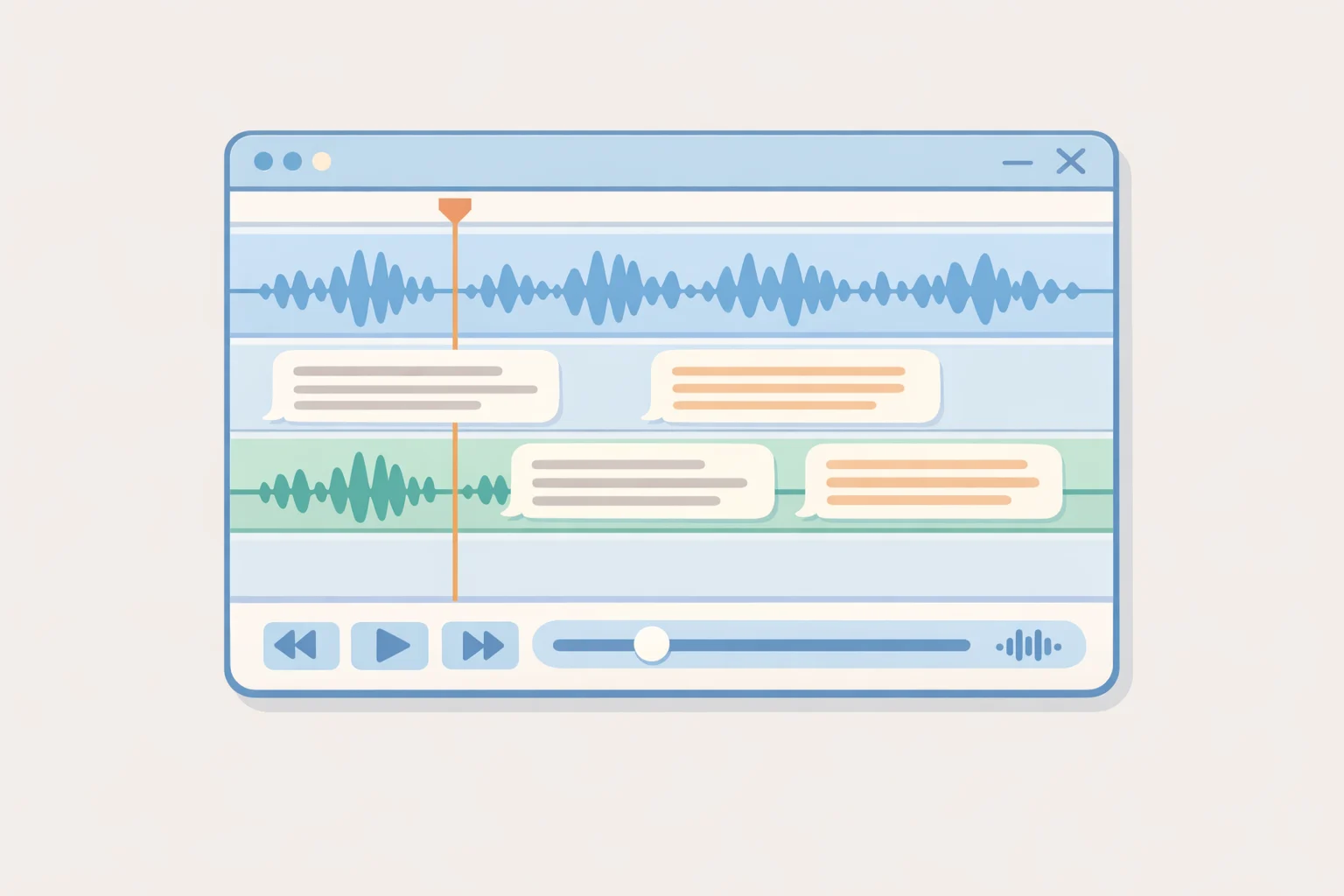
Speech-to-Text, introduced in Pro Tools 2025.6 and refined through 2026.4, uses AI to analyze audio and display transcribed text inline with each clip inside the Edit Window. For dialog editors and ADR supervisors, that eliminates the roundtrip to a separate application that's been baked into the workflow for years. The same 2025.6 release added tighter integration with Non-Lethal Applications Cue Pro, extending Speech-to-Text into ADR, dubbing, and foley work without additional setup or separate project management. SoundFlow integration, added in October 2025, brings over 1,700 free macros that compress multi-step tasks into single keystrokes meaningful in high-volume sessions where repetitive operations accumulate across a project's full length. Bounce Factory Lite, developed with mixer Andrew Scheps and integrated in December 2025, builds deliverable export directly into the Edit Window via a SoundFlow panel, handling mixes, stems, and other output files without a separate bounce workflow (Avid).
Immersive audio support has expanded in stages: the built-in Dolby Atmos renderer arrived free for Studio and Ultimate users in December 2023, Sony 360 Reality Audio in October 2025, MPEG-H immersive mixing in April 2026, and Audio Vivid in December 2025 described by Avid as the world's first AI-powered 3D audio codec standard available to Studio and Ultimate customers.
Speech-to-Text matters in a dialog edit session. SoundFlow macros matter when you're delivering 40 stems for a film mix. Neither feature changes the calculus for someone tracking a four-piece band at Artist tier. That's not a criticism; it's a reminder that these updates are targeted, not general. Avid is building toward AI-assisted post, multi-format immersive delivery, and deeper third-party tool integration. The Studio and Ultimate tiers are the audience for that trajectory.
One caveat worth stating plainly: Avid's own release notes are the primary documentation for these features, and independent performance benchmarking is thin. Quantified outcomes for Speech-to-Text accuracy in real sessions, SoundFlow reliability under session complexity, or time savings in commercial post workflows don't yet exist in the published record. The features appear substantive. How they hold up under production-scale pressure is something the next year of user experience will answer more definitively than any review can today.
What the pricing model rewards, and where it punishes
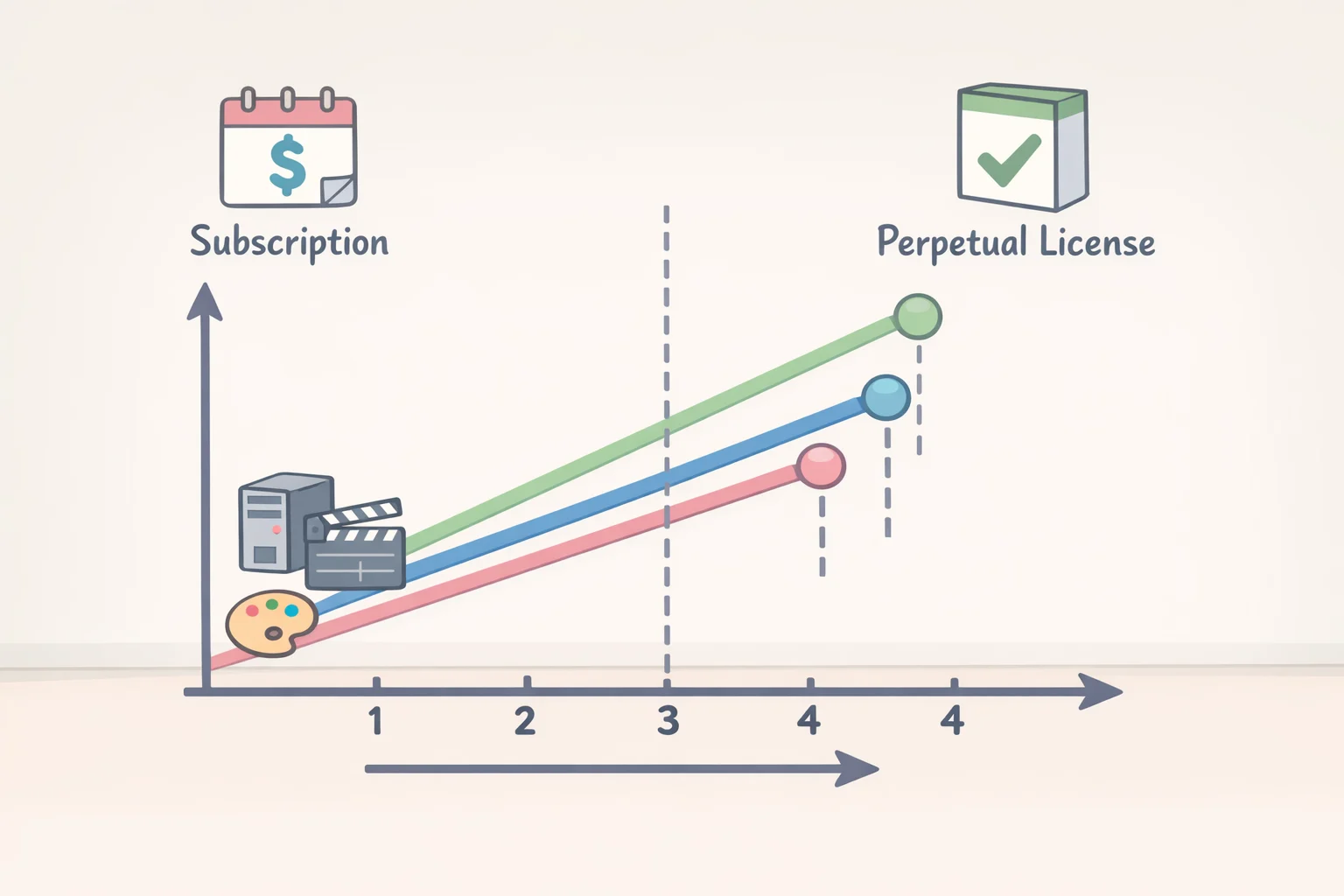
Artist is subscription-only at $99/year. Studio and Ultimate are available on annual subscription ($299 and $599 respectively) or as perpetual licenses, though perpetual licenses are sold only through authorized Avid resellers, not the Avid web store directly (Production Expert).
The break-even math from Production Expert is worth knowing before choosing a route. For Studio, perpetual ownership takes roughly six years to outperform subscription. For Artist, seven years. For Ultimate, approximately 15 largely because the gap between the annual upgrade-and-support plan ($499) and the annual subscription ($599) is only $100. PCMag UK identifies Pro Tools as among the most expensive DAWs available and flags its hard per-tier track count limits as an anachronism, enforced by licensing rather than hardware capability, in an era when most competing DAWs impose no such ceiling.
There's also a practical friction point that belongs in any honest Pro Tools assessment: as of this writing, Pro Tools is certified only for macOS Tahoe 26.3, while version 26.5 has already been available for months (PCMag UK). For professionals on a normal Mac update schedule, certification lag is a recurring feature of the Pro Tools experience, not a one-time anomaly. Build it into any timeline for a studio OS upgrade.
Subscription suits studios that treat Pro Tools as daily infrastructure and need continuous feature and compatibility currency. Perpetual makes more sense for freelancers running stable versions across long contract cycles, or facilities with a history of holding software for years before upgrading. Avid's 2023 decision to eliminate penalty fees for lapsed perpetual plans made the off-plan route more viable than it had been: returning users no longer face punitive reinstatement costs (Production Expert).
Who should buy, who should wait, and what to verify before renewing
Three conditions settle most of the decision.
If the workflow requires HDX hardware, Ultimate is the only option no other tier supports it. If the studio regularly handles client-originated sessions or sends work to contractors who expect Pro Tools format, the subscription cost is paying for genuine operational value. Verify it's actually being used that way before renewing.
If the studio originates everything it works on and has no outboard hardware dependencies, the $299/year Studio subscription is worth comparing honestly against Logic Pro before committing. The price difference is substantial, Logic Pro has no track count limits, and the feature gap narrows considerably for music-focused work without post or broadcast requirements.
On macOS: check certification status before updating the operating system. The current gap between the certified macOS version and the latest available release is a real operational risk for studios on a normal update schedule, not a theoretical one.
Pro Tools in 2026 is priced, designed, and updated for studios that treat it as infrastructure. For that audience commercial post, broadcast, multi-room facilities, and studios embedded in professional session networks the case is as strong as it's been in years. The studios that need to think hardest before renewing are the ones who aren't sure that description still fits them. The software hasn't changed its position. The question is whether yours has.