Best Value Gaming Laptops Under $1,500: Avoid Throttled Budget Traps
If you're hunting for the best value gaming laptop this year, the trap is assuming the newest GPU badge automatically means the best buy. Gaming laptops have always been expensive. What's changed in 2026 is that cheap models are getting harder to recommend not because they've gotten worse on paper, but because component costs are forcing manufacturers to cut corners on the things you don't notice until you've already bought the machine. Low GPU power limits, washed-out panels, undersized storage. These aren't random choices. They're the predictable result of manufacturers trying to hold a price point while memory costs eat into their margins.
The pressure is most visible in gaming laptops between $1,000 and $1,500. That's where the squeeze shows up first, and where buyers are most likely to pay for the appearance of affordability rather than the real thing.
Some numbers explain why. Gartner projected earlier this year that combined DRAM and SSD prices would surge roughly 130% by year's end, pushing average PC prices about 17% above 2025 levels. Worldwide PC shipments are forecast to fall 10.4% in 2026 the steepest contraction in over a decade. Memory's share of the typical PC bill-of-materials is climbing from around 16% in 2025 to a projected 23%, per Gartner a jump that removes the buffer manufacturers have historically used to absorb cost increases before passing them on. TrendForce flagged last December that notebook brands were already raising launch prices and trimming specs, with more significant price disruption expected by Q2 2026.
That context is the backdrop. The argument here is specific: in the $1,000–$1,500 budget, a well-configured RTX 4060 laptop with a properly powered GPU, 1TB of storage, and a usable panel is a better purchase than a newer-GPU machine that's been throttled, dimmed, and undersized to hit the same sticker price.
What "good value" actually means at $1,000–$1,500
Video of the Day
The gaming laptop market runs from budget entries to machines above $5,000, per Tom's Hardware. That widening range matters because the floor is being hollowed out. Gartner expects the sub-$500 PC segment to disappear entirely by 2028, as rising memory costs make low-margin entry-level systems financially unviable. That pressure doesn't stay at the bottom it moves up, squeezing what was formerly a clean midrange tier.
At $1,000–$1,500, three specs separate a real value from an acceptable-sounding spec sheet.
GPU power delivery. Tom's Hardware positions the RTX 4060 as a strong value on sale in laptops under $1,500, with the RTX 4070 as a credible step up. The catch explored in detail below is that the GPU model number means less than the wattage a manufacturer actually allocates it. A lower TGP materially limits a chip's performance potential, regardless of what the name on the box implies.
Storage. Tom's Hardware recommends 1TB as the practical sweet spot for a gaming machine in 2026, with 2TB as the comfortable long-term option. Below 512GB is a hard pass. Games are large and getting larger; you'll be managing installs almost immediately at that capacity.
Display quality. Tom's Hardware identifies 2560x1600 as the current resolution sweet spot a meaningful step above 1080p that a midrange GPU can realistically drive. Where a machine ships with a 1080p panel, the differentiator becomes color coverage. A panel below 90% sRGB is a visible daily compromise; it's the kind of thing you notice in every game, every video, every photo, not just in benchmarks.
A machine that clears all three bars at this price is genuinely worth buying. One that fails any of them is paying for a number on a spec sheet.
Video of the Day
Why the best budget gaming laptop isn't always the cheapest
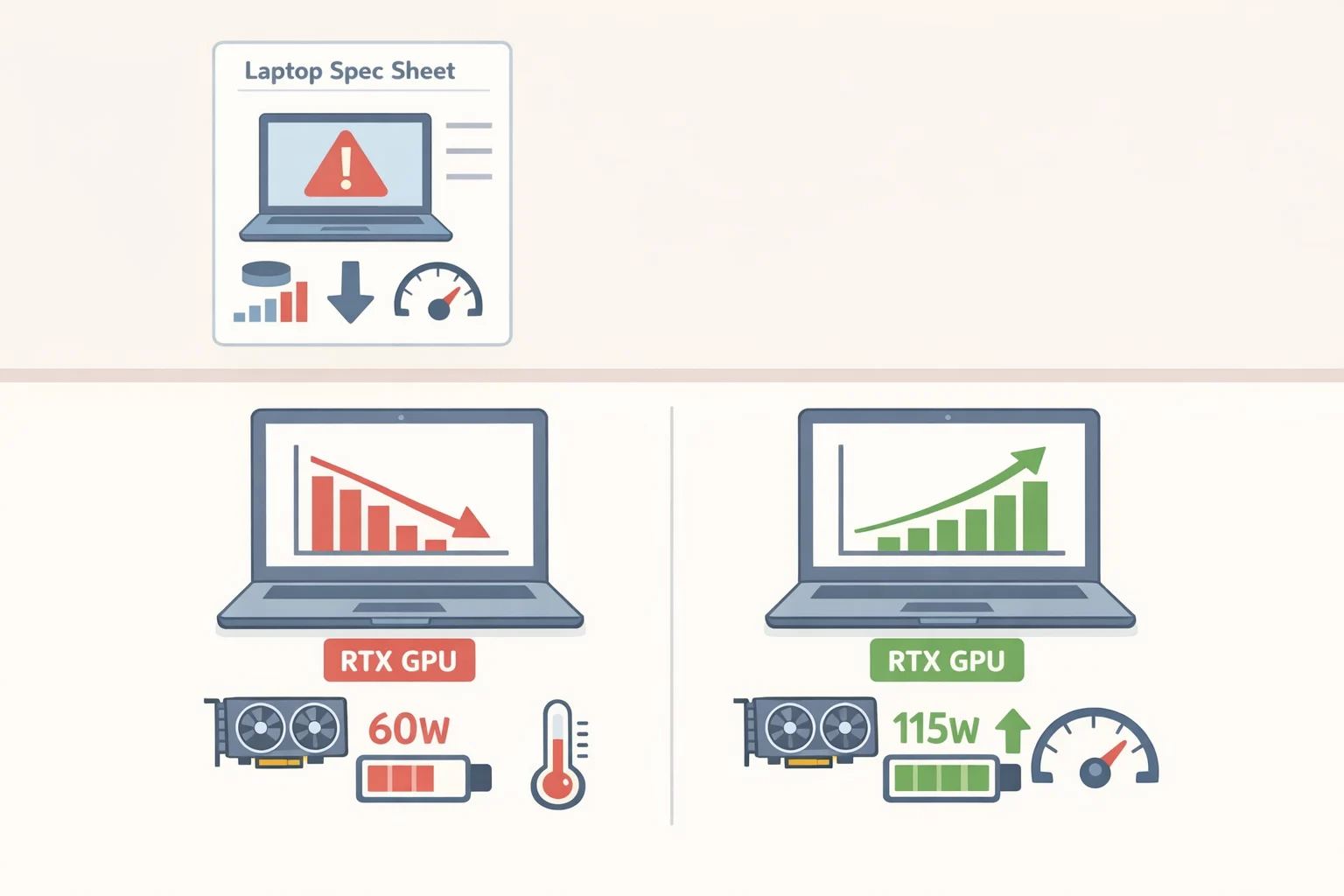
The MSI Cyborg 15 illustrates the pattern clearly. Notebookcheck reviewed it earlier this year at around €1,100 (approximately $1,298) squarely in the target range. The spec sheet reads reasonably enough: Nvidia RTX 5050, Intel Core 7 240H, 16GB DDR5, 144Hz display. The compromises, though, follow a pattern worth recognizing.
The TGP problem. MSI caps the Cyborg 15's RTX 5050 at 45 watts. The same chip is rated for up to 100 watts in other devices, per Notebookcheck. That's less than half the chip's rated output, and it's a ceiling no driver update or software tweak can raise. Frame generation tools can push reported frame counts higher the review notes quadruple frame generation getting Black Ops 7 to 103 FPS on Extreme settings but the underlying rendering headroom doesn't change. You're inflating a number, not expanding what the hardware can actually do.
The panel problem. The 144Hz Full HD screen covers only about 65% of the sRGB color space, per Notebookcheck, producing a visibly washed-out image. Refresh rate is what gets advertised. Color accuracy is what you notice every time you open the lid.
The storage problem. At 512GB, the Cyborg 15 ships at the edge of viability. Notebookcheck calls the capacity lean for 2026; Tom's Hardware puts 1TB as the realistic starting point for gaming. The math isn't complicated.
None of this is unique to MSI. Notebookcheck places the Cyborg 15 in the same performance band as the Acer Nitro V 15, HP Victus 15, and Lenovo LOQ 15 all RTX 5050 or RTX 5060 machines competing at similar prices, landing in similar rating regions. The Cyborg 15 looks less like an outlier than a clear example of how this tier is being managed.
TrendForce observed last December that budget notebook makers have limited flexibility to cut DRAM, because processor pairing requirements and OS minimums constrain how low they can go. So savings come from elsewhere. Display quality and GPU power delivery are softer targets: they're harder to evaluate from a spec sheet than RAM capacity or SSD size, and easier to understate in marketing copy.
Low TGP, weak panel, undersized SSD. These are not random cuts. They're the predictable shape of a $1,200 gaming laptop built to survive component inflation.
How to find a good value gaming laptop under $1,500
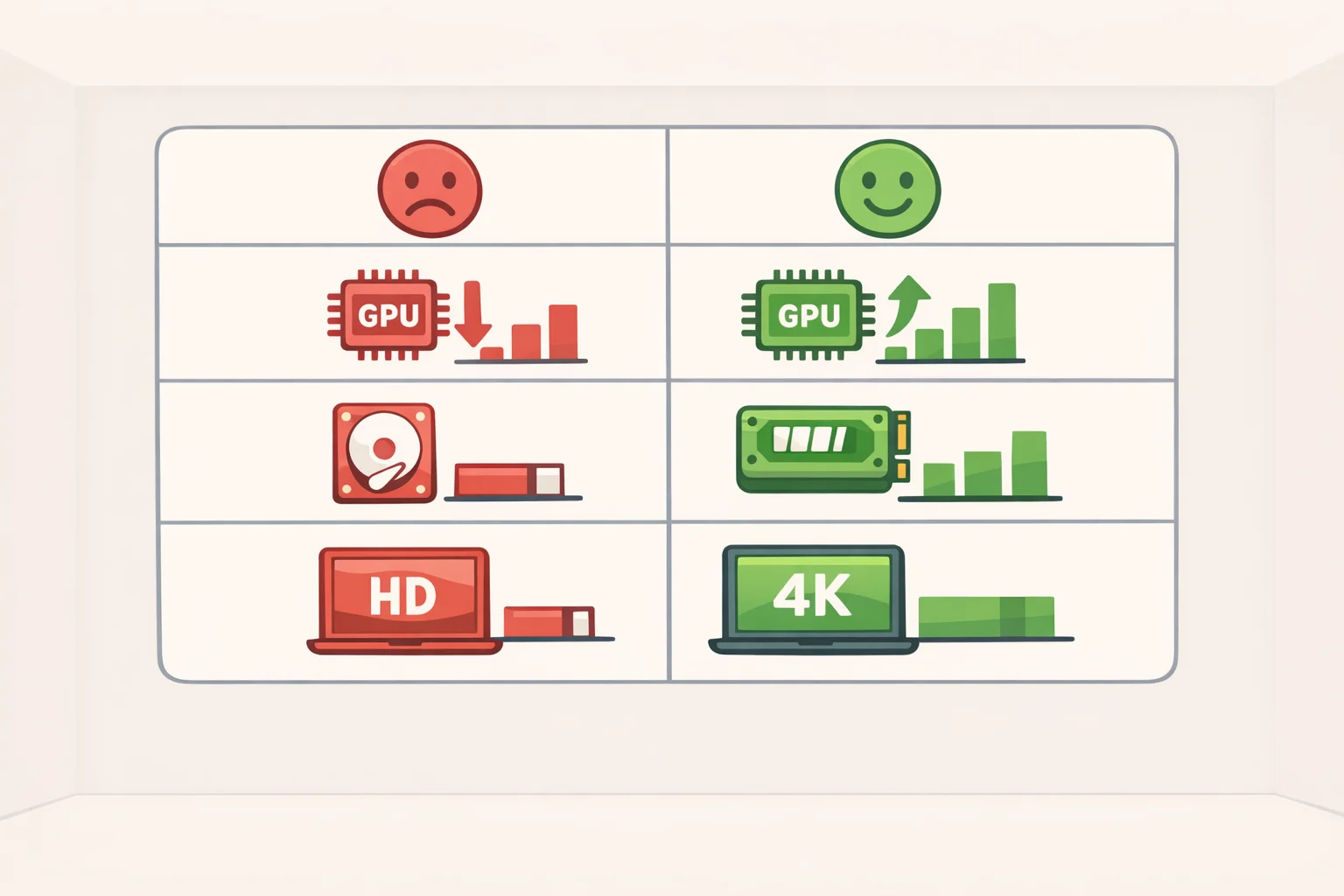
The case for spending a bit more isn't abstract. Notebookcheck is direct: buyers willing to stretch should look at the Lenovo Legion 5 15, which came close to a "very good" rating where the Cyborg 15 achieved a more limited result. That gap in rating reflects a gap in the underlying configuration, not just the GPU generation.
The practical difference comes down to what a manufacturer actually allocates to each component:
| Throttled budget tier (e.g., RTX 5050 at 45W) | Better-configured midrange (e.g., RTX 4060 at 80–100W) | |
|---|---|---|
| GPU TGP | Capped well below chip's rated ceiling | Closer to the chip's rated ceiling |
| Storage | 512GB (common at this price) | 1TB (more typical at a modest step up) |
| Display | 1080p, often 65% sRGB | 1080p 90%+ sRGB or QHD panel |
| Upgrade pressure | Arrives sooner | More runway before it bites |
Use this as a buying framework, not a spec guarantee actual configurations vary by model and retailer.
The longevity question matters more than usual right now. Gartner projects that consumer PC ownership cycles will extend by roughly 20% by the end of 2026, because replacement machines will cost more and buyers will hold what they have longer. A laptop that starts with a throttled GPU, dim panel, and cramped SSD will hit its limits faster than one that cleared the baseline spec bar on day one. The upfront savings compound into earlier dissatisfaction.
There's also a timing argument. Gartner noted earlier this year that vendors faced a critical window in the first half of 2026 to protect margins before component inflation fully compressed profitability. Machines on shelves now particularly channel inventory priced at older cost structures may offer better configurations for the money than equivalent-looking models released later, when manufacturers have less room to absorb costs.
Where to find TGP and panel data when brands hide it. Manufacturers don't always lead with these numbers, but they're usually findable. TGP appears in detailed spec sheets, reviewer teardowns, and sometimes in retailer PDFs buried below the fold. For display coverage, independent reviews from Notebookcheck or Tom's Hardware run colorimeter measurements that aren't in the box. Searching the model name alongside "TGP" or "sRGB" before buying takes two minutes and saves a lot of regret.
What you can safely compromise on. Chassis material, RGB lighting, webcam quality, and bundled software all affect price without affecting gaming performance. Battery life is worth knowing but not worth optimizing gaming laptops need to be plugged in for full performance regardless, and Tom's Hardware notes that very few reach 8 hours on a charge even at idle. These are trade-offs worth accepting. Low TGP, weak color coverage, and 512GB storage are not.
The short checklist for anyone buying now

The current research points to more price pressure than relief in the near term. TrendForce forecast more significant PC price fluctuations through Q2 2026, and Gartner projects overall PC prices roughly 17% above 2025 levels by year's end.
For anyone shopping the $1,000–$1,500 tier today, three rules apply:
- Check the TGP, not just the GPU name. A manufacturer capping an RTX 5050 at 45W is giving you a materially different product than one running the same chip at 80W. That number is usually in the spec sheet or in reviewer data find it before you buy.
- Treat 1TB as the floor. Tom's Hardware puts 1TB as the gaming sweet spot in 2026. At 512GB, storage management becomes a recurring chore.
- Verify display color coverage before trusting refresh rate. A 144Hz panel at 65% sRGB will look worse in everyday use than a lower-refresh panel with accurate color. Refresh rate gets the headline; coverage affects everything you actually see.
The MSI Cyborg 15 is a defensible purchase for a narrow buyer: someone who wants low fan noise, has modest performance expectations, and is working with a firm price ceiling. Notebookcheck confirms it runs quieter than most competitors under load, which is a real advantage for some use cases. For most buyers in this budget, though, a well-powered RTX 4060 laptop that clears all three criteria above will hold up longer and feel less compromised from the start.
In this market, generation labels matter less than what a manufacturer actually puts behind them. That's the calculation worth making.