Free Ebook Apps Explained: When to Use Libby vs Hoopla
Most people stumble onto one of these free ebook apps, install it, and never bother with the other. That's a mistake not because both are equally useful in every situation, but because they're built on opposite licensing models that make each one the right tool at different times. This guide explains how Libby and hoopla work, what structurally separates them, and how to use them together so you're never waiting on a book you could read right now, and never burning a limited monthly credit on something that could have waited.
One thing to confirm before anything else: not every library offers both services. Check your library's website under "digital resources" or a similarly named section. You'll need a valid library card number and PIN for either app.
Why the licensing model matters more than any feature
Video of the Day
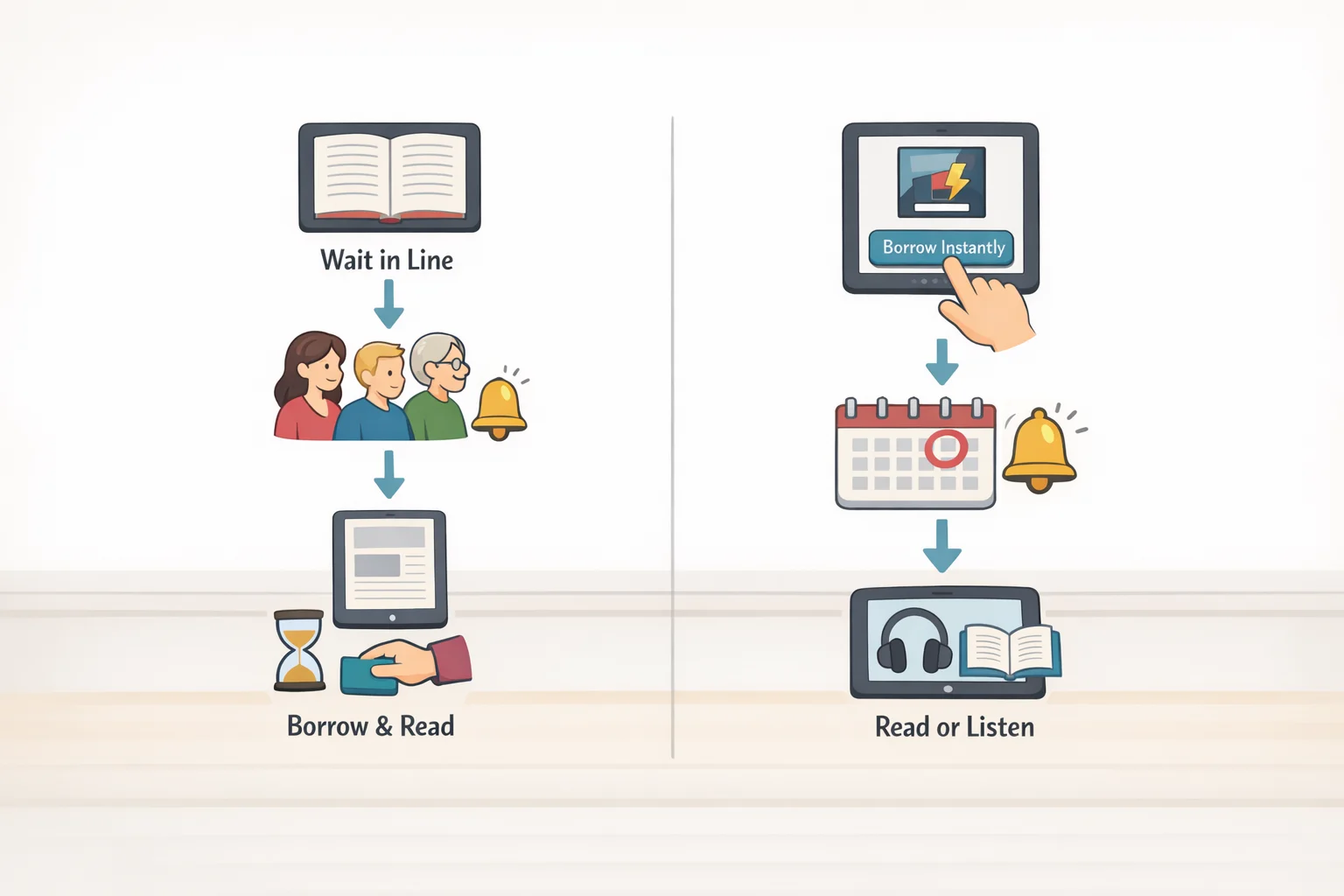
Before downloading anything, understand the structural difference. Everything else follows from it.
Libby mirrors physical lending. Librarians select titles for the collection and license a set number of digital copies. When all copies are checked out, the next patron joins a waitlist exactly as with a physical book. Popular and newly released titles are more likely to appear in Libby's collection precisely because librarians curate it around community demand, but those same titles often carry the longest waits, Iowa City Public Library noted. Catalog size varies significantly by system; the Carnegie Library of Pittsburgh, for example, offers more than 150,000 titles through the platform, Arts Management and Technology Lab reported earlier this year.
Hoopla works differently. It licenses content on a pay-per-use basis and makes that catalog available to any participating library. Your library pays a small fee each time a patron borrows something, which means any title in the catalog is available to an unlimited number of borrowers simultaneously. Hoopla's catalog exceeds 500,000 titles and is largely consistent across all libraries, since the content isn't locally curated, Arts Management and Technology Lab found. Beyond ebooks and audiobooks, hoopla also includes movies, television, music, and some instructional content, Iowa City Public Library noted.
Because the library absorbs a per-checkout cost, it caps how many items you can borrow each month. Those caps vary by system. Iowa City Public Library sets eight checkouts per month, Iowa City Public Library confirmed; Richland Library allows ten, Richland Library confirmed. In both cases, unused credits reset on the first of the month whether you used them or not. A checkout costs you a credit the moment you borrow, even if you never open the file, Iowa City Public Library confirmed. Use those credits with intent.
The practical upshot: Libby is your first search for targeted reading. Hoopla is your immediate-access fallback, and a genuinely valuable one, as long as you're deliberate about what you check out.
Video of the Day
Best free ebook reader apps for borrowing from the library: Libby vs. hoopla at a glance
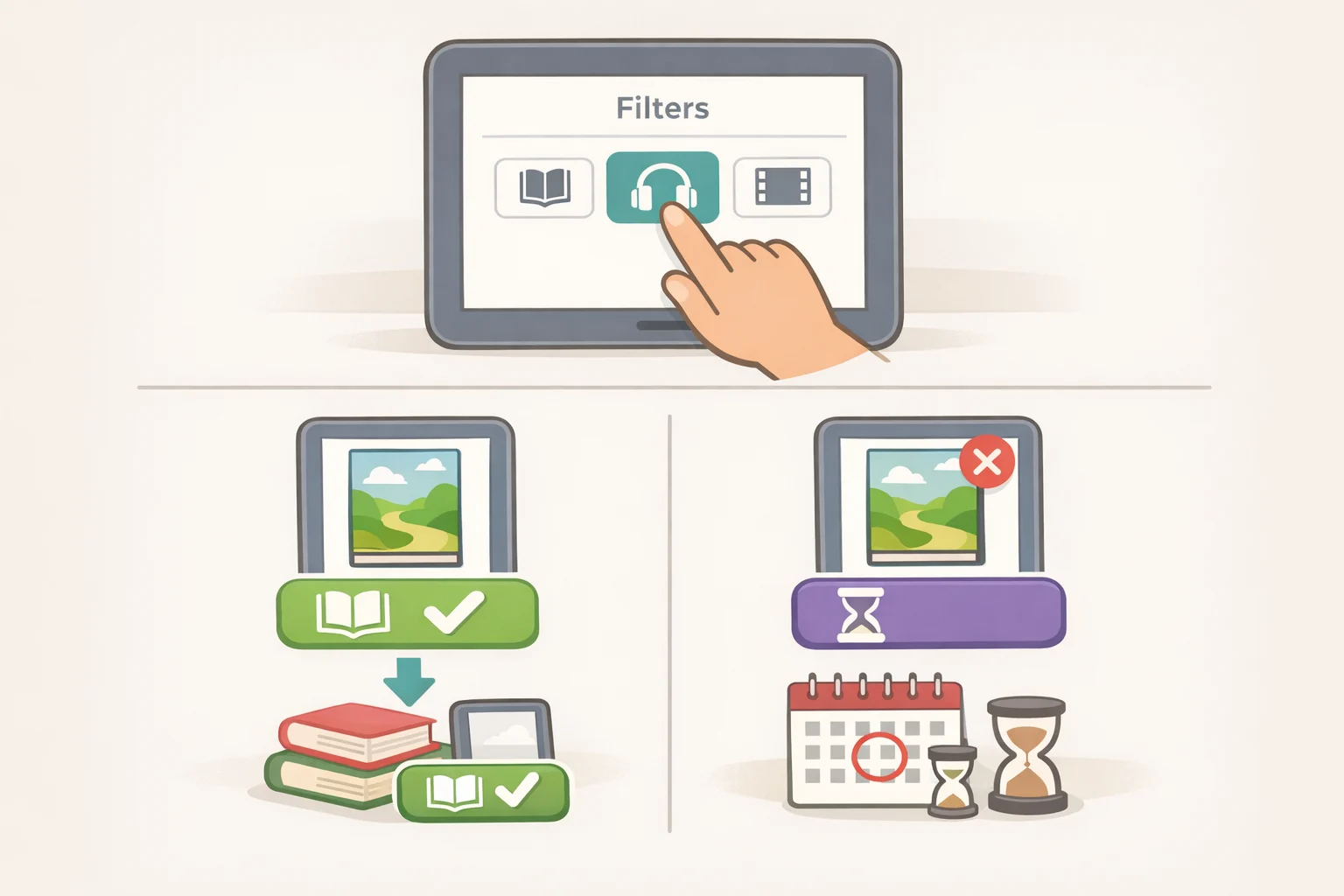
The strongest argument for having both apps installed is that they reliably cover each other's weaknesses. Here's how that plays out across common reading situations.
You know exactly what you want to read. Search Libby first. It's more likely to have popular titles and new releases, and its search filters are more granular: filter by format (ebook, audiobook, magazine), current availability, subject, audience, and language, Arts Management and Technology Lab noted. If the title is available, borrow it immediately. If not, place a hold. Libby notifies you when your turn arrives, and if the book becomes available before you're ready, a "deliver later" option lets you defer the loan without losing your place in the queue, Arts Management and Technology Lab explained. For titles not yet in your library's collection at all, Libby's "Notify Me" smart tag will alert you if the book is added later. Check whether your library allows renewals; if it does, Libby supports one-click renewal to extend a loan you haven't finished, Arts Management and Technology Lab confirmed.
You want something now, without waiting. Open hoopla. If the title is in hoopla's catalog, it's yours immediately: no queue, no notification windows, no scheduling your reading around availability. Hoopla has no holds or waitlists at all, Richland Library confirmed. If it's in the collection, you have instant access regardless of how many other people are using it simultaneously.
Use hoopla's Favorites feature to save titles you're interested in without triggering a checkout; you can return to them later without spending a credit, Arts Management and Technology Lab explained. This is worth building as a habit before you hit the monthly cap.
You're a Kindle user. Libby can send borrowed books directly to the Kindle app, making it the natural fit for anyone already in Amazon's reading ecosystem, Arts Management and Technology Lab noted. Hoopla does not offer this. If your Kindle device or app is your primary reading environment, Libby is where you'll spend most of your time.
You read graphic novels or illustrated books. Both apps support this content, but Libby's pinch-to-zoom on touchscreens is more capable than hoopla's more limited zoom functionality, Arts Management and Technology Lab observed. When a page's detail is part of the experience, that difference matters.
You want to browse without a specific title in mind. Either app works, but differently. Libby's tag system lets you organize saved titles into custom categories "book club candidates," "summer reading" and smart tags track specific titles automatically, Arts Management and Technology Lab noted. Hoopla's approach is simpler: favorite a title to save it, borrow when ready. For pure discovery, hoopla's breadth can surface things a curated local collection wouldn't.
Setup and reading: what to expect from each app
Getting started takes about five minutes per app. Download Libby and hoopla from the Apple App Store or Google Play Store, or use either through a web browser if you prefer a desktop, Richland Library confirmed. Open each app, search for your library by name or location, and enter your library card number and PIN. Both apps connect to your library's collection immediately. Your library's website is the best place to confirm your card number, reset a forgotten PIN, or check your specific borrowing limits; those limits are set locally and vary more than most guides acknowledge.
The reading experience inside each app is nearly identical. Both save your progress and sync across all your devices, so starting on a phone and continuing on a tablet requires no manual syncing, Arts Management and Technology Lab confirmed. Both offer adjustable text size, brightness, line spacing, and display themes. Both return items automatically when the loan period ends: no action required, no possibility of a late fee, Richland Library confirmed.
Two practical differences worth knowing before you're mid-chapter:
- Libby streams by default; you can optionally download for offline reading. Hoopla requires a download before you can read, though you can delete the file manually to free up storage space, Arts Management and Technology Lab noted.
- Libby includes app-level accessibility settings: reduce color variation, motion, and haptic feedback vibrations. Hoopla doesn't match this, Arts Management and Technology Lab found. For readers who find animated interfaces uncomfortable, that's a meaningful distinction.
Early returns work differently in each app, and the difference reflects the underlying licensing structure. Returning a Libby book early moves the next patron up the waitlist a genuine courtesy in a one-copy-one-user system, Iowa City Public Library noted. Returning a hoopla title early has no effect on anyone else, since no one is waiting, and it does not restore your monthly credit, Richland Library confirmed.
How to choose in 30 seconds
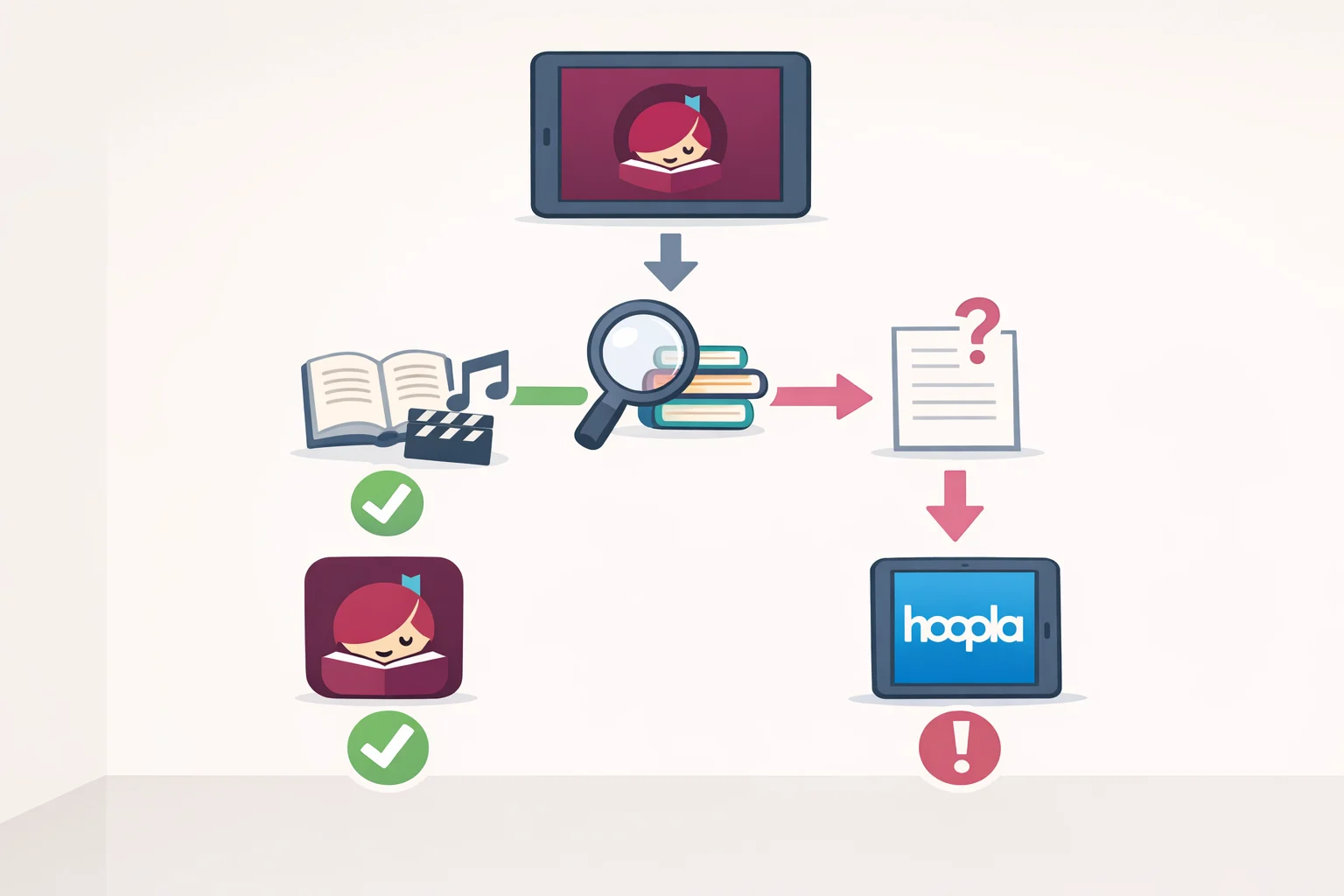
Both apps are free. Both require only a library card. Neither charges a late fee. The only question is which one to open first. Follow this sequence:
- Search Libby for your specific title. It's more likely to have new releases and popular books. If it's available, borrow it now.
- Place a hold if it's not. Libby notifies you when your turn arrives; use "deliver later" if the timing doesn't work.
- Check hoopla only if you want it now. No hold, no wait. If it's in the catalog, it's yours immediately.
- Save, don't borrow, on hoopla unless you're ready to read. Favorite a title to find it later without spending a monthly credit.
Use Libby when you have a specific target and some patience. Use hoopla when you need something right now or want to browse a catalog that no single library could curate on its own. Use both if you read regularly, because you'll eventually be in both situations.
One note on limits: the borrowing caps and monthly credit allotments cited throughout this piece are drawn from specific library systems. Your library's rules may differ. After logging in to each app, check the account or settings section; both surfaces your library's specific terms. Libraries adjust these limits periodically, so a quick check is worthwhile if you haven't looked in a while, Arts Management and Technology Lab noted.
If your library card is current, both apps install in under a minute. Start there.