Garmin Cirqa Tips and Tricks: 5 Setup Habits That Work
Garmin's screen-free Cirqa band launched three weeks ago at $199.99, promising around-the-clock health and fitness tracking without a subscription requirement (Garmin press release, 3 weeks ago). No display to check mid-run, roughly ten days of battery per charge, and manual tracking across more than 80 activity types. That's a strong pitch on paper. This guide looks at how five setup habits shape what actually lands in Garmin Connect, without pretending setup is the only variable that matters.
DC Rainmaker's testing rated Cirqa's auto-workout detection "good and getting better," though still fuzzy during lower-intensity stretches. When the band fails to catch a session, that stretch doesn't get an estimated heart rate or a backfilled guess. It gets nothing (DC Rainmaker, 10 days ago). Learning how to use Garmin Cirqa well starts with that distinction. The five habits below aim at capturing more complete records, not at fixing the Gen 4 optical sensor's accuracy limits during hard efforts, which no setting can override. That separate limitation gets its own section further down.
Menu labels and button behavior described here come from what early reviewers found on their own units, not Garmin's official documentation, so it's worth checking against your own device if something doesn't quite match.
1. Assign the side button to the workout most likely to go undetected
Video of the Day
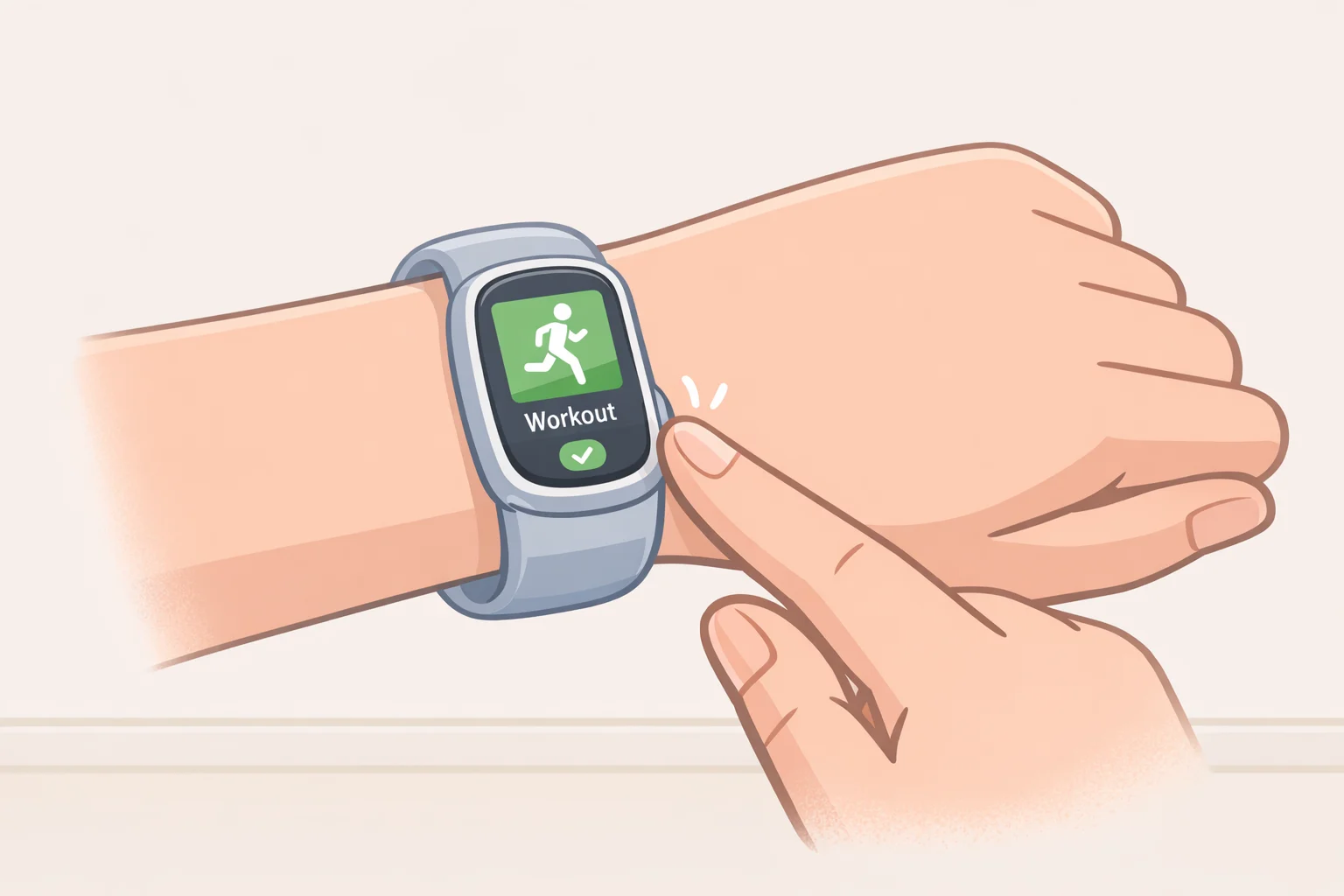
Cirqa's single side button can be assigned to one favorite activity, letting a tap start tracking without pulling out the phone or opening the app (Garmin press release, 3 weeks ago). The band manually tracks more than 80 activity types in total, though Trusted Reviews confirmed the button itself holds only one of them at a time (Trusted Reviews, 8 days ago).
The reason this matters comes down to power management. DC Rainmaker's testing found that Garmin runs the heart-rate sensor at lower power outside of a tracked workout, and an undetected session shows no heart-rate data rather than an estimate (DC Rainmaker, 10 days ago). That helps explain why manually starting a workout matters: the device records the session instead of leaving the undetected portion without heart-rate data.
Auto-detection already handles walks and runs reliably, according to Trusted Reviews, so the button doesn't need to carry much weight there (Trusted Reviews, 8 days ago). Consider using the button for intervals and other stop-start workouts instead. DC Rainmaker specifically called out one such workout as one he'd start manually rather than trust to auto-detection (DC Rainmaker, 10 days ago). A short press without a favorite assigned just opens a generic "Timer" entry, which can be renamed to the correct activity afterward in Connect (Gone4.run, 2 weeks ago).
Video of the Day
2. Bring your phone for outdoor routes and location sharing
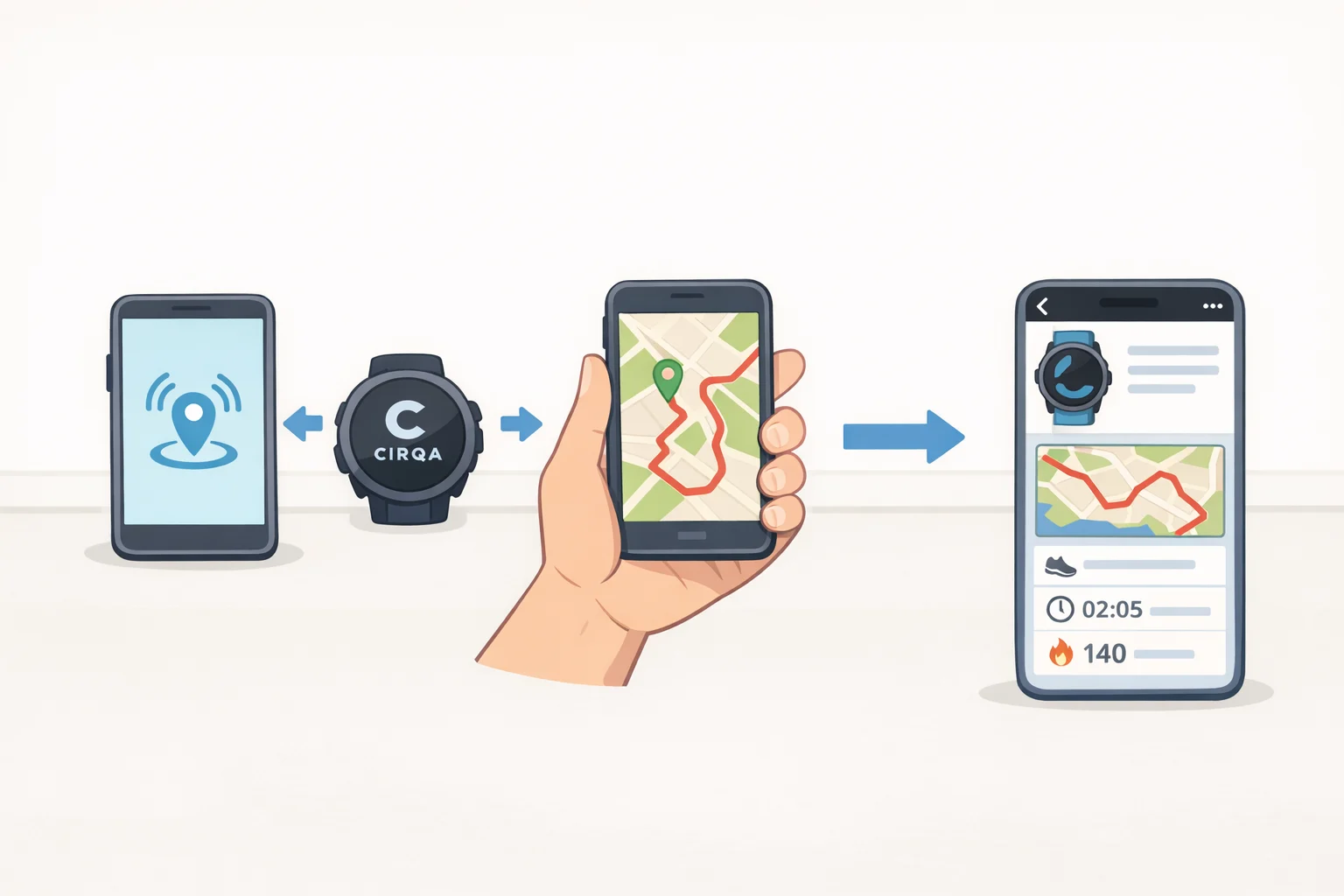
Cirqa has no GPS chip built in. For outdoor walks, runs or rides, it borrows location data from a paired phone through Garmin's Connected GPS (Garmin press release, 3 weeks ago). Keep the phone paired and make sure Garmin Connect can use its location data. Trusted Reviews tested this setup and found the resulting route maps in Garmin Connect accurate and consistent with the actual path taken (Trusted Reviews, 8 days ago).
The same dependency covers LiveTrack, which lets someone else follow a route in real time. It works only through a paired phone running Garmin Connect (Garmin press release, 3 weeks ago). Connected GPS and LiveTrack are two of the more practical Garmin Cirqa features for anyone who trains outdoors, but both depend entirely on the phone showing up too. Cyclists should also know Cirqa can't pair with external cadence or power sensors, so anyone tracking those metrics still needs a dedicated bike computer alongside it (Gone4.run, 2 weeks ago).
Treat Cirqa as phone-dependent, not as a standalone GPS watch, and there's no surprise mid-run.
3. Use Cirqa's heart-rate broadcast to feed a watch or bike computer you already own
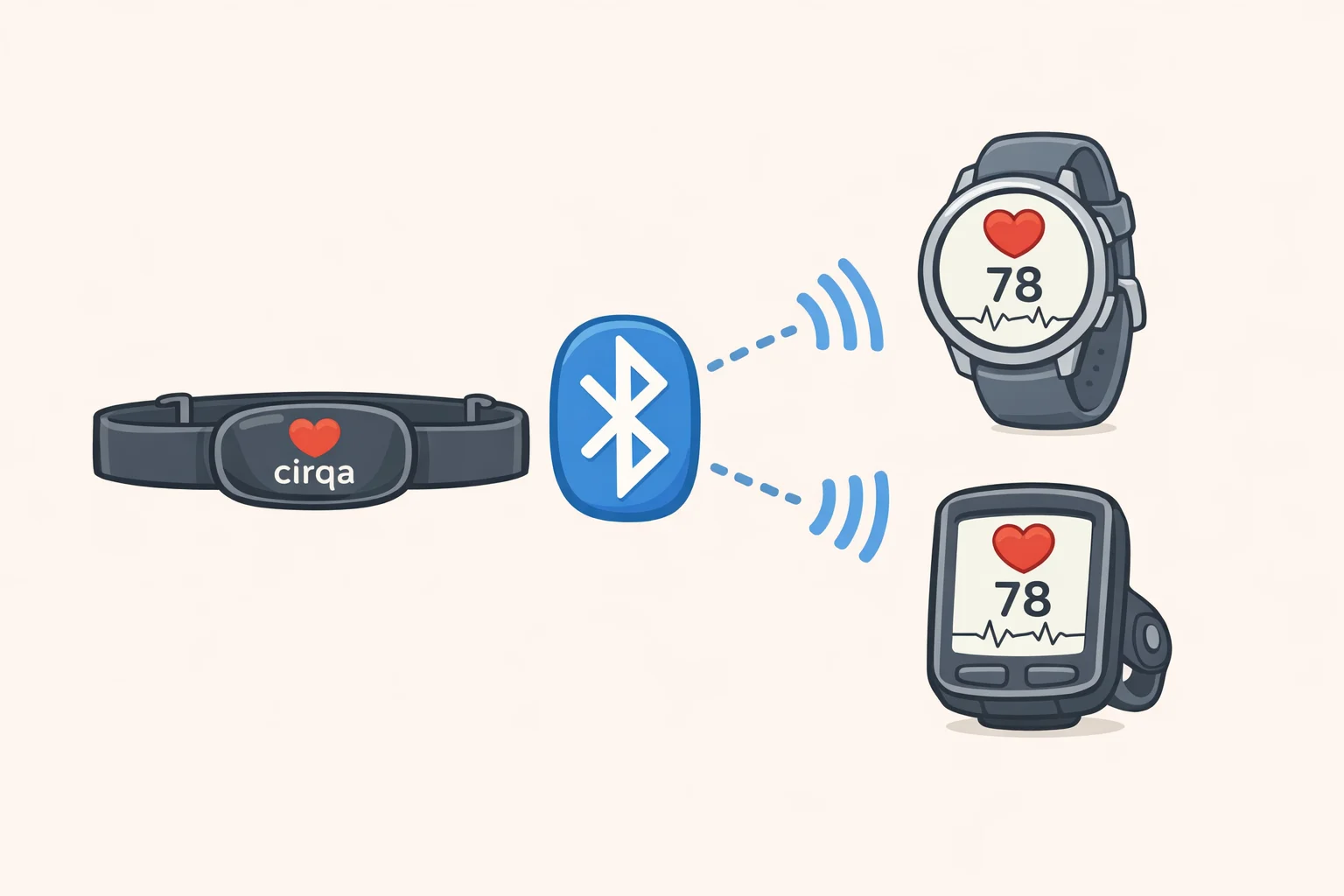
Cirqa can broadcast its heart-rate reading over Bluetooth to a watch, bike computer, or any other device that supports Bluetooth heart-rate sensor pairing, not just other Garmin gear (Gone4.run, 2 weeks ago). For anyone who already owns a Garmin fitness watch or bike computer, that turns Cirqa into a lightweight wrist-based heart-rate source for that device's live display.
The broadcast helps with display, not with detection. For structured intervals, where the optical sensor struggles to hold a lock (more on that below), sending the same reading to a second device doesn't fix the accuracy problem underneath. It just relocates where you're looking at it.
Still, it's a real way to put Cirqa's sensor to use beyond its own app, for anyone with existing Garmin hardware already strapped to a wrist or handlebar.
4. Match wrist or arm-band wear to the activity
Garmin built Cirqa to be worn either on the wrist or as an armband, depending on the activity or sleep preference (Garmin press release, 3 weeks ago). Reviewers don't agree on how the fabric strap feels. One called it soft and non-irritating; another described it as the scratchiest strap of the group tested, though it softens with wear (Gone4.run, 2 weeks ago; Tom's Guide, 5 days ago). Comfort clearly varies enough by wearer that it's worth trying both positions before settling on one for overnight use.
Positioning is adjustable in practice, not just on paper. While chasing down an unrelated accuracy anomaly, DC Rainmaker swapped a unit between bicep and wrist mid-test to rule out a device-specific issue. It's a useful reminder that switching placement is a real option, though his results were specific to that test and shouldn't be read as a general verdict on wrist versus armband accuracy (DC Rainmaker, 10 days ago).
Whichever position wins out, a fit that stays snug through a workout is one less variable to chase down later if a reading looks off.
5. Charge on your schedule, and leave Battery Saver off
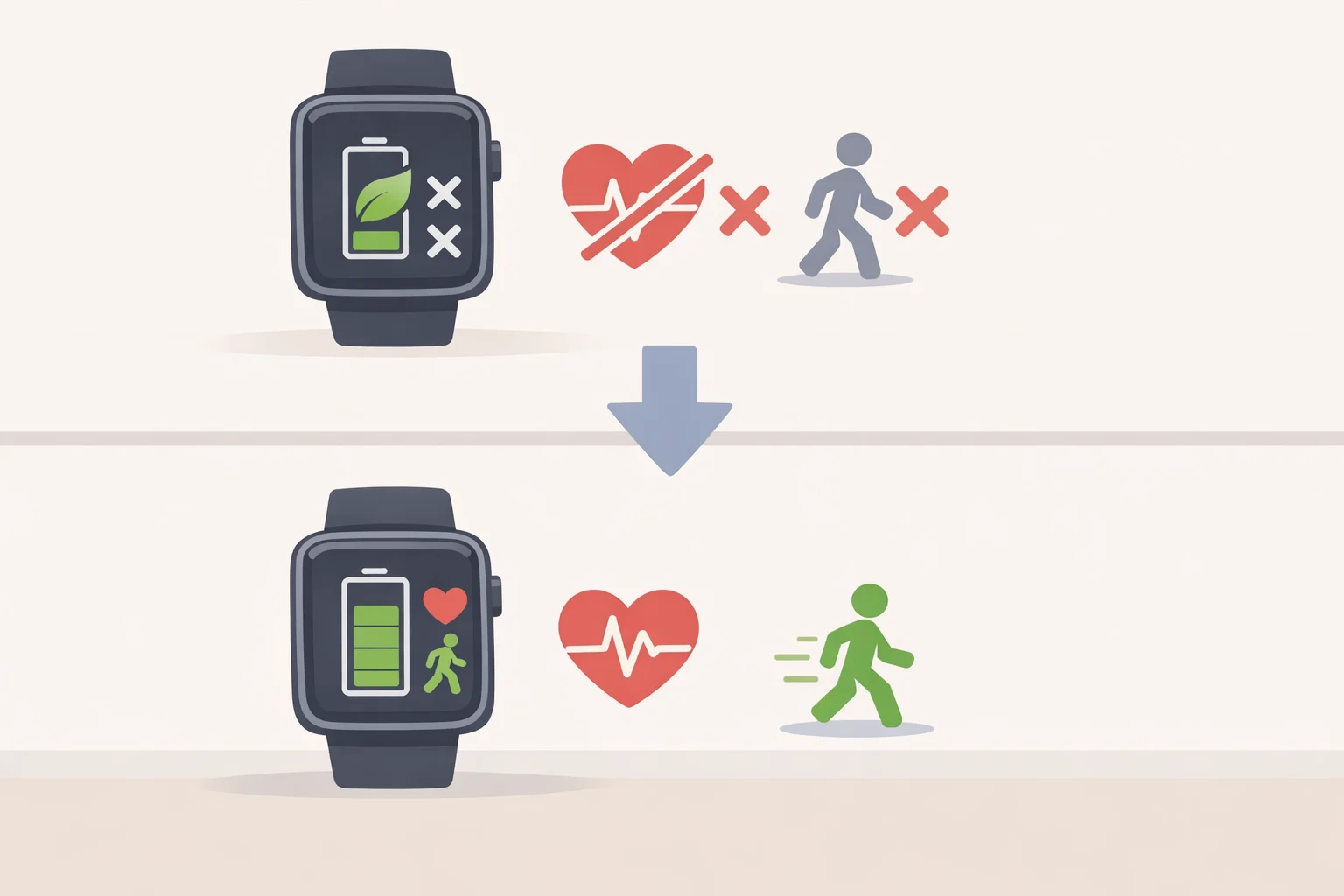
Charge Cirqa whenever it's convenient rather than waiting for a critical low. A full charge over Garmin's proprietary cable takes just over an hour, according to Trusted Reviews, so frequent short top-ups cost almost nothing (Trusted Reviews, 8 days ago). Garmin's roughly 10-day battery estimate held up in that same testing, with 52% of charge remaining after six days (Trusted Reviews, 8 days ago).
Battery Saver mode is worth understanding before reaching for it. Trusted Reviews found that switching it on disables heart-rate monitoring, auto-activity detection, the button's start-activity function, and pulse-oxygen monitoring (Trusted Reviews, 8 days ago). That disables the button and auto-detection, as well as heart-rate monitoring, so it undermines the workout-recording habits above. Reserve it for genuine emergencies, not routine use.
Garmin Cirqa setup limits
Two limitations sit outside anything a setup habit can resolve.
The first is interval heart-rate accuracy. DC Rainmaker's multi-device testing found the Gen 4 optical sensor lost heart-rate lock during interval workouts in cooler conditions, around 50°F, and in warmer ones, at 62°F, even when Cirqa correctly detected the session in the first place (DC Rainmaker, 10 days ago). Manually starting a workout, as in Habit 1, greatly reduces the risk of an undetected session. It doesn't guarantee clean heart-rate data through a hard interval set. Anyone who needs chest-strap-grade confidence for structured intervals is better off pairing a strap with a separate watch or bike computer than relying on Cirqa alone.
The second involves the alarm and sleep tracking. If you use Cirqa's vibration alarm, the recorded sleep session ends automatically at the alarm time, regardless of how many times you hit snooze (DC Rainmaker, 10 days ago). Any extra rest during snooze cycles simply happens after the recorded session has already closed.
Garmin Cirqa troubleshooting: tracking issues
A separate, smaller problem has surfaced on Garmin's official forum. One forum user, who said the band was running firmware 2.32, reported that Cirqa twice stopped streaming heart-rate and sleep data over a two-week span, with no error messages accompanying either failure (Garmin Forums, 2 days ago).
The same account offers a rough troubleshooting order for anyone hitting similar Garmin Cirqa tracking issues. Before resetting anything, that user tried powering the band off and back on, toggling Bluetooth off and on, and restarting the phone. None of it restored tracking in this case; a factory reset without deleting data resolved the problem both times (Garmin Forums, 2 days ago). That's one account, not evidence of a widespread defect. Still, it's a sensible order to follow if data disappears without explanation: check the basics first, consult Garmin's support resources, and treat a factory reset as the last step rather than the default one.
Looking ahead
Manual starts, phone-based GPS, heart-rate broadcast, wear placement, and proactive charging cover different failure points, but they all aim at the same outcome: making sure the data Cirqa is capable of capturing actually gets recorded, rather than lost to an undetected session or a dead battery.
None of that touches the Gen 4 sensor's documented trouble holding a heart-rate lock during hard intervals, or the isolated tracking dropout reported on Garmin's forum. Both remain open questions that no setup habit resolves (DC Rainmaker, 10 days ago; Garmin Forums, 2 days ago). The supplied reports don't establish whether a future firmware update will address either issue. Until one arrives, these five habits close the gaps that firmware can't touch: the ones created by how the band gets worn, started, and charged.