Adobe Lightroom Classic Review 2026: Still the Pro Standard?
This Adobe Lightroom Classic 2026 review starts from an argument, not a spec sheet. Classic remains worth choosing when a job depends on local catalog control, tethering, configurable print output, or plug-ins. It's a poor pick for anyone whose priority is fast culling or mobile-first editing. Everything below explains why, and where Adobe's 2026 update cycle moves that line.
PCMag describes Lightroom Classic as the gold standard among professional photo workflow software, pointing to its organization tools, adjustment quality, and printing options in testing published three months ago (PCMag). But "professional" covers a lot of ground: wedding shooters, studio portraitists tethered to a strobe, and hobbyists who took on a paid gig last summer. Those photographers don't need the same tool, and treating "professional" as one category obscures more than it reveals.
PCMag's testing found the two apps broadly at parity for core adjustments (PCMag, 3 months ago), including color, HDR, masking, and AI-powered removal tools. One specialized workflow comparison found Photo Mechanic still beats Classic for manual culling, because Classic has to generate previews before you can work efficiently (FindMe.Photo, 4 months ago). That's a single niche test, not an industry consensus, and it deserves to be treated that way.
The relevant question is which workflow needs Classic's specialized features, and whether the 2026 update cycle strengthens or undercuts the case for them. The standard this review uses is specific: Lightroom Classic earns its place as a primary app for photographers who need its non-destructive catalog database, tethering, configurable print and soft-proofing, plug-in support, and complex client delivery, not simply anyone who calls themselves a professional. That's a smaller group than the label suggests, and it's the group this review is written for.
Import and culling: how it affects turnaround
Video of the Day
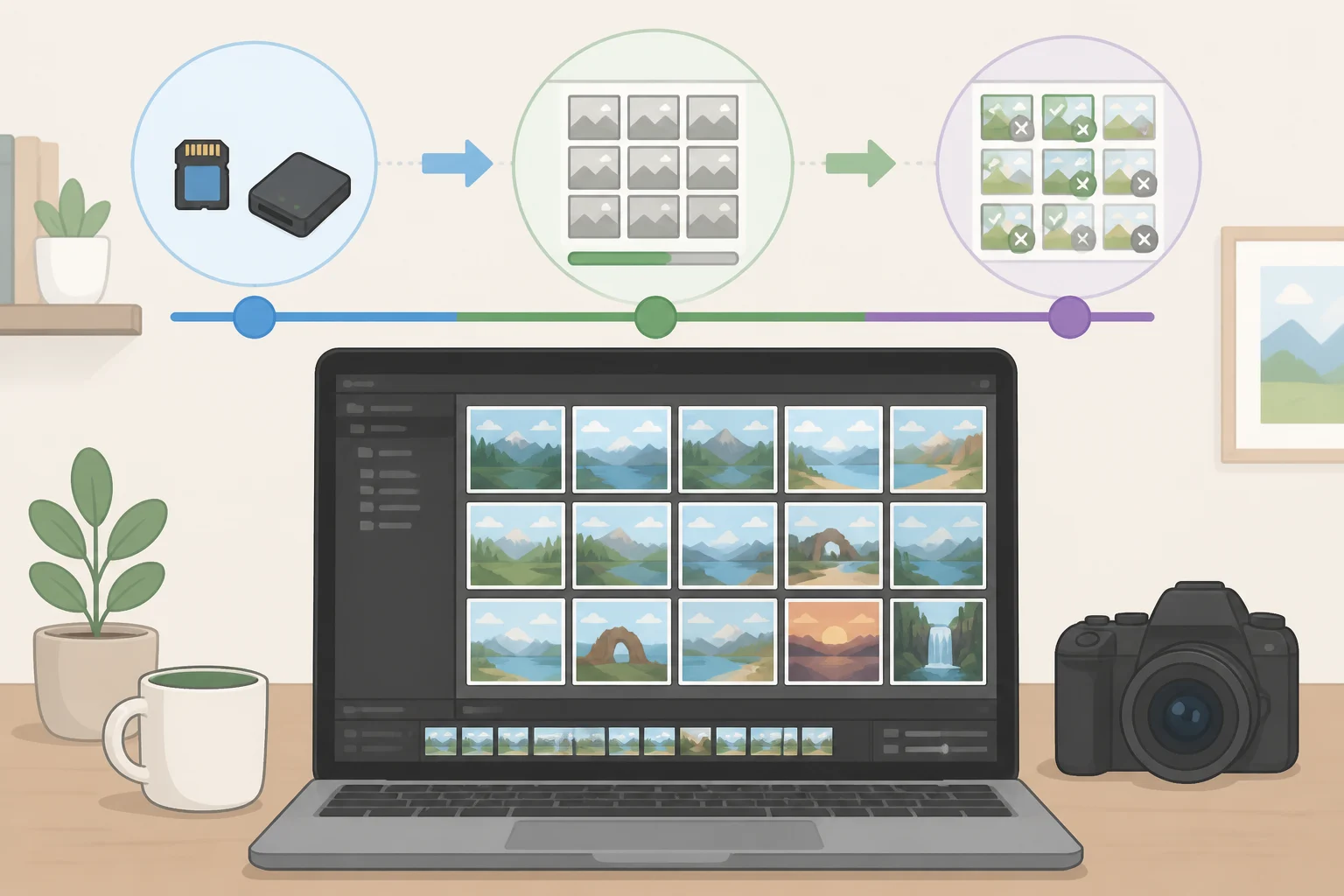
Lightroom Classic's catalog model means every photo has to be imported into a database before you can work with it, and accurate raw photo editing culling requires 1:1 previews rendered from scratch. One comparison clocked that render time at 5 to 12 minutes for 1,000 45-megapixel raw files on a modern M-series Mac, stretching past 20 minutes on older Intel hardware (FindMe.Photo, 4 months ago). That figure comes from a single niche source and should be read as directional rather than definitive.
Adobe's answer arrived in version 15.4's Assisted Culling, which added a Faces panel with Eye Focus and Eyes Open scores meant to help photographers flag strong frames faster in high-volume shoots (Adobe Community, 3 months ago; The Lightroom Queen, 3 months ago). It's not a settled win. PCMag's own testing of Assisted Culling found early results "far from satisfactory," with quality improving only across subsequent updates (PCMag, 3 months ago). Taken together with the render-time figures above, these findings suggest Classic's culling problem is improved, not solved.
The same release added built-in duplicate detection, which groups exact matches into reviewable stacks. The Lightroom Queen noted that this replaces what it had previously recommended: third-party plug-ins like Teekesselchen (The Lightroom Queen, 3 months ago). It's a genuine convenience, though not free: first-time indexing of a catalog can take several hours, even though it runs as a pausable background process (The Lightroom Queen, 3 months ago).
That delay matters most for event photographers working to a next-day deadline. Classic's database architecture works against it hardest right after the shoot, when hundreds of files still need thinning down before a client sees anything. Adobe is narrowing that gap with AI assistance, not eliminating it, which is why high-volume shooters have reason to look at a dedicated culling tool before Classic ever opens a catalog.
Video of the Day
Adobe Lightroom Classic review for professional photographers: where the depth pays off

The catalog is the differentiator, and it's worth being precise about what that means. It isn't simply storing files on a local drive; both Classic and cloud Lightroom can do that. The catalog is a local database that stores non-destructive edit history, metadata, and the entire organizational structure of a shoot, and it supports multiple separate catalogs so a wedding photographer can isolate each client's project from every other (PCMag, 3 months ago). As one illustration, not something PCMag specifically tested: a photographer working from one catalog per client could locate and reproduce the exact edit history for a two-year-old wedding without wading through unrelated shoots.
Several features on this side of the ledger simply don't exist in the cloud app: tethered shooting, plug-in support, configurable print layouts with soft-proofing, a full Book module, and custom web-gallery export. PCMag calls tethering and plug-ins "indispensable" for some working photographers (PCMag, 3 months ago). Tethering lets a studio shooter fire the camera from the computer and see each frame land on a calibrated monitor in real time. As an example, not a documented test case: a client could sit beside the photographer during a portrait session and approve a pose before the next frame is shot. Soft-proofing serves a narrower but related purpose, previewing how a specific printer and paper combination will render an image's color and tonal range before it goes to print.
Tethering itself got a real, if uneven, upgrade this year. Canon support was rewritten as a native plug-in using the same PTP protocol Nikon and Sony already rely on, an effort intended to close the lag between a new camera's release and Classic's support for it (The Lightroom Queen, 3 months ago). The rollout was messier than the intent: Adobe's own fix list for the following update recorded that Canon tethering stopped working entirely after the 15.4 release (Adobe Community, 6 weeks ago). That meant Canon users needed to avoid or work around tethering until Adobe fixed it in 15.5, roughly six weeks later.
Masking precision moved forward twice in three months. An improved Select Subject AI model handled difficult edges, like bicycle spokes, noticeably better starting in June, and the August 15.5 update added Feather and Edge sliders to refine those AI-generated masks further (The Lightroom Queen, 6 weeks ago; Adobe Community, 6 weeks ago). A new Render to DNG option now lets photographers permanently bake in their edits and start fresh from that point, though the resulting file, despite the extension, is a TIFF wrapped in a DNG container rather than a true raw file (The Lightroom Queen, 6 weeks ago). That distinction matters for anyone who assumes "DNG" always means raw-level flexibility. It doesn't here.
Photographers who need to retrieve, reproduce, or reprint work months or years after delivery gain a structural advantage from Classic's catalog and output tools that the cloud app simply doesn't offer.
Sync and mobile: the cloud app's advantage

Adobe's newest generative feature didn't go to Classic first. Generative Expand, which uses AI to extend an image beyond its original frame, shipped to Lightroom Desktop and iPhone in August 2026 (The Lightroom Queen, 6 weeks ago). Classic can flatten AI edits made in those other apps, but it doesn't generate the expanded content itself (The Lightroom Queen, 6 weeks ago). Whether Adobe keeps debuting generative features in the cloud app first is a pattern worth watching, not a conclusion to draw from one release.
Getting images out of Classic and into that cloud ecosystem isn't smooth, either. PCMag describes Classic's image-syncing process as workable but "not at all straightforward," a clear step down from cloud Lightroom's native, mobile-first sync (PCMag, 3 months ago). Cloud Lightroom also wins on discovery: it lets users search photos semantically by AI-analyzed content, so a search for "water" or "cats" actually returns relevant images, while Classic's search is limited to filenames, metadata, and manually applied attributes like star ratings and color labels (PCMag, 3 months ago).
There's one genuine bridge between the two worlds. Keyword syncing, something users had requested for years, now lets tags added on a phone flow back into the Classic catalog (The Lightroom Queen, 3 months ago). It's a small feature, but it's the kind that saves a photographer from tagging the same shoot twice.
For anyone who works across phone, tablet, and desktop, or wants to browse and share away from a workstation, location flexibility usually favors the cloud app, given PCMag's testing of Classic's clunkier sync process. That's consistent with what Classic is built to be: a workstation tool first, and a mobile-friendly one only at the margins.
Reliability and update risk: what the catalog architecture costs you
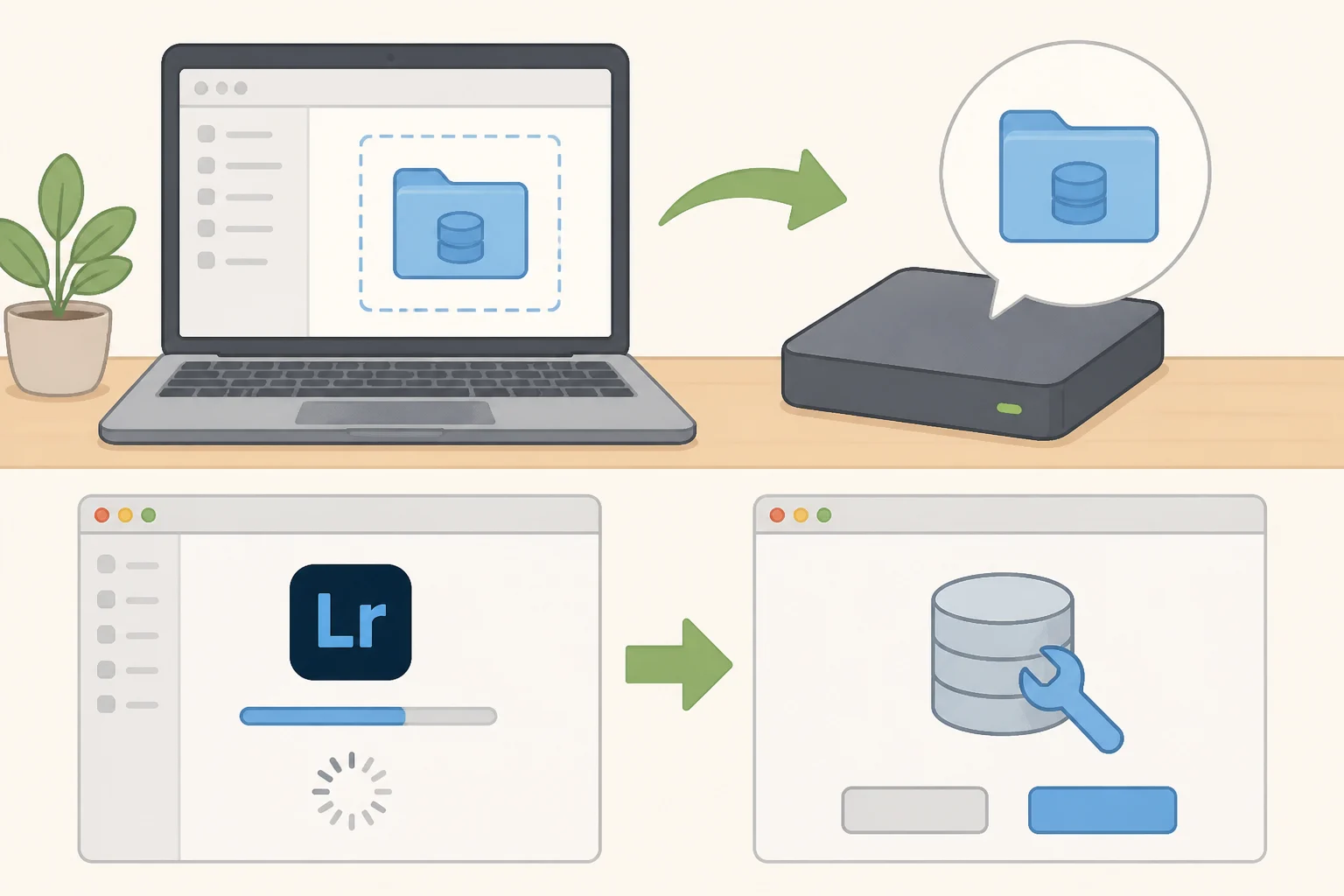
The catalog that makes Classic's archive and delivery work so deep is also the thing that can go wrong all at once. Version 15.4 shipped with a serious bug: using "Delete Rejected Photos" while in Duplicates view could delete every photo in the current view, not just duplicates. Adobe pulled the release temporarily and patched it days later with 15.4.1 (The Lightroom Queen, 3 months ago).
That same 15.4 release also permanently upgraded the catalog format, meaning users couldn't cleanly roll back to 15.3. Adobe says the upgrade process works on a copy of the catalog and leaves the original file intact (Adobe Community, 3 months ago), a safety net worth knowing about before it's needed mid-crisis. Adobe followed up in 15.5 with startup checks that detect and offer to repair corruption in the catalog's essential .lrcat-data file, which stores AI masks, Generative Remove repairs, and Denoise and Super Resolution data (The Lightroom Queen, 6 weeks ago).
User reaction to that same 15.5 release split. One Windows 11 user reported in Adobe's community forum that the update felt noticeably smoother than previous versions after a week of use (Adobe Community, 6 weeks ago). In the comments on The Lightroom Queen's coverage of that release, another user described the stability and performance since upgrading as "destructive" to their workflow (The Lightroom Queen, 6 weeks ago). Those two accounts show individual experiences varied; they don't establish a system-wide reliability trend.
The prudent policy, given that variability, is to back up the catalog file and the adjacent .lrcat-data folder before installing any major update, since that folder holds the pixel-level edit data Adobe's own documentation flags as essential to the catalog's integrity (The Lightroom Queen, 6 weeks ago). Avoid updating mid-deadline, and before deleting a pre-upgrade catalog, confirm the new one opens cleanly and the edit history is intact, leaning on the copy-preservation behavior Adobe built into the 15.4 upgrade process as a fallback (Adobe Community, 3 months ago). Photo Mechanic works differently: it doesn't rely on a Lightroom-format catalog file, so it isn't exposed to this particular update risk, though that doesn't mean it comes without failure modes of its own.
Is Adobe Lightroom Classic worth it in 2026?
Classic isn't sold on its own, so pricing needs a caveat. PCMag lists a base Lightroom subscription at $119.88 a year ($9.99 a month), bundling Classic and the cloud app with 1TB of cloud storage and 250 monthly generative AI credits; stepping up to the Photography Plan for Photoshop raises that to $239.88 a year with 1,000 monthly credits (PCMag, 3 months ago). A separate cost comparison from FindMe.Photo describes Adobe's Photography Plan differently, pricing it at $119.88 a year with Photoshop already included but only 20GB of storage (FindMe.Photo, 4 months ago). The two sources don't line up on what the Photography Plan actually contains, which is reason enough to check Adobe's current pricing page before buying rather than trust either summary blindly.
Whatever the exact figures, the shape of the decision holds. Classic earns the subscription for photographers who will use tethering, print output, plug-ins, or Photoshop; it's poor value for anyone mainly after fast culling or mobile editing, since those needs are better served elsewhere in Adobe's lineup or by a separate tool entirely.
That separate-tool math looks different from a straight price comparison. Adding Photo Mechanic Plus isn't Classic versus Photo Mechanic as substitutes; it's Adobe's bundle, already paying for editing and archive features, plus Photo Mechanic Plus's one-time cost of roughly $229 to $299 on top of it (FindMe.Photo, 4 months ago). The decision comes down to whether Classic's 5-to-12-minute preview lag costs enough turnaround time to justify paying for two tools instead of one.
Three photographers, three different answers. Choose Classic as the primary app if client work runs through tethering, print production, soft-proofing, or multi-catalog separation; the tradeoff is giving up mobile convenience, semantic search, and first access to new generative features. Choose cloud Lightroom instead if the work is mobile-first, editing from a phone or tablet and relying on semantic search to find an old shot; the tradeoff is losing Classic's catalog depth, tethering, and print tools entirely. Pair Classic with a dedicated culling tool if shoot volume is high enough that the preview-generation window costs real turnaround time; the tradeoff is running two applications and paying for both, rather than the convenience of one.
Watch whether Generative Expand and other cloud-first features eventually reach Classic, and whether Adobe's catalog-repair checks hold up over further release cycles. But the practical verdict for 2026 doesn't need to wait on that. Classic remains worth buying for archive-and-output workflows, not because it's the fastest or most modern Lightroom. Its advantage is operational depth; its price is slower intake, weaker mobility, and more maintenance than a subscription ought to demand.