How to Protect Your Phone at Border Control: A Pre-Trip Guide
This guide walks you through preparing your phone, laptop, and tablet before crossing a U.S. international border. Complete it at home, before departure. None of it helps once you're standing at the checkpoint.
One principle governs everything that follows: CBP policy (January 2026) limits border searches to data physically present on your device at the time of inspection. Officers must cut network connections before they start. They cannot reach your live cloud accounts. Data you move to the cloud and delete locally before crossing is genuinely out of reach, not just harder to find.
The baseline odds are low. CBP searched 55,318 devices in fiscal year 2025 out of 419 million travelers processed, fewer than 0.01% of arrivals, per CBP's published statistics. But Wired reported last October that FY2025 was a record year, up roughly 17% from the prior year, and searches have grown almost every year since the Bush administration except for a COVID-era dip. Low odds, clear trend.
Budget about two hours before departure.
Phone privacy when traveling internationally: the rules that matter
Video of the Day
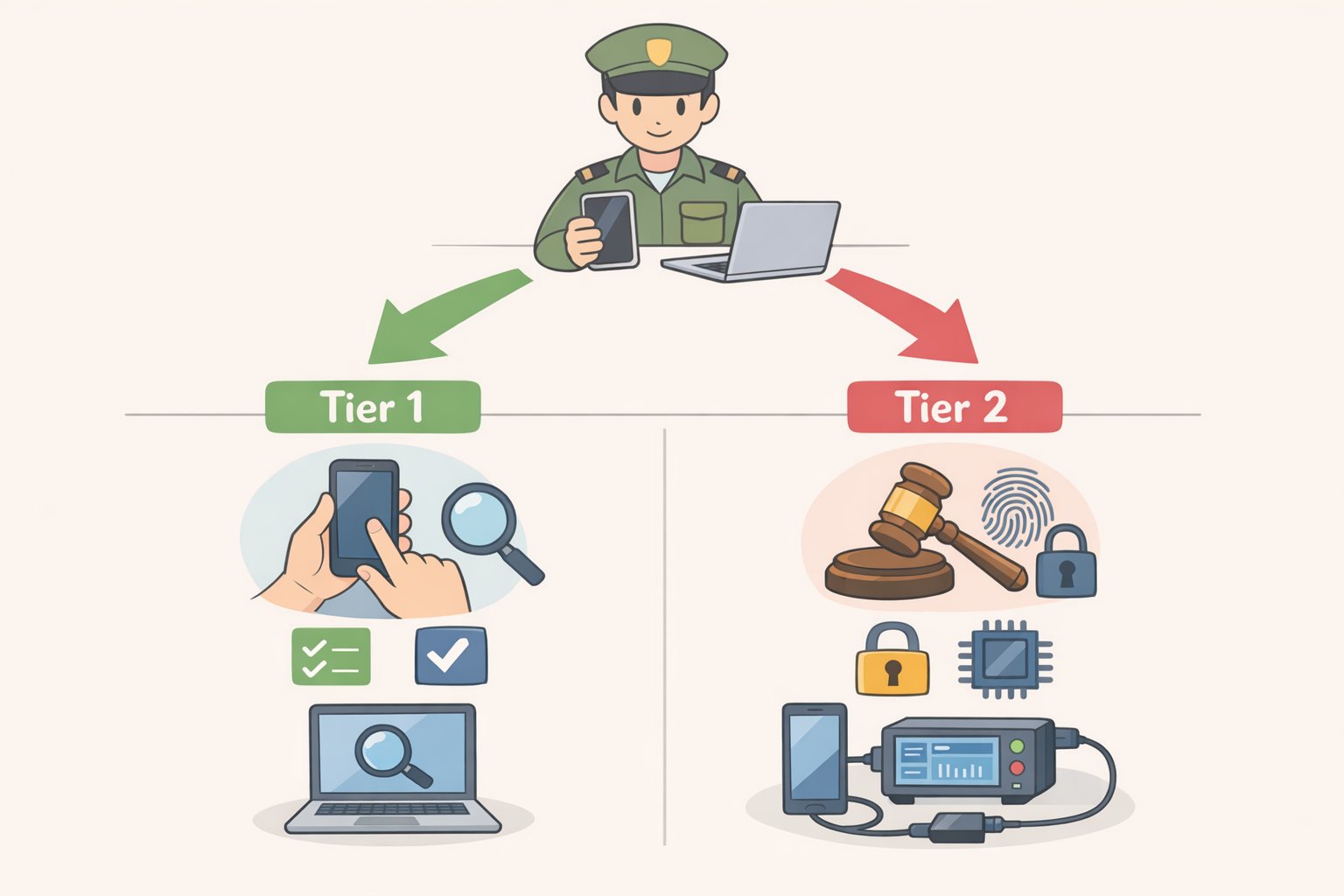
Two rules govern what border agents checking your phone can examine. Understanding them turns the checklist below into a logical system rather than a list of arbitrary tasks.
Basic vs. advanced searches. A basic search, meaning an officer manually scrolling through your device, requires no suspicion of any kind. Any CBP officer can initiate one for any reason. An advanced search, which connects external forensic equipment to copy or extract data, requires either reasonable suspicion of a legal violation or a national security concern, and must be approved by a supervisor at GS-14 level or higher, per CBP Directive No. 3340-049B (January 2026). In FY2025, 92% of all device searches were basic manual reviews, per CBP's own data. The most likely scenario is an officer scrolling through what's visible on screen, not a forensic extraction.
The cloud rule and the cache problem. CBP officers cannot use your device to access data stored solely on remote servers, and must disable network connections before searching. What they can search is everything locally resident, including cloud content that has synced to an app. Downloaded emails, cached messages, offline photo libraries, locally stored documents from cloud drives: all of it is accessible. As the ACLU of Maine (September 2025) notes, the limit is offline-accessible data, but that includes any content synced to an app. Logging out without disabling background sync can leave far more on-device than expected.
What happens to retained data. If an advanced search produces probable cause of a legal violation, copied device contents can be held in CBP's Automated Targeting System for up to 15 years and shared with other law enforcement agencies, per CBP policy (January 2026). The constitutional questions around border searches remain unsettled. Federal circuits are split and the Supreme Court has not resolved the issue, per Armstrong & Bradylyons (December 2025). That legal uncertainty doesn't change what officers are authorized to do today. Prepare for current authority.
Video of the Day
Your status determines the consequences of refusal
What happens when you decline a device search is not uniform. It depends almost entirely on immigration status, and that reality should shape how thoroughly you run this checklist. Prepare your phone before international travel with your specific situation in mind.
U.S. citizens cannot be denied entry for refusing. CBP must admit them. The practical cost of refusal is device seizure while agents attempt forensic analysis on their own, potentially holding it for days, weeks, or months, per PCMag (January 2026) and the EFF (June 2025). CBP policy allows initial detention for up to five days under supervisory approval, with extensions requiring progressively higher authorization, per Saluja Law (March 2025).
Lawful permanent residents are generally entitled to re-entry, but the EFF notes the current enforcement environment makes refusal riskier for green-card holders than it once was, particularly those returning from trips longer than 180 days, who may face inadmissibility screening regardless of compliance.
Non-citizens, including visa holders, tourists, and visa waiver travelers, can be denied entry outright for refusing a device search request. CBP has broad discretion over foreign national admissibility, per Armstrong & Bradylyons (December 2025). The data reflects this exposure: in FY2023, 79% of all device searches fell on non-citizens, per the DHS FY23 Report to Congress (November 2024). In FY2024, non-citizens accounted for 36,506 of 47,047 total searches, roughly 78%, per CBP's FY24 statistics. Non-citizens have the most to lose from refusal and the most to gain from arriving with a clean device.
On biometrics specifically. No statute authorizes forced passcode disclosure, but Face ID and fingerprint unlock occupy murkier legal ground. An officer can hold a phone up to a traveler's face or press a finger to the sensor without requiring active cooperation, per USA Today (May 2025) and the EFF. The Fifth Amendment protection that arguably covers memorized passcodes does not clearly extend to biometrics. Disable them before you cross, not at the checkpoint.
Decide your position at home. The secondary inspection room is not where you want to be working this out for the first time.
The pre-border device checklist
Two tracks, depending on your situation.
Minimum viable prep (most travelers): Steps 1 through 5. This covers the most common scenario: a basic manual inspection of a device with locally cached data and biometric unlocking enabled. When you prepare your phone before international travel, these five steps handle roughly 92% of what actually happens at the border.
Full prep (non-citizens, professionals carrying sensitive data, anyone facing serious consequences from a thorough search): All steps, including Step 6. Consider specialist resources such as the EFF's journalist security checklist or a privacy-focused attorney if you carry confidential professional material.
What not to bother with: Remote wipe is sometimes recommended in consumer guides. Skip it as a prep tactic. If a device has been seized and is under active forensic examination with probable cause, triggering a remote wipe carries legal exposure that is not well-defined. This guide does not recommend it as a routine measure.
Step 1: Set up your recovery materials before you delete anything
Write down offline backups of your itinerary, key contacts, account recovery codes, and any credentials you'll need mid-trip. A printed sheet in your bag works fine. Some travelers complete the rest of this checklist and arrive at their destination unable to access what they need. This step prevents that.
Do this before Step 2.
Step 2: Back up to the cloud, then delete local copies
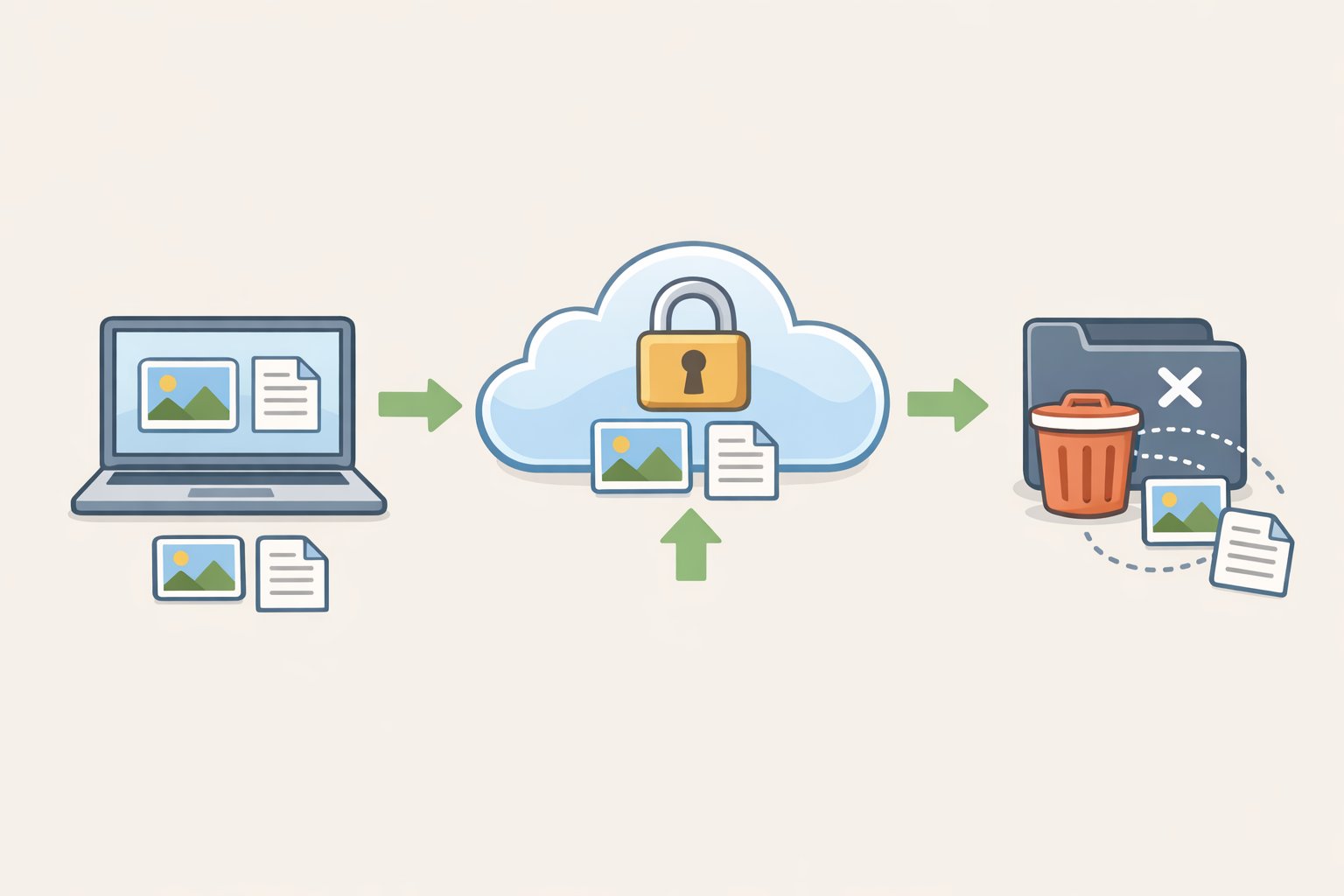
Upload everything you want to preserve, including photos, documents, and notes, to encrypted cloud storage before departure. On iPhone, enable Advanced Data Protection in iCloud settings (Settings, then your name, then iCloud, then Advanced Data Protection). On Android, enable Advanced Protection mode. These settings add end-to-end encryption so that even Apple or Google cannot access most of the stored content, per PCMag (January 2026).
Once the backup confirms complete, delete local copies of files you don't need on-device during travel. This is the foundational step. Everything after it removes what remains locally resident, per CBP policy (January 2026).
Step 3: Log out of accounts and disable background sync
Sign out of email, social media, messaging, and cloud storage apps. Don't just close them. Then disable background sync for any app you're leaving installed.
Synced cloud data is locally resident and searchable. Logging out without disabling sync can result in content redownloading on the next available connection, per the ACLU of Maine (September 2025) and Cybertravels (March 2026).
Gotcha: For high-sensitivity accounts, including work email, legal platforms, and medical apps, a simple sign-out may not purge cached data immediately. Uninstalling the app entirely and reinstalling after crossing is more reliable.
Step 4: Delete apps and files, then empty the trash
Remove apps you won't use during travel and delete files not needed on-device. Then open your phone's "Recently Deleted" or "Trash" folder and empty it.
Items sitting in the trash are still physically present on the device and visible in a basic search. Deleting without emptying the trash is only half the job, per the EFF (June 2025) and PCMag (January 2026).
Step 5: Disable Face ID, Touch ID, and all biometric unlocking
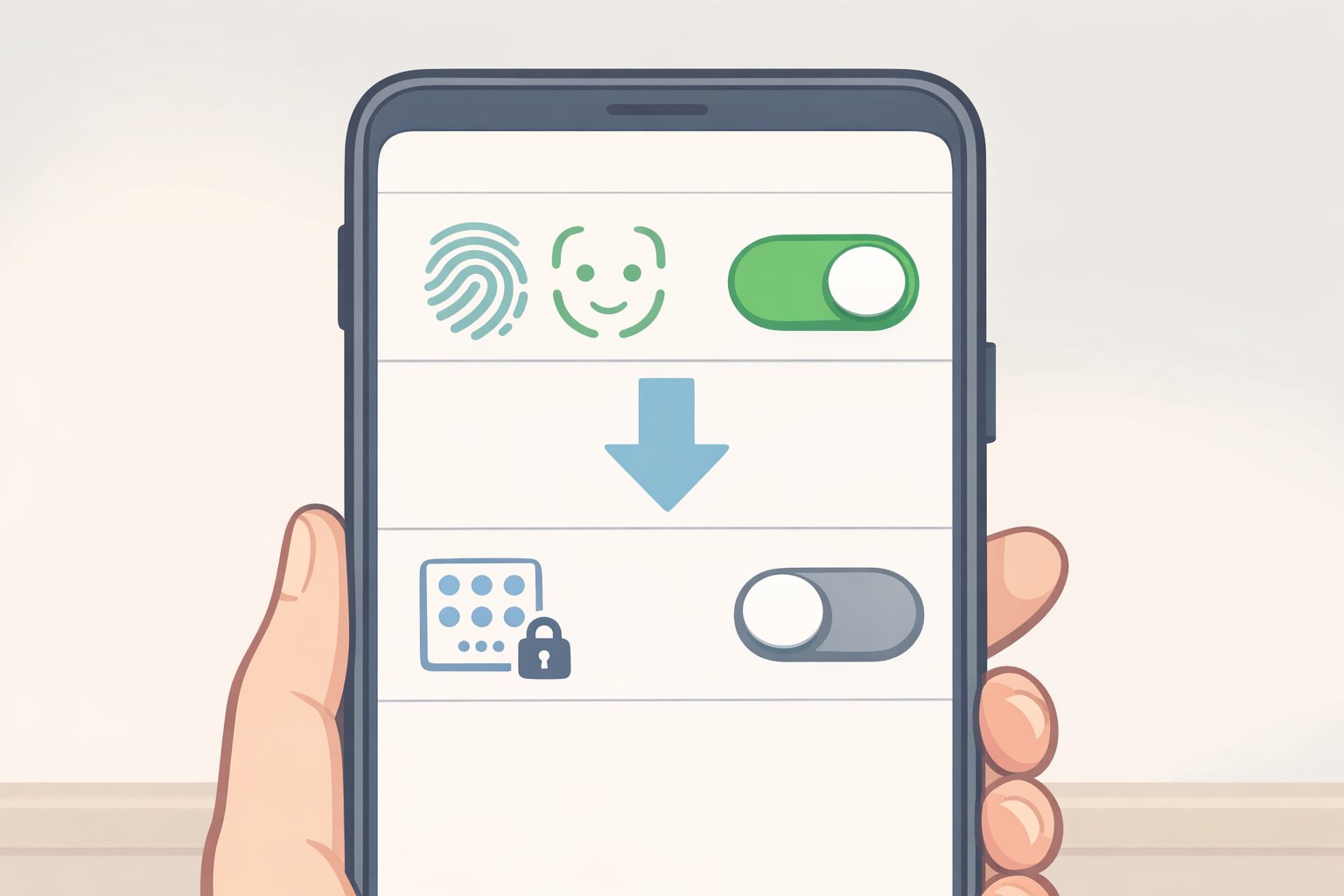
Switch to passcode-only before you cross. Border agents checking your phone can use your biometrics without your active cooperation, per USA Today (May 2025) and the ACLU of Maine (September 2025).
- iPhone: Settings, then Face ID & Passcode, then toggle off "iPhone Unlock"
- Android: Settings, then Security or Privacy, then disable biometric authentication (label varies by manufacturer)
Step 6: Leave sensitive group chats, and power off completely at the checkpoint
Temporarily remove yourself from Signal groups, WhatsApp conversations, or other message threads containing sensitive contact information or conversation history. Rejoin after clearing the border, per the EFF (June 2025).
Then power the device completely off before reaching the inspection area. A fully rebooted phone is in a more secure encrypted state and requires a passcode on restart, per the ACLU of Maine (September 2025).
Step 7 (professionals and high-risk travelers): Use a separate travel-only device
If your work phone or laptop holds confidential professional material, including source files, attorney-client communications, or patient records, a secondary device loaded only with what's essential for the trip is the cleanest possible outcome for a border search. A phone with no sensitive history cannot expose sensitive history.
The ACLU of Maine and Cybertravels (March 2026) both treat this as the recommended approach for travelers who cannot avoid carrying sensitive professional data. It is more effective than any combination of app deletions and sign-outs.
If you're selected: what to do at the checkpoint
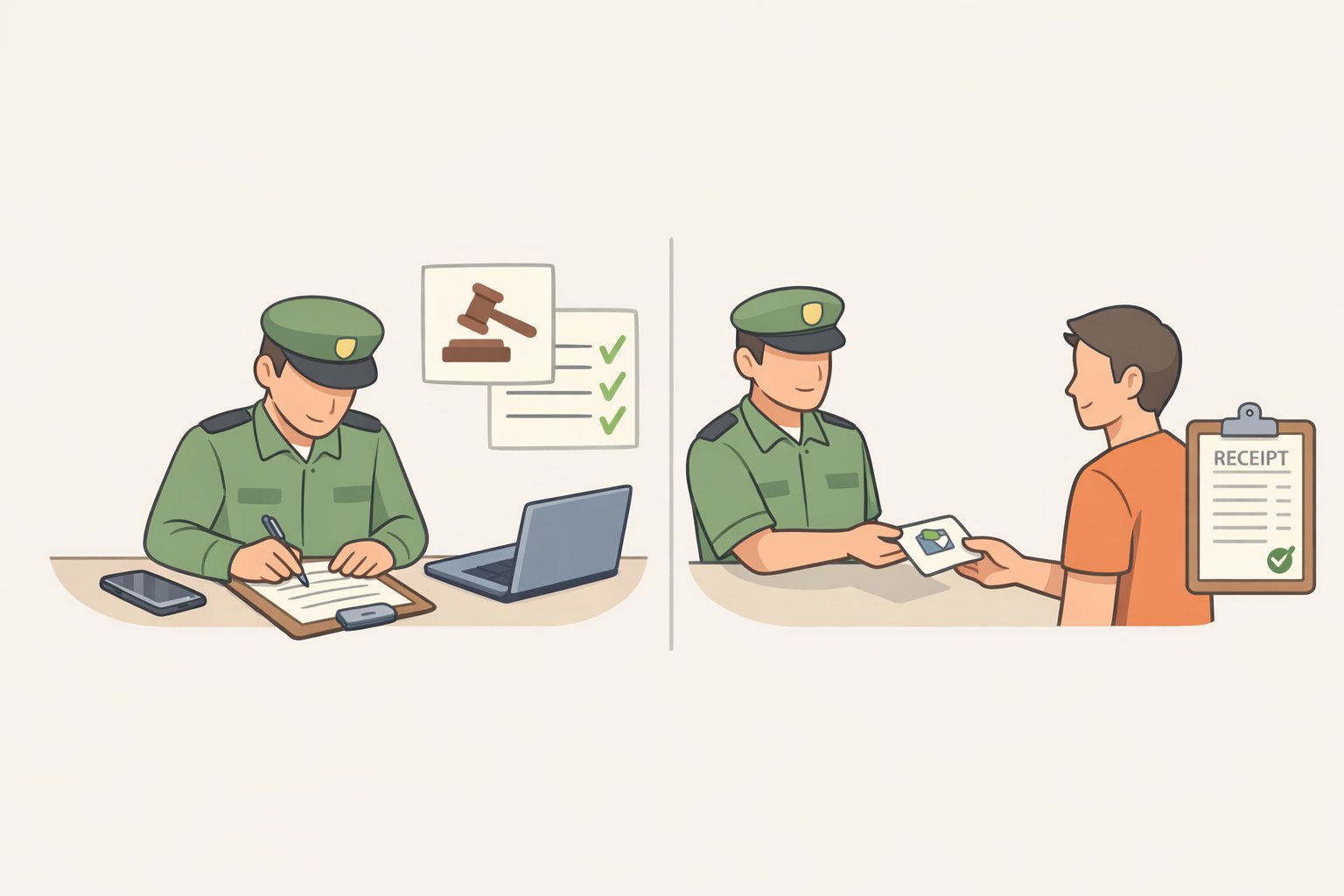
State clearly that you do not consent to the search, even if agents proceed regardless. That on-record statement matters for any subsequent legal challenge.
If you decide to cooperate with unlocking, ask to enter your own passcode rather than providing it verbally or in writing. CBP policy states that passcodes must be deleted after use and excluded from reports, per CBP Directive No. 3340-049B (January 2026), but there is no reason to hand one over unnecessarily.
If your device is seized, request Form 6051D, the official custody receipt, and record the officer's name and badge number. This documentation is required to recover your device, per the EFF and PCMag (January 2026). Make sure a trusted contact already knows your travel plans and timeline, someone who will follow up if you go silent.
What you've accomplished and what remains unsettled
Complete the checklist above and the most common search scenario, a basic manual inspection, finds little of value. The data that matters is in the cloud, inaccessible while the device is offline. What's left on-device is functional but not sensitive.
The numbers explain why preparation is a more reliable strategy than refusal. Non-citizens accounted for 78% of FY2024 device searches, per CBP's FY24 statistics, and 92% of all FY2025 searches were basic manual reviews, per CBP. A clean device handles the realistic scenario most travelers face.
The constitutional picture is actively shifting. The EFF argued before the Third Circuit earlier this month that electronic device searches at the border require a warrant, using U.S. v. Roggio, a case involving forensic searches conducted on devices seized at JFK, as the vehicle. The Second Circuit has a related case pending. Federal circuits remain split, and the Supreme Court has not yet resolved the underlying question, per Armstrong & Bradylyons (December 2025).
How that litigation resolves will matter, but it won't change what travelers can do now. Arrive with a device that holds as little as possible. If you carry professionally sensitive material and want guidance tailored to your specific situation, a privacy-focused attorney or the EFF's journalist security checklist are the right next resources.