Ford F-150 Hidden Diagnostic Menu: Step-by-Step Access Guide
Before buying a used F-150, you can trigger a full illumination sweep from the driver's seat that forces every warning indicator on the dash to light up at once no tools, no scanner, no app. If one stays dark, something has been tampered with or has failed. That sweep, along with a handful of real-time sensor readings, is what the Ford F-150 hidden diagnostic menu actually delivers.
This guide covers what the menu can show you, how to access it by generation, how to interpret the results, and what to do if it doesn't work on your truck. Check compatibility before running through the steps a meaningful number of F-150s won't respond even when the procedure is followed correctly.
What the engineering test mode is and what it isn't
Video of the Day
Engineering test mode is a cluster-level feature on certain F-150 models that displays real-time data and runs component checks directly on the instrument panel, no OBD-II port or adapter required. Ford uses it as a service-oriented function; it was never documented for owners, which is why most people don't know it exists (AutoCept reported on it in early 2025).
The menu has been observed to display live transmission fluid temperature, coolant temperature, battery voltage, vehicle speed, fuel consumption rate, a more precise distance-to-empty figure, and in some cases diagnostic trouble codes that haven't yet triggered a check engine light (Motor1, September 2025). These are readings, not adjustments with one exception covered below.
What it isn't: a replacement for a full scan tool. It cannot read codes stored in non-emissions modules, cannot clear codes, and cannot communicate with systems outside the cluster's view. Think of it as a quick built-in self-check made visible, useful for specific tasks. For deeper diagnostics, a dedicated tool is still required (Ford-Trucks forum guide, November 2024).
Video of the Day
Does your F-150 support this? Check before you try
The access method splits by model year: 2016 and newer trucks use the OK button on the steering wheel; older models use the odometer/trip button on the cluster face. Availability also varies by specific cluster hardware, and there's no publicly available OEM documentation mapping which configurations support the feature (AutoCept, early 2025).
Reader-reported failures span a range of model years including a 2019 F-150 and a 2016 F-250 even after following the correct procedure. On the other side, at least one owner confirmed the OK button method worked on a 2016 F-150 with push-to-start (Motor1, September 2025). These are anecdotal data points, but they reinforce the core reality: this feature is not universal across Ford's lineup.
Quick compatibility check before proceeding:
- 2016 or newer F-150 with an OK button on the steering wheel: try the OK button method below
- Pre-2016 F-150 with a physical odometer/trip button on the cluster face: try the odometer button method below
- F-250, Super Duty, or Lightning: limited evidence this applies; reader reports suggest it mostly does not
- Fully digital cluster with no physical trip button and the OK method fails: the feature likely isn't supported on your configuration
How to access the Ford F-150 hidden diagnostic menu step by step
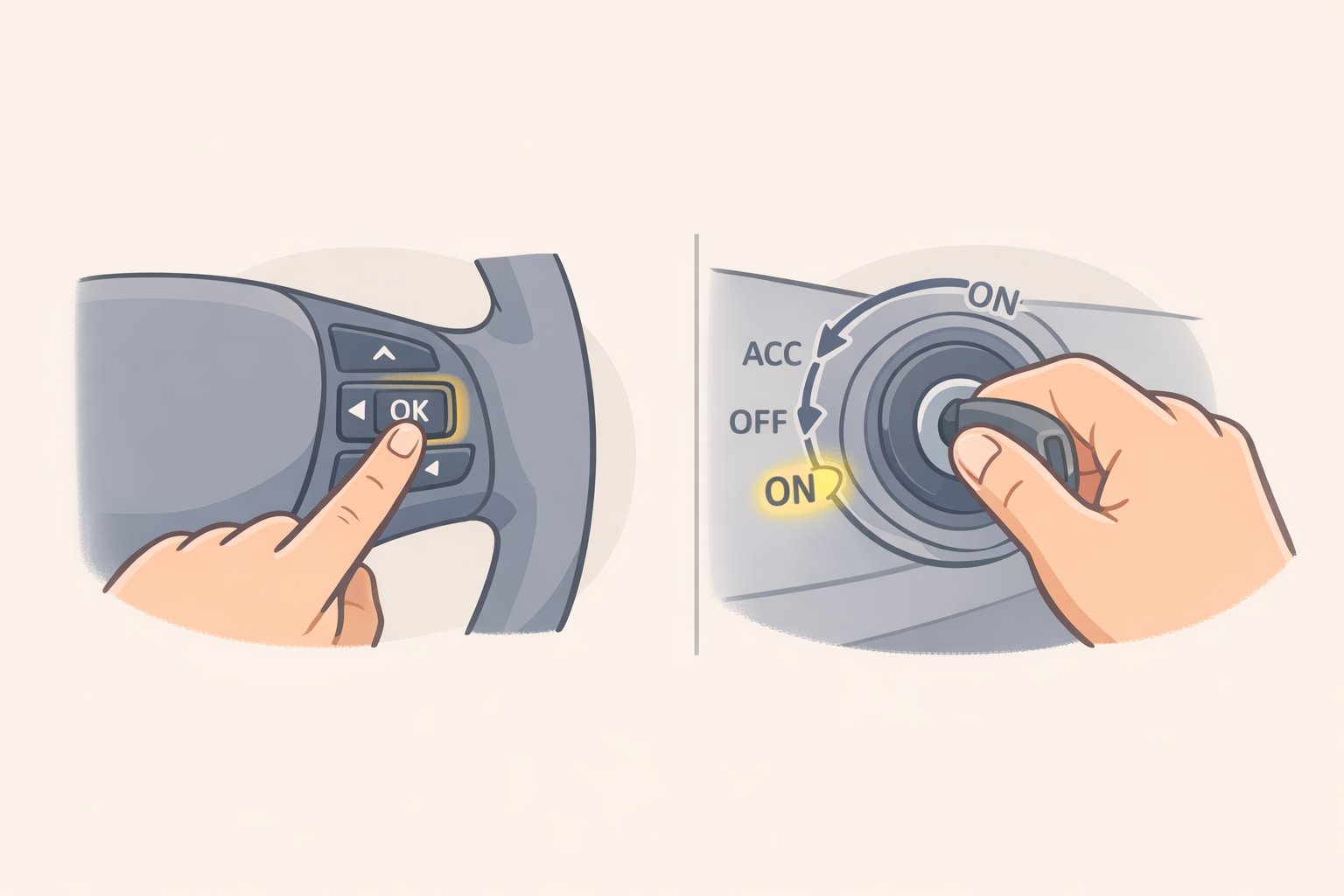
Prerequisites for all methods:
- Engine must stay off throughout. Accessory/ON position only.
- For push-button trucks: foot completely off the brake when pressing START.
- If nothing appears within 10 seconds of completing the sequence, jump to the troubleshooting note at the end of this section.
For 2016 and newer F-150s: OK button method
- Sit in the driver's seat, engine off, doors closed.
- Press and hold the OK button on the left side of the steering wheel. Keep holding it throughout the next step.
- Turn the key to accessory/ON do not start the engine. On push-button trucks: press START once with your foot fully off the brake pedal.
- Hold OK for approximately five seconds. Release when the test mode screen appears on the cluster (Motor1, September 2025).
- What you should see: The cluster displays a test mode menu or begins a gauge/illumination sweep automatically.
Push-button variation: At least one owner confirmed success on a 2016 F-150 with push-to-start using this sequence: hold OK first, then press START to accessory/ON with foot off the brake. If the standard order doesn't trigger the menu, try holding OK before touching START (Motor1, September 2025).
For pre-2016 F-150s: odometer button method
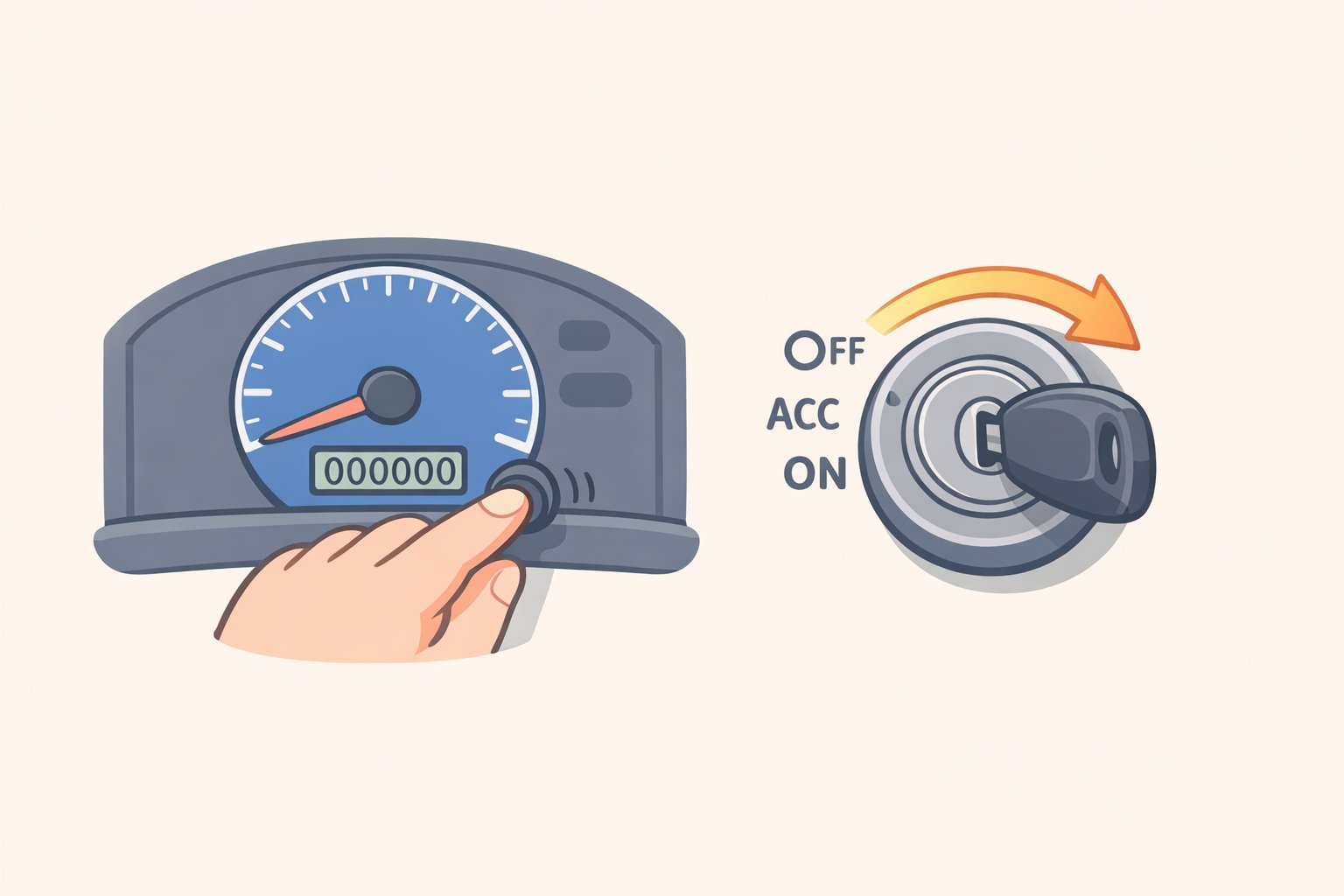
- Locate the odometer/trip reset button on the instrument cluster face not the steering wheel.
- Press and hold that button while turning the ignition to accessory/ON.
- Hold until the test mode screen or sweep begins, then release (AutoCept, early 2025).
- What you should see: The odometer display cycles through test menu items or switches to diagnostic data.
Gotcha: Older clusters with fully digital displays or non-standard instrument panels may not have the physical trip button this method requires. If there's no button on the cluster face, this method won't apply to your truck.
Exiting test mode
- Keyed ignition: cycle the key off and back on; the cluster resets (Motor1, September 2025).
- Alternative: remove the key entirely and wait five to six minutes for the cluster to reset on its own (AutoCept, early 2025).
If nothing appears
Confirm the ignition is in accessory/ON only not start. Confirm your foot is fully off the brake on push-button trucks. Confirm you're using the correct button for your cluster generation. If all three check out and the menu still doesn't appear, the feature is most likely not supported on your specific configuration. There is no known workaround.
Where to start: what to check first, in order
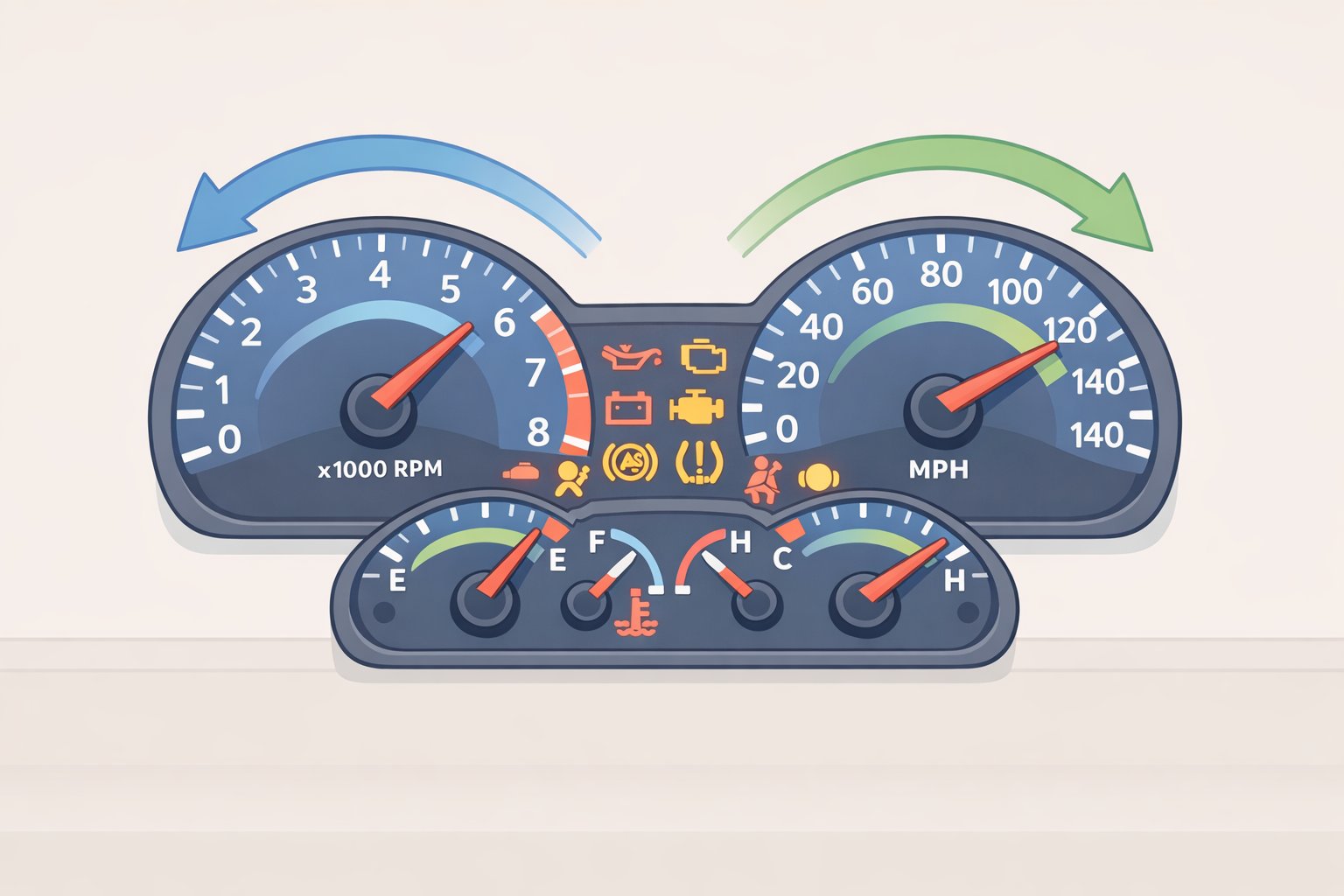
Once you're inside the menu, not everything is equally useful. Run through these checks in order to get the most out of the session.
1. Illumination sweep first. This is the highest-value check for anyone evaluating a used truck. Every warning indicator lights up simultaneously; every gauge needle sweeps to its endpoint and back. Any indicator that fails to light, or any needle that sticks, is worth investigating before you hand over money. A seller who has disabled a warning bulb to hide a persistent fault can't easily defeat this test (Motor1, September 2025).
2. Battery voltage. With the engine off, a healthy battery reads at or above 12.4V. Below that, you're looking at a potential charging system or battery issue worth confirming before anything else.
3. Coolant and transmission temperature. Cross-reference what the menu shows against your normal gauge position. A coolant reading that sits significantly higher or lower than the standard gauge suggests the cluster display may be compressing the range. Transmission temp above roughly 200°F on a warmed-up truck sitting at idle warrants attention before a long haul (Motor1, September 2025). These are snapshots taken at rest, not continuous monitoring keep that in mind when interpreting them.
4. Any displayed trouble codes. The mode has been reported to surface active diagnostic trouble codes on the cluster before a check engine light appears, which can give you early warning of a developing problem (Motor1, September 2025). If a code appears, write it down and look it up. These are cluster-reported codes not a complete module scan and codes in non-emissions modules won't show up here at all (AutoCept, early 2025).
5. Fuel economy bias last, and with caution. On some F-150 configurations, the menu allows adjustment of the average MPG bias, which can bring the cluster's displayed fuel economy figure closer to what you're calculating at the pump (Motor1, September 2025). This is the one item in the menu that writes a value rather than just displaying one. No available source confirms whether changing it affects stored calibration data. If the discrepancy between displayed and pump-calculated MPG is significant, and you understand what you're changing, the option is there but it's the last thing to touch, not the first.
When you need more than the cluster menu
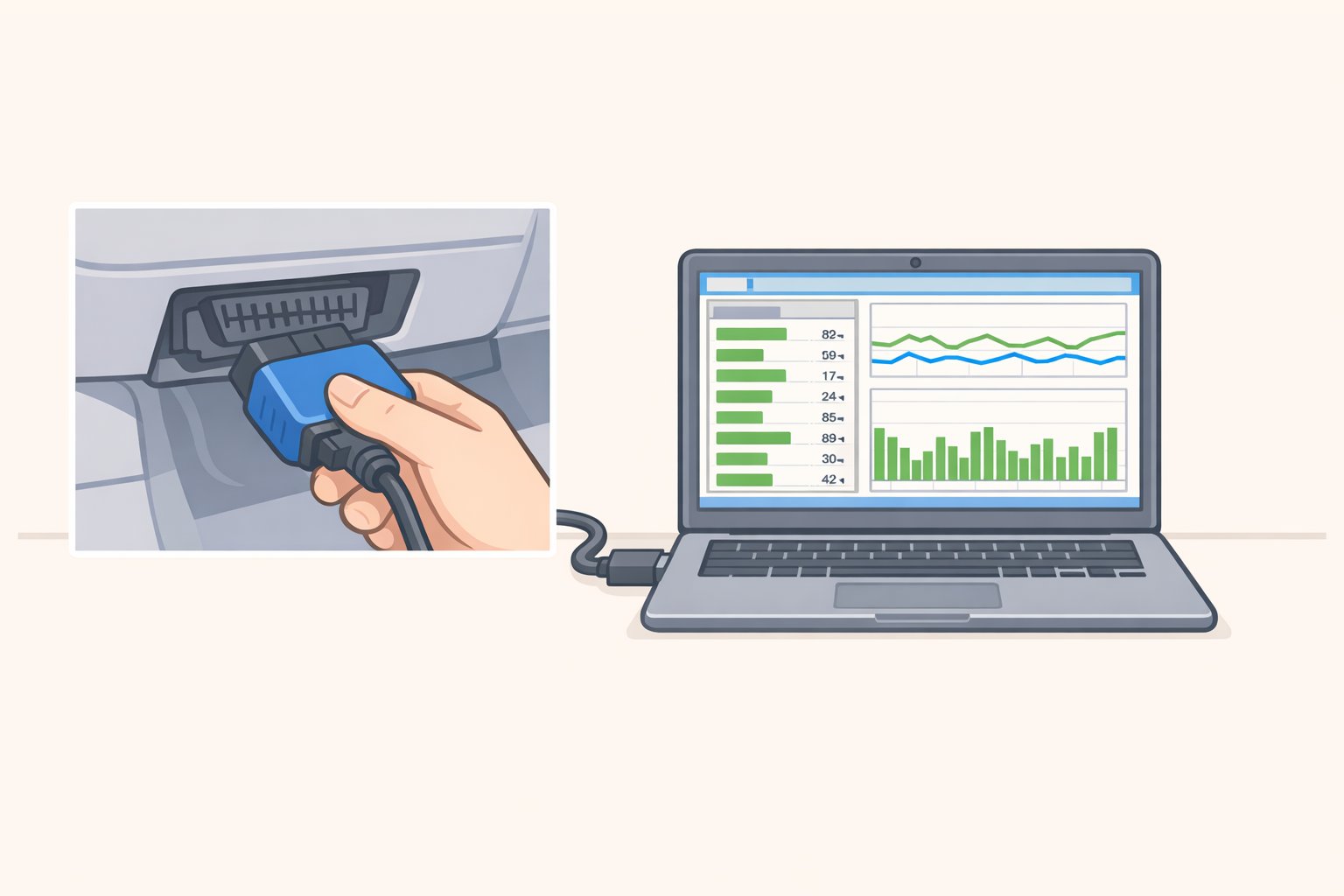
Engineering test mode is a driveway check. For anything beyond that, the right tool is FORScan.
FORScan is software built specifically for Ford, Lincoln, and Mercury vehicles. It reads and clears both standard emissions DTCs and Ford-proprietary module codes that a generic OBD-II reader won't detect. It also monitors live parameter data at a level comparable to a dealership scan tool, and on 2011 and newer trucks it can unlock and configure factory-hidden features through module-level settings (Ford-Trucks forum guide, November 2024).
The dividing line is practical. Use the cluster menu for a quick pre-purchase check, a glance at temperatures, or confirming that a code is pending before a scanner is handy. Use FORScan when you're diagnosing an actual fault, need to clear codes, want to monitor live data while driving, or need to reach systems the cluster can't see. The cluster menu takes 60 seconds with no hardware. FORScan requires a compatible OBD adapter and some setup time but it gives you the full picture.
What you've now got
Engineering test mode is a real built-in feature on many F-150s not a glitch that puts warning-light status, real-time sensor data, and pending trouble codes directly on the cluster without any external hardware. Its strongest use case is a pre-purchase inspection on a used truck (Motor1, September 2025).
The activation method divides by generation: odometer button for pre-2016 trucks, OK button on the steering wheel for 2016 and newer. Both require accessory/ON mode only, engine off (AutoCept, early 2025). If the menu doesn't appear after following the correct steps, that truck's configuration most likely doesn't support the feature.
For anything requiring code clearing, non-emissions module access, or live data while driving, FORScan with a compatible adapter is the logical next step (Ford-Trucks forum guide, November 2024). The cluster menu is worth knowing. It's just the beginning of what's available.