Bluetooth Multipoint Headphones Explained: What to Check
A podcast is playing through your laptop. Your phone rings. By the time you've paused the audio, opened Bluetooth settings, disconnected from the computer, and reconnected to your phone, the call has gone to voicemail. That daily annoyance is exactly what Bluetooth multipoint headphones are built to solve, though most shoppers have no idea what to actually check for when a product claims to support it.
The plain-language version: Bluetooth multipoint headphones stay connected to two, and sometimes three, devices at once, so switching between a laptop and a phone doesn't require diving into settings menus at all (CNET, nine months ago). It's the same idea whether you're bouncing between a work laptop and personal phone, or juggling two separate phones for work and home (SoundGuys, eight months ago; Bose, two years ago).
None of this is new. The feature has existed for more than a decade, yet Bose itself describes multipoint as underused relative to how helpful it is (Bose, two years ago; SoundGuys, eight months ago). Part of the reason is that support isn't consistent across brands or even across models from the same brand. A spec sheet that lists "Bluetooth 5.0" or "true wireless" tells you almost nothing about whether multipoint actually works, or how well. What follows is what the feature actually does, how it fails, and what to check before you hand over your money.
What is Bluetooth multipoint on headphones?
Video of the Day
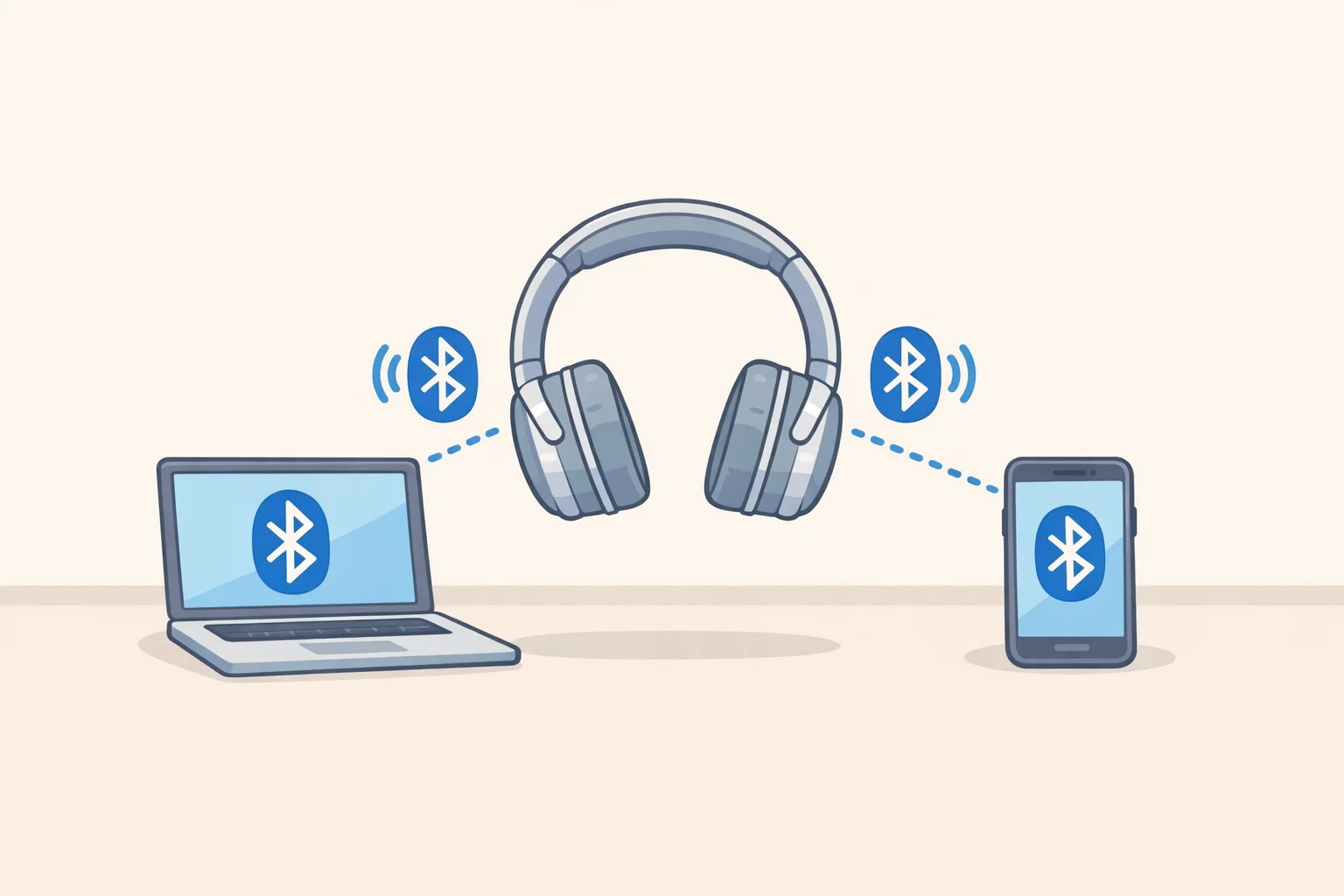
Multipoint lets a single headset hold simultaneous connections to at least two source devices at once, typically a laptop and a smartphone, though some setups pair two phones instead (SoundGuys, eight months ago; Bose, two years ago). Bose notes that some hardware even supports three simultaneous connections, though two remains the norm (Bose, two years ago).
Here's the part that trips people up: multipoint isn't part of the core Bluetooth specification. It's logic that manufacturers build on top of the Bluetooth stack, which is exactly why support is so inconsistent from one product to the next (Engadget, yesterday). Bluetooth 4.0, released in 2010, added the underlying technical ability to handle multiple simultaneous streams. But that's a foundation, not a finished feature. Whether a specific pair of headphones actually uses that capability to offer multipoint switching is entirely up to the manufacturer (SoundGuys, eight months ago; Engadget, yesterday).
There's also a technical requirement that explains why some otherwise capable headphones skip it: a device needs to support both A2DP, the protocol for streaming audio, and HFP or HSP, the protocols for handling calls, in order for multipoint to function at all (SoundGuys, eight months ago). Skip one of those and multipoint isn't happening, no matter what the Bluetooth version says.
The feature also didn't start out as a consumer convenience. It was reportedly built for professional use, particularly call centers, before it made its way into the earbuds and headphones people buy for commuting and workdays split between two devices (SoundGuys, eight months ago). That origin matters, because it explains why the most advanced multipoint behaviors still show up almost exclusively in specialty professional gear rather than mainstream consumer products, something worth returning to later.
Video of the Day
How Bluetooth multipoint headphones work
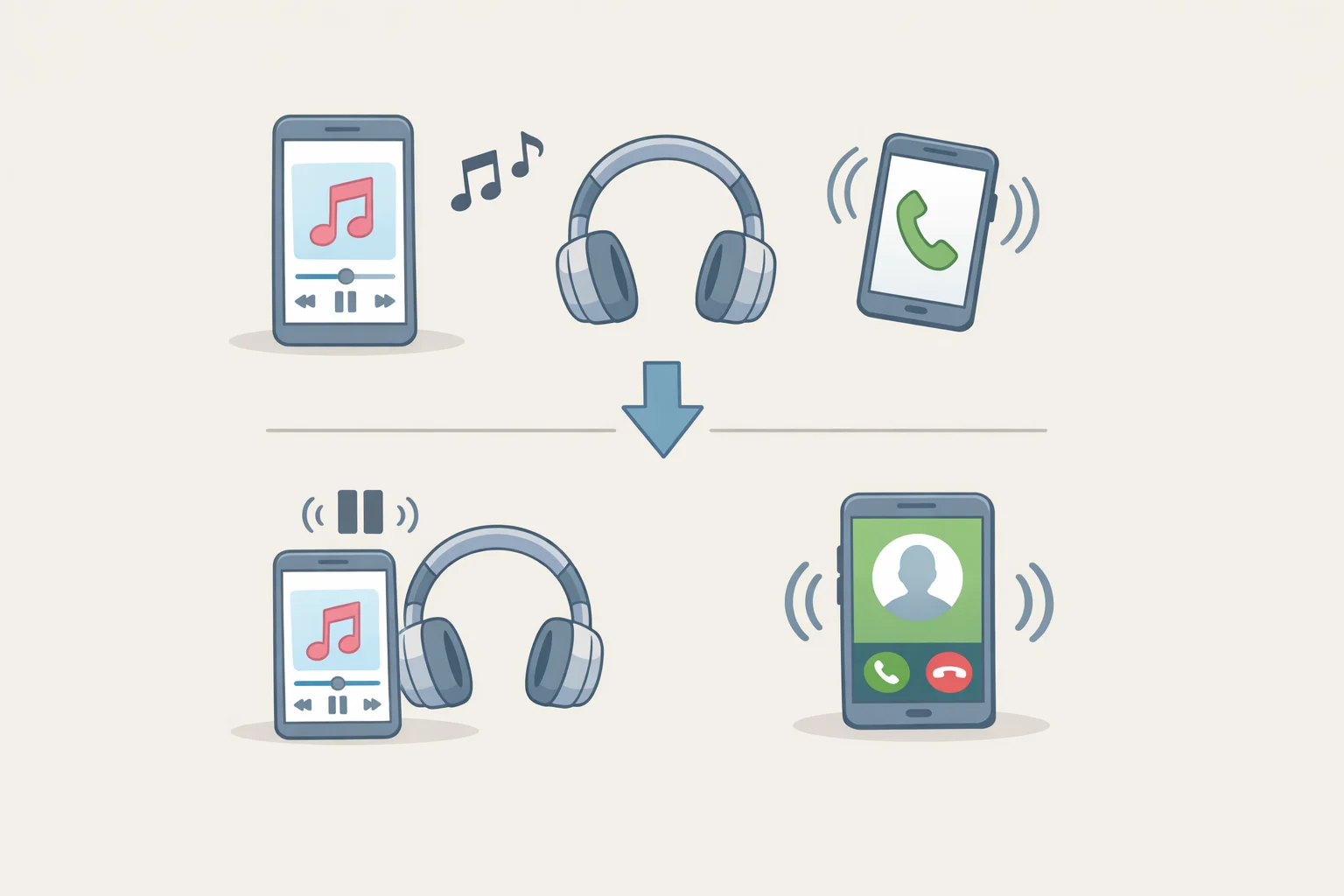
Once a headset is paired to two devices, it can flip between them without any re-pairing. Pause a podcast on the laptop, hit play on the phone, and the audio switches over, no settings menu required (Bose, two years ago).
Behind that switch is a priority system. Incoming calls usually take precedence over everything else, and alarms or notifications generally outrank music or podcasts (Engadget, yesterday; Bose, two years ago). On models that implement this well, a call arriving while you're watching a video on your laptop will pause that video, switch audio to the phone call automatically, and return to the video once the call ends, without you touching a settings menu. Bose describes this exact hierarchy as the mechanism that makes multipoint feel automatic rather than manual (Bose, two years ago). Behavior after the call ends can still vary by implementation, so don't assume every model handles the handoff back with the same polish.
Now for the misconception that trips up almost everyone shopping for this feature: Bluetooth cannot combine or mix two audio streams into one. Multipoint doesn't let you hear your laptop and your phone at the same time (Engadget, yesterday). It decides which single stream reaches your ears and pauses the other, which is a very different thing from blending them. Most headsets, in practice, treat one connected device as the actual media source and the second purely as a channel for notifications and calls (SoundGuys, eight months ago).
Think of it less like a mixing board and more like a traffic controller. It's not merging lanes, it's deciding which car gets to go through the intersection first.
What to check in wireless headphones with multipoint pairing
The actual payoff is straightforward. Multipoint eliminates the old routine of pausing your audio, digging into a phone's Bluetooth menu, disconnecting from the laptop, and reconnecting to the phone, a process slow enough that you'd often miss the call entirely before it finished (Bose, two years ago). CNET frames this the same way: multipoint means bouncing between personal and professional devices without interrupting whatever task is in front of you (CNET, nine months ago).
But the catch is real, and it's the one most buyers miss. A Bluetooth 5.0 rating on a spec sheet says nothing about multipoint support. That's added, or skipped, entirely at the manufacturer's discretion, and implementation varies from product to product even within the same price bracket (SoundGuys, eight months ago).
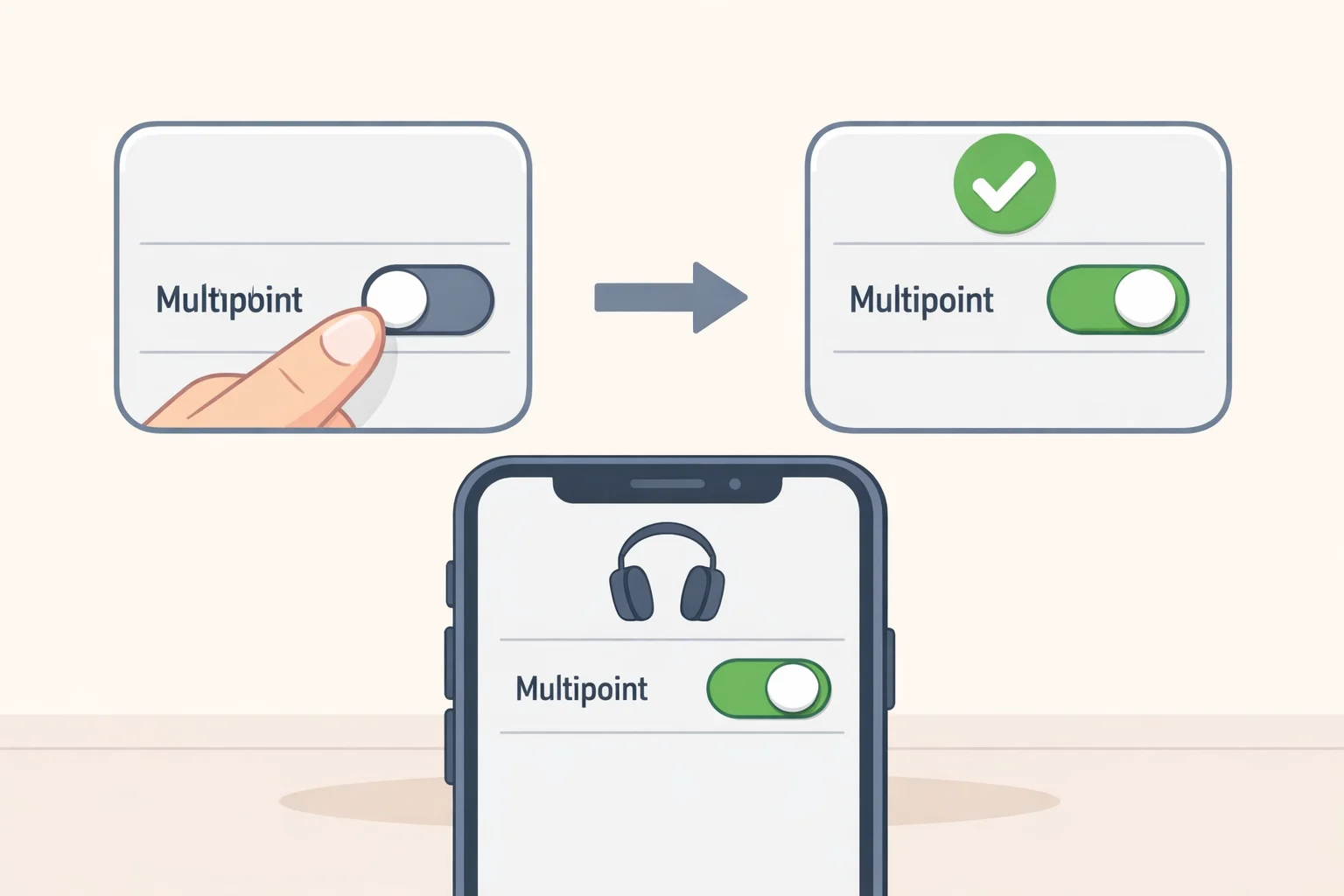
Setup also isn't standardized. Some headphones require you to manually flip on multipoint through an app or settings menu, while others activate it automatically the moment you pair a second device (SoundGuys, eight months ago; Bose, two years ago). Bose's own headphones, for example, require opening the Bose App, going to Settings, then Bluetooth Connections, and flipping a toggle labeled Multipoint on or off (Bose, two years ago). That's one company's process. Another brand might bury the setting somewhere else entirely, or not require any setup at all.
Then there's the codec trade-off, which almost never shows up in marketing copy. Sony's WH-1000XM4 supports multipoint, but only through the AAC codec, a reminder that turning the feature on can quietly restrict which audio codecs, and therefore which audio quality options, are actually available to you (SoundGuys, eight months ago).
Given how much of this varies by product rather than by category, the only reliable move is to test the exact behavior you care about, call switching, notification handling, media resuming, with your own two devices before the return window closes (Engadget, yesterday). A short checklist before buying:
- Confirm the specific model's product page or manual explicitly states multipoint support. Bluetooth version numbers alone don't confirm anything.
- Check whether multipoint needs to be turned on manually through an app, or whether it activates automatically once paired to a second device.
- Test call and media switching with your actual devices, not just theoretically compatible ones, before your return window closes.
- Look for codec limitations. Some models restrict you to a specific codec, like AAC, once multipoint is active.
When multipoint isn't the deciding factor
Not every wireless device plays by these rules, and a few cases are worth knowing before you assume a product is missing the feature entirely.
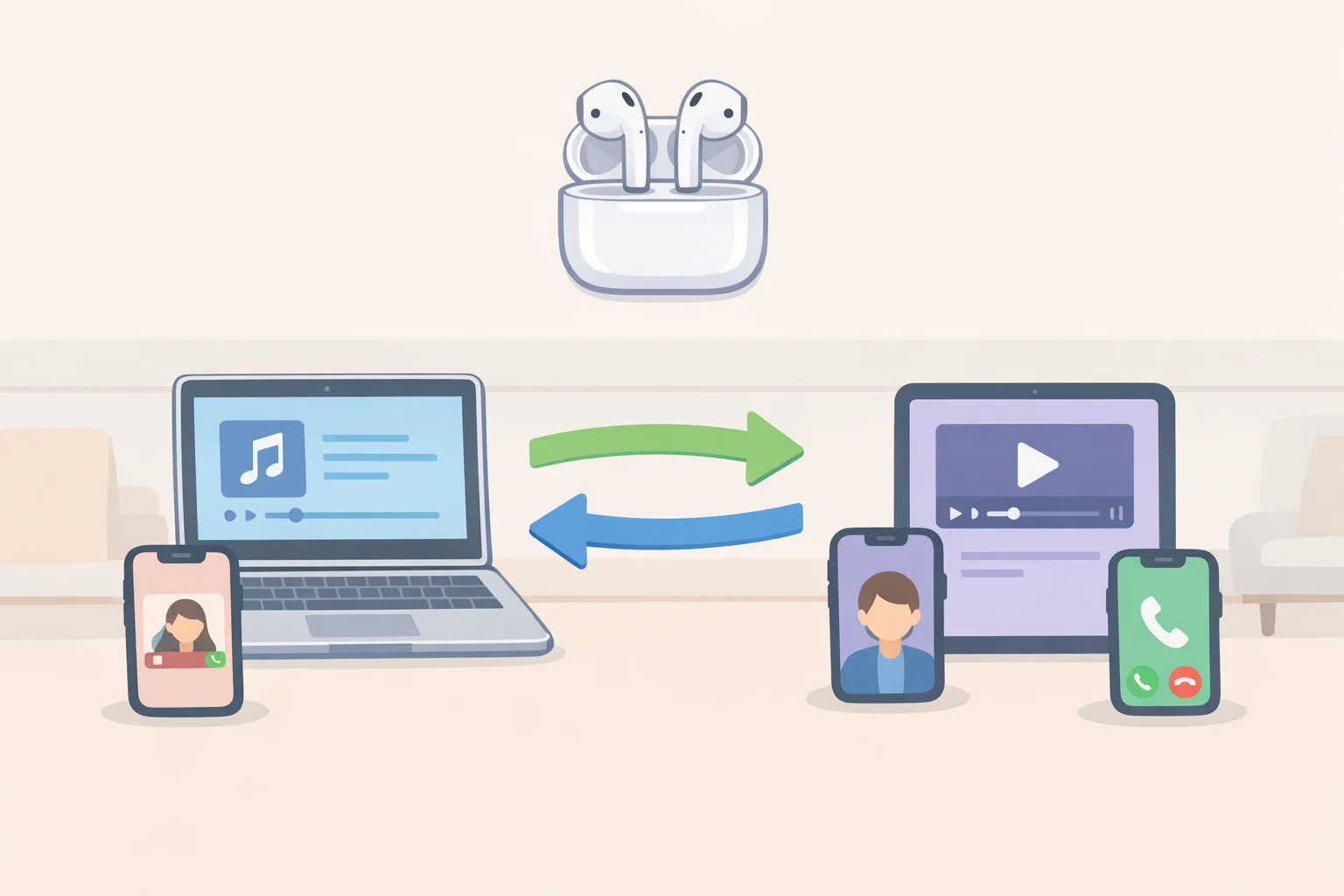
Apple's AirPods and Samsung's Galaxy Buds technically do support a form of multipoint, but it's a modified version built to work smoothly within their own ecosystems rather than as a universal, cross-brand feature (Engadget, yesterday). If you're fully inside Apple's or Samsung's world already, that ecosystem-specific switching may cover your needs without you ever thinking about multipoint as a separate spec.
True wireless earbuds aren't automatically excluded either. Certain Jabra models support full multipoint, proving this comes down to the specific product rather than the earbud category as a whole (SoundGuys, eight months ago). Don't assume a true wireless design rules multipoint out; check the specific model.
On the far end of the spectrum, a small set of specialty headsets, generally the ones built for call-center work, can do something well beyond standard multipoint: merge two separate incoming calls into one (Bose, two years ago). That capability is generally reserved for professional gear, not something you'll find in consumer earbuds regardless of price.
All of which points to an honest caveat. Multipoint mainly benefits people who genuinely split time across two devices during the day. If you use a single phone and never pair headphones to a laptop, or you're comfortably locked into one ecosystem's own switching tech, multipoint may not need to be near the top of your buying checklist.
Bluetooth multipoint headphones solve a specific, common problem: they hold two connections open so switching between devices doesn't require a trip through settings menus. But the switch itself is a handoff, not a blend, one device gets the audio at a time, decided by a priority system that favors calls and notifications over music. Getting that behavior in practice means checking the specific model's documentation, not just its Bluetooth version, and confirming it actually works with your particular pair of devices before you're past the return date. Manufacturers still implement this feature their own way, and until that changes, reading the fine print, and testing it yourself, remains part of the job of buying headphones.