How to Use DuckDuckGo Copy Clean Link on iPhone
Copy a link from X, Reddit, or YouTube and paste it into a group chat, and there's a good chance you've also copied a tracking identifier riding along in the URL, one that can help the platform associate your shared link with a later visit. DuckDuckGo's Copy Clean Link option strips trackers or unnecessary parameters out of that address before it ever lands on your clipboard. Here's how to use DuckDuckGo Copy Clean Link on iPhone, what it actually removes, and what it leaves completely untouched.
The feature arrived in a July iOS update and shows up when you hold down DuckDuckGo's address bar (Digital Trends, reported last week). It's opt-in: choosing "Copy Clean Link" strips the added parameters, while a standard copy still carries them along (Lifehacker, reported last week). Reporting on the feature has confirmed it works on pages from X, Reddit, and YouTube specifically, which is a useful signal but not a guarantee that every site behaves the same way (Digital Trends, reported last week).
What follows is a walkthrough of exactly how it works, what it removes from a URL, and what kind of tracking it has no effect on whatsoever.
How to use DuckDuckGo Copy Clean Link on iPhone
Video of the Day
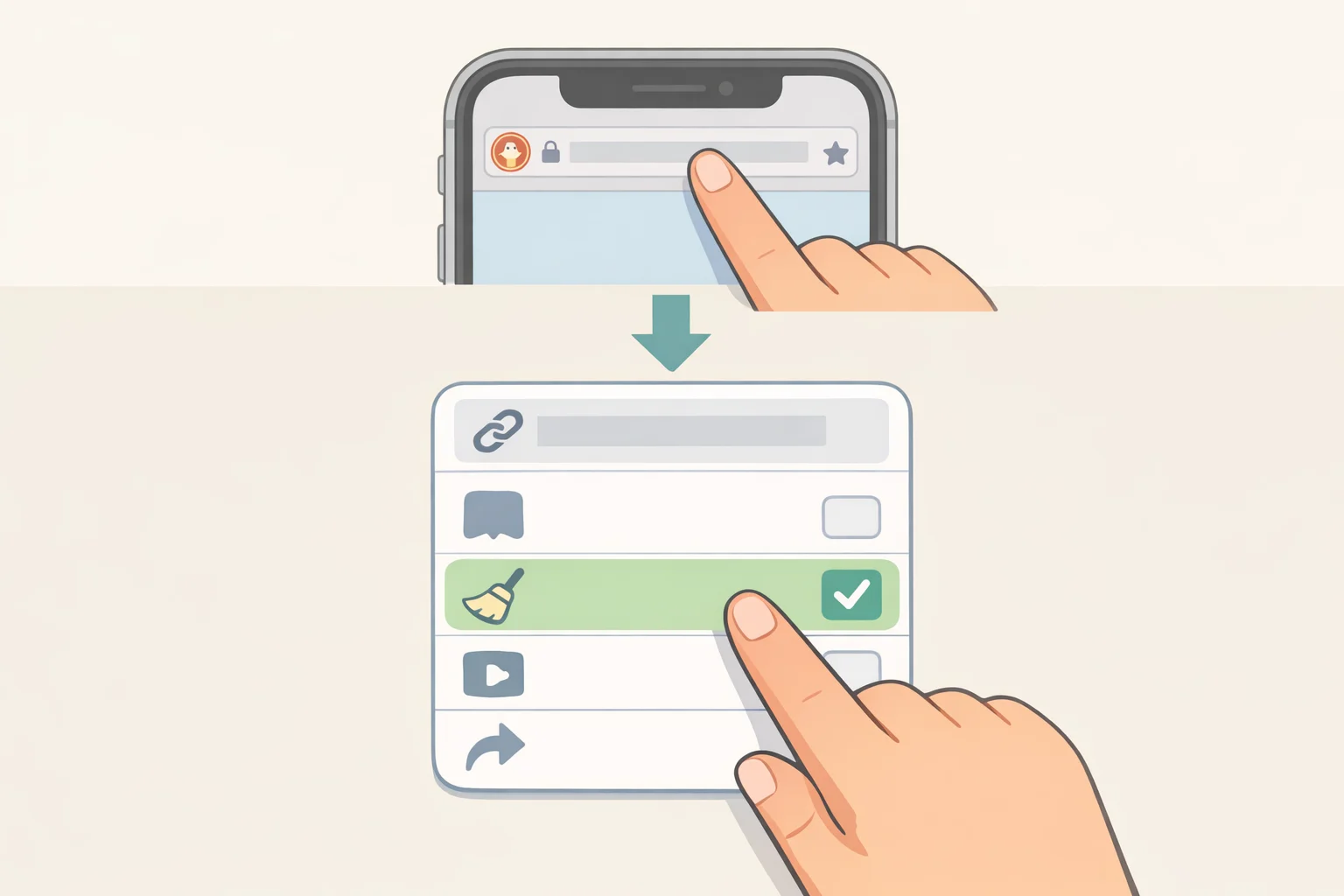
Before starting, update the DuckDuckGo app on your iPhone. The feature was introduced in a July update, so an older install may not have it yet (Digital Trends, reported last week).
- Open the page you want to share in the DuckDuckGo app. Reported testing has confirmed the option works on X, Reddit, and YouTube pages (Digital Trends, reported last week).
- Press and hold the address bar at the top of the screen until a context menu pops up. That menu is where the new option lives.
- Tap "Copy Clean Link" instead of the standard copy command. This is the step that actually matters, since it's a deliberate choice rather than something the app does automatically (Lifehacker, reported last week).
- Paste the link into a message, email, or social post the way you normally would. What lands in your text field is the stripped-down address rather than the original, parameter-heavy one (Digital Trends, reported last week).
The gotcha worth flagging: tapping the regular "Copy" option in that same menu still copies the full URL, trackers and all. DuckDuckGo isn't quietly cleaning every link in the background. It only cleans a link when you choose that command, so the habit has to become deliberate before it becomes useful (Lifehacker, reported last week).
If Copy Clean Link isn't in that menu at all, check for an app update first. Beyond that, the published testing only covers X, Reddit, and YouTube pages, so how the feature behaves on other sites isn't established by the available reporting (Digital Trends, reported last week).
Video of the Day
How Copy Clean Link removes tracking parameters from URLs
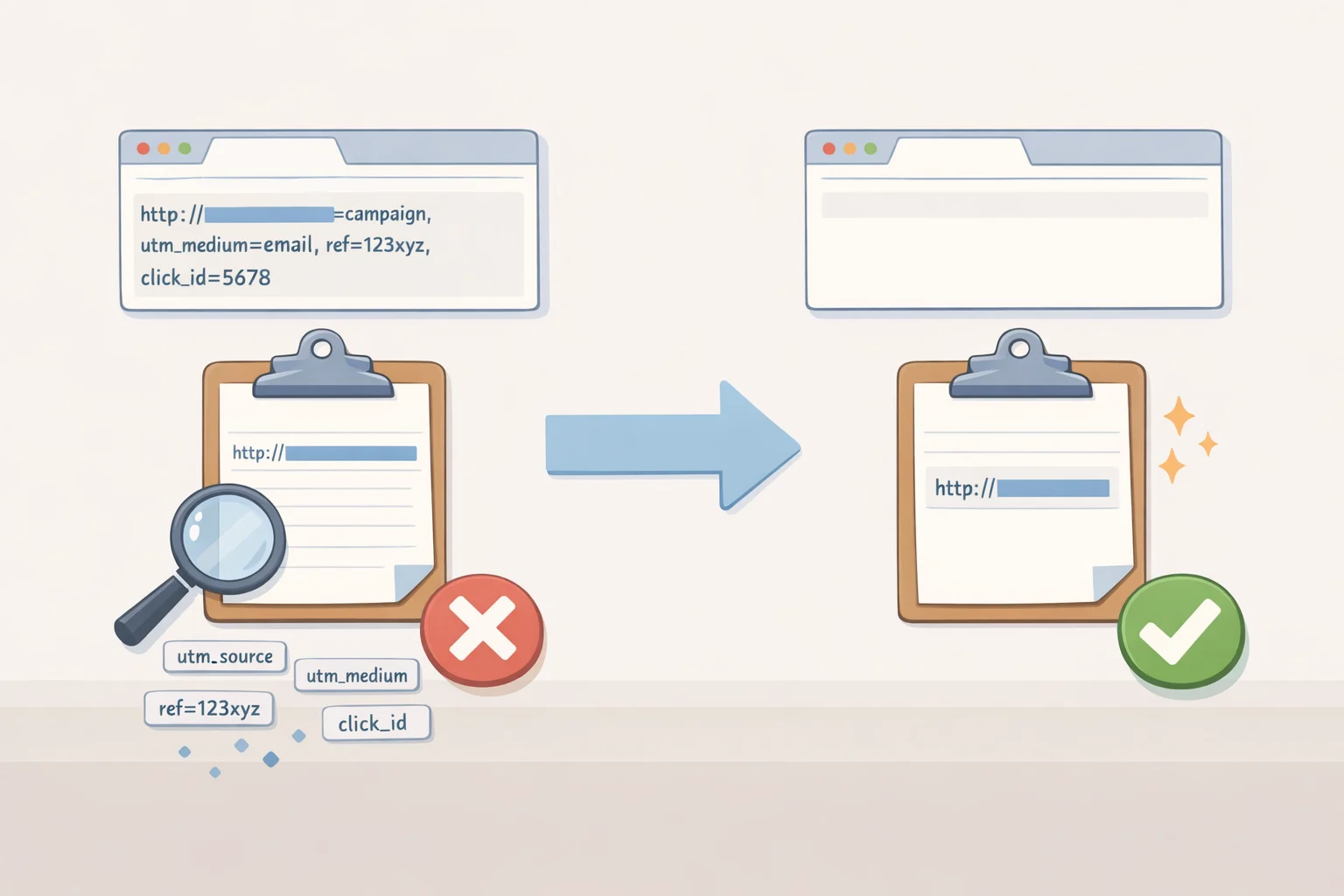
Two URL features are easy to confuse. A tracking parameter is extra information appended to a URL so a service can identify the source or context of a click. A redirect URL is different: the destination address itself gets swapped for a link that routes through the tracker's own servers before reaching the intended destination (EFF, Sept. 2023).
The available reporting describes Copy Clean Link as removing added tracking parameters before the URL reaches the clipboard. It doesn't show exactly how the feature handles every kind of redirect URL. The EFF has documented the redirect version of this problem inside Google's own products: clicking a link in Google Docs or Google Search sometimes hands users a string like https://www.google.com/url?q=https://example.com/&sa=D&source=editors&ust=...&usg=... instead of the plain https://example.com they'd expect (EFF, Sept. 2023). That's Google's own example, not DuckDuckGo's output, but it shows the broader family of problem at play: extra characters riding along with an address that have nothing to do with where the link actually goes.
DuckDuckGo cleans the address at the moment it leaves the app, before it's placed on the clipboard, swapping the full URL for a stripped-down version (Digital Trends, reported last week). Practically, that can stop a click identifier embedded in the URL from being forwarded to whoever receives the link and read the moment they open it, one way a platform can associate a shared link with a later visit (Digital Trends, reported last week). Think of it as peeling the shipping label off a package before handing it to a friend: the contents are unchanged, but whoever sent the package can no longer trace where it went after the handoff.
The feature has clear limits. It doesn't undo any tracking that already happened while a page was loading on your own phone, since that would have occurred before you copied anything (Digital Trends, reported last week). It doesn't block cookies, scripts, or other tracking systems running on the destination site once your recipient clicks through, and it has nothing to do with browser fingerprinting, which recognizes visitors through signals such as device configuration, network conditions, settings, and behavior rather than URL parameters (Digital Trends, reported last week; WebKit, July 2024). That's the scope of it: it protects one specific handoff, the instant a link moves from your device to someone else's, without touching how the page behaves once it's opened.
Where Copy Clean Link fits among other link-cleaning tools
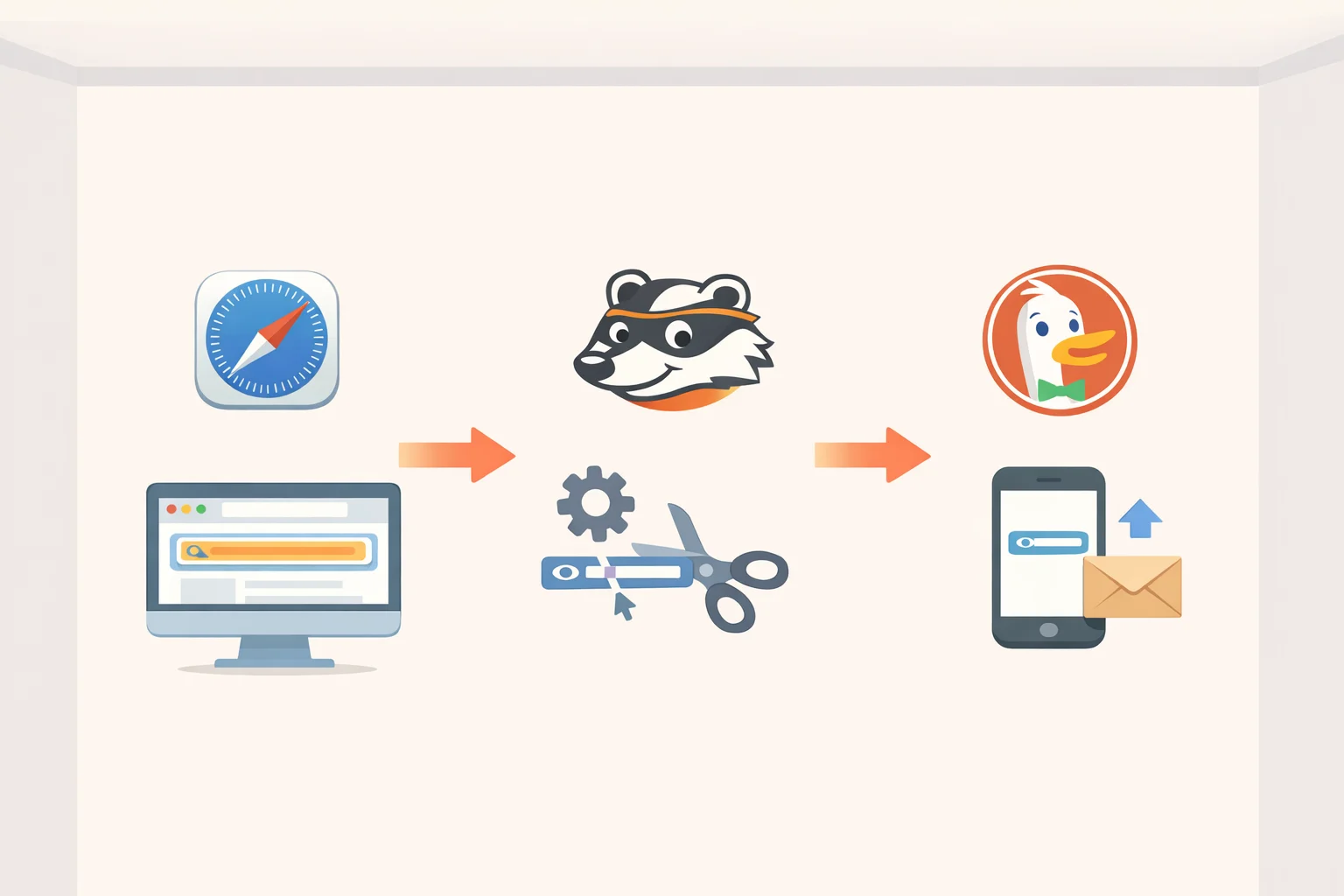
DuckDuckGo isn't the only tool addressing this problem, and the comparisons matter because they clarify what "clean" means in each case.
Safari's Private Browsing mode tackles a related but distinct issue. Starting with iOS 17 and macOS Sonoma, it restricts what third-party scripts on a destination site can read from the URL after a user opens the destination from another site: those scripts receive a version of the address stripped of query parameters and the page fragment (WebKit, July 2024). Safari isn't rewriting what lands on a user's clipboard when they copy a link; it's limiting what a script on the arriving page can see once someone has already navigated there.
Privacy Badger, the EFF's browser extension, tackles the clipboard problem more directly, at least within Google's ecosystem. It rewrites tracking-laden links across Gmail, Google Docs, Google Maps, Google Images, and links added to Google Search results after scrolling, so users see and can copy the real destination instead of a redirect URL (EFF, Sept. 2023). That's closer to what Copy Clean Link does, just scoped to a different set of sites and built as a browser extension rather than a feature baked into this particular iPhone browser.
The tools act at different stages. Safari limits what a site can learn after a click. Privacy Badger cleans specific Google links before they're shared. Copy Clean Link gives an iPhone user a second option right when they press and hold the address bar, before the link ever leaves their hands.
Conclusion
Copy Clean Link comes down to one habit: press and hold DuckDuckGo's address bar, then tap "Copy Clean Link" instead of the standard copy command (Lifehacker, reported last week; Digital Trends, reported last week). It's a narrow fix for a narrow moment, the handoff between one device and another, worth pairing with the reminder that a destination page can still track a visitor through its own cookies, scripts, or fingerprinting no matter how clean the link that got them there was.
Whether the list of supported sites grows beyond X, Reddit, and YouTube is anyone's guess at this point. What's worth carrying forward is the habit itself: before pasting a link copied from a browser, check whether there's a cleaner version worth grabbing instead.