Clicks Power Keyboard Review: Who Should Buy This Add-On
Clicks' $99 Power Keyboard does something no phone maker has bothered with in over a decade: it gives modern smartphones real, clicky keys instead of a flat pane of glass. But there's a catch. Clip it onto a large phone and the whole package gets top-heavy fast, TechCrunch found in testing published yesterday. That tradeoff, more than any BlackBerry nostalgia, is what the reporting suggests should decide who actually buys one.
The accessory began shipping this summer after delays the company flagged in an update earlier this year, and as of last week, 75% of first-batch preorders had gone out, per TechCrunch.
It attaches to a phone magnetically over MagSafe or Qi2, and the keys slide out for typing rather than staying bolted on permanently. That's a direct answer to Clicks' original keyboard case, which CNN Underscored's review last week said made phones "comically tall" with no way to shrink back down once you were done typing.
Clicks Power Keyboard review: bulk is the deciding factor
Video of the Day
The Power Keyboard works in portrait or landscape, and its keys slide out and can be hidden away when not needed, according to the company and confirmed independently by CNN Underscored's testing. It's a slide-out physical phone keyboard, not a permanent case, and that mechanical shift is what separates it from Clicks' first product.
The downside is just as concrete. Testing the unit on an iPhone 17 Pro Max and a Pixel 10 XL, TechCrunch found it made both phones feel top-heavy and awkward to grip one-handed in portrait mode. The accessory measures 119.7 × 76.6 × 15.2mm and adds 180 grams to whatever phone it's riding on, slimmer than some snap-on battery packs but still a real addition to an already large handset, per the same testing.
TechCrunch's review frames the slide-out design as a genuine fix for the fixed-case problem that plagued Clicks' first product. It doesn't make the bulk disappear, though. It just makes the bulk optional, which is a meaningfully different proposition than the one Clicks' earlier case offered.
Video of the Day
Attachment, power, and switching between devices
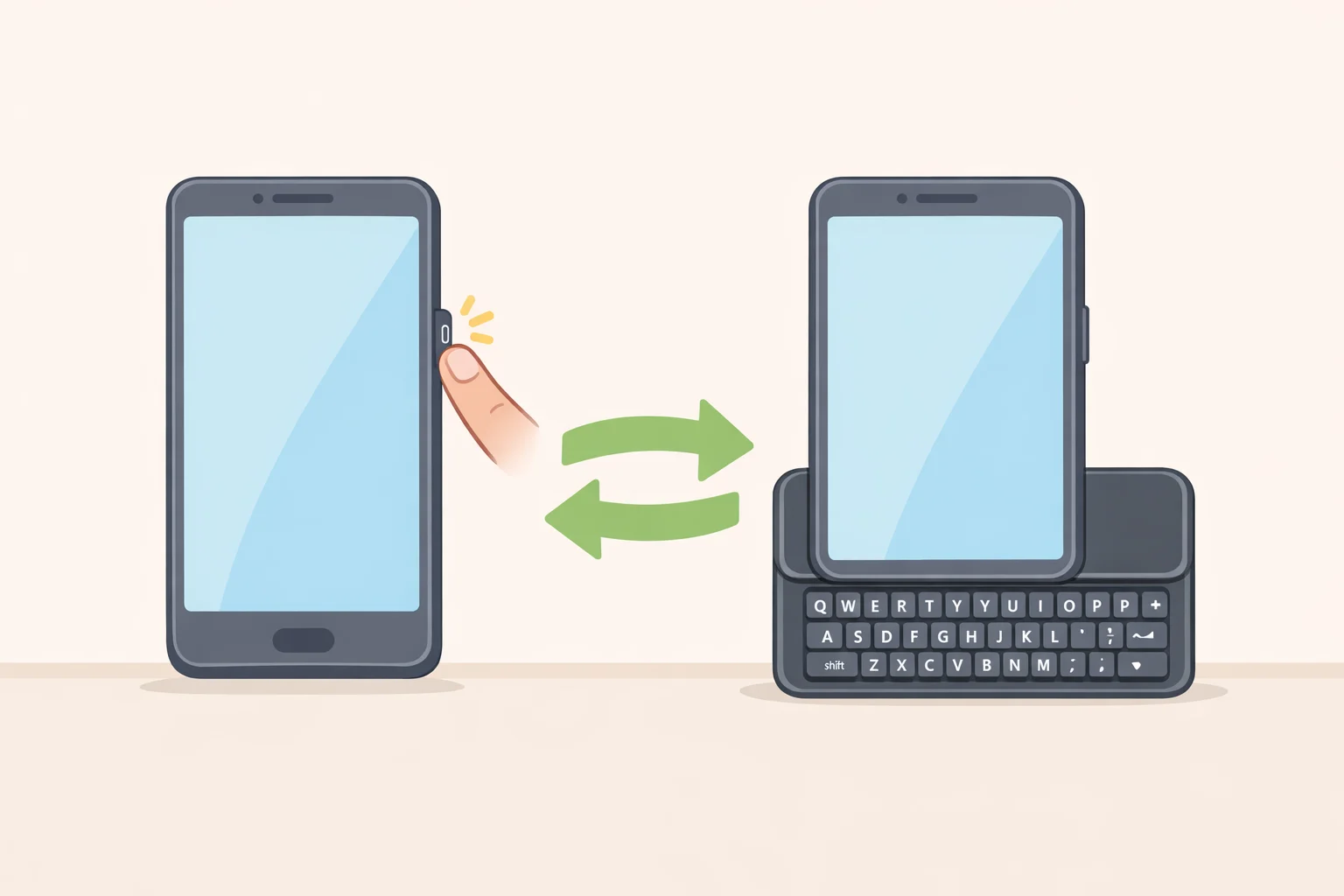
Setup is simple: hold the power button and slide the keyboard out. TechCrunch's review unit arrived pre-charged, though it can also charge over USB-C, per the outlet's testing.
Clicks' older case pulled power from the phone itself through its USB-C connection. The Power Keyboard instead carries its own 2,150 mAh battery and can wirelessly charge MagSafe and Qi2 devices in return, which is also why it doubles as a portable power bank, TechCrunch reported. The review doesn't break down how much of the keyboard's 180 grams comes from the cell versus the housing and keys.
Clicks says the keyboard can pair with up to nine Bluetooth devices, phones, tablets, an Apple TV, even a Vision Pro, an expansion from an originally planned three slots, according to the company's spring update. Switching between them takes a specific combination: users hold the power button and press the assigned number, one through nine, to activate that connection, per TechCrunch's testing.
That's also where testing found friction. TechCrunch ran into trouble switching to an iPhone and reported that fully "forgetting" a paired device required opening the Clicks app. Clicks' own update from earlier this year describes a keyboard-only shortcut, holding Sym and pressing 0, for clearing a slot without the app, but it's unclear whether that shortcut was present and working on the retail unit TechCrunch tested. Until that's confirmed, the app-dependency finding is the more reliable account.
The keyboard also offers adjustable LED backlighting, a Cursor Mode that turns certain keys into directional controls, custom Sym-key shortcuts, and Apple Shortcuts integration for things like starting a call or receiving an AirDrop, per TechCrunch. The review treats those features as extras that round out the package rather than reasons to buy it on their own.
The case for physical keys, and what's still unproven
Clicks frames the Power Keyboard around speed and reliability rather than nostalgia, pitching it at people who miss typing on physical keys instead of glass, TechCrunch reported. That philosophy traces most directly to Joseph Hofer, the industrial designer behind the BlackBerry Bold, Q10, and Passport keyboards, whom Clicks brought on as a design partner for its upcoming Communicator phone rather than the Power Keyboard itself. Hofer describes most modern phones as "output machines" and frames a physical keyboard as an "input product," one meant to make people, in his words, "remember focus," not remember BlackBerry, per an interview published two months ago.
The sources reviewed here don't provide any measured comparison. No published testing has run typing-speed, error-rate, or comfort data pitting the Power Keyboard against onscreen typing or Clicks' earlier case. TechCrunch's conclusion, that the keyboard "works as advertised," is a usability judgment from hands-on use, not a benchmarked performance claim, and the reviewer notes a preference for typing on Clicks' unreleased Communicator phone for comfort and portability reasons.
There's commentary-level support for demand, if not data. One columnist ties renewed interest in hardware keyboards to frustration with iPhone autocorrect and predictive typing, though that's an opinion rather than a study, writing earlier this year. Clicks also says it sold more than 100,000 units of its original keyboard case in its first year on the market, a company-reported figure that points to an existing buyer base even though it isn't independently audited sales data, per the same interview.
Hofer's intentional-typing framing is a different pitch than straightforward BlackBerry nostalgia. Whether it holds up in practice is still an open question the available reporting doesn't answer with numbers, only impressions.
Who the keyboard fits, and who it doesn't
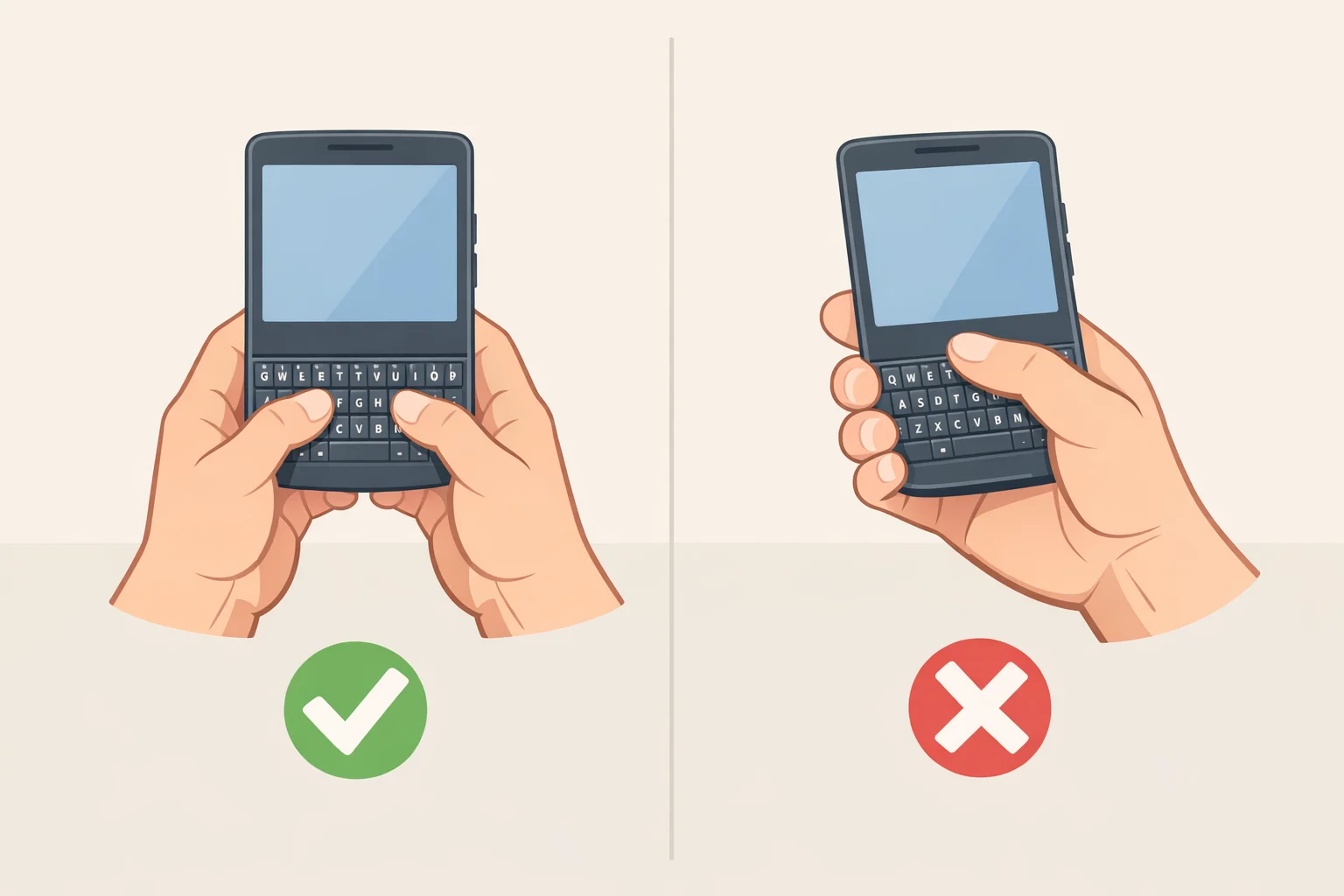
TechCrunch's testing points to a fairly narrow ideal buyer: someone who regularly writes long texts, emails, or notes on a phone and is willing to trade one-handed convenience for tactile keys and a built-in power bank. For that person, the review suggests the extra bulk is a reasonable price for an alternative to onscreen typing.
The keyboard is a tougher sell for anyone who mostly uses a phone one-handed or already carries a large device like the iPhone 17 Pro Max or Pixel 10 XL, since TechCrunch identified the added 180 grams and the top-heavy portrait feel as the biggest complaint in its testing, according to the outlet. CNN Underscored reached a related but more qualified conclusion, saying the redesign "comes so close to cracking the code" on the bulk problem that plagued Clicks' original case, without confirming the same one-handed complaint TechCrunch flagged.
Anyone who's really after a keyboard built into the phone itself, rather than bolted onto an existing one, is looking at a different product. Clicks' Communicator, described as a compact Android phone built around its physical keyboard, is expected at $499 in the fourth quarter of this year. It remains unreviewed, so treating it as an upgrade path is a bet on an unproven device, not a confirmed improvement over the Power Keyboard.
What reviewers still don't know
The remaining gap in the record is measurement, not opinion. Nobody has yet run a controlled comparison of typing speed, error rates, or comfort between the Power Keyboard, onscreen typing, and Clicks' original case, and that data would settle far more than another hands-on impression could.
Until that kind of side-by-side test exists, the case for physical keys over glass comes down to personal preference rather than demonstrated performance, whatever the reviewers currently typing on their Power Keyboards happen to conclude.