PS5 Leaf Lightning Bolt Symbol Meaning & Power Saver Mode
Scroll through the PS5 home screen long enough and it's hard to miss: a small leaf outline with a lightning bolt cutting through the middle, sitting quietly beside certain game titles. Sony never explains what it means on-screen. The PS5 leaf lightning bolt symbol meaning comes down to one thing: the game next to it can run in Power Saver mode, a setting that trims the console's electricity use, by as much as 50 percent in some cases, in exchange for reduced performance, according to SlashGear.
Sony first confirmed the feature was coming in July 2025, then rolled Power Saver out quietly with system update 25.06-12.00.00 that September, per Digital Foundry and SlashGear. Sony presents the optional mode as part of its Road to Zero initiative, which targets net-zero greenhouse gas emissions by 2040, Digital Foundry reports. What follows covers what the icon actually signals, how the underlying mode throttles the hardware, which games support it today, and how to turn it on.
What does the leaf and lightning bolt icon mean on PS5?
Video of the Day

The icon is a leaf shape with a lightning bolt through it, placed next to a game's title or disc icon on the home screen, per Yahoo Tech. It isn't a system status light and it isn't warning you about anything. It's a compatibility badge: it tells you that the game next to it has been built or patched to run under Power Saver mode, and nothing more, SlashGear notes.
That's also why it's confused plenty of players. Sony doesn't label the icon anywhere in the interface, so anyone who hasn't dug through the settings menu is left guessing, SlashGear points out. Once you know what it's pointing to, it becomes a fast visual check: a way to see which installed games qualify for reduced power before opening a single menu.
Video of the Day
How PS5 Power Saver mode actually works
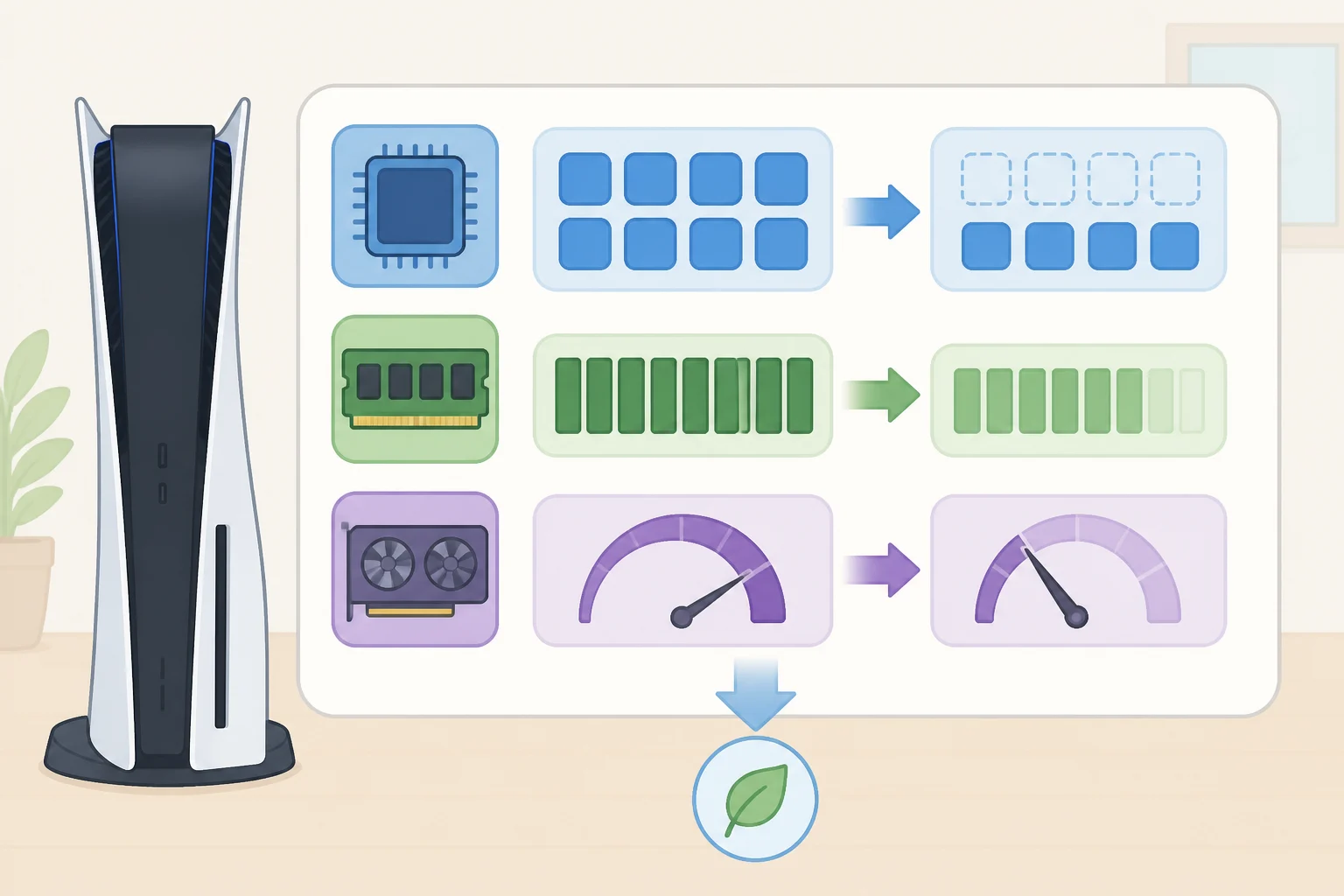
Power Saver isn't a simple dimmer switch. Digital Foundry reports that it works by spinning up a scaled-down "virtual" PS5 configuration that runs identically on base PS5 and PS5 Pro hardware. Memory runs at half its normal speed, the CPU drops from eight cores and 16 threads to four cores and eight threads, and the GPU gets pulled back to what Sony's internal documentation calls the "base clock," though the exact clock speed hasn't been disclosed.
Think of it like switching a car into eco mode. The engine hasn't changed, but the car is deliberately capped so it burns less fuel, at the cost of acceleration. Power Saver does the same to a PS5: the silicon underneath is untouched, but the console is told to run well under its ceiling.
The savings are real. In Digital Foundry's testing, every game measured dropped by at least 50 percent in power consumption, sometimes more. Demon's Souls fell from roughly 200-220W during normal play to 80-90W on PS5 Pro and 90-95W on base PS5. Days Gone Remastered dropped from about 230-240W down to 110-115W on both consoles. That tracks with the broader range Yahoo Tech cites: a PS5 that normally draws 200 to 300 watts during gameplay falls to roughly 90 to 110 watts once Power Saver kicks in, translating into a few dollars off the electricity bill over time.
There's an odd wrinkle for PS5 Pro owners. Because the virtual configuration runs on a fixed 36 compute units, the same number used by base PS5, the Pro's extra 24 compute units simply sit idle while Power Saver is active, Digital Foundry found. The more expensive console isn't drawing on the hardware that makes it more expensive.
PS5 leaf lightning bolt symbol meaning: compatible games and trade-offs
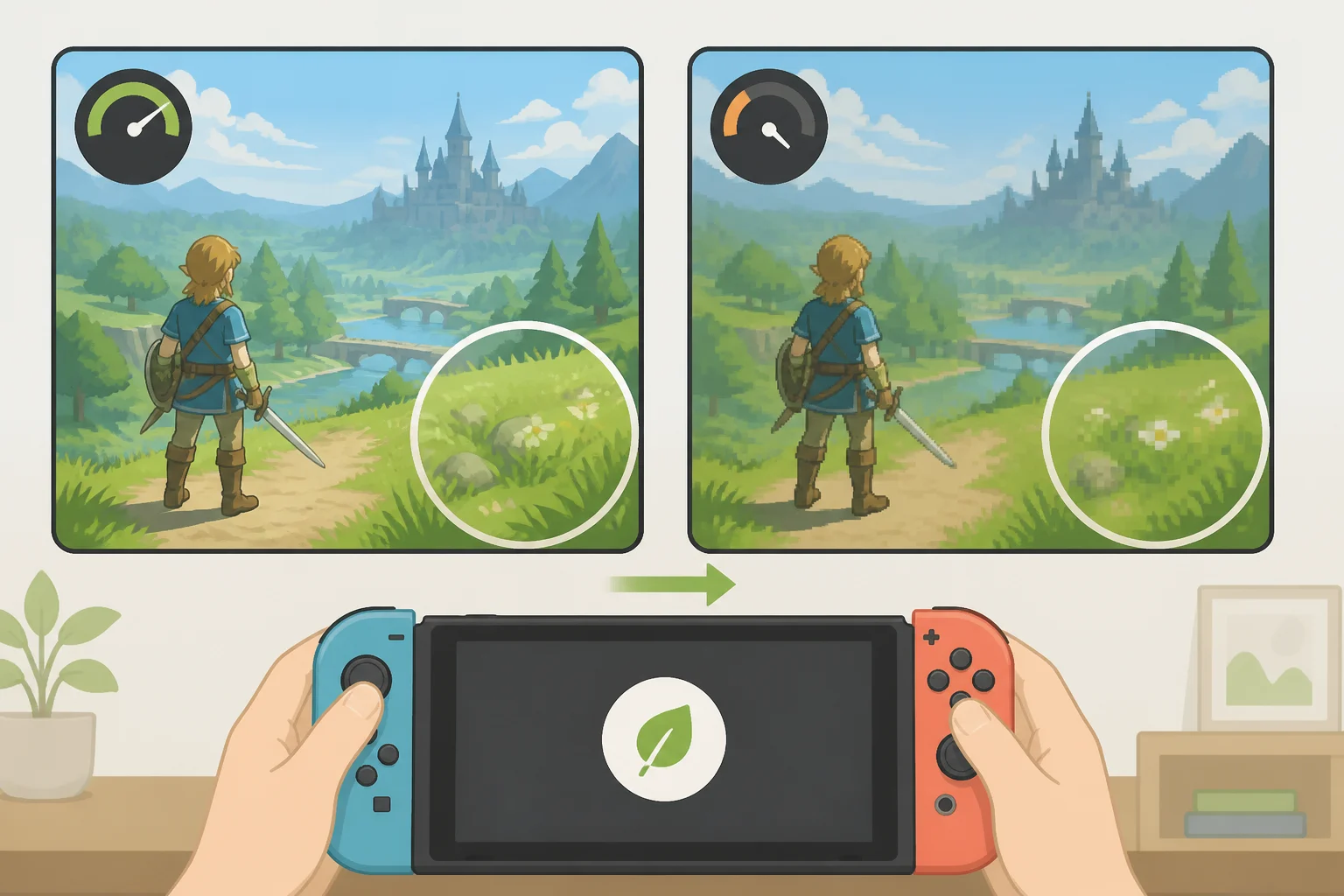
Power Saver isn't a console-wide switch. It has to be built into each game individually, since developers need to refactor and patch their existing PS5 builds for the reduced hardware spec, Digital Foundry reports, and Sony's own developer documentation confirms support is optional rather than required.
That's why the list of supported titles is still short. Confirmed games include Marvel's Spider-Man 2, Ghost of Yotei, Death Stranding 2: On the Beach, Demon's Souls, Days Gone Remastered, and Death Stranding: Director's Cut, according to SlashGear and Digital Foundry. Resident Evil 2 has no Power Saver support at all, meaning the mode isn't available no matter what's toggled in settings, SlashGear notes.
Even among supported games, what gets sacrificed varies widely. Demon's Souls loses 60fps support entirely under Power Saver, locking to a 30fps cap, dropping resolution to 1440p, and restricting visual settings to the game's "performance" preset, Digital Foundry found. That 30fps cap isn't even fully stable; frame rate dips further when more enemies crowd the screen.
Days Gone Remastered tells a gentler story. Likely because it started life as a PS4 game, its Power Saver cutbacks are comparatively mild: the 1800p60 performance mode steps down to 1440p60, with no forced 30fps option at all, per Digital Foundry. The leaf icon confirms a game is eligible for Power Saver. It says nothing about how much of the experience survives the switch.
How to enable Power Saver mode on PS5

Turning the feature on takes a few steps through the settings menu. From the home screen, open Settings, select System, then Power Saving, then Power Saver for Games, SlashGear outlines. Inside that menu, toggle "Use Power Saver" on to activate the feature.
Scroll further down and a subsection labeled "Installed games that support power saver" lists every eligible title currently on the console, SlashGear explains. From there, players can flip Power Saver on or off for each compatible game individually rather than applying it blindly across the board, a process Yahoo Tech walks through as well.
Once a game is toggled on, there's nothing else to do. Power Saver applies automatically the moment that title boots and stays active until it's switched off again, Yahoo Tech notes.
One limitation is worth flagging before anyone gets excited about cutting power bills across the board: VR cannot be used while Power Saver is enabled, SlashGear confirms. That's a functional restriction, not a graphics compromise. Anyone splitting time between flatscreen play and PSVR2 will need to toggle the setting off before strapping in.
For players chasing power savings beyond individual games, the PS5's separate rest mode settings are worth a look too. The console can be set to enter rest mode automatically after a period of inactivity, and that timer can be adjusted or disabled entirely under Settings, System, then Power Saving, SlashGear notes. It's a separate lever from Power Saver mode, but one that lives in the same corner of the settings menu.
Deciding when to use Power Saver mode
The leaf and lightning bolt icon is a simple flag for a mode doing real work underneath: throttled memory, fewer active CPU threads, a downclocked GPU, all in service of cutting power draw substantially in the games that support it. None of that is a free lunch. Every watt saved comes from hardware genuinely running below its ceiling.
Because support depends entirely on individual developers patching their own games, there's no reliable way to know which titles will add it next. The practical approach is to treat Power Saver as a per-game decision. Switch it on for something like Days Gone Remastered, where the visual hit is minor, and think twice before enabling it on Demon's Souls, where losing 60fps and dropping to 1440p might matter more than the savings. Check the icon next to a game's title after any system or game update; that's still the only place Sony surfaces the answer.