Why you need a VPN in 2026: public Wi-Fi and ISP risks
A VPN doesn't make your internet provider forget who you are. It changes what that provider can see about what you do, not who's paying the monthly bill. That distinction explains both why you need a VPN in 2026 and why it won't solve every privacy problem sitting on your plate.
A VPN is an encrypted tunnel between a device and a server run by the VPN company. It limits what a home internet provider and strangers on a shared network can observe about where that device goes online, but it doesn't erase identity, logged-in accounts, or the data a mobile carrier collects through other means. What follows covers exactly where that tunnel helps, on two fronts, a home or mobile provider and public Wi-Fi, and where its protection runs out.
The stakes aren't hypothetical. CISA, the federal government's cybersecurity agency, treats connecting through a public or unfamiliar network as a meaningful jump in cyber risk, and its own guidance instructs federal staff to switch on an agency-authorized VPN the moment they join one. That's advice written for government laptops, but the problem it responds to, an unfamiliar network sitting between a device and the internet, doesn't check anyone's employer before causing trouble.
How a VPN protects your privacy from your ISP
Video of the Day
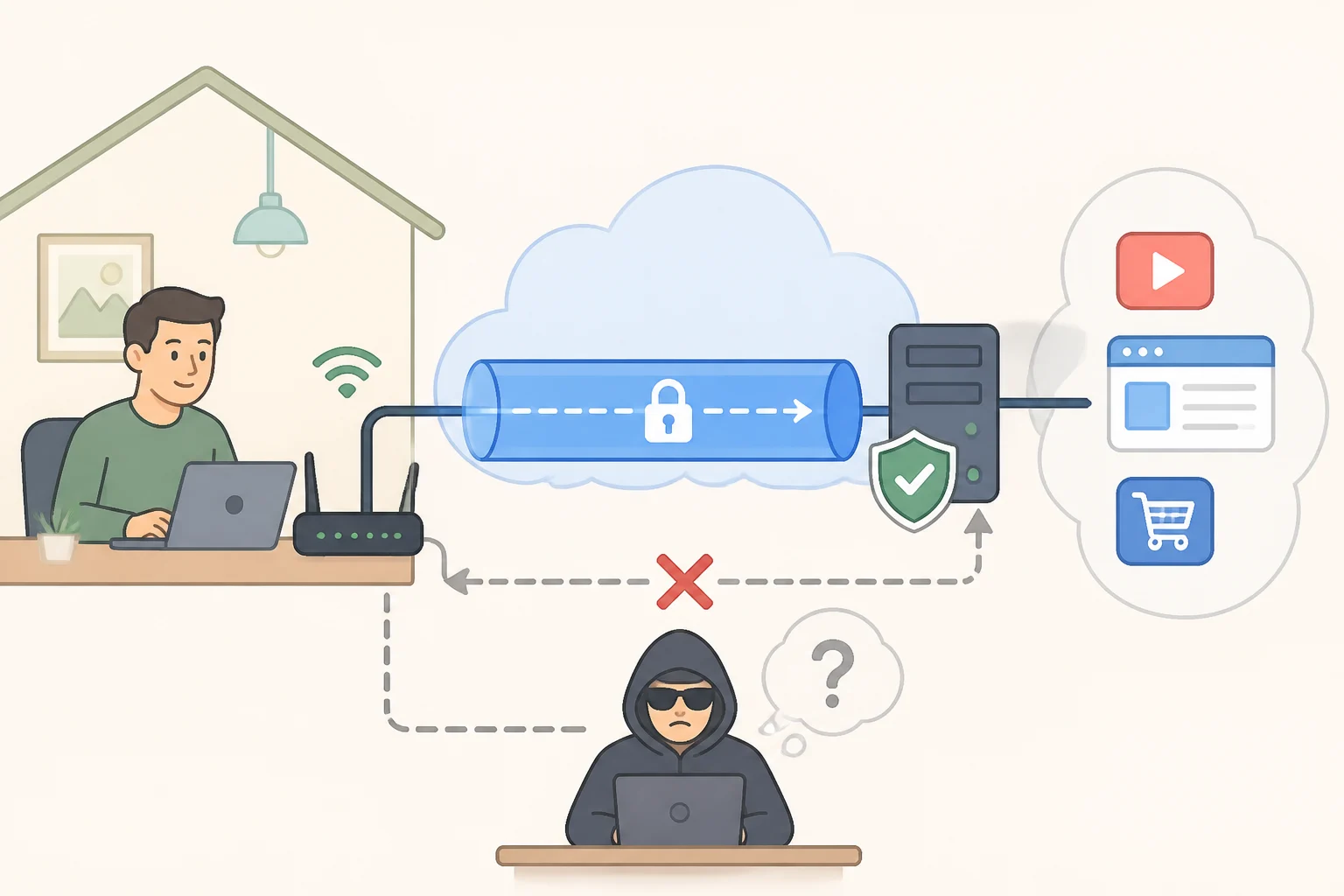
Generally speaking, a VPN works by routing a device's connection through the VPN company's server rather than sending it straight out through the home or mobile provider. The provider still sees that a connection exists and roughly how much data moves through it, but it loses direct visibility into which specific sites and services that connection is reaching, since the traffic now appears to originate from the VPN server instead.
That's a real reduction in visibility. Without access to destinations, a provider can't easily tell which streaming services, health sites, or forums a connection is reaching, details that would otherwise sit in a long log tied to an account. Routing traffic through a VPN server closes off that specific window.
It doesn't close every window, though. A home ISP still knows the billing account tied to the connection and the address it's installed at. A mobile carrier can generally place a phone within range of the cell towers it's talking to, a function of the phone's radio connection to the network, not the web traffic layered on top of it. A VPN reroutes what a browser sends and receives; it has no say over the signal a phone uses to reach a tower in the first place.
That's the distinction worth sitting with: a VPN narrows what a provider can observe about where a connection goes, but it doesn't touch what that provider or carrier already knows about the account and device behind it. Think of it as drawing the blinds on one window while the front door, the one with your name on the lease, stays exactly where it was.
Video of the Day
VPN for public Wi-Fi safety: where HTTPS stops and the VPN starts
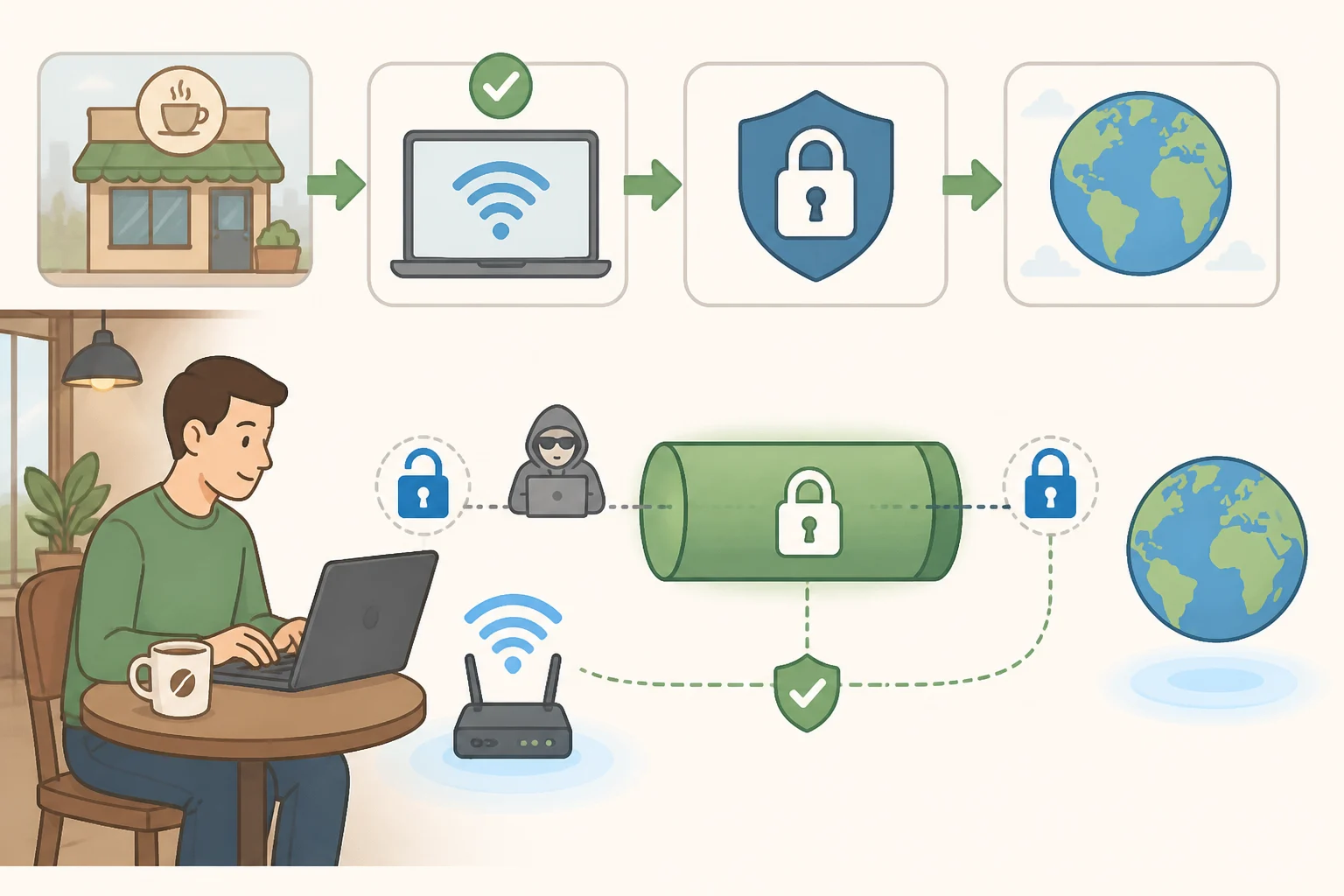
A home internet connection is at least a known quantity, a named company with a privacy policy that can be looked up. Public Wi-Fi is a different animal: a coffee shop router, an airport hotspot, a hotel network, shared with strangers whose intentions nobody can vouch for.
CISA says connecting through these external or third-party networks significantly raises the risk to a device and anything sent over it. Its guidance, written for federal telework staff, tells employees to switch on an agency-authorized VPN the moment they join a public hotspot, before doing anything else on it.
Many websites now encrypt the content of what a user sends, so a password typed into a secured login page is protected before it leaves the device. What a VPN adds on top of that is encryption for the connection itself, the part that otherwise travels in the open across the local network. It does this by shifting trust from the coffee shop's router to the VPN company's servers rather than removing the need to trust anyone.
Think of it this way: a sealed envelope still has an address on the outside that anyone handling it can read, even if they can't open what's inside. A VPN puts that sealed envelope inside a second, opaque one addressed only to the VPN provider, which then forwards it on the device's behalf. Public Wi-Fi is where that second envelope does its clearest work, precisely because the first one, where a site uses encryption, was already handling part of the job before the VPN turned on.
What a VPN doesn't do
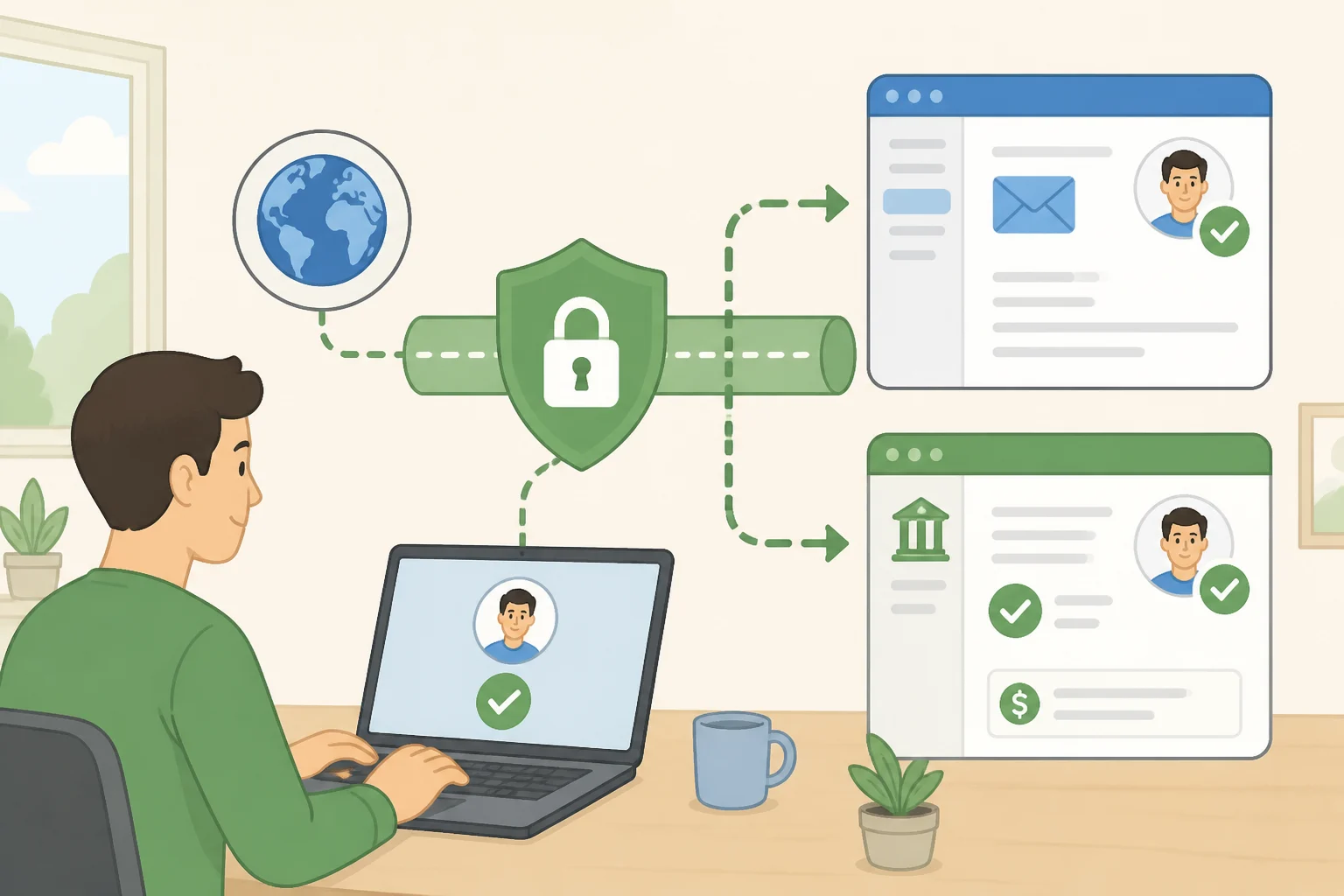
A VPN limits what a network operator can see about where a connection goes. It doesn't hide identity from the websites and apps someone is logged into. Gmail still knows whose inbox it is, a bank still knows whose account is being accessed, regardless of which server the traffic passed through first.
It also isn't designed to detect or stop phishing emails or malicious downloads. Those threats depend on what a user clicks and opens, not on what a network can observe, so a VPN running in the background does nothing to interrupt them.
Worth separating, too: the consumer VPN app on a phone and the system an employer uses to let staff reach internal company systems remotely are not the same thing, even though people often lump them together. Guidance CISA developed with the FBI and cybersecurity agencies in Canada and New Zealand warns that misconfigured remote-access VPNs create inherent business risk, since these systems are built to grant broad access to an organization's network once someone connects. That same guidance urges organizations to move toward newer models, Zero Trust, Secure Service Edge, and Secure Access Service Edge, which give security teams greater visibility into network activity. None of that speaks to whether a personal VPN subscription is safe for everyday browsing. It's a warning about a different piece of infrastructure, with different stakes if it fails.
What stays visible, and who else is in the loop
Even with a VPN running, a home or mobile provider doesn't go blind. It can still see that a device is connected to a VPN server, roughly when and for how long, and how much data is moving. Paired with the account information it already has on file, that's still a fair amount of information, just not the specific sites and services behind the encrypted tunnel.
The VPN provider, meanwhile, becomes the new party with visibility into that traffic. It can typically see connection timing and volume, and depending on its own practices, potentially more. This research doesn't include comparative data on how specific VPN companies log or handle that information, so no names or rankings here, but it's worth reading a provider's privacy policy for its stated logging practices and which country's laws govern it before trusting it with daily browsing.
Legality isn't a blanket yes-or-no. VPN use is legal in most countries, including the United States, but some governments restrict or require licensing for VPN providers. Anyone traveling internationally or living under stricter internet rules should check local law before relying on one.
A practical framework: when a VPN actually helps
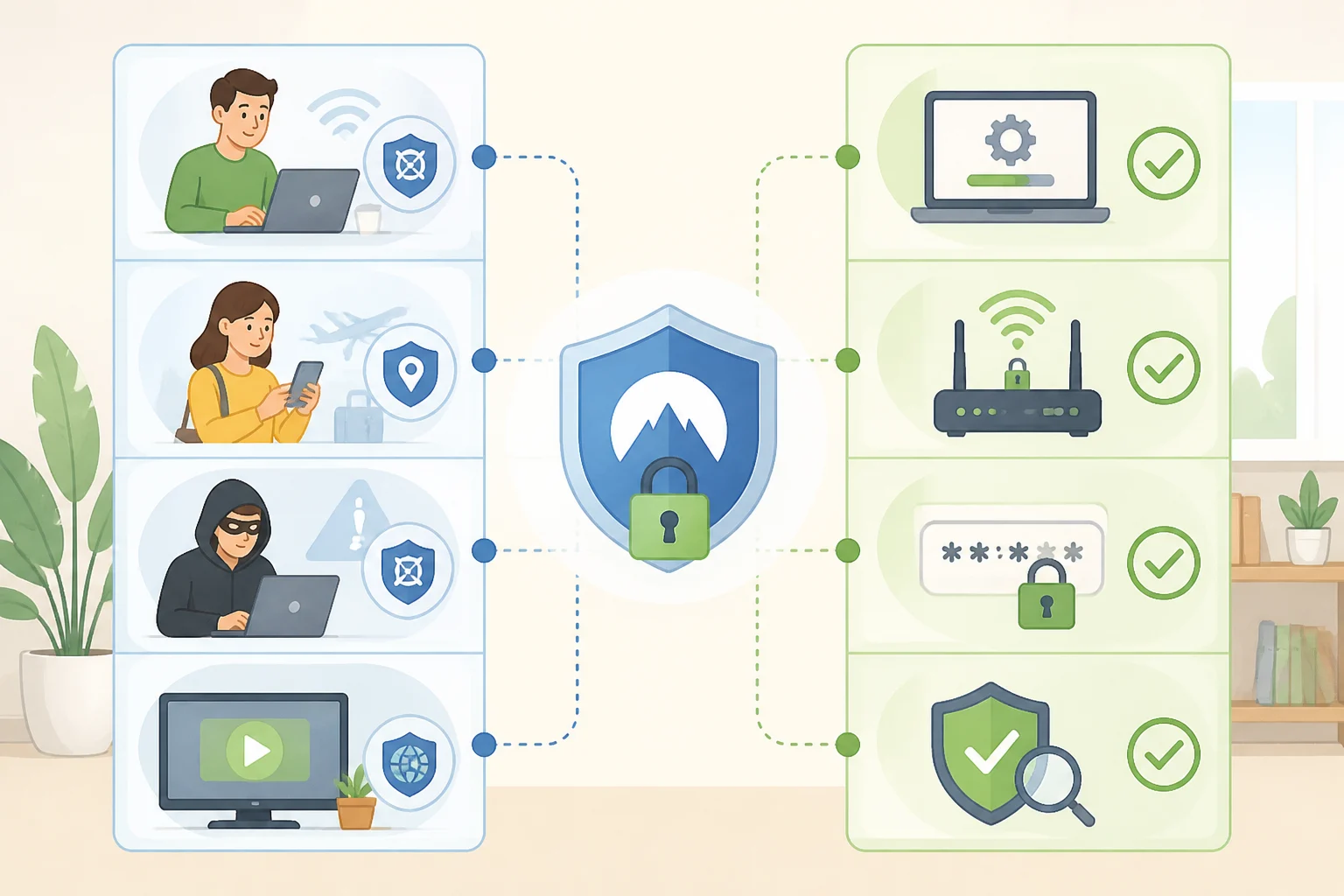
A VPN is most useful in two situations: connecting to public or unfamiliar Wi-Fi, and limiting what a home or mobile provider can observe about browsing destinations. CISA's guidance backs the first case directly; the second follows from how networks work, a provider that routes a connection can see where it goes unless something else is standing in the way.
It is not sufficient against phishing, malware, or tracking by services someone is already logged into, and it cannot change what a carrier already knows about the billing account and device tied to a connection. Treating a VPN as a cure-all for those problems asks more of the tool than it was built to deliver.
A few habits close most of the remaining gaps: keeping software and browsers updated, using strong unique passwords with multi-factor authentication, and the router-level hygiene CISA recommends for networks under direct control. That means changing the router's default administrator password instead of leaving the factory setting in place, keeping that password to yourself instead of handing it out to every houseguest, using the strongest encryption option available, and segmenting devices on the network so a compromised smart speaker can't talk directly to a laptop. CISA also suggests disabling any management interface that can be reached from outside the network, a setting most people never touch because they don't know it exists. None of it requires a subscription or an app, just a few minutes in a router's settings page, and CISA is upfront that none of it makes a network impenetrable, just considerably harder to walk into.
When a VPN isn't available, the same instincts still apply. Stick to sites with a secure connection, avoid logging into financial or medical accounts on an unfamiliar network, use mobile data instead of open Wi-Fi for anything sensitive, and keep a device's software current so known vulnerabilities get patched.
Two jobs, not a cure-all
Two separate problems opened this piece, and only one of them is something a VPN really touches. Shrinking what a home or mobile provider can see about where traffic goes is squarely in its wheelhouse. Disconnecting an account, a bill, or a device from the person using it is not, because that information never lived in the browsing traffic to begin with. A VPN trades one kind of visibility for another: a provider that used to see destinations now sees nothing but encrypted noise, and a VPN company sees what the provider used to.
Decide first which problem needs solving. If it's visibility into browsing on an unfamiliar network or from a home ISP, a VPN earns its subscription fee. If it's account takeover, malware, or a carrier's location records, a VPN won't touch it, and the fix lives elsewhere: better passwords, cautious clicking, and an honest afternoon spent in the router's admin panel.