iPadOS 27.2 Siri AI Features Explained: Ask Siri Shortcut
Apple released iPadOS 27.2 today, and the headline iPadOS 27.2 Siri AI features amount to one meaningful change: a contextual "Ask Siri" prompt that appears when trackpad or mouse users select text, according to AppleInsider. It's a convenience update rather than a new Siri capability. The shortcut makes an existing Siri AI feature easier to reach from the cursor, and it arrives alongside a reported expansion of the languages Siri AI supports.
This matters most for iPad owners using a trackpad or mouse, and for anyone who already has Siri AI available in English or one of the newly added languages. The interaction mirrors one Apple shipped first on Mac in macOS 27 Golden Gate, according to 9to5Mac, published five days ago. Siri AI itself is still fairly new: it began as a staged beta in English this fall before Apple said it would add more languages, according to Apple Newsroom, published earlier this month.
The sections below separate what's confirmed, what's reported but unverified on iPad specifically, and what to check before relying on it.
iPadOS 27.2 Siri trackpad support: what's new
Video of the Day
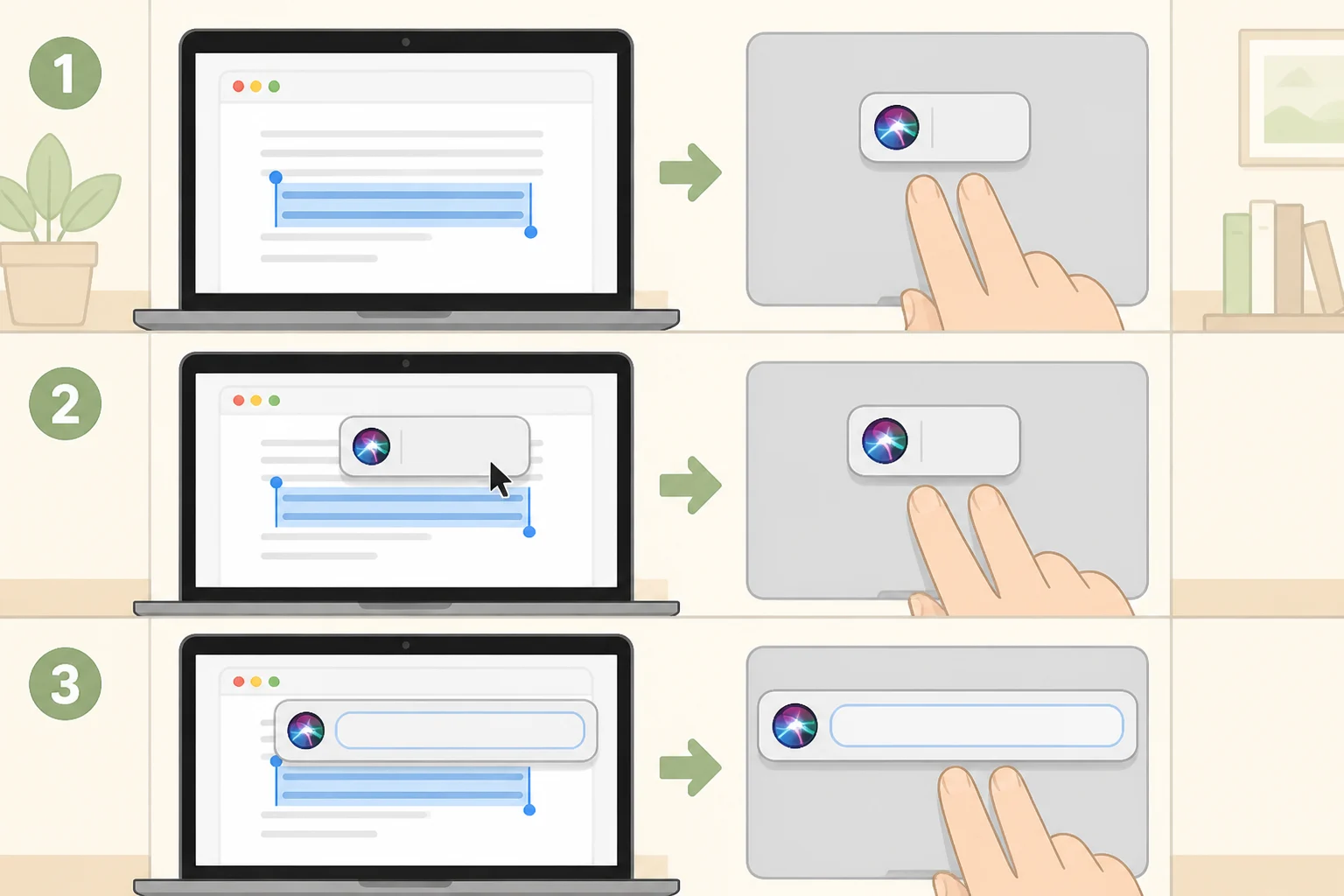
With a trackpad or mouse connected, selecting text on iPad now surfaces a small popup prompting users to "Ask Siri," according to AppleInsider. That same popup can resurface Writing Tools commands like Rewrite and Proofread, so it works as a shortcut to tools that already existed in iPadOS 27, not just a doorway into Siri.
This behavior wasn't part of the original iPadOS 27 release. It's new in 27.2, according to 9to5Mac, which describes a small Siri icon appearing in the corner of a text selection that expands into an "Ask Siri" text box when hovered over with a cursor.
That hover-to-expand behavior first showed up on Mac running macOS 27 Golden Gate. 9to5Mac reports "that same behavior" now applies to iPad once a trackpad is attached, though neither outlet walks through the exact on-iPad sequence step by step. Treat the precise interaction as reported, not independently confirmed.
iPad owners without a trackpad or mouse aren't shut out. Selecting text still opens the standard edit menu, which reaches Siri the same way it always did, according to 9to5Mac. The outlet describes the cursor-based version as smoother, not as the only entry point.
One other item worth a brief mention: Apple's redesigned Health app did not ship with this release, according to AppleInsider. Anyone holding off for that redesign specifically should know 27.2 isn't it.
Video of the Day
iPadOS 27.2 Siri AI languages: what expanded this update
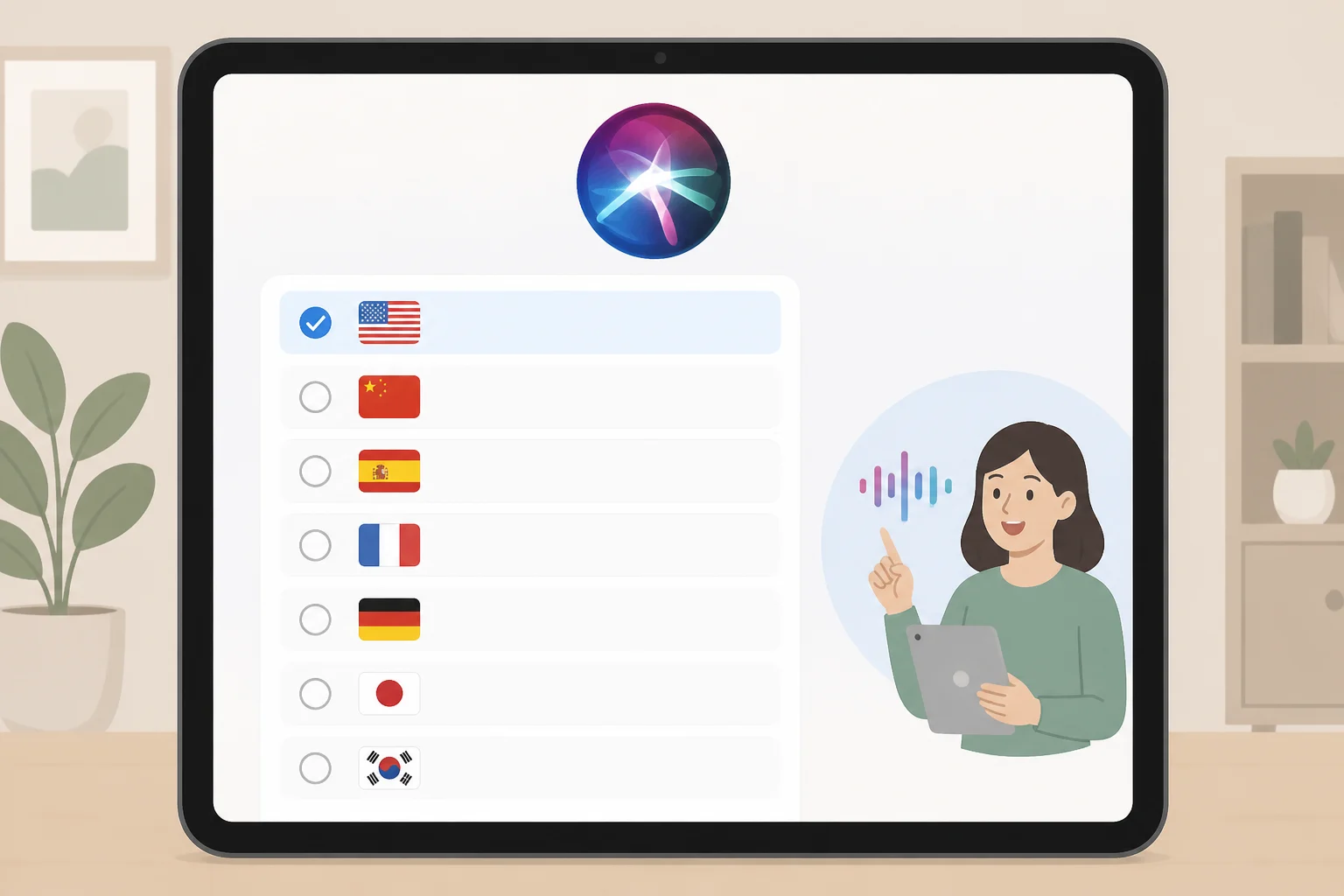
Siri AI launched as an English-only beta this fall, with Apple saying at the time that French, Japanese, Korean, Portuguese, and Spanish support would follow, according to Apple Newsroom. AppleInsider's reporting on iPadOS 27.2 today confirms that expansion has landed, listing all five languages as now supported alongside English.
As recently as last month, the Electronic Frontier Foundation was still describing Siri AI as English-only and unavailable worldwide, which gives a sense of how recent this expansion is. Apple's announcement also describes broader Siri AI capabilities beyond language support: conversational follow-up questions, Spotlight search integration on iPad and Mac, and Visual Intelligence built into the iPad screenshot flow, according to Apple Newsroom. None of those are exclusive to 27.2; they're part of the wider Siri AI rollout this update extends.
What's confirmed and what's still unknown
Several points here are directly documented. iPadOS 27.2 is available now and installs automatically within a few days for devices with automatic updates on, or manually through Settings, General, then Software Update, according to AppleInsider. Trackpad and mouse users get the Ask Siri popup on text selection. iPads without a pointing accessory keep the existing edit-menu path. French, Japanese, Korean, Portuguese, and Spanish support is now reported as live.
What isn't established matters just as much for anyone deciding whether to update. Neither AppleInsider nor 9to5Mac lists which iPad models support the new popup, and EFF's hardware eligibility notes cover iPhone only, naming iPhone 15 Pro, iPhone 15 Pro Max, and iPhone 16 or later as the devices supporting Apple's AI features, according to EFF. There's no equivalent iPad model list or country-by-country availability matrix in the current reporting, and nothing confirms which processing path, on-device or Apple's Private Cloud Compute, handles a request made through this specific shortcut.
Ask Siri text selection on iPad: privacy checks before you use it
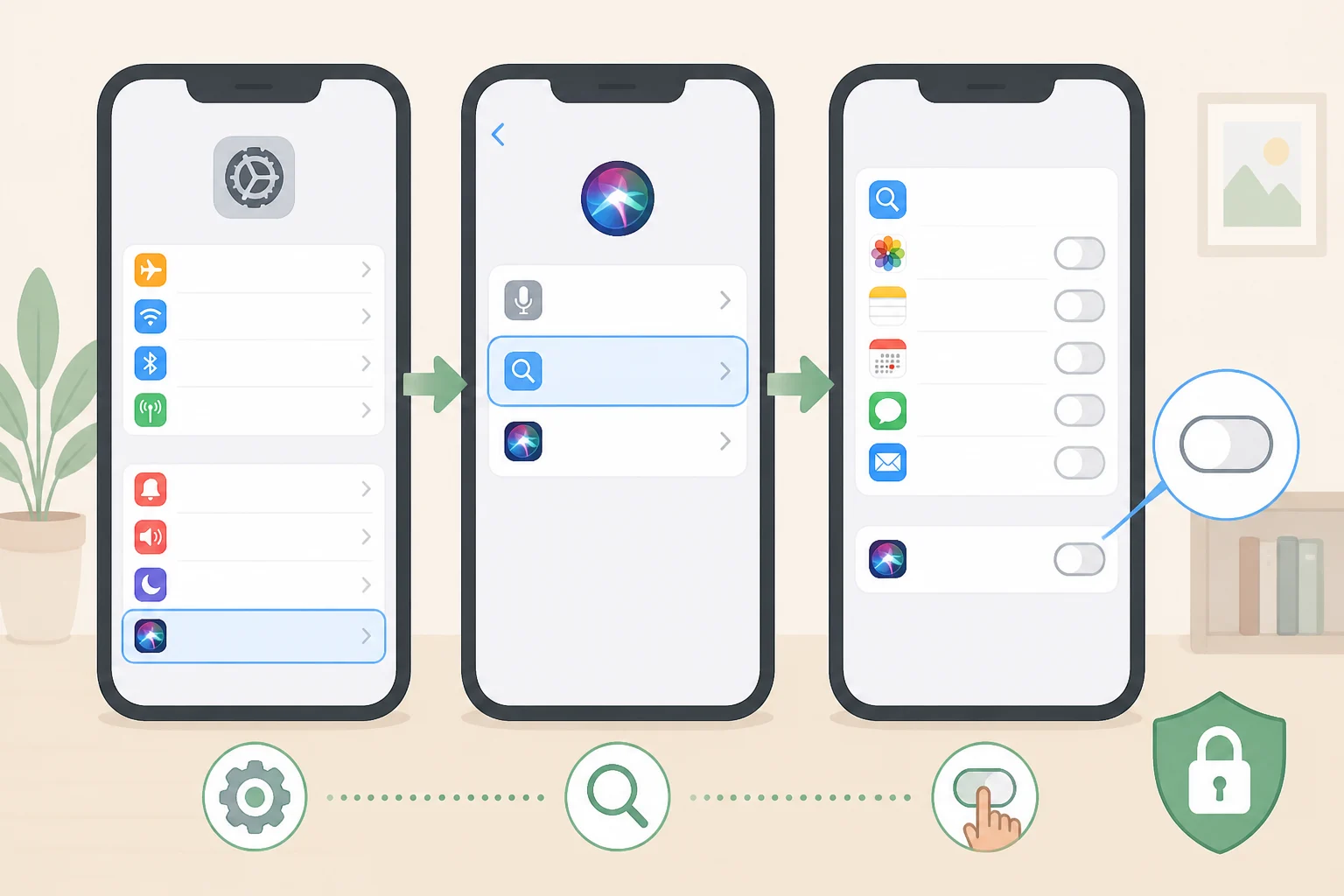
By default, asking Siri a question searches Apple's own apps, including Notes, Messages, and Mail, according to EFF. Siri only reaches into third-party apps if that app's developer has chosen to index its content for search, so coverage varies app by app rather than applying everywhere.
Some Siri requests process entirely on-device; others route through Apple's Private Cloud Compute, where data briefly leaves the device for processing on Apple's servers, according to EFF. EFF notes that users generally can't tell which path a given request takes. Apple says Private Cloud Compute data isn't retained after processing, but that's Apple's own claim rather than independently verified, and nothing in the research specifies which path applies to the new text-selection popup.
A separate Siri AI feature called on-screen awareness is worth distinguishing from this one. It lets users ask Siri to explain or summarize whatever is visible on screen, including a chat conversation in an app like Signal or WhatsApp, and that on-screen content may be sent to Private Cloud Compute, according to EFF. There's currently no toggle to block on-screen awareness. That's a distinct interaction from selecting text and tapping Ask Siri, and nothing confirms the text-selection popup behaves the same way.
Two settings are worth checking before this shortcut becomes a habit. Per-app search indexing can be turned off under Settings, Apps, then the specific app, by disabling "Show Content in Search," which stops Siri from surfacing that app's content in results, according to EFF. Separately, under Settings, Privacy & Security, Analytics & Improvements, disabling "Improve Siri & Dictation" should revoke training access to Siri audio and text, according to Apple's privacy documentation as cited by EFF. That collection is off by default unless it was switched on during initial device setup, so it's worth confirming the toggle's current state rather than assuming it's already disabled.
Readers who'd rather skip Siri AI entirely still have a path back to the previous assistant. Under Settings, Screen Time, Content & Privacy Restrictions, enabling restrictions and setting "Allowed Siri Version" to "Siri Classic" reverts the assistant, according to EFF. EFF calls the process a bit odd, since Apple no longer offers a single switch to turn off its AI features the way it once did.
What to do now

Update to iPadOS 27.2 if the trackpad shortcut sounds useful. It's a minor convenience layered on a feature that already existed, so there's no urgency if nothing else in the release appeals.
Check whether Siri AI shows up in a supported language on the specific iPad being updated, rather than assuming eligibility. Neither full iPad model compatibility nor complete regional availability is spelled out in the current reporting, so that verification happens on-device, not from a published list.
Test the new popup on ordinary, low-stakes text first. Until Apple or independent testing clarifies whether this interaction runs on-device or through Private Cloud Compute, holding off on sensitive work documents or private messages is the more cautious call. Review the Analytics & Improvements and per-app search settings beforehand if that's a concern, and remember that Siri Classic remains available through Screen Time restrictions for anyone who'd rather avoid Siri AI altogether.