Why iPhone Apps Don't Appear in CarPlay (Explained)
Plug an iPhone into a car's infotainment system and scroll through the CarPlay screen, and many of the apps that live on the iPhone's home screen are simply nowhere to be found. That's usually not a bug. Apple built CarPlay as a restricted, separate app platform, and most iPhone apps were never eligible for it in the first place, according to Engadget. Figuring out why iPhone apps don't appear in CarPlay means sorting two different problems: a CarPlay connection that isn't working at all, and an app that was never going to qualify, or whose developer hasn't built support for it yet.
CarPlay doesn't mirror an iPhone's screen. It's a separate interface that only runs apps whose developers deliberately built CarPlay support, inside categories Apple has decided are worth showing on a dashboard. Apple's guidelines limit the platform to interface flows the company calls "meaningful to use while driving," which is the reasoning behind leaving out entire app types like games and social media, Engadget reports. Every app that does qualify also needs a category-specific entitlement from Apple before its icon can appear, according to Apple's CarPlay Developer Guide.
That's a lot of gates to clear. The rest of this explainer walks through them in order: ruling out a connection or settings problem, checking whether an app's category is even allowed, understanding what a developer has to build before an icon shows up, and knowing where Apple has started loosening the rules.
CarPlay won't connect vs. an app won't show up
Video of the Day
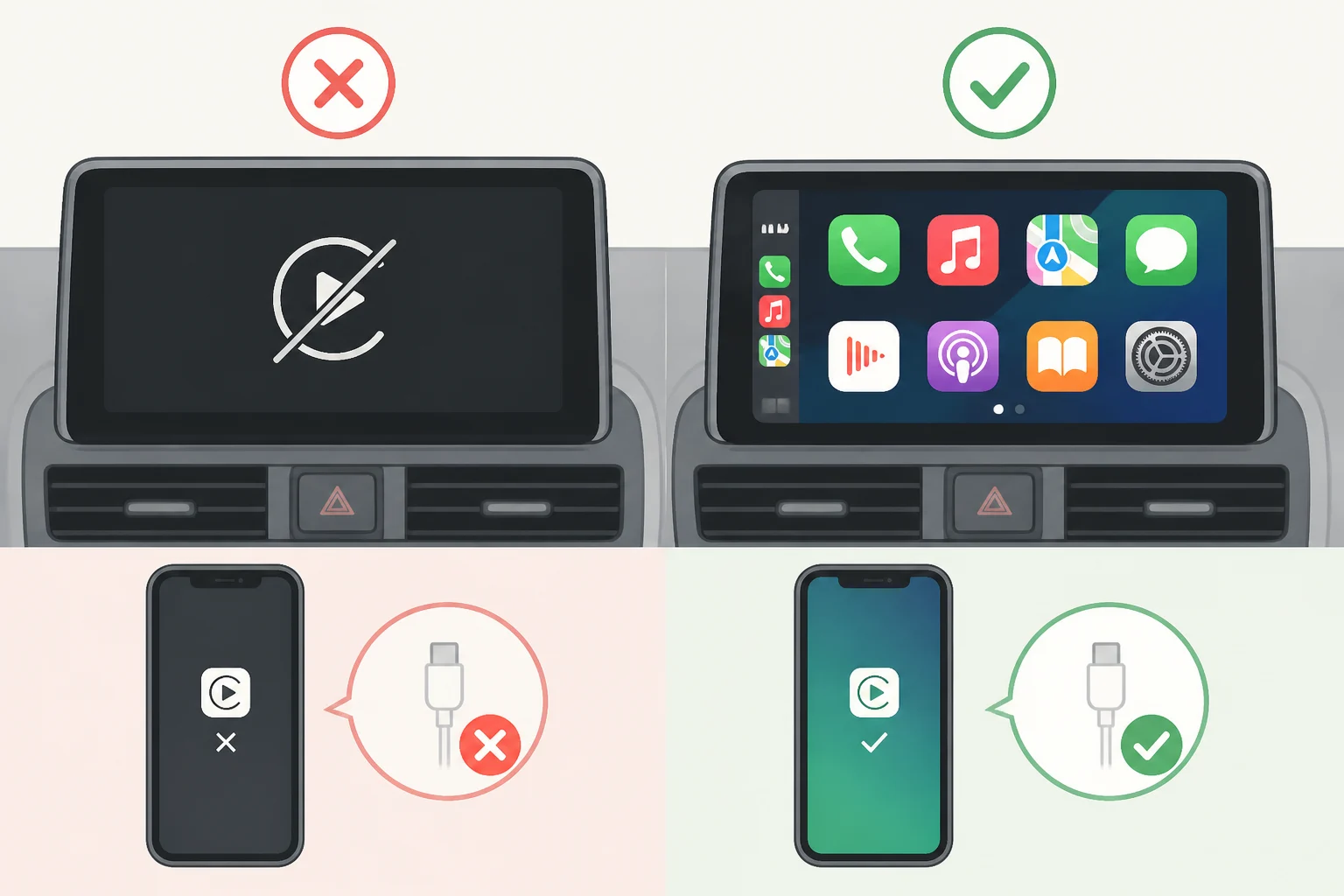
These are different problems, and it's worth figuring out which one applies before assuming Apple is blocking a favorite app. If CarPlay won't launch at all, no icons, no home screen, nothing, that's a connection or configuration issue. If CarPlay works fine and loads a full home screen but one specific app is missing from it, that's almost always a question of eligibility or developer support, not a technical failure.
When apps are not showing up in Apple CarPlay as a general matter, rather than one app in particular, Apple's own troubleshooting guidance lays out a specific order to work through, checking CarPlay after each step, according to Apple Support:
- Confirm the current vehicle and region both support CarPlay.
- Make sure the iPhone is running the latest version of iOS.
- For wired setups, try a different USB cable, and a different port if the car has more than one.
- For wireless setups, confirm Bluetooth and Wi-Fi are both on, then check that Auto-Join is enabled on the car's CarPlay network.
- Make sure Siri is turned on, since Apple's troubleshooting steps list it as a check.
- Open Settings, then Screen Time, then Content & Privacy Restrictions, and confirm CarPlay is enabled under Allowed Apps.
- Forget the car under Settings, General, CarPlay, then set it up again from scratch.
- Confirm the car's infotainment unit is running the latest firmware from its manufacturer.
Apple also notes that some combinations of adapters, cables, and vehicle entertainment systems can disrupt a wired connection even when every individual piece is technically compatible, so swapping the cable is worth trying before anything else, per the same Apple Support guidance.
If other apps are missing too, or CarPlay itself feels unstable, keep working down that list. If CarPlay loads normally and every other app shows up fine, with only one exception, the problem almost certainly isn't a setting. It's time to look at whether that app is even eligible.
Video of the Day
Why an app is missing from CarPlay even when CarPlay works
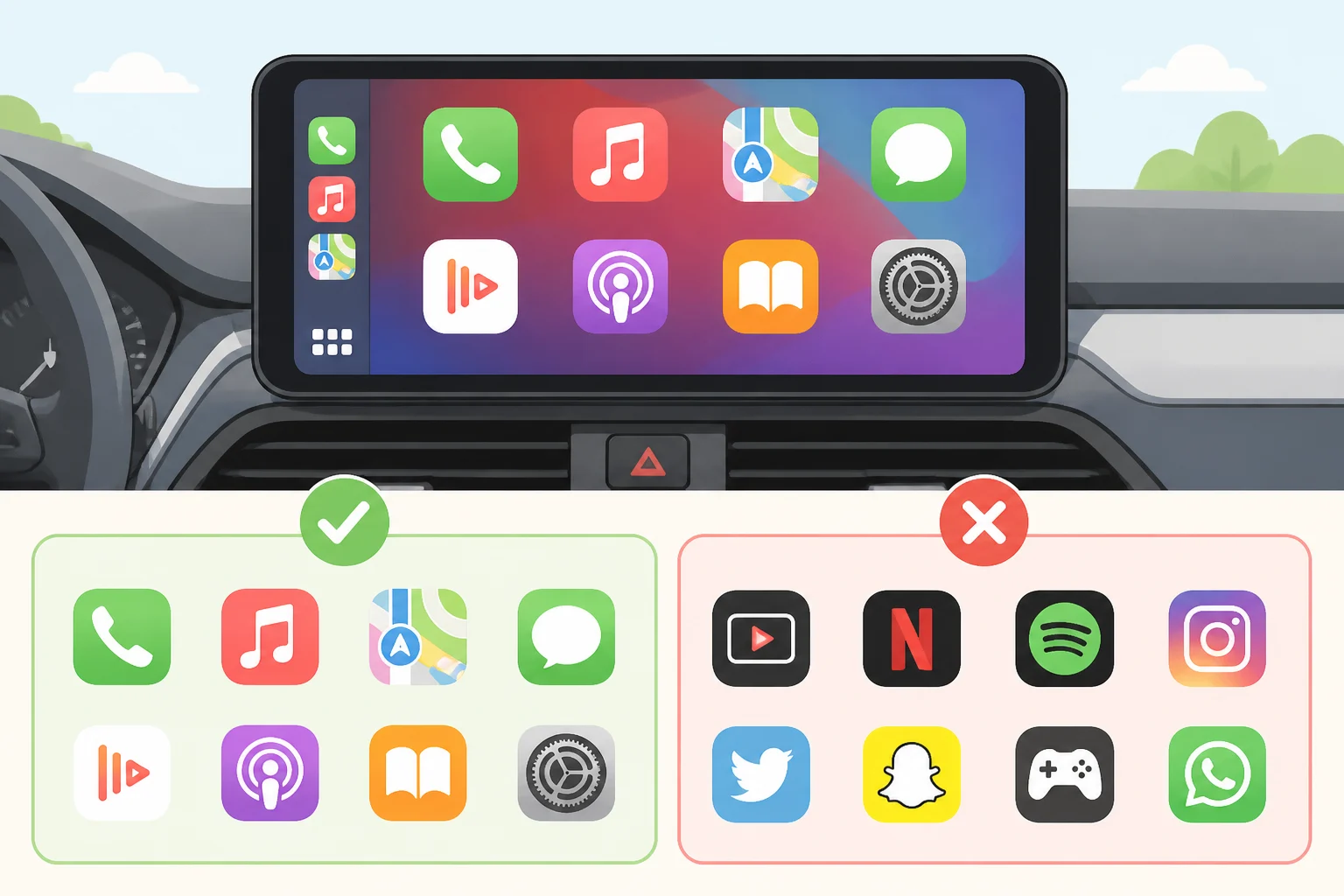
Once CarPlay is confirmed to be functioning, a different question takes over: is this app even allowed to be here. Apple CarPlay compatible apps are limited to a narrow set of categories: navigation, EV charging, parking, audio, communications, public safety, and quick food ordering, Engadget reports. That list covers a lot of what people want while driving, but it leaves out far more than it includes.
Some categories aren't just deprioritized. They're banned outright. Games and social media apps are excluded by policy, not by a case-by-case review decision, which is why a game can run on a Tesla's oversized touchscreen but has no path onto a CarPlay display. Engadget points to a specific example: Cuphead is playable in a Tesla, but something as simple as Wordle can't run in CarPlay at all. If an app falls into a banned category, no update, workaround, or settings change will bring it to the dashboard.
Even apps that clear the category bar operate inside narrow limits once they're there. Messaging apps aren't allowed to display the actual content of messages on screen, according to Engadget. Music and audio apps face a similar restriction on lyrics, which are technically prohibited, though developers have found workarounds that still show them in practice, per the same report.
None of this is loose guidance developers can interpret as they like. Apple's CarPlay app compatibility requirements run through the CarPlay Entitlement Addendum and category-specific guidelines, and developers must meet them before Apple issues the entitlement that makes an app CarPlay-eligible at all, according to the CarPlay Developer Guide. That's how Apple controls which apps appear even when a developer wants to push the boundaries.
How to add apps to Apple CarPlay (and why that's not up to you)
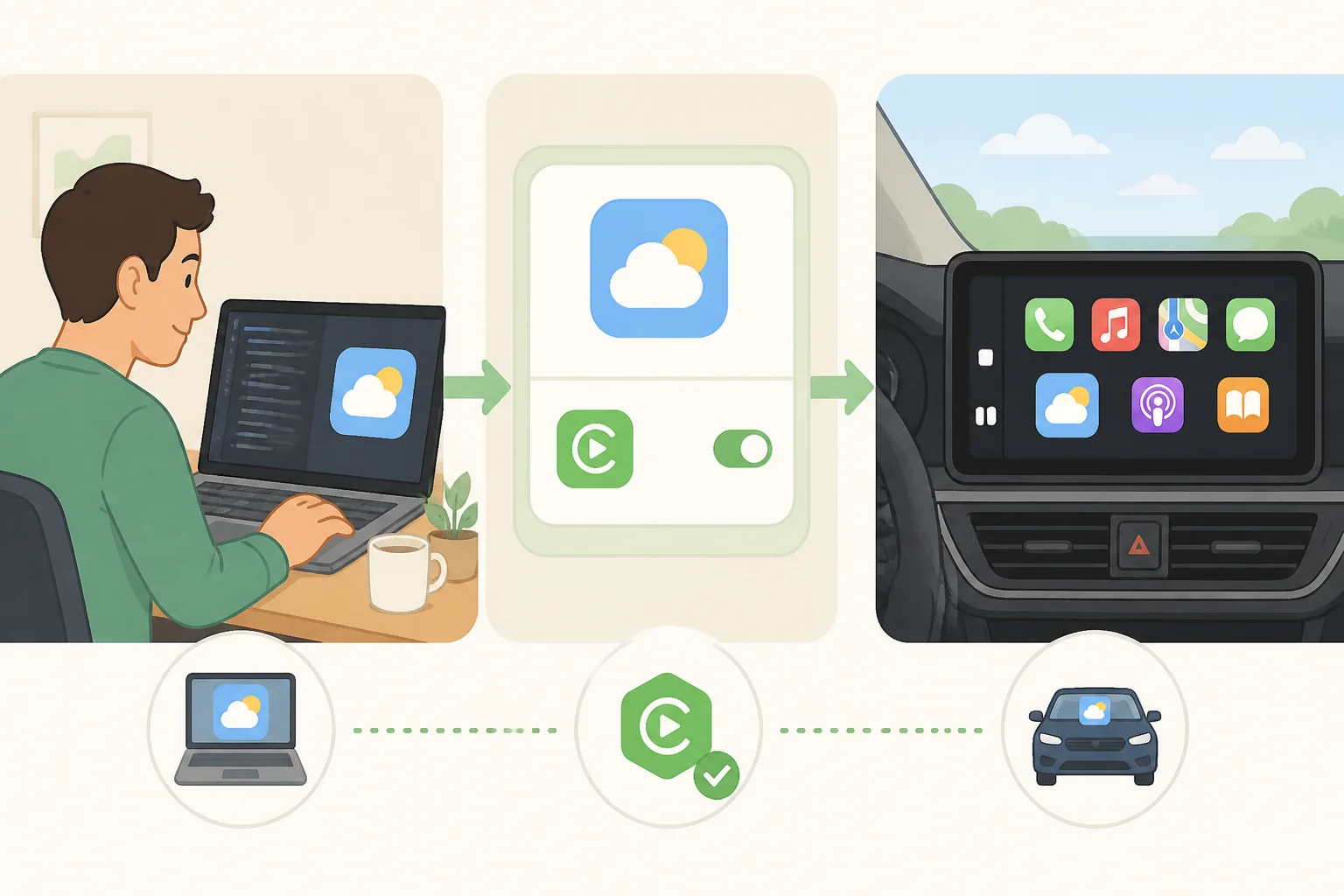
A common misconception is that a missing app just needs to be added to CarPlay somehow, the way a widget gets added to a home screen. That's not how it works. Users do not install a separate CarPlay version; support is added to the existing app by its developer, and only the developer can do it.
Part of that is a technical reality. An interface built for a hand-held touchscreen has to be reformatted and simplified to work on a dash display, and that conversion doesn't happen automatically, Engadget explains. CarPlay apps aren't separate downloads, either. Support gets built into the same app already installed on the iPhone, and the icon only appears on the CarPlay home screen once that support exists and the phone is connected, per the CarPlay Developer Guide.
Every CarPlay app also needs an entitlement tied specifically to its category, and developers generally can't combine multiple CarPlay entitlements into a single app unless Apple's guidelines specifically allow it, according to the same guide.
There's one legacy wrinkle worth knowing about. Older apps built only on Apple's original Media Player framework, rather than the newer CarPlay framework, still function in CarPlay, but their interface can't be customized the way apps built on the current framework can, the developer guide notes. If an app's CarPlay version looks dated or limited compared with its iPhone counterpart, that's often why.
The practical takeaway: when an app's category is allowed but it still isn't showing up, the likely explanation is that the developer simply hasn't built and shipped CarPlay support yet, not that something is broken on the iPhone.
Vehicle-specific exceptions: video, widgets, and AI assistants
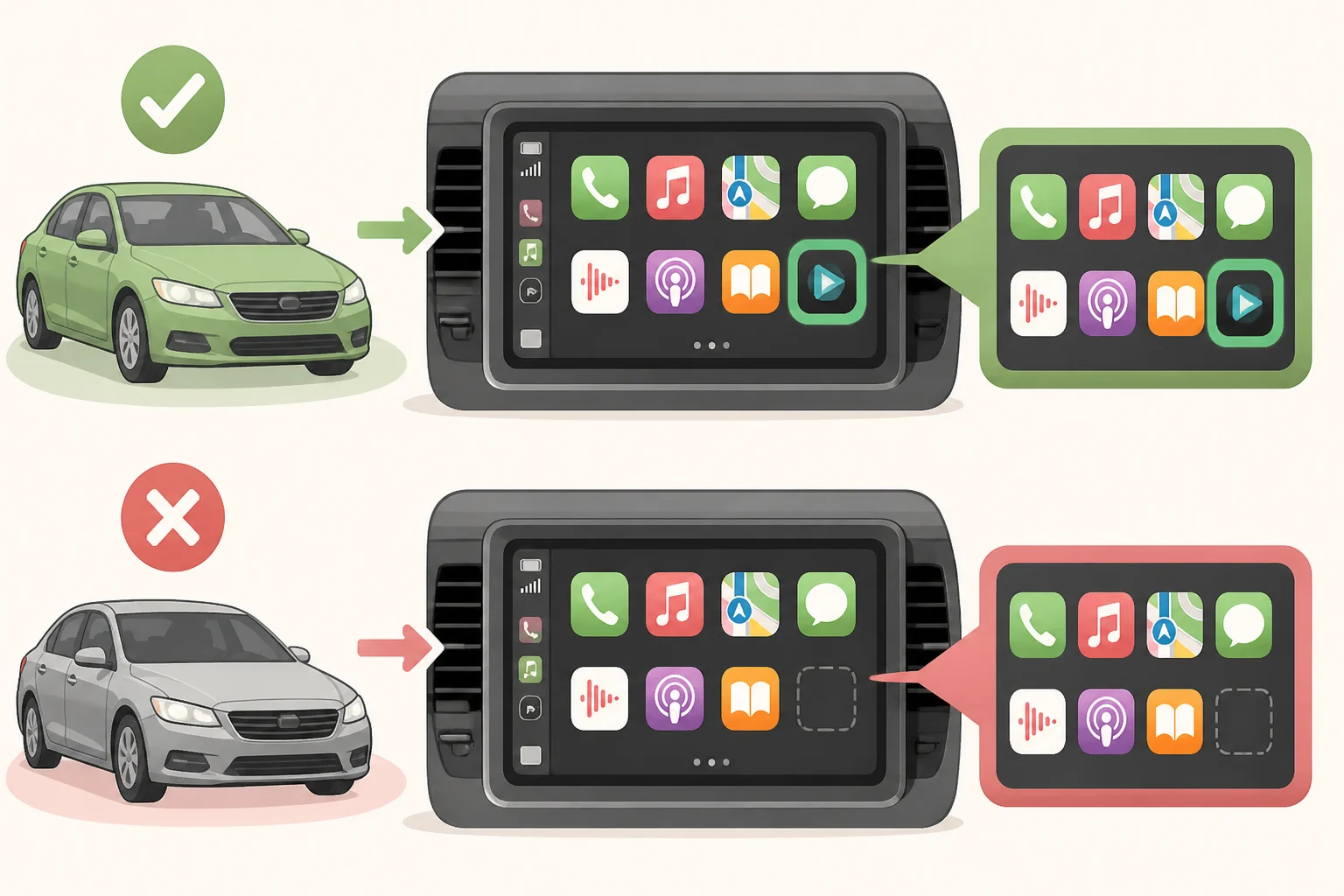
CarPlay isn't frozen in place. Apple has expanded what the platform allows, though these newer capabilities still come with conditions attached.
Video is the clearest example of how conditional CarPlay access gets. An app built with only a video entitlement appears on the CarPlay home screen solely in vehicles that support Apple's "video in car" feature, according to Apple's WWDC26 developer session. In a car that doesn't support that feature, the same app simply doesn't appear. Even in a supported vehicle, the car itself can mark video temporarily unavailable, which forces playback to fall back to audio-only, per the same session. Apple's developer guidance says apps suitable for both video and audio should include both entitlements together, since that lets the app appear regardless of whether a given vehicle supports video.
Widgets offer a partial workaround for apps that don't otherwise qualify for CarPlay, surfacing glanceable information on the dashboard, according to the CarPlay Developer Guide. A widget can't launch an app in CarPlay unless that app already has its own CarPlay support, so widgets extend visibility; they don't bypass the entitlement system.
Apple has also opened CarPlay up to AI voice assistants beyond Siri. With iOS 27, CarPlay reportedly gained access to assistants like ChatGPT and Perplexity alongside Siri's existing native integration, Engadget reports, though that detail comes from third-party reporting rather than an Apple release note, so treat it as provisional until confirmed on a current iOS build.
Use this checklist before blaming the app
Work through the connection steps above first. Only once CarPlay is confirmed to be functioning normally for every other app does it make sense to ask whether one specific app belongs there at all. From there, a missing app usually falls into one of four buckets:
- Banned category, like games or social media: there's no user-side fix, and none is coming.
- Allowed category, no support yet: the developer has to build, entitle, and ship CarPlay integration before the icon appears.
- Works in some cars, not others: check whether it depends on a feature like video playback that not every vehicle supports.
- CarPlay isn't working at all: return to the connection checklist, since the issue is likely a cable, setting, or outdated firmware rather than any single app.
If a favorite app still isn't showing up after all that, check its release notes or support page for CarPlay plans rather than assuming it's an iPhone problem, an account issue, or something buried in a settings menu. Keep iOS and the car's infotainment firmware updated in the meantime, since both factor into whether CarPlay behaves the way it's supposed to.