How to Opt Out of Instagram AI Image Use: Full Guide
This week, Meta launched Muse Image, an AI image-generation model that lets any user type your Instagram handle into a prompt and generate images using your public photos as a visual reference. No notification reaches you. No permission is required. The setting that controls this sits in a menu most users have never opened.
This guide shows you exactly where that toggle is, how to opt out of Instagram AI image use, and where the protection stops. The toggle is real and worth changing. It's also partial in ways worth knowing before you close the app.
One scope note up front: this covers the content reuse setting that controls Muse Image's prompt-tagging feature. It does not cover the separate question of Meta using your data to train AI models. That's a related but distinct issue with its own controls and active legal disputes.
What changed this week
Video of the Day
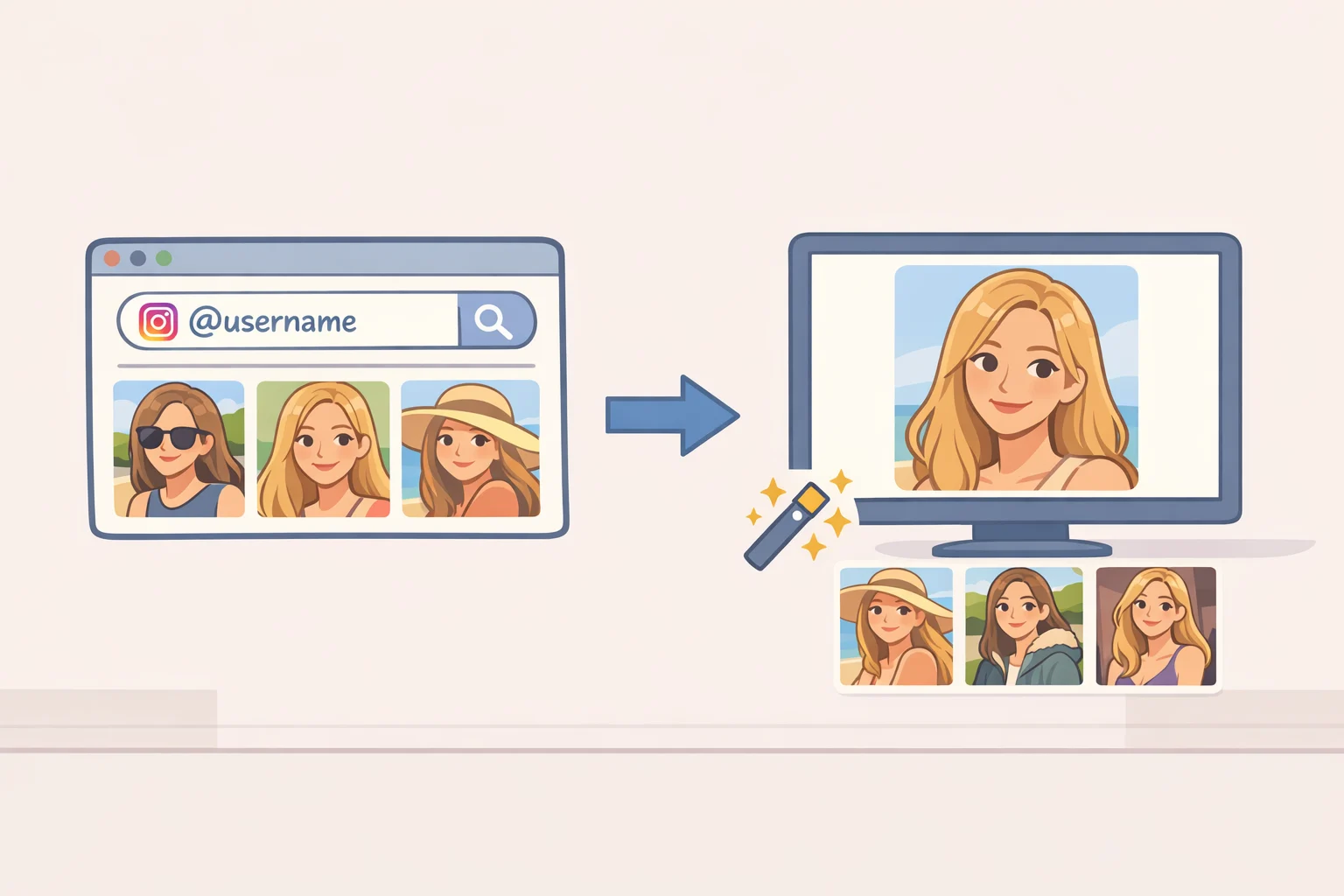
Muse Image is the first image-generation model from Meta's Superintelligence Labs division. It now powers image tools across Instagram, WhatsApp, and the Meta AI app, with Facebook and Messenger to follow, per The Verge this week. It will also power 30 new AI effects coming to Instagram Stories in the US before rolling out elsewhere. This is not a niche prompt feature quietly tucked into Meta AI's chat interface; it's infrastructure for a wave of new Instagram capabilities.
The mechanism drawing criticism: when someone tags your username in a Muse Image prompt, Meta AI may use your public photos to construct a visual, according to The Verge. Theoretically, someone could type your handle and ask Meta AI to generate an image using your likeness, per Happy Mag. The account owner finds out only if someone tells them.
The BBC reported today on the backlash following the feature's launch, with criticism focused on the generation of likenesses from public Instagram photos without notifying the people depicted.
Video of the Day
How to stop Instagram from using your photos for AI: step-by-step
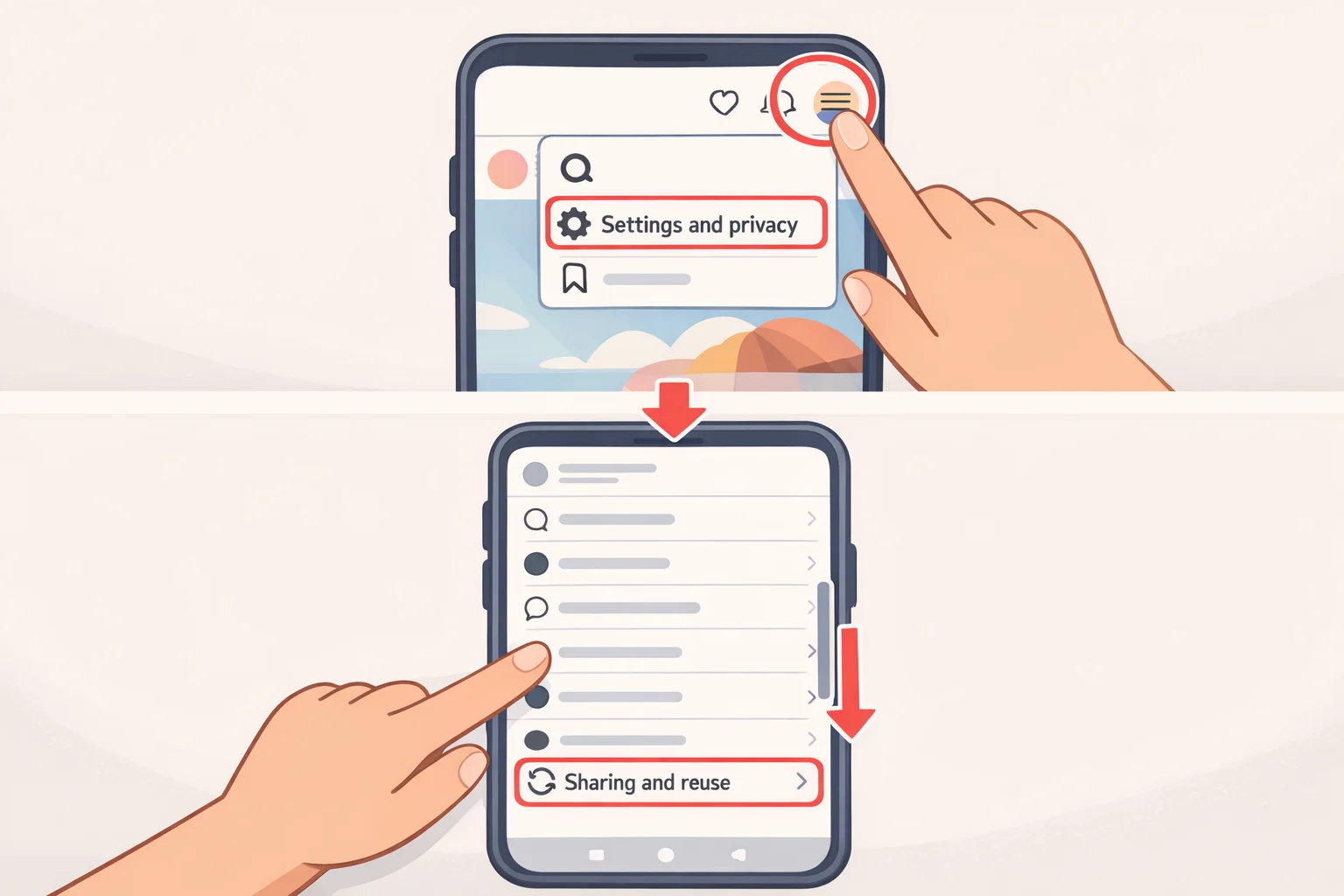
What you need: The Instagram mobile app on iOS or Android, logged into your account. This setting matters most for public accounts private accounts have limited exposure to this specific feature. If your account was public until recently or you're unsure, the check takes under a minute either way.
Step 1: Go to your profile. Tap your profile photo in the bottom-right corner of the app.
Step 2: Open Settings. Tap the three-line menu (≡) in the top-right corner of your profile page, then select Settings and privacy.
Step 3: Find "Sharing and reuse." Scroll down until you see Sharing and reuse. It is not nested inside the Privacy section it has its own separate entry. If you've been looking under Privacy and coming up empty, that's why.
Meta confirmed the opt-out lives in this dedicated section, distinct from standard account visibility controls, per the BBC today.
Step 4: Switch off AI reuse for posts and reels. Inside Sharing and reuse, find the toggle labeled "Allow people to reuse your content on Instagram and with AI features at Meta." There are separate options for posts and reels. Turn both off.
Per the BBC, turning off both toggles is the specific action Meta indicates will stop your public content from being reused in its AI features going forward.
After completing these steps: Both toggles are off. Your account visibility is unchanged public stays public. Only the content reuse permission has been withdrawn.
Profile pictures a gap in current reporting. The prompting feature may use public photos when your handle is tagged. Current reporting on the opt-out path confirms coverage of posts and reels; it does not say whether profile photos fall under the same toggle or a different control. If this is a concern, switching your account to private is the most complete protection currently available.
This opt-out is prospective, not retroactive. It covers future reuse. Whether content already referenced before you changed the setting is affected is not addressed by current reporting.
| What you're asking about | After toggling off |
|---|---|
| Account visibility | Unchanged still public if it was before |
| Posts and reels as AI reference | Blocked going forward |
| Profile picture as AI reference | Not confirmed by current reporting |
| Meta AI in Instagram search and chat | Still present this toggle doesn't affect it |
What the opt-out doesn't cover
Turning off content reuse doesn't remove Meta AI from Instagram. The AI is now built into parts of the app including search and chat, and there's no individual setting to disable it at the platform level, per Happy Mag.
On watermarking: Meta says Muse Image outputs include watermarking and safety systems. As Happy Mag notes, a label applied after generation doesn't stop someone from generating an unwanted image of you in the first place. It marks the output. The practical effectiveness of those safety filters against harassment or impersonation-focused prompts hasn't been independently verified.
Muse Image is also still expanding. Facebook and Messenger are next, per The Verge, alongside new Instagram Story effects rolling out in the US first. Settings worth checking once are worth checking again as the product grows.
For public figures, journalists, and creators whose likenesses could be specifically targeted: the Sharing and reuse toggle is a meaningful step. It is not a complete answer. Switching to private remains the most thorough option if AI-generated imagery from your content is a genuine concern.
If you can't find the toggle
App interfaces change, and a setting buried this deep can shift with updates. A few things to try if the steps above don't match what you see:
Update the app first. Muse Image and the associated settings are recent. If you're running an older version of Instagram, the Sharing and reuse section may not appear yet. Update to the latest version in the App Store or Google Play, then try again.
Search Settings directly. In newer versions of the Instagram app, a search bar appears at the top of the Settings and privacy page. Typing "reuse" or "AI" should surface the relevant option without requiring you to scroll.
Check again in a few days. Feature rollouts on Instagram are staged, meaning not every account gets access simultaneously. If the setting isn't there yet, it may appear within days. Come back and check.
If your account is private: The Sharing and reuse section may still appear, but its practical impact is limited the Muse Image prompting feature draws on public photos, so a private account already restricts what's accessible. Still worth toggling off if you ever intend to switch back to public.
Why the toggle isn't obvious
The placement isn't accidental. A survey commissioned by digital rights group noyb, conducted by the Gallup Institute among 1,000 German Meta users, found that only 40% of Instagram users recalled seeing the in-app notification about Meta's AI data use a notification placed in a notification menu rather than surfaced at login. That survey covered AI training notifications specifically, not the Muse Image reuse setting, and it comes from an advocacy organization with a stated position against Meta's practices. The directional finding is still consistent with the structure of the settings path you just navigated: controls placed in secondary menus don't get found.
The same noyb/Gallup survey found that only 7% of respondents actually wanted Meta to use their data for AI purposes. Among 16-to-30-year-olds the demographic that uses Instagram most heavily only 21% recalled seeing any notification about the change at all. The notification existed. Most people never registered it.
There's a broader pattern here worth naming. Meta began using European Instagram and Facebook user data for AI purposes in mid-2025, grounding that use in a "legitimate interest" legal claim rather than seeking opt-in consent, per noyb. Digital rights group noyb argues this violates GDPR and issued a formal cease-and-desist. A German court declined to issue an interim injunction, but the main case remains active, per noyb as of May 2025. None of that is settled, and none of it changes where the toggle lives today.
The relevant design point is this: the control that affects your content right now is a secondary setting, not a front-door permission request. The Muse Image launch didn't prompt a push notification asking whether you consented. It prompted a backlash, per the BBC today. This guide exists because finding the opt-out requires knowing where to look.
Do it now, then check again
The path: Instagram Settings > Sharing and reuse > Allow people to reuse your content on Instagram and with AI features at Meta. Toggle off for both posts and reels. Under a minute.
What that accomplishes: future use of your posts and reels in Meta's AI image features is blocked. Your account stays public. Meta AI remains in the app. Profile picture coverage is unconfirmed by current reporting. Prior use isn't retroactively addressed, per the BBC and The Verge this week.
Muse Image is expanding to Facebook and Messenger, and will power a wave of new Instagram Story effects rolling out in the US first. What's worth doing now is worth checking again after the next major app update.
If you manage Instagram profiles for a brand, client, or public figure: this setting is per-account. Securing your own profile while missing a brand or client account leaves the gap open where it may matter most. Audit every public account you control.