Amazfit Balance 3 Tips and Tricks: Training, Routes, Recovery
A Lifehacker Australia reviewer testing the Amazfit Balance 3 found that racking a barbell or dumbbell lines up almost perfectly with the watch's crown, triggering accidental pauses mid-set and, in the reviewer's case, costing real workout data before the fix was found (Lifehacker Australia, four weeks ago). That's the sort of thing a spec sheet never warns you about, and it's exactly why a set of practical Amazfit Balance 3 tips and tricks matters more than a features list: the goal here is the handful of changes testers actually had to make to get the watch working for real training, not the ones Amazfit put in a press release.
Amazfit launched the Balance 3 at $369.99, pitching it as training-grade hardware at a fraction of what Garmin or Apple charge for similar tools (Gadgets & Wearables, four weeks ago). The same Lifehacker reviewer found its GPS lock and heart-rate accuracy held up against a Garmin Forerunner 970, a watch that costs roughly double (Lifehacker Australia, four weeks ago). Not every owner needs everything below, so the five moves are grouped by activity: lifters, then runners and hikers, then everyone.
Some of these settings have worked since day one. Others depend on software Amazfit shipped in two batches this summer, one rolling out in early July (Notebookcheck, one month ago) and another on July 28 (Amazfit, last week). If something described here isn't showing up on your watch, check for a pending update in Zepp before assuming it's missing.
1. Stop accidental pauses during strength training
Video of the Day
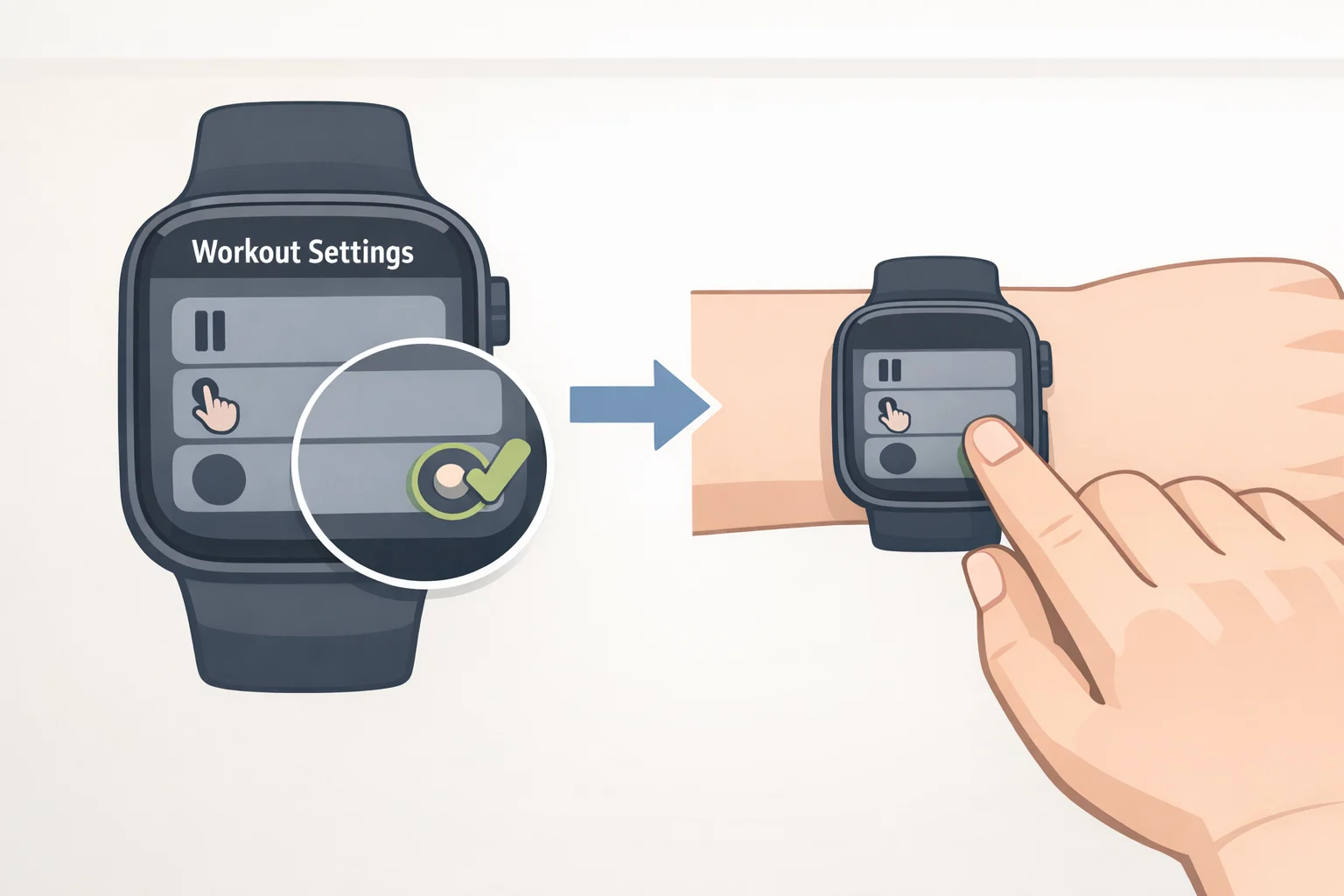
(Lifters, skip ahead if you don't lift)
The Balance 3's crown is large, and it sits right where a wrist naturally moves when you rack a barbell or dumbbell, a design quirk that reliably triggered unwanted pauses mid-set during testing (Lifehacker Australia, four weeks ago). The fix is in Workout Settings: switch the pause mechanism from a simple press to Long Press (Lifehacker Australia, four weeks ago).
That change matters more than it might on other watches because the Balance 3's automatic set-grouping, which is supposed to detect rest periods on its own, "didn't work during my testing at all," the same reviewer found (Lifehacker Australia, four weeks ago). With auto-detection unreliable, manual pause control is doing more of the work.
The Long Press setting takes a session or two to feel natural, but the same reviewer called it a change worth making before a problem happens: "it's a setting I'd recommend changing on day one rather than after you've lost data mid-workout" (Lifehacker Australia, four weeks ago). Make the switch before your next session, not after one gets cut short.
Video of the Day
2. Build routes, save them right, then turn on Advance Up
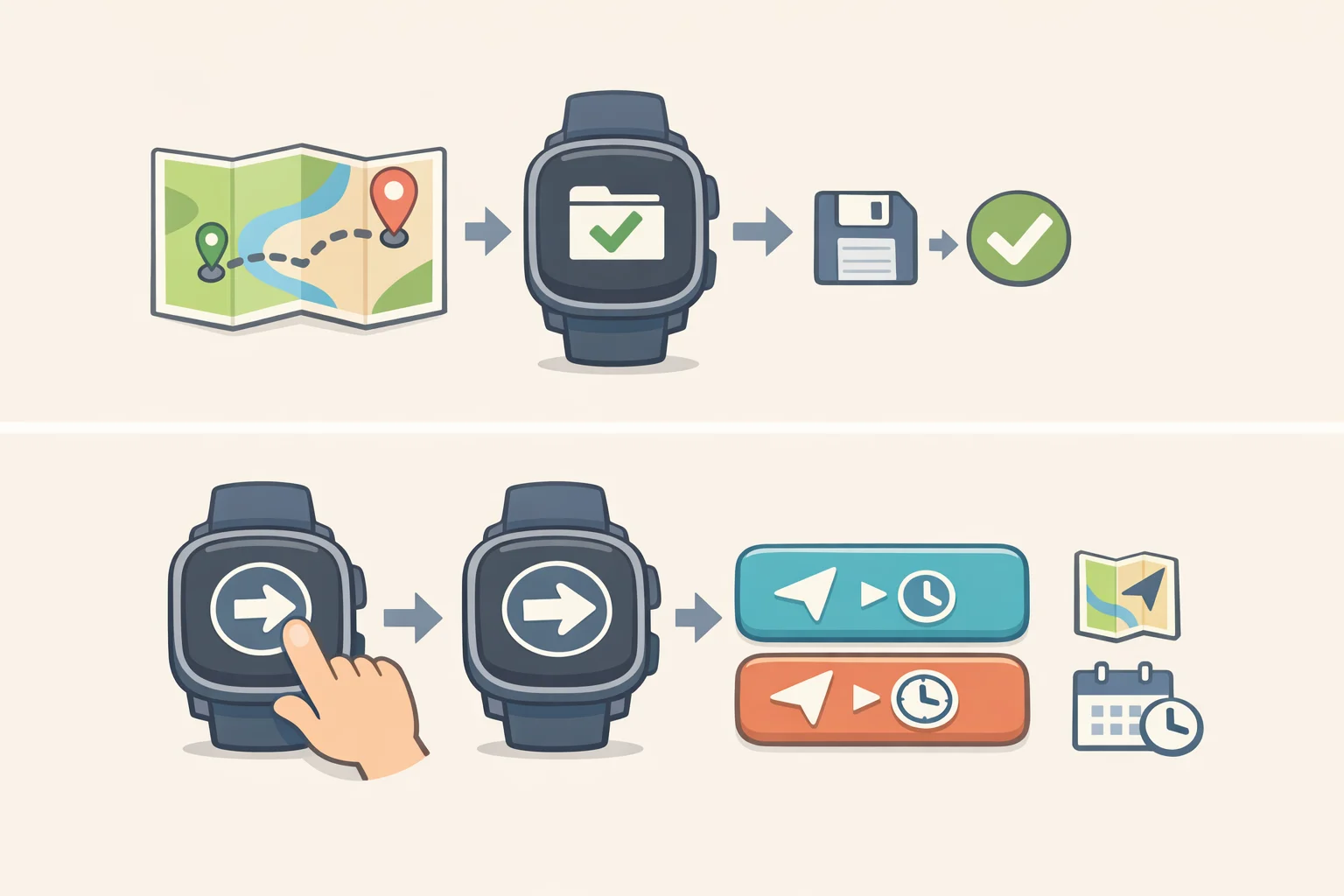
(Runners and hikers)
The Balance 3 now stores up to 100 routes on the watch itself, enough to keep several regular runs and trail options loaded at once (Amazfit, one month ago). Routes built directly on the watch can be saved and launched later, and when you save one, three separate options are available: Save Route Only, Save Route and Navigate, and Start Navigation Only (Amazfit, one month ago; Notebookcheck, one month ago). That means a route can be queued the night before a run without starting navigation right away.
Map downloads got more flexible too. They can now be paused, resumed, or updated, and can even be started while the watch is charging on low battery, handy for loading a trail map the evening before an early start (Notebookcheck, one month ago).
Once a route is loaded, the July 28 update adds Advance Up map view, which shows more of the path ahead instead of just a dot marking your current position (Amazfit, last week). It's worth turning on for anything unfamiliar, where anticipating a turn beats reacting to one. Exact menu labels can shift between firmware versions, so treat this as a feature to find rather than a fixed tap sequence to memorize; Amazfit's release notes describe what it does, not exactly where every version buries the toggle.
3. Match your GPS mode to where you're actually running
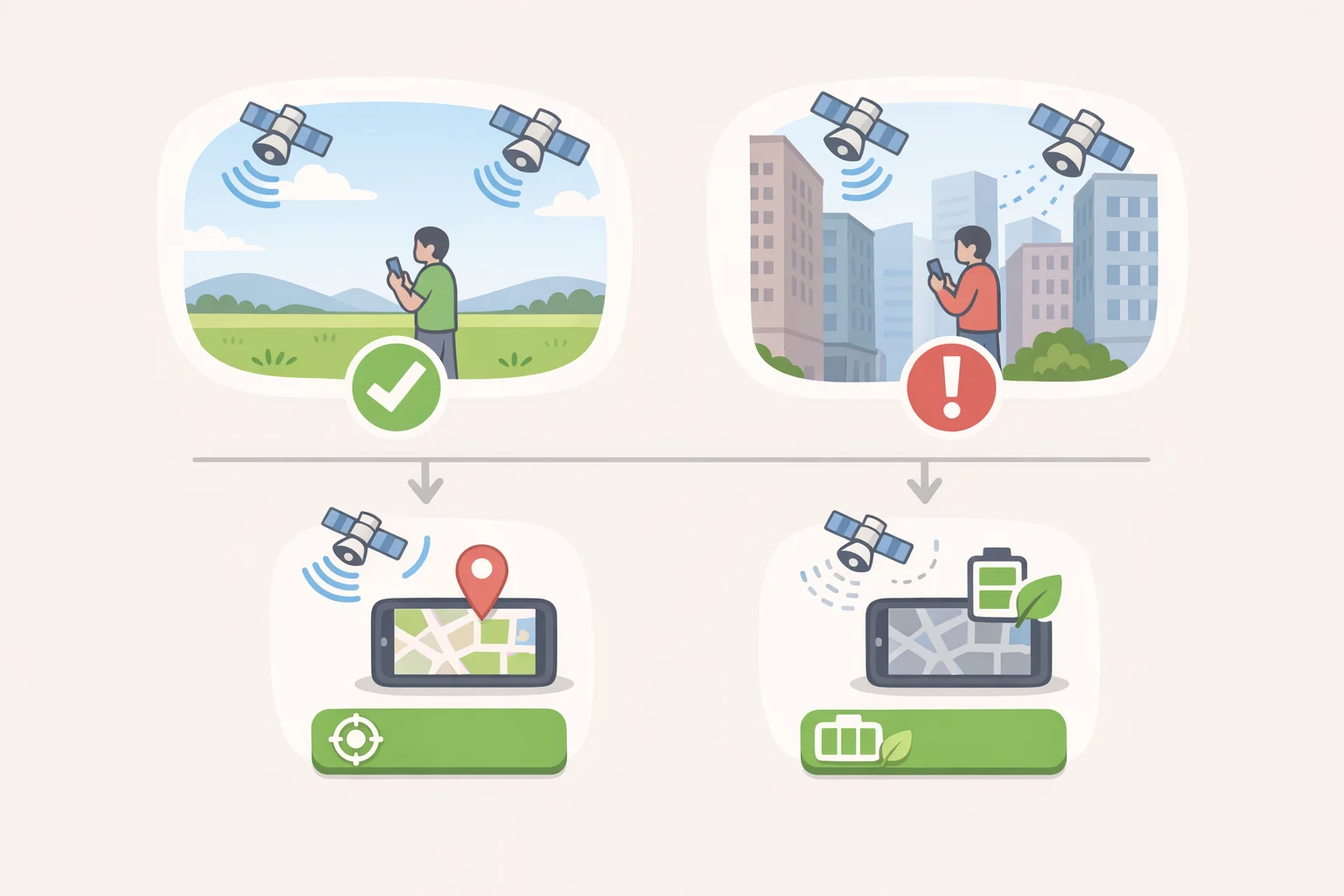
(Runners and hikers)
GPS accuracy on any wrist device depends on far more than the chipset inside it. Dense tree cover, tall buildings, tunnels, and crowded race starts all degrade signal regardless of hardware quality (RunDreamAchieve, two weeks ago).
The tradeoff between the Balance 3's two GPS modes is straightforward: Amazfit rates the watch for up to 41 hours in accurate mode versus up to 84 hours in power-saving mode (Gadgets & Wearables, four weeks ago). As a general guideline, open sky and long unobstructed routes are where power-saving mode tends to perform fine, while automatic or single-band tracking can struggle once skyscrapers or heavy branches block the sky, which is where accuracy mode earns its battery cost (RunDreamAchieve, two weeks ago).
Before you head out, open Zepp to pull fresh satellite orbit data, and wait for the connection indicator to go solid before you start moving. Updated orbit files help the watch lock onto satellites faster, which is worth the extra minute of standing around (RunDreamAchieve, two weeks ago).
None of this fixes everything. No GPS mode restores signal in tunnels, under bridges, or in dense urban canyons where signal bounces off glass and steel; in those environments, the watch is estimating your position, not measuring it (RunDreamAchieve, two weeks ago).
4. Swap jumpy pace for lap pace, GAP, and HybridCharge
(Runners and trail users)
Instantaneous pace is the least stable number on any wrist device, bouncing around second to second because it's calculated from instant speed rather than distance covered over time. Lap and average pace smooth that noise out and give a more honest read on effort (RunDreamAchieve, two weeks ago).
Grade Adjusted Pace, or GAP, is now available for Outdoor Running and Trail Running, converting hill effort into an equivalent flat-ground pace (Amazfit, one month ago; Notebookcheck, one month ago). It's worth adding alongside lap pace on anything with real elevation change. If it doesn't appear automatically on a given activity's data screen, check that profile's data-screen editor, since GAP is tied to running and trail activities specifically rather than showing up everywhere by default.
Separately, HybridCharge can now show up as a real-time data field with a customizable low-threshold alert, useful for pacing a long effort by energy reserve rather than by speed alone (Notebookcheck, one month ago). The July 28 update also refined the running lactate-threshold algorithm that feeds separate intensity estimates (Amazfit, last week), a distinct feature from HybridCharge rather than the same system under a different name. Both are better read as trends across weeks than numbers to chase mid-run.
5. Amazfit Balance 3 navigation and Bluetooth speaker: the extras worth enabling
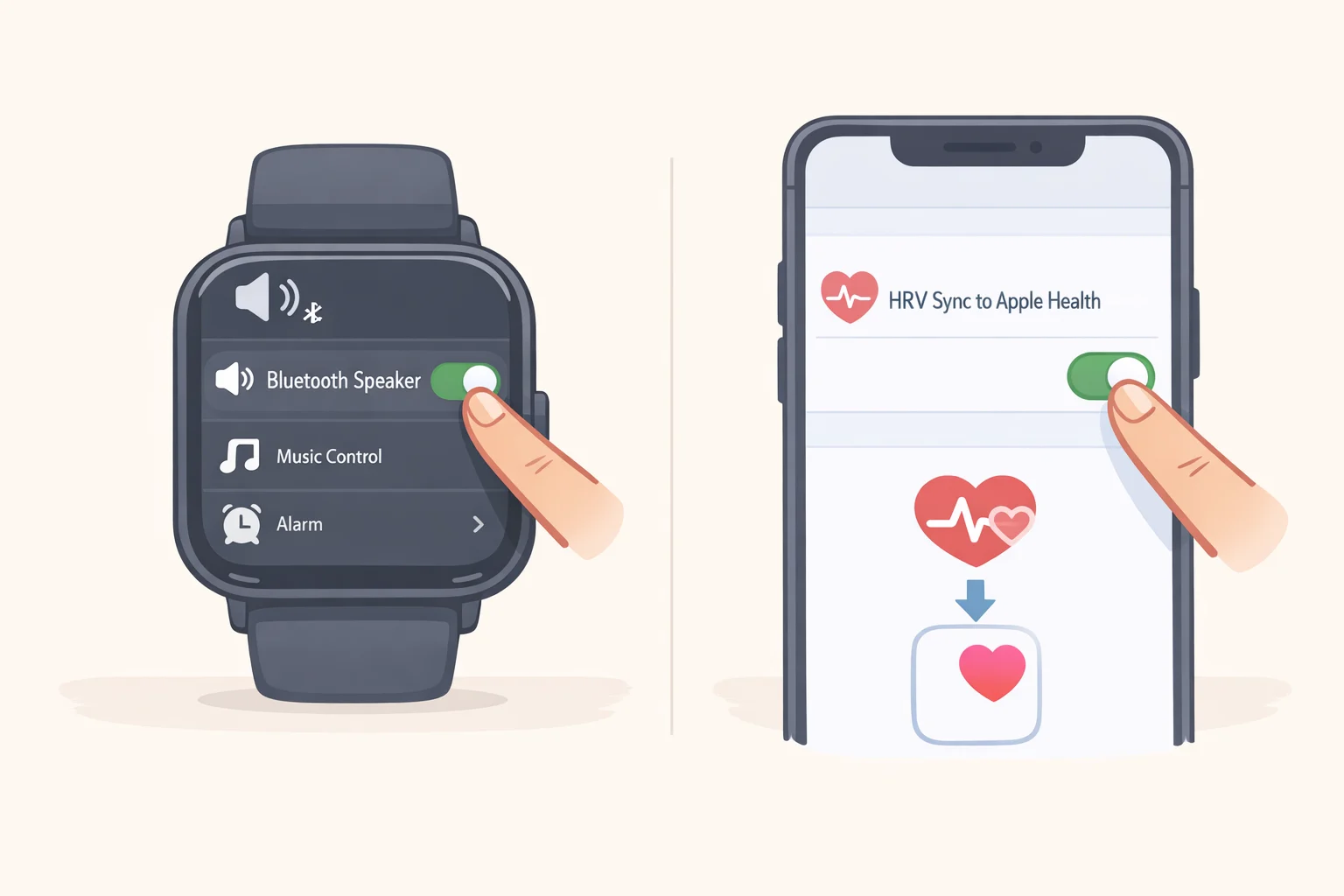
(All users; one is iPhone-only)
Bluetooth Speaker mode turns the watch into a speaker for your paired phone, playing music, podcasts, or navigation prompts through the built-in speaker. It's a convenience feature, not a training one, for anyone who wants audio cues without wearing earbuds. Turn it on from Control Center or under Settings, then Preferences, then Bluetooth Speaker (Amazfit, last week).
iPhone owners get one more option: the Balance 3 now supports syncing HRV data to Apple Health, so recovery numbers can live alongside the rest of your health records instead of staying siloed inside Zepp (Amazfit, one month ago). Amazfit's release notes don't say whether this sync is on by default, so check the Zepp app's health-sync settings directly rather than assuming either state.
Set this up once, check this before every run
Do these once, at home: switch pause to Long Press if you lift, build and save your regular routes with Advance Up turned on if you run or hike, add lap pace and GAP to your run data screens, enable Bluetooth Speaker, and check Apple Health HRV sync if you're on iPhone.
Before each outdoor session, pick a GPS mode based on where you're headed, power-saving for open sky, accurate mode for cities or trees, and wait for a solid satellite lock before you start moving (RunDreamAchieve, two weeks ago; Gadgets & Wearables, four weeks ago).
Amazfit shipped two meaningful updates within a few weeks of each other this summer (Notebookcheck, one month ago; Amazfit, last week), which is worth remembering the next time a setting described online doesn't match what's on your wrist. Check for a pending firmware update before concluding a feature is missing rather than just not yet installed.