How to protect period tracker privacy: audit and delete data
In 2023, the Federal Trade Commission alleged that the ovulation-tracking app Premom disclosed users' reproductive-health data to Google and AppsFlyer, while separately sending social-media details, precise location, and permanent device identifiers to two China-based analytics firms, all while promising customers it would never share health data without consent, according to the FTC. Premom's privacy policy had told users its analytics data was anonymous. The agency said that claim was false, since the same data could be tied back to individual users.
That case is the reason this guide exists. Learning how to protect period tracker privacy starts with treating these apps like any other data-hungry piece of software: assume they collect more than they need, verify what actually leaves the phone, and build a routine for shutting that off. The FTC defines "health information" broadly enough that opening a fertility app, or flipping a "pregnancy mode" toggle, can itself count as health data, the FTC has noted. A separate 2022 case against data broker Kochava alleged that location data alone, without a single symptom ever logged, can reveal a visit to a reproductive health clinic, since a phone's nighttime location can be cross-referenced with property records to identify someone by name, according to the FTC.
By the end of this guide, you'll have audited what your current tracker actually transmits, cut off its future data collection, requested deletion of what's already been shared, and either picked a lower-exposure replacement or decided to skip apps entirely. Treat this as risk reduction, not a guarantee. Uninstalling an app or filing a deletion request can stop new collection; it can't reliably claw back copies a third party already has sitting on a server somewhere.
Period tracker app privacy risks: what actually leaves your phone
Video of the Day
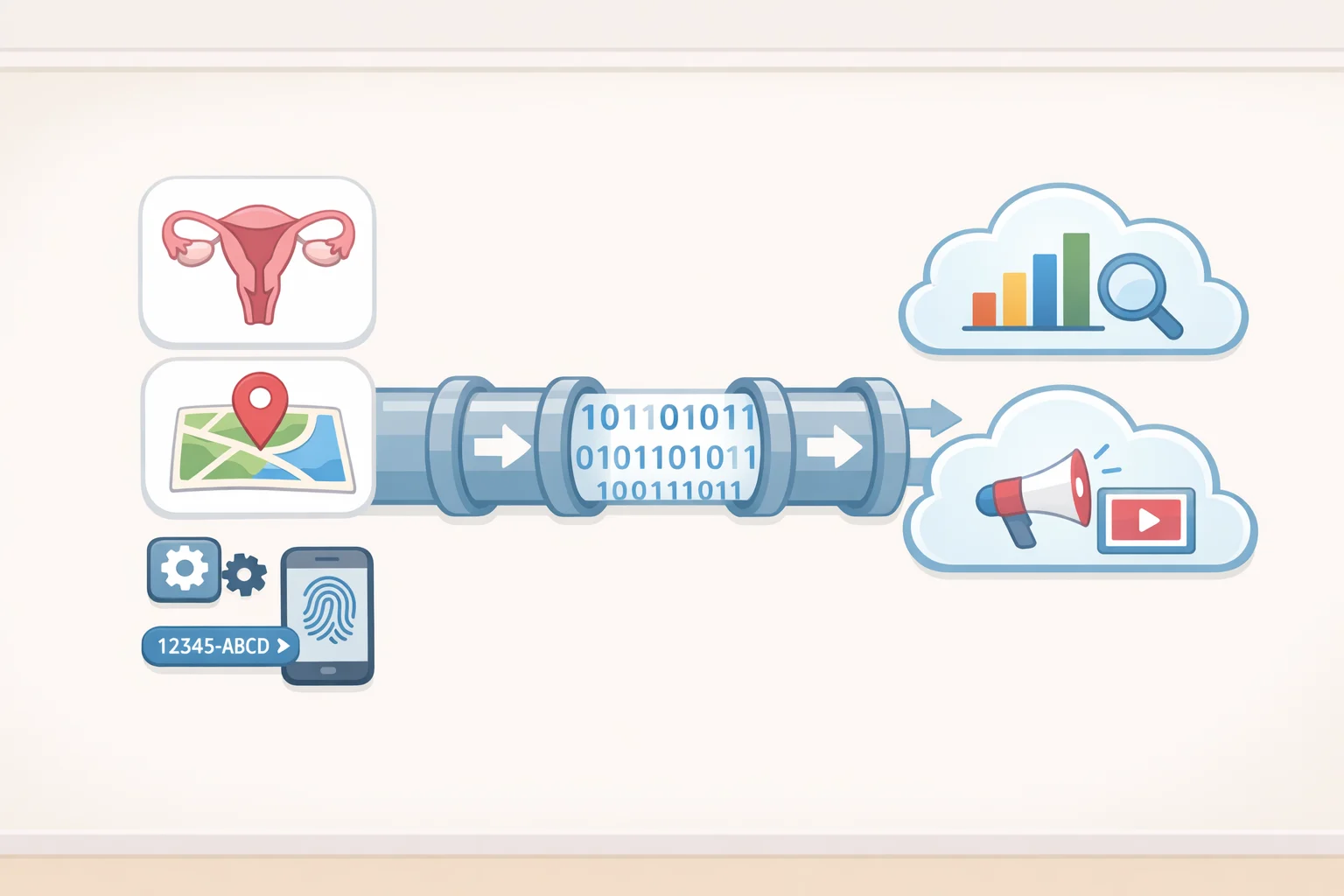
Treat the data flows as separate streams rather than one undifferentiated pool. Reproductive-health data, cycle dates, hormone results, pregnancy status, went to Google and AppsFlyer through embedded software development kits, the small bundles of third-party code that ride along inside most apps. Separately, social-media account information, precise geolocation, and device and Wi-Fi identifiers went to two Chinese analytics firms, Umeng and Jiguang, the FTC alleged. Two different pipelines, two different sets of recipients, one app.
The "non-identifiable" claim is where it gets interesting. Premom's privacy policy told users its analytics data couldn't be tied back to them, but among the identifiers it allegedly shared were non-resettable device IDs, things like IMEI numbers that can't be changed through phone settings the way an advertising ID can. It was the first time the agency treated persistent identifiers like these as sensitive, identifiable information capable of circumventing a phone's built-in privacy controls, per the FTC. Resetting an ad ID does nothing if the SDK is also grabbing the IMEI.
Zoom out and the FTC's broader guidance makes the same point from a different angle: location data, especially repeated trips to a specific facility, can itself qualify as health information, the FTC has said. That's a general principle, not a claim that every period tracker harvests GPS coordinates by default. It explains, though, why the real exposure isn't the symptom logged. It's the telemetry running underneath it: SDK activity, imported health records, device identifiers, and location, any combination of which can identify a user and infer her reproductive decisions.
Video of the Day
Map your tracker's data flows before you touch anything

Before adjusting a single permission, spend ten minutes figuring out what the app is actually doing. This is the audit the rest of this guide builds on, and it's the step most people skip.
- Check if an account is required. Some trackers work entirely offline; others force a login and cloud sync by default.
- List every connected service. Open the app's settings and note anything linked, including health-data platforms, social logins, or ad networks.
- Search the privacy policy for five words: "share," "advertising," "analytics," "SDK," and "location." Each hit tells you where data might be headed and why.
- Find the retention and deletion section. Note what the policy says it keeps, for how long, and what channel it lists for handling deletion requests.
- Write down any named recipients. A policy that names specific companies is worth more than one that gestures vaguely at "partners."
That gives a working map of the app's data flows, and the next two sections build on it directly: one to stop new collection, one to deal with what's already out there.
Cut off future collection before you delete anything
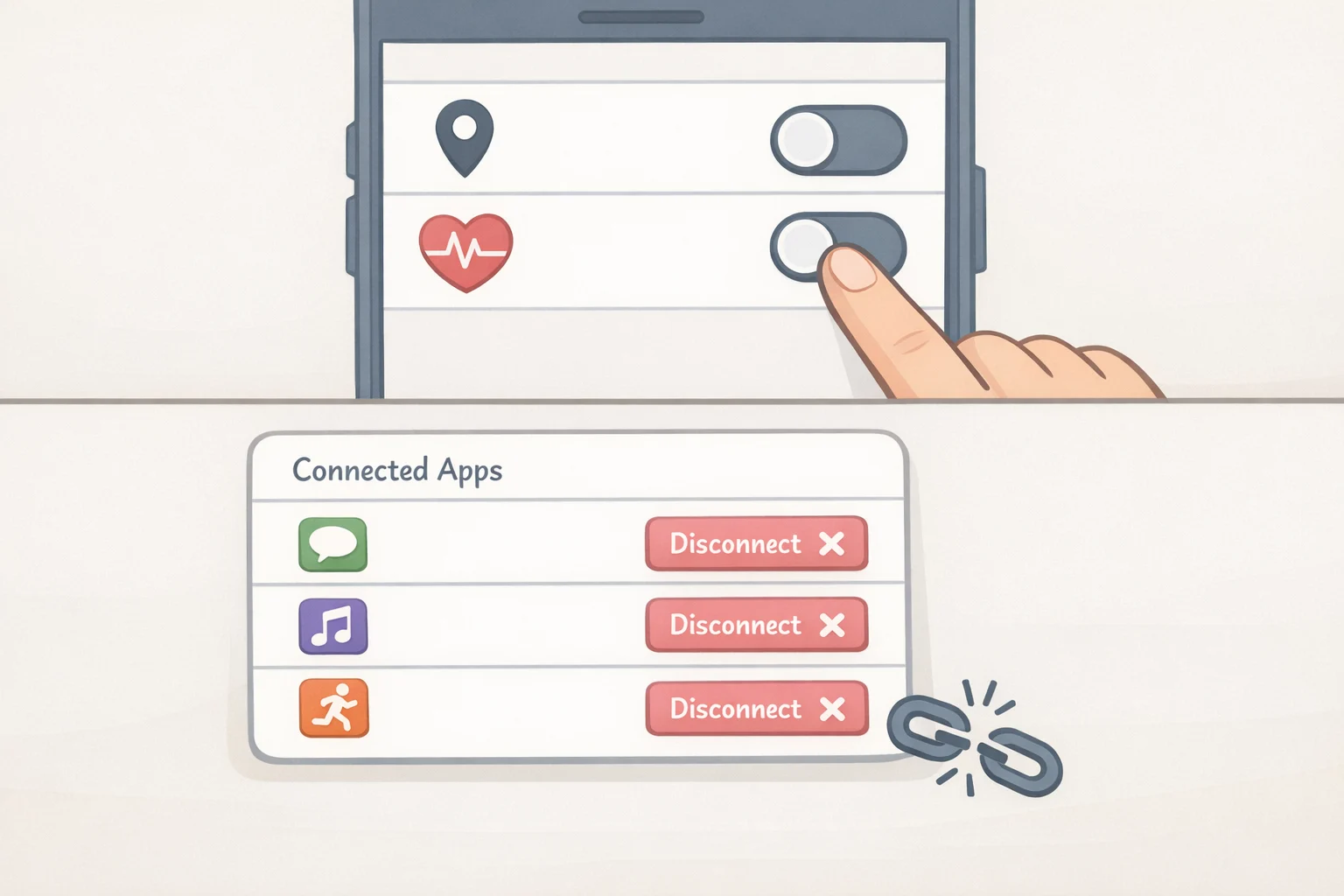
Work through these steps in order. Deleting first and asking questions later gets you an empty home screen and nothing else.
Export what you want to keep. Before touching a delete button, screenshot or export cycle history through the app's built-in export feature, if it has one. Assume there's no second chance to retrieve that history once the account is gone.
Disconnect integrations and revoke permissions, meaning location, health-data sync, and social login, in both the app itself and the phone's privacy and health-data settings. Check which apps have read or write access to health records, and revoke anything unrecognized from the list built during the audit above.
Be clear-eyed about what this fixes and what it doesn't. It limits future access; it does not erase non-resettable device identifiers or data already transmitted, because those identifiers are built to persist independent of the privacy toggles a user can see and control, the FTC found.
How to delete period tracking data you've already shared
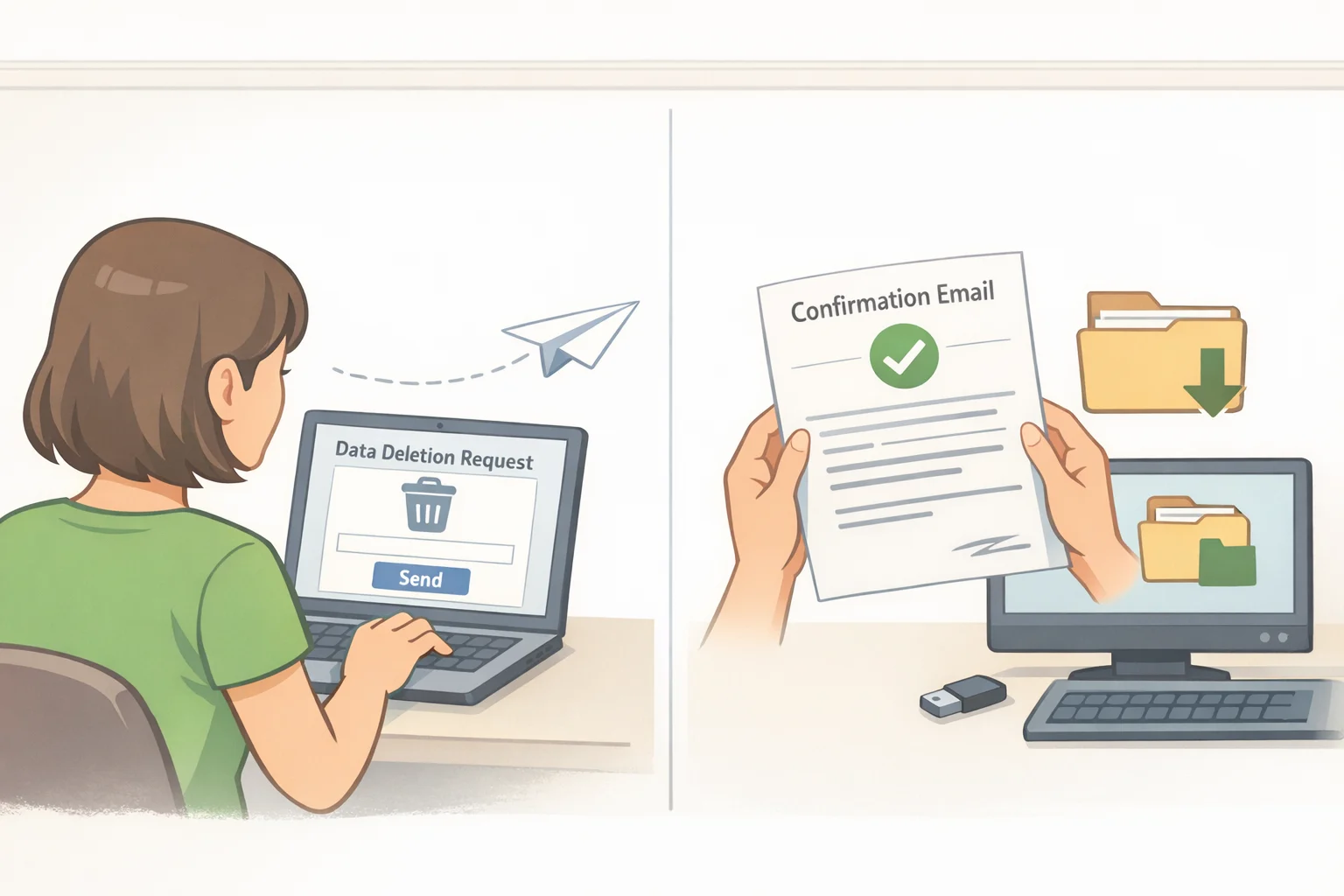
Once future collection is shut off, deal with the data already sitting on someone else's servers. This is a different task from uninstalling the app, and a different task again from deleting the account.
Submit a deletion request, not just an uninstall. The proposed order against Premom's developer, Easy Healthcare, would require the company to affirmatively seek deletion of data it had already shared with third parties, the FTC noted. That requirement exists precisely because deletion isn't automatic. Uninstalling an app removes it from the phone; it does nothing to the copies already sitting with whoever the SDKs were feeding.
Look for a data-deletion or privacy-request channel, usually somewhere in account settings or the privacy policy, and use it. If there's no clear option, email the company directly. A short, specific request beats a vague one:
"I am requesting deletion of my account and all personal and health data associated with it, including any data shared with third parties for analytics, advertising, or any other purpose. Please confirm in writing when this has been completed, and specify your data retention policy for any information you are legally required to keep."
Save the confirmation and set realistic expectations. It's possible to verify a request went in, keep the company's written response, and note any stated retention period. What's generally not possible is independently confirming that a partner company purged its own copy; there's no audit trail available to an ordinary consumer for that. It's a structural gap in the process, not a mistake on the requester's part.
Watch for breach notices. Even where HIPAA doesn't apply, an unauthorized disclosure can still trigger the FTC's Health Breach Notification Rule, which the agency has cited in both the Premom and GoodRx cases as requiring notice to consumers, the FTC, and sometimes the press, per the FTC.
Uninstall last, only once the steps above are done. Doing it first just clears the home screen while the company keeps everything it collected.
Why HIPAA won't cover most period trackers
People assume HIPAA blankets anything health-related. It doesn't. HIPAA generally applies to covered health-care providers, health plans, clearinghouses, and their business associates, the entities dealt with through a doctor's office or an insurer. The FTC itself has flagged that "HIPAA compliance" has become a misleading shorthand among consumers who assume it covers far more than it does. A period-tracking app downloaded and used independently, outside any relationship with a covered provider or insurer, typically falls outside that definition. No company can self-certify HIPAA compliance, either; only the HHS Office for Civil Rights can make that determination, so a marketing claim to the contrary is worth a second look, the FTC has warned.
There's also a legal wrinkle worth knowing about for reproductive health data privacy specifically. In June 2025, a federal court in Texas vacated most of a 2024 HHS rule that had restricted disclosure of reproductive-health records for investigations into legal care, according to HHS. It wasn't a clean sweep: the court struck down specific provisions tied to the rule's Notice of Privacy Practices requirements while leaving other NPP modifications from that same rule in effect, with a compliance deadline of February 16, 2026, that has already passed, HHS says. None of that changes much for a typical period tracker, though, since the rule bound HIPAA-covered entities like clinics and insurers in the first place, not a standalone app.
For most period trackers, FTC enforcement under Section 5 of the FTC Act has been the primary legal tool used so far, the same authority behind the Premom and Kochava actions described above. State privacy and consumer-protection laws can also apply depending on where someone lives, so the FTC isn't the only avenue, but it's the one with the clearest enforcement record in this space to date.
Secure menstrual cycle tracking apps: a five-point checklist
If picking a replacement, no single feature proves an app is safe. Work through all five before committing to one.
- Is an account optional? Look for local-only storage with cloud sync as an add-on, not a requirement. That cuts sync-related exposure, but it doesn't prove the absence of an embedded SDK quietly reporting analytics in the background. Check the privacy policy regardless.
- Does the policy name names? A policy that specifies exactly which third parties get data, and why, beats one that hides behind "we may share with partners." That kind of vague language was central to the FTC's deception findings against BetterHelp and GoodRx, the FTC found.
- Can the extras be declined? Health-data imports, social logins, and location access should all be optional, with core cycle tracking still working even if every one of them is refused.
- Is health-data sharing consent separate? Look for affirmative, specific consent before any health-data sharing, not consent buried inside a general terms-of-use click-through. Recent FTC orders in health-privacy cases, including Premom, have required exactly this kind of affirmative express consent, per the FTC, even if it isn't a blanket rule for every app on the market.
- What does retention actually say? Read the deletion and retention section closely, and treat "anonymized" or "nonidentifiable" claims with skepticism. Premom's version of that exact claim was false, the FTC alleged, given its collection of persistent device identifiers.
If none of that reassures you, skip the app category entirely. A paper calendar removes the transmission risk described throughout this guide, since there's nothing to sync and nothing to breach. An offline note on a phone works too, but only if cloud backup is turned off for it specifically; a note that quietly syncs to iCloud or Google Drive isn't offline, it just feels that way.
The decision rule that outlasts any single app
None of this is a permanent setting, since companies rewrite privacy policies and swap SDKs whenever it suits them. Rerun the audit checklist above whenever an app updates its terms or a switch to a new tracker happens, and keep every deletion-request confirmation somewhere retrievable later.
The simplest filter going forward: if an app can't clearly name who receives its data, can't function without permissions it doesn't need, or has no workable deletion channel, don't hand it anything sensitive. Reducing exposure through tighter permissions, fewer integrations, and careful app selection is the realistic goal here. Making every historical copy of that data vanish from every server it ever touched isn't on the table, and no guide, this one included, can promise otherwise.