How to Check if Your Personal Information Is Exposed Online
Search your own name and you'll mostly find what you already knew was public: a social profile, an old news mention, maybe a listing from a school or employer. None of that shows what data brokers actually hold on you. These companies can accumulate as much information about a person as a business that person has actually dealt with, and the person usually has no way to know the file exists (University of Chicago Law Review).
Knowing how to check if your personal information is exposed online starts with separating three problems that tend to get lumped together. People-search sites collect and publicly display personal details like addresses and phone numbers (NSF Public Access Repository). Online accounts carry a separate risk, since they often hold a lot of personal information on their own (FTC). And there's active compromise: malware or unauthorized access that, once it lands on one device on a home network, can spread to every other device sharing that connection (FTC).
Each problem needs a different response: what you can remove, what you can secure, and what you can only monitor. No search or opt-out request will hand you a complete map of every company holding your data, and this guide won't produce that map either. It will tell you where to look and what to do with what you find.
How to check if your personal information is exposed online: three places to start
Video of the Day
Search for yourself the way a stranger would
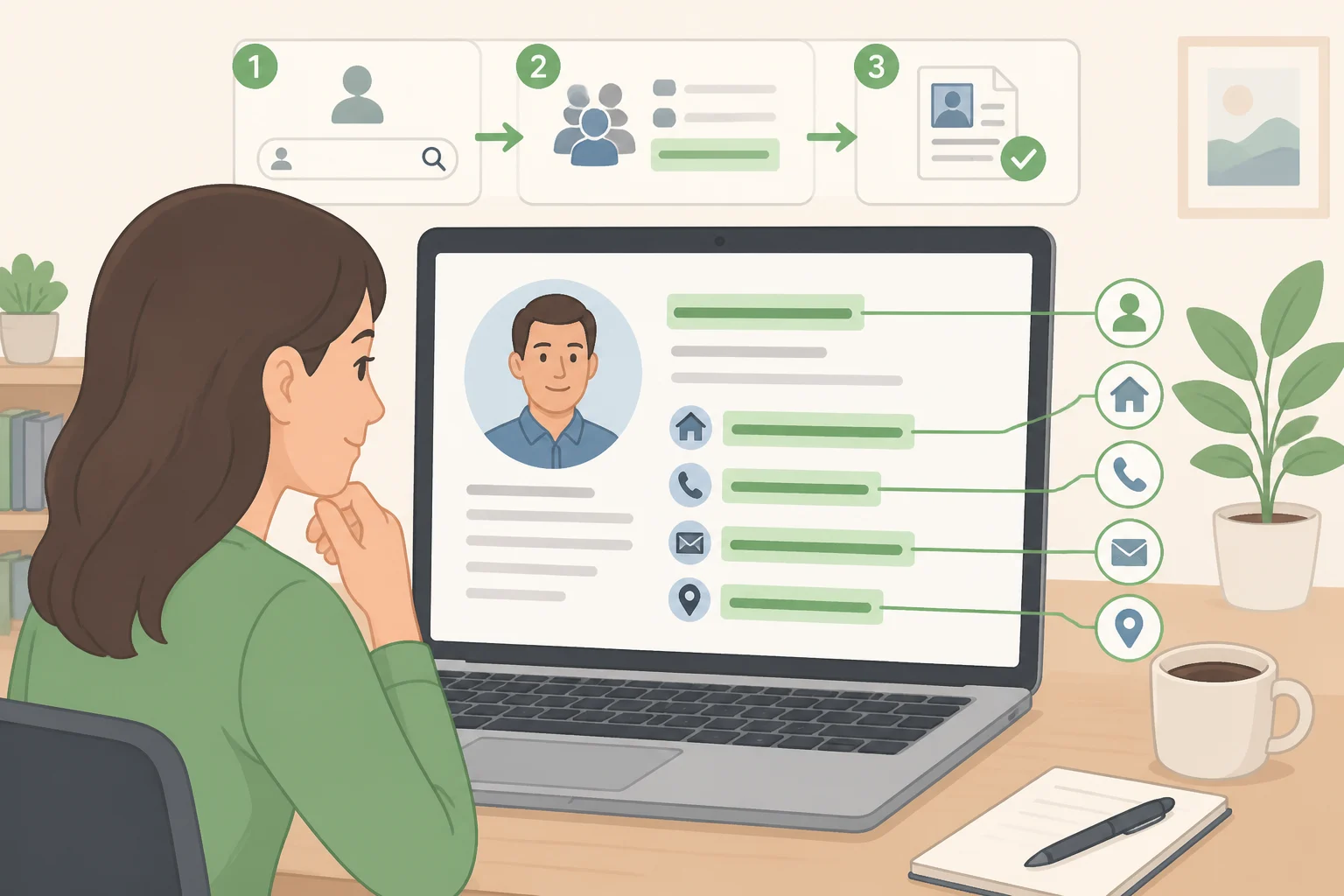
Start by searching your full name, past addresses, phone number, and email address, each in quotation marks, and note which people-search sites turn up results. This is the most direct way to find exposed personal information online, since these sites specifically collect, catalog, and often publicly display identifying details (NSF).
Treat whatever you find as a partial picture. Researchers who studied 20 people-search websites and submitted formal data-access requests to each found that most requests failed outright, with companies citing legal exceptions or simply misreading what was being asked (NSF). Of those 20 sites, only one connected group actually gave individuals the same report it sells to paying customers (NSF). A clean search of your own name doesn't mean your file doesn't exist elsewhere; it may just mean you can't see it from where you're standing.
Check if your data has been exposed: breach notices vs. account takeover
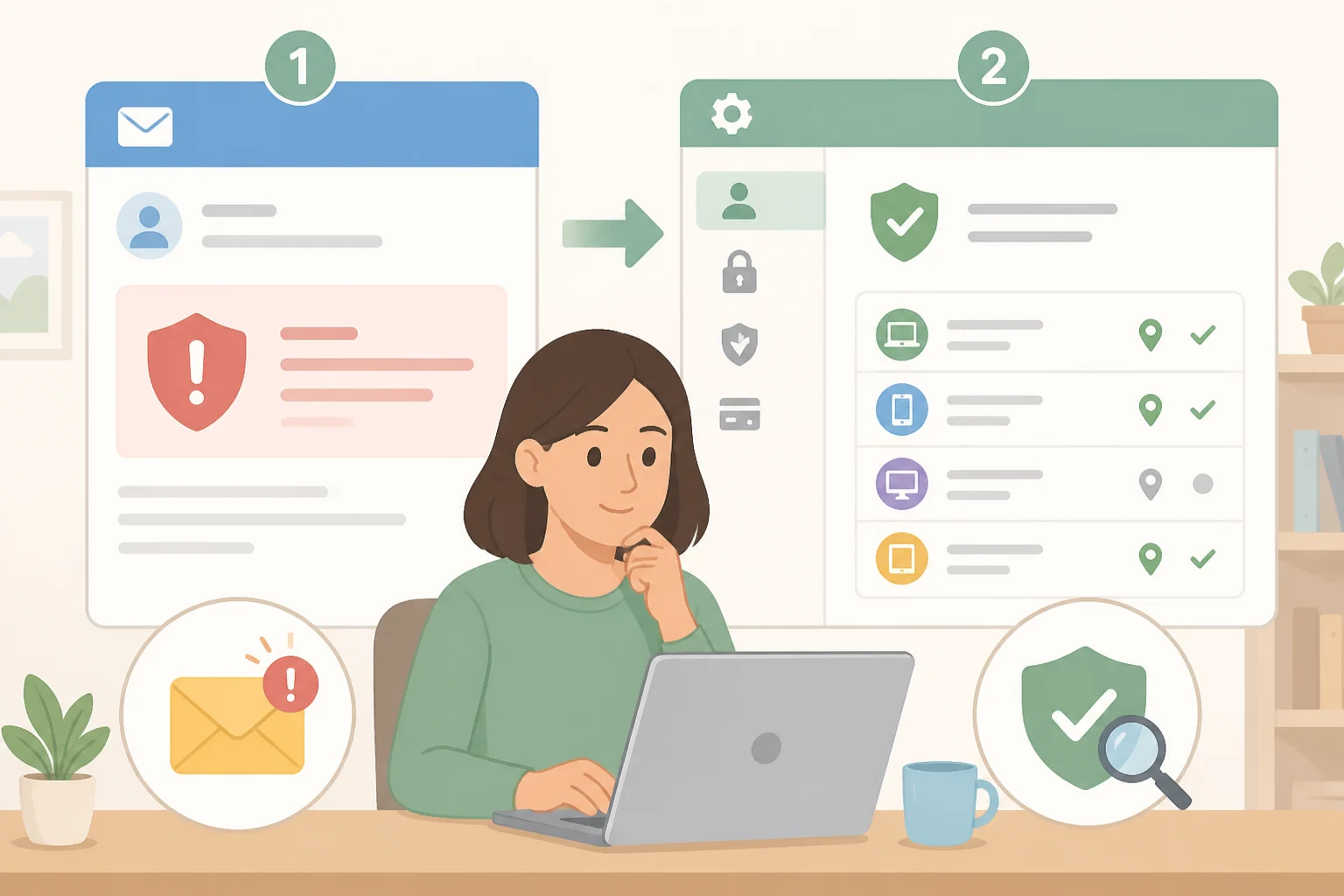
These two things get treated as one problem, and they aren't. A breach happens on a company's side, when its systems are compromised and data, including yours, ends up outside its control. An account takeover happens when someone gets into one of your specific accounts, however that happens to occur.
You can't audit a company's servers, but you can watch for what it tells you. If a service notifies you about a breach, treat that notice as an instruction rather than a full disclosure: reset the password on that account right away, and do it through the company's own site or app instead of a link inside the message. If a message shows up unprompted asking you to click something or hand over information, verify it by contacting the organization through a phone number or website you already know is legitimate (FTC).
Account takeover is something you can check right now, inside your own settings. Go into your email, banking, and social accounts and review recent login activity, connected or signed-in devices, and the recovery email or phone number on file. Accounts deserve this scrutiny because they often hold a lot of personal information, which is exactly why FTC guidance centers on protecting them with a strong password and two-factor authentication (FTC).
If anything in that review looks wrong, a device you don't recognize, a login from an unfamiliar location, a recovery number you never set, treat it as a live account takeover. Change the password immediately, sign out of every active session, and turn on two-factor authentication if it isn't already running. That sequence matters more than which check flagged the problem.
Neither check tells the whole story on its own. A breach notice doesn't necessarily mean your account was taken over, and a clean login-history screen doesn't prove nothing was exposed somewhere else. While you're in there, check your security questions too, and drop anything a stranger could guess or find on social media (FTC).
Check your devices and home network
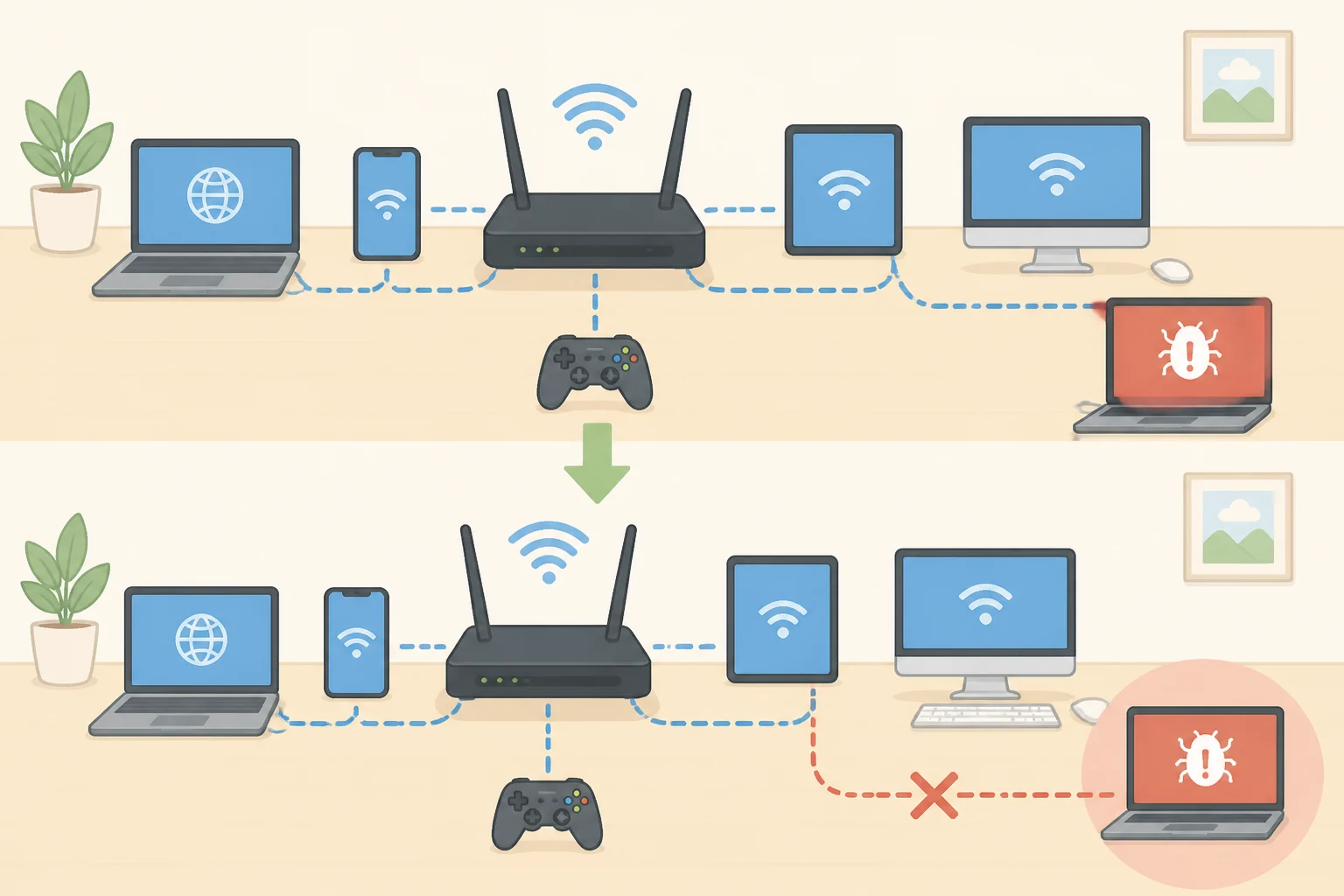
Confirm that your router and every device connected to it are running current software. The router sits between every device in the house and the internet (FTC), and if malware gets onto one device on that network, it can spread to others sharing the same connection (FTC).
If you notice signs of an actual infection, a device running hot, popups you didn't trigger, programs you don't remember installing, disconnect it from the network before doing anything else. Troubleshoot or run removal tools only once it's off the network. Keeping it connected while you investigate is how one neglected laptop turns into a household-wide problem, since infected devices can pass that malware to everything else sharing the connection (FTC).
Video of the Day
Prioritize what you find
Once you've run through those checks, you'll likely have a mixed bag of results, and not all of it deserves the same urgency. This is a practical way to sort through it, not a formal risk score, but it's a reasonable place to start:
- Account takeover risk. Login credentials, recovery email or phone numbers, or banking access that look compromised. Handle this first, today if possible.
- Identity-fraud risk. Sensitive identifiers like a Social Security number or date of birth, or profiles that combine several identifying details in one place. Brokers can accumulate as much information about a person as a company that person has actually dealt with (University of Chicago Law Review), which is part of why a combination of details deserves more weight than any single one.
- Physical-safety or privacy risk. A home address, phone number, or family details sitting on a people-search site.
- Reputational or legacy risk. Old posts or outdated listings that aren't actively dangerous. Lowest priority, worth a periodic cleanup rather than urgent attention.
What you do next depends on what turned up. A people-search listing with your address or phone number calls for an opt-out request, with proof saved (more on that below). An unfamiliar login or an active session you don't recognize calls for the account-takeover sequence above, done immediately. If a device is behaving strangely or you suspect malware, disconnect it from the network first, rather than continuing to use it while you investigate.
If you think someone is actually using your personal information, not just that it's exposed somewhere, report it at IdentityTheft.gov for a personalized recovery plan. That's the FTC's guidance for exactly this situation, separate from the routine account hardening covered elsewhere in this guide (FTC).
Remove personal information from the internet where you can
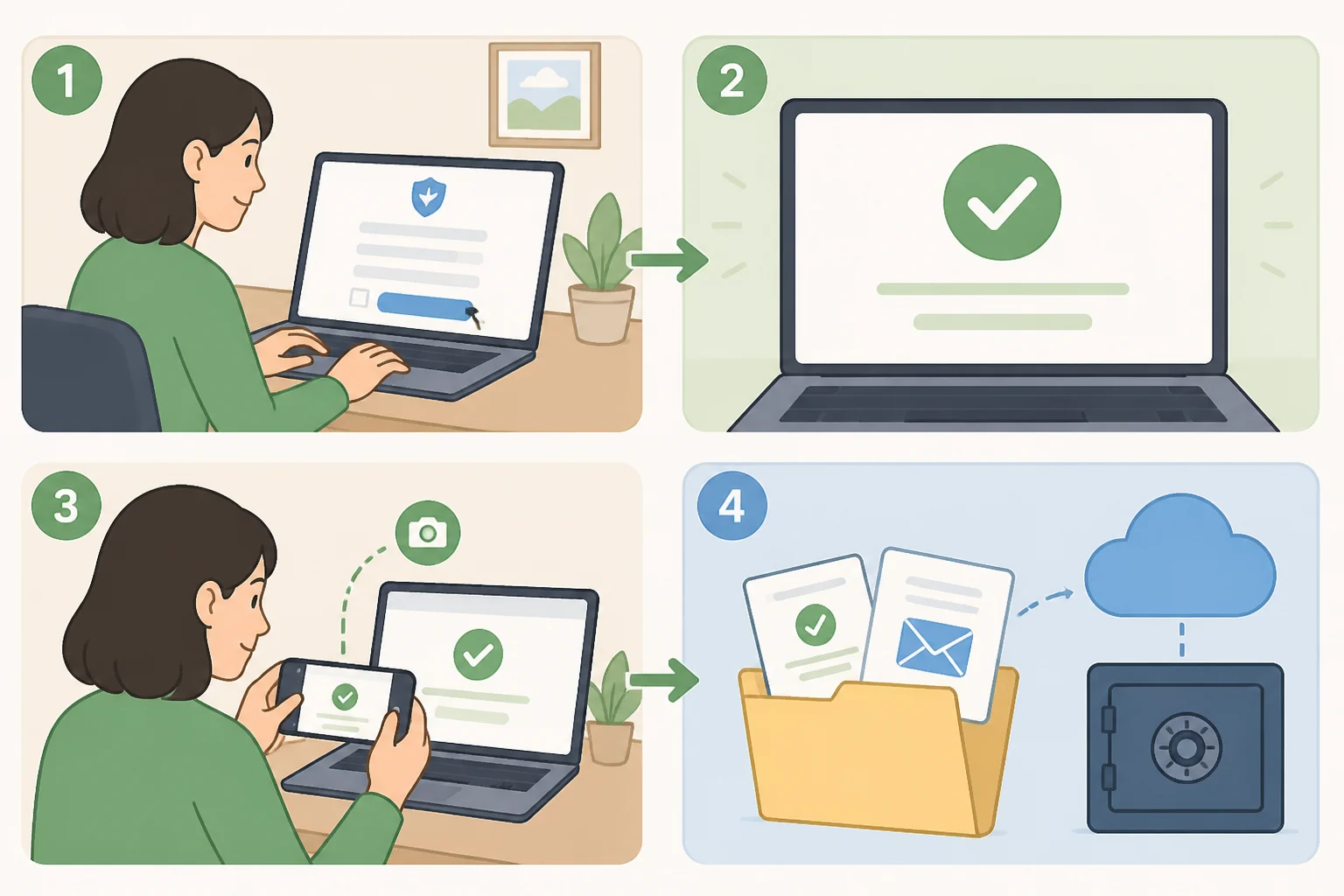
People-search listings are the one category here with an actual removal process, even if it isn't guaranteed to stick. Each site typically runs its own opt-out form, and that's the place to start.
A few things complicate it. In the same 20-site study, researchers found removal requests were more simplifyd than access requests, but far less transparent about what actually gets deleted or whether it stays deleted (NSF). They also traced four main corporate groups behind 14 of the 20 sites studied, and pointed to further mapping of those connections as a way to simplify removal going forward (NSF). In practice, that means opting out of one site may not touch its affiliated sites, so it's worth checking whether a site you've removed yourself from has siblings under the same parent company.
Save proof of every request: the date, the method, and a screenshot or confirmation email. If a confirmation doesn't say what was removed or from where, treat that removal as unverified rather than assume it worked.
Stick to a site's own opt-out page rather than a third party offering to handle it for you, and don't hand over more sensitive information, like a Social Security number, than the process actually asks for.
State approaches vary. A handful of states require brokers to publicly disclose themselves in registries, but researchers argue that low usage of these disclosure tools shows transparency alone doesn't give consumers meaningful control over their own data (University of Chicago Law Review). California's Delete Act went further, creating broker-specific privacy rights rather than just a disclosure requirement (University of Chicago Law Review). Researchers point to it as the model regulators would need to follow if they want to actually change broker behavior, not as evidence that other states are already headed there (University of Chicago Law Review).
Protect your personal data online: secure what you can control
Accounts and devices are the part of this you can actually lock down, even if a broker's file is beyond your reach.
Start with passwords. The FTC recommends at least 15 characters for important accounts and suggests a passphrase, a series of words separated by spaces, as an alternative to a random string of characters, since studies show most people struggle to create or remember strong passwords on their own (FTC).
Turn on two-factor authentication everywhere it's offered. A one-time code by text or email is the most common version, but the FTC calls authenticator apps and security keys the more secure options, since even a strong password alone remains vulnerable to attack (FTC).
Turn on automatic updates for security software, browsers, operating systems, and mobile apps. Updates frequently patch the exact vulnerabilities attackers rely on (FTC). Do the same for your router, since it sits between your devices and everything else on the internet (FTC).
Treat unexpected links and attachments as suspect by default. If a message asks you to click something or hand over information, verify it by contacting the organization through a phone number or website you already know is legitimate, not one included in the message (FTC).
One development worth watching: NIST updated its federal digital-identity guidelines last year to formally recognize synced passkeys as an authentication method (NIST). That standard governs government information systems, not consumer platforms, but it signals where account login is headed. When a service already in use offers a passkey, turning it on is a reasonable move; there's no need to go looking for one before that.
Monitor what's left, and keep checking
Some exposure doesn't have a clean fix. Ongoing account activity, breach notices from services actually in use, and listings that reappear after a successful opt-out all belong in this category, not because nothing can be done, but because nothing done today stays done forever.
Set a recurring reminder, every few months is a reasonable cadence, to rerun the searches, recheck login activity, and confirm that removed listings haven't resurfaced under a slightly different site or parent company. Opt-out results and account risk both shift with time, and this is one of the few places where checking again is the actual work.
Where this leaves you
No single search or opt-out request produces a full picture of what's out there. Brokers can hold data you'll never see from a routine check, and the research on access requests bears that out (NSF; University of Chicago Law Review). What the remove/secure/monitor framework buys you is a bounded process instead of an open-ended one, something to actually finish this week rather than a search with no end point.
If today is the day to start, the sequence is short:
- Search your name, past addresses, phone number, and email on people-search sites, and note what turns up.
- Review login activity and recovery details on your most important accounts, starting with email and banking.
- Fix whatever ranks highest on the priority list above, today if it touches account access.
- Set a reminder to repeat the search and the account review in a few months.
Removal is real but partial, and it needs repeating on a schedule, not once. Account security is fully within reach and mostly a matter of turning on settings that are already sitting there. Active misuse has one clear next step, IdentityTheft.gov, separate from everything above. None of that closes the file for good. It just keeps it small enough to manage.