How to Spot a Phishing Email: 8 Red Flags to Check
A hacker only needs to get it right once. One careless click on a bad link can hand over a company's trade secrets, a bank account login, or a patient's medical records, according to NIST research into phishing behavior. Defenders don't get that luxury. Every message has to be screened, every time, which is why learning how to spot a phishing email is less about memorizing tricks and more about building a habit.
The scale of the problem backs that up. Phishing topped the FBI's list of most-reported cybercrimes in 2024, with 193,407 complaints, according to CISA, citing the bureau's annual report. That's a lot of attempts landing in inboxes every day, and it doesn't count the ones nobody bothered to report.
The advice that used to work is aging out. Poor grammar and awkward phrasing were once dead giveaways, but generative AI tools now let scammers write messages with flawless spelling and natural syntax, CISA notes. Checking for typos still won't hurt, but it won't save anyone either. Spotting a phishing email now means reading for intent, not proofreading for errors.
This guide covers eight concrete red flags to check before clicking anything, split into two groups: how the message is trying to make a reader feel, and what its technical details reveal. After that, it walks through what to do the moment something feels off, and how to limit the damage if a click already happened. The goal isn't to prove an email is fake. It's knowing when to stop and verify.
What are the common phishing email red flags?
Video of the Day
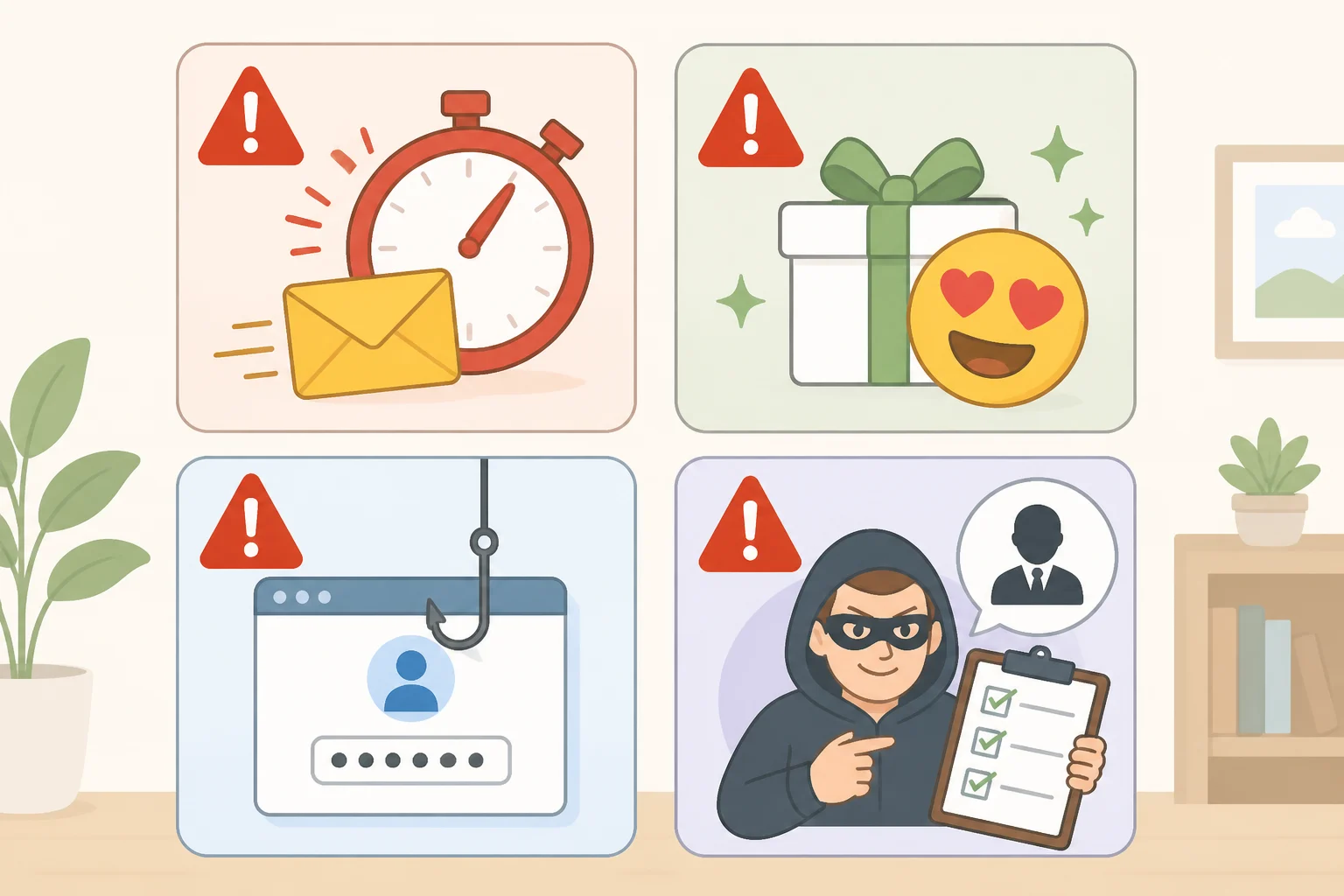
Four of the eight signs have nothing to do with sender addresses or links. They're about emotional pressure, and they work precisely because panic shuts down the part of the brain that would otherwise notice something's off.
1. Urgency and threats. Messages warning of dire consequences for not acting immediately, like account suspension within 24 hours, are a core warning sign CISA flags repeatedly. A real invoice rarely demands action within the hour.
2. Emotional appeals and offers that seem too good to be true. CISA specifically warns about urgent or emotionally appealing language paired with links promising deals that seem too good to be true, CISA explains. A surprise inheritance, a free cruise, a gift card that just needs "verification": these work because they tempt people into clicking before thinking twice.
3. Requests for money, passwords, or financial details. Any message asking someone to send personal or financial information directly is treated as high-risk by CISA. Legitimate companies rarely ask customers to email a credit card number or confirm a password by reply.
4. Requests that feel out of character. CISA's guidance for small businesses specifically calls out strange or unexpected requests, even ones that appear to come from familiar contacts, since those contacts' accounts may already be compromised, according to CISA. If a coworker who never emails after 6 p.m. suddenly needs gift cards wired by close of business, that's the account acting, not the person.
These four signs are about psychology, not spelling, which is exactly why they still catch AI-polished attempts. NIST's research team studies how organizations train employees to recognize this kind of message, running simulated phishing exercises and tracking who clicks versus who reports, NIST explains. As an illustration of how that data gets used, the team points out that a simulated test with a click rate as low as 5 percent would mean 95 percent of employees recognized the attempt, according to NIST. NIST built a scoring tool called the Phish Scale to help organizations interpret results like that, and researchers are continuing work to understand what makes certain simulated phishing emails more convincing in different workplace settings.
Video of the Day
How to check whether an email sender and links are legitimate
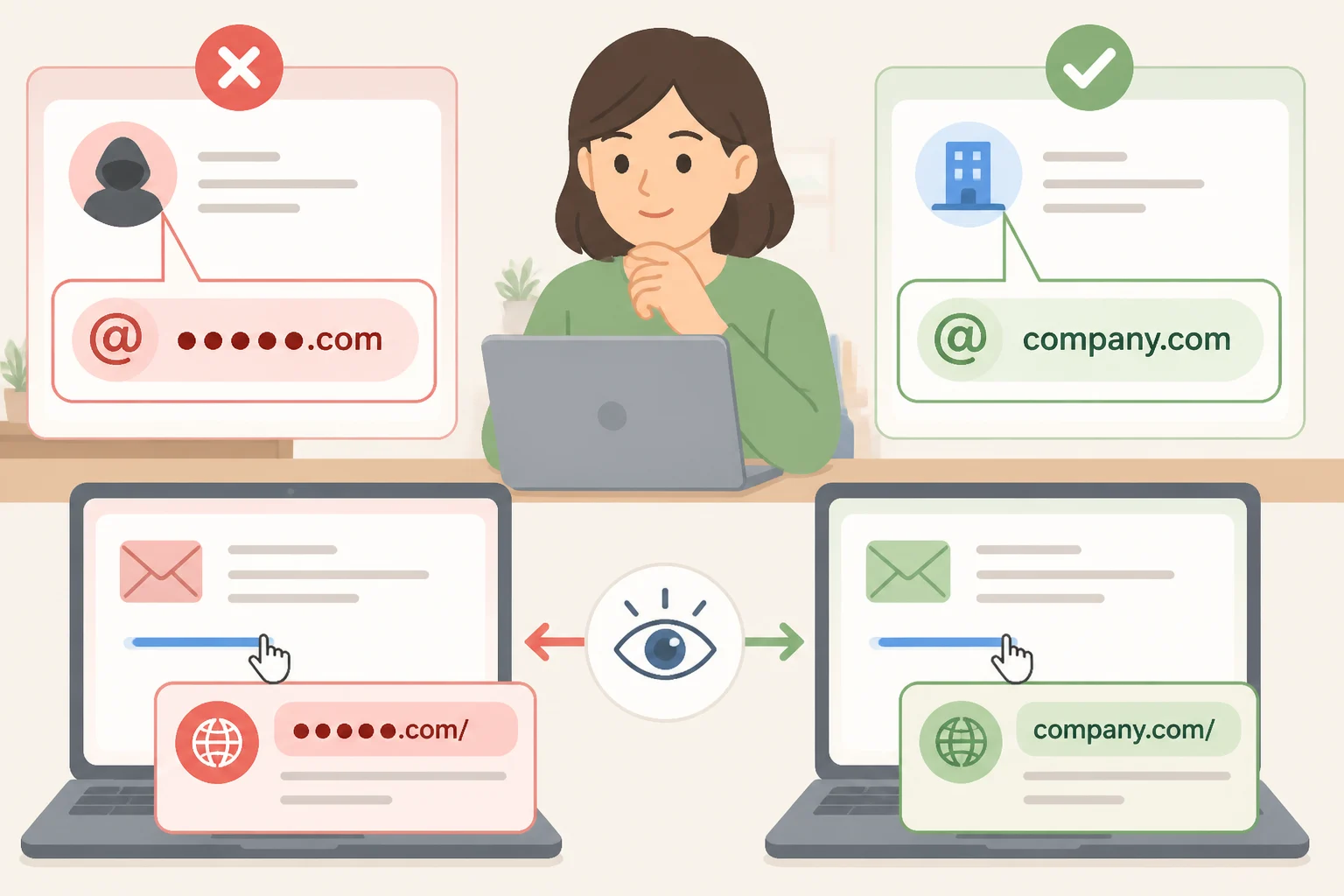
Once the emotional pressure registers, the next step is checking the technical details: where the email actually came from, and where its links actually go.
5. A sender address or domain that's almost right. CISA points to lookalike domains such as "amaz a n.com," tiny alterations that are easy to miss at a glance, as a reliable tell, according to CISA. Look past the display name, which is trivial to fake, and check the actual address after the @ symbol.
6. Shortened or mismatched links. Untrusted shortened URLs hide their real destination until it's too late, and CISA recommends hovering a cursor over any link, without clicking, to preview where it actually leads. If the preview doesn't match the company the email claims to represent, that's the answer.
7. Pressure to log in, pay, or "verify" an account right now. CISA's case study of a small-business owner named Omar shows how this plays out. He received an email claiming his payment had failed, telling him to log in through a shortcut link to approve a new payment method, CISA describes. The link led to a site built to resemble his vendor's, and the moment he signed in and approved the "purchase," attackers had his password and credit card details.
8. The email supplies its own verification contact. Messages that include their own phone number or reply address for confirming the issue are trying to keep the interaction inside the scam. Do not use the phone number, reply address, or link in a message that itself raised suspicion, CISA advises; anything that originated inside the suspicious email can't be trusted to vouch for it.
These four flags cover where a message actually comes from and where it actually wants to send someone, regardless of how convincingly it's written. A phishing email with a flawless subject line still has to route a login or a payment somewhere, and that somewhere is where the deception usually falls apart.
How to tell if an email is a phishing scam: the verify-before-you-click routine
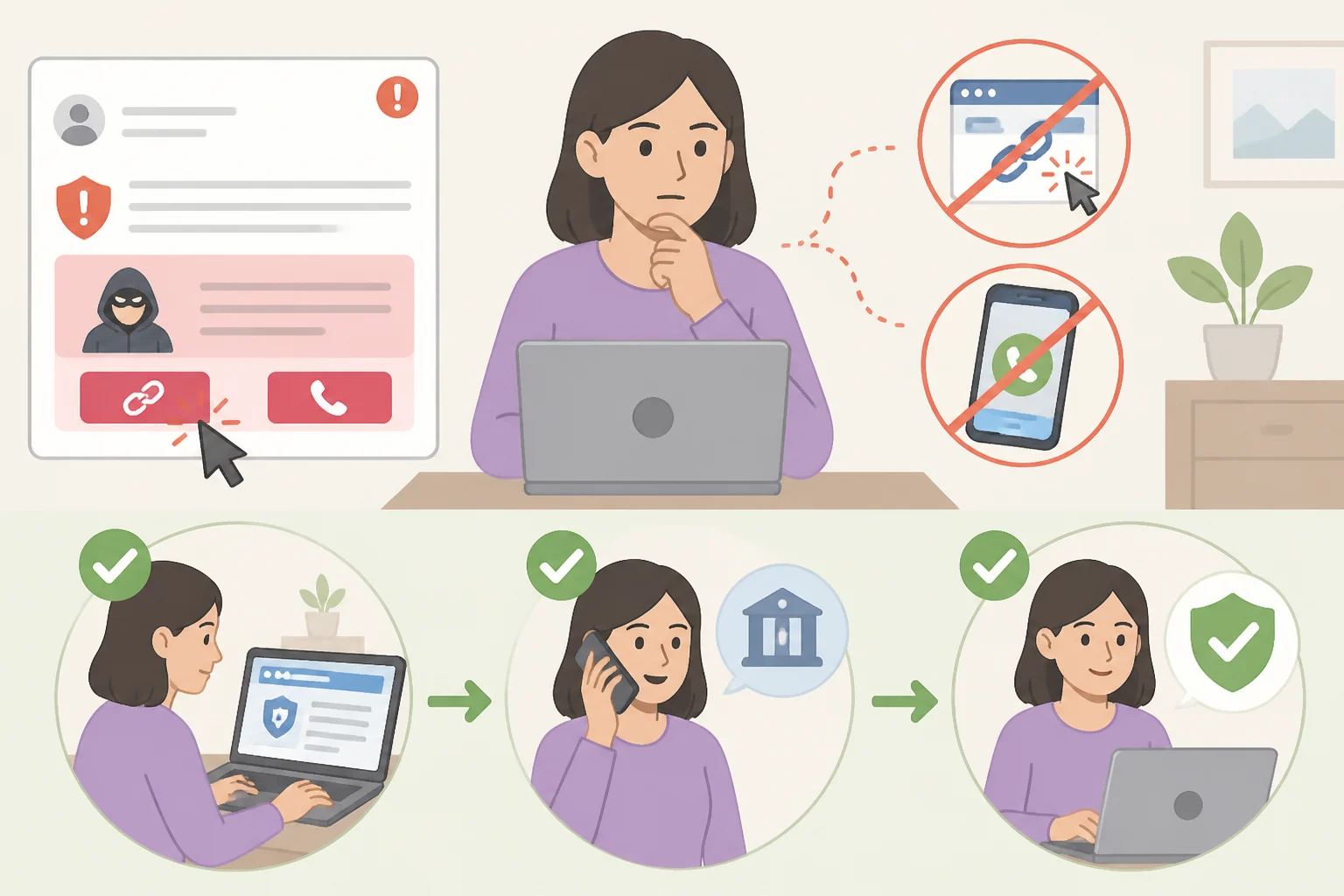
Spotting the red flags is step one. What happens next determines whether the email stays a near miss or becomes an actual breach.
Don't engage with the message at all. CISA's guidance is direct: don't reply, don't click any attachment or link, and don't use an "unsubscribe" link either, CISA says. Unsubscribe links in phishing emails aren't there to opt anyone out of anything.
If there's real doubt about whether the message might be legitimate, still avoid its phone number and links. NIST's advice is blunt: when in doubt, don't click, and never call the number listed in a suspicious email, NIST advises.
Go to the company's known website directly. Type the organization's web address into the browser from memory, or search independently for its official phone number, rather than trusting anything supplied in the email itself, CISA recommends. It's the habit Omar adopted after his ordeal: he now types retailers' web addresses directly into the URL bar instead of clicking links in emails, CISA notes.
If the message claims to be from someone known, call that person using a number already on file, not one included in the message, before acting on any request involving money or sensitive information, NIST says.
This verify-independently habit isn't limited to email. The same manipulation tactics show up in smishing, phishing by text message, and vishing, fraudulent phone calls, so the instinct to confirm through a channel already trusted applies everywhere, not just the inbox, NIST points out.
What to do after receiving a suspicious email
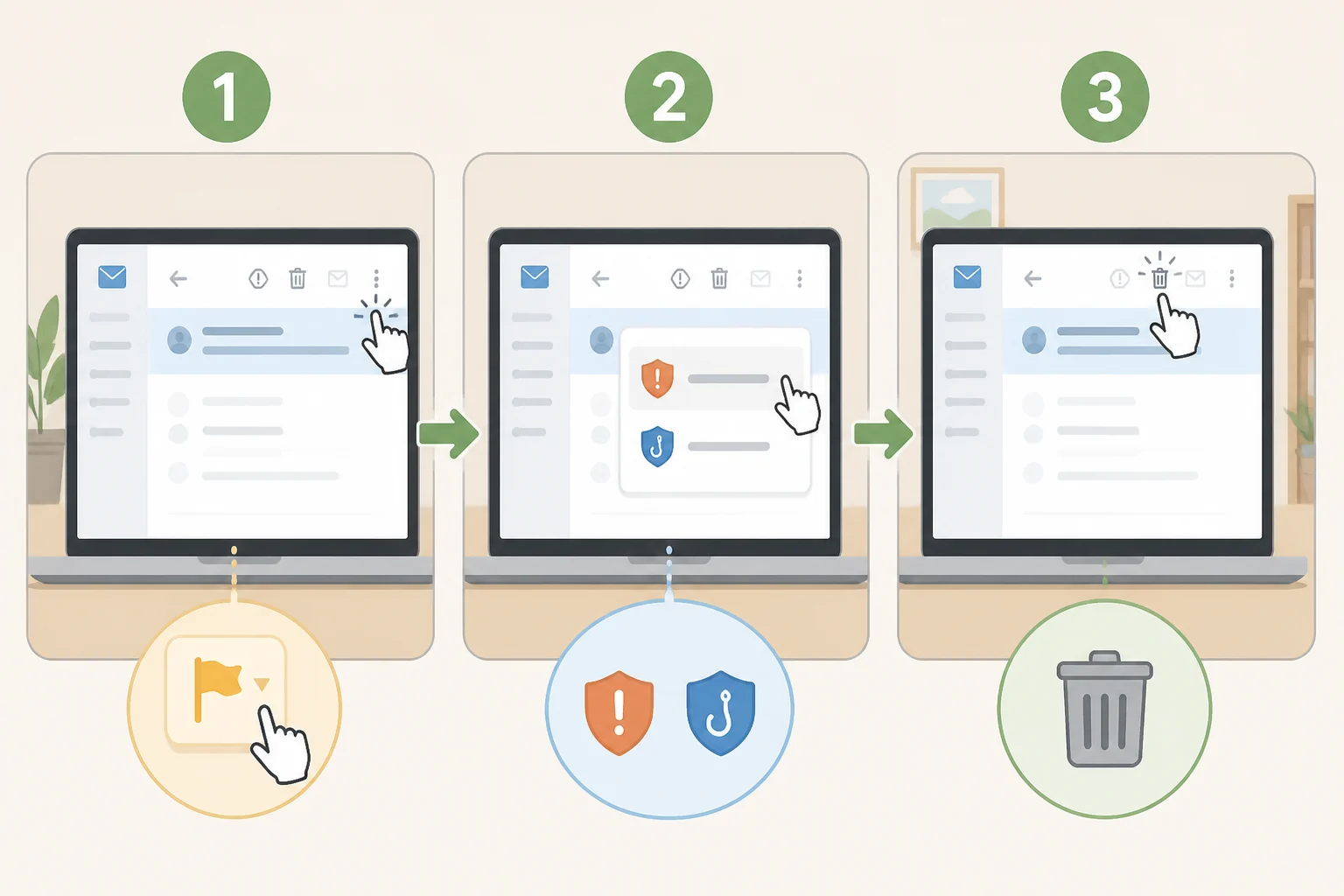
Even a message that never gets clicked is worth reporting. And if a click already happened, the clock matters.
Report it. Most email platforms have a "report spam" or "report phishing" option near the sender's address or tucked into the toolbar, CISA notes. Using it helps the provider flag similar messages before they reach someone else's inbox.
Delete the message once it's reported. CISA's guidance doesn't get more complicated than this: don't reply, don't click, just delete, CISA says.
If a link was already clicked or information already entered, change the affected account passwords immediately. That's the first response step CISA lists for a suspected phishing incident, and speed matters more than anything else at that point.
Omar's experience is a useful measure of what's at stake. He eventually recovered most of his financial losses, but only after many hours on the phone with his bank and the retailer sorting out the fraudulent charges, CISA reports.
Deeper recovery steps, like freezing credit, scanning devices for malware, or setting up multifactor authentication, go beyond what this guidance from CISA and NIST covers here and deserve their own dedicated walkthrough.
None of these eight checks require forensic skill. They require a pause: noticing that a message is pushing for urgency, money, or a login, then checking the sender and the link before doing anything else. That pause is the entire defense.
Phishing tactics don't stay still. CISA, alongside the NSA, FBI, and the Multi-State Information Sharing and Analysis Center, published joint guidance for organizations in October 2023 aimed at stopping phishing earlier in the attack cycle, CISA announced. Separately, CISA notes that threats evolve constantly enough that once-a-year training isn't sufficient on its own, CISA says. Grammar checks and gut instinct alone won't keep pace with either.
The rule worth keeping: when a message pushes for urgency, money, or a login, stop. Find the organization or person independently, through a website typed from memory or a phone number already on file, never through anything the message itself provided. Verify first. Click second, if at all.