How to fix Garmin battery drain from OK Garmin on Fenix 8
If you turned on Garmin's hands-free "OK Garmin" wake word and then watched your battery estimate collapse, the problem has a name and a fix. This guide walks through how to fix Garmin battery drain from OK Garmin without giving up voice commands entirely, and how to decide whether the feature is worth switching back on.
Some Fenix 8 and Forerunner 970 owners report their battery estimates sliding from a projected 15 days down to nine after enabling the feature; complaints have piled up on Garmin's support forums over the past month, Android Authority reported today. Turning the wake word back off is the first thing to try. Some owners say their original estimate returns right away, though the pattern isn't universal across every report (Android Authority).
Garmin's own support documentation already warns that enabling a wake word "reduces battery life," without saying by how much (Garmin support manual). That vagueness is part of what's catching people off guard. Multi-day battery life is one of the main reasons people choose Garmin over a watch they charge every night, so losing several of those days gets noticed fast (Android Authority).
One thing worth carrying through the rest of this guide: the 35% to 50% drops showing up in Garmin's forums are estimates the watch calculates, not runtime measured independently under matched conditions (Android Authority). Treat them as a strong signal that something changed, not a lab result.
How to disable OK Garmin voice control
Video of the Day
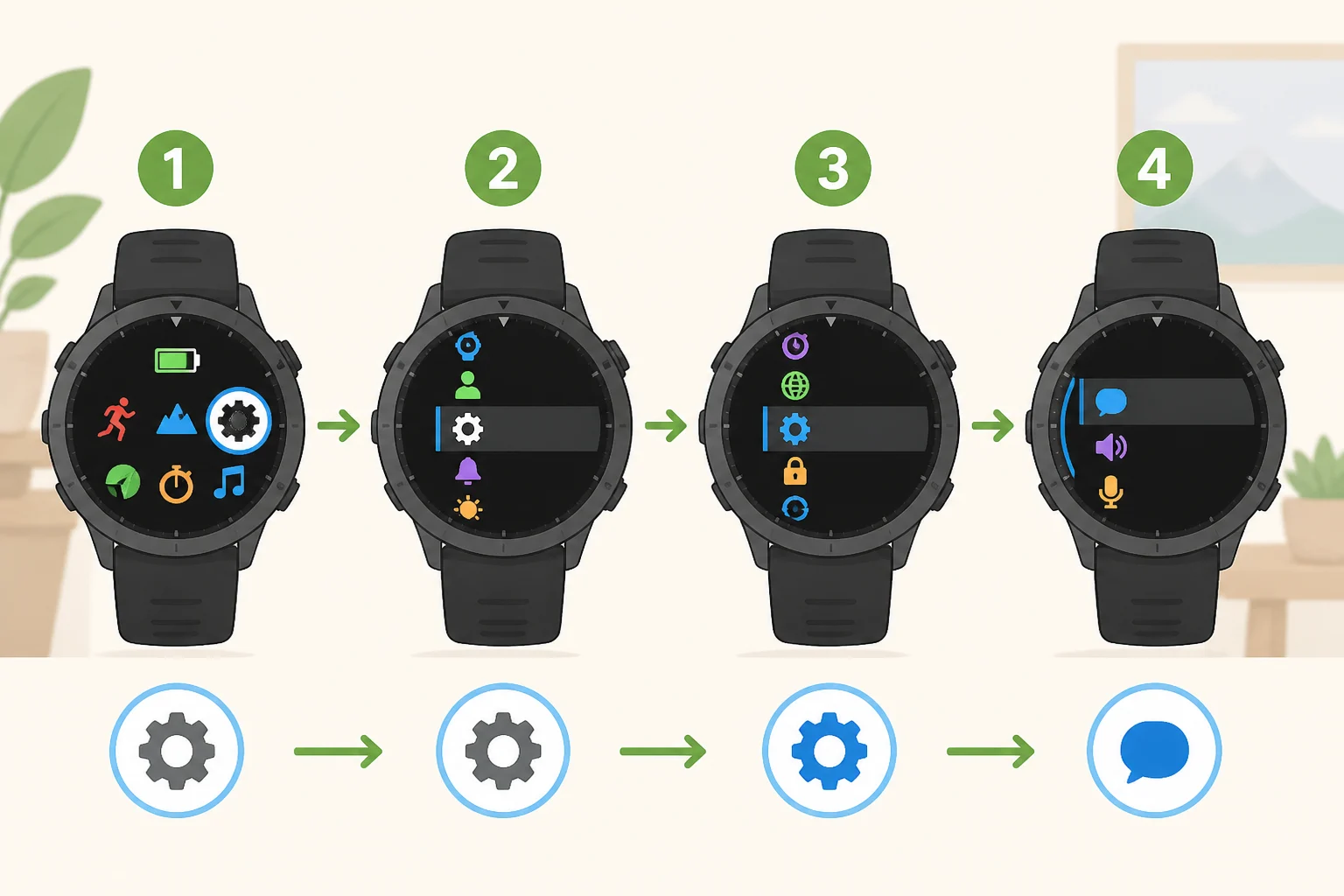
The fix happens entirely on the watch. No app download or firmware update is required (Garmin support manual).
- From the watch face, press and hold the designated button to open the settings menu (Garmin support manual).
- Go to Watch Settings > System > Voice. This is the exact path in Garmin's current support manual (Garmin support manual).
- Turn off "OK Garmin." This disables the always-listening wake word on the watch specifically (Garmin support manual).
- Turn off "Phone Assistant" too, if you enabled it. It's a separate option in the same Voice menu and carries the same battery warning (Android Authority; Garmin support manual).
Android Authority relayed forum reports describing what tends to happen next: one owner said their original estimate returned immediately after disabling the wake word, and several others in a separate thread described recovering the lost days the same way (Android Authority). Those are forum accounts the outlet gathered, not a controlled test it ran itself, so results on your own watch may land somewhere different.
Disabling either wake word doesn't remove voice commands from the watch. Manual activation keeps the same commands available; you just reach them with the physical buttons instead of a spoken phrase (Android Authority).
If both wake words are off and the estimate still hasn't recovered, that result muddies the cause rather than ruling out OK Garmin entirely. Check Garmin's model-specific troubleshooting and contact support directly, since this guide can't account for every possible drain source on every device.
What to tell Garmin support if the problem persists

A support ticket goes further with specifics attached. Have this ready:
- Watch model and current software version.
- Which wake-word settings were on or off, and when they changed.
- Battery estimate before the change and at a few points afterward.
- Whether the drain started around the same time as a software update.
None of this is a documented Garmin requirement. It's simply the information most likely to help support narrow down what's eating the battery on a specific watch, since the public reporting so far doesn't cover every model and firmware combination.
Video of the Day
Why the OK Garmin wake word drains battery
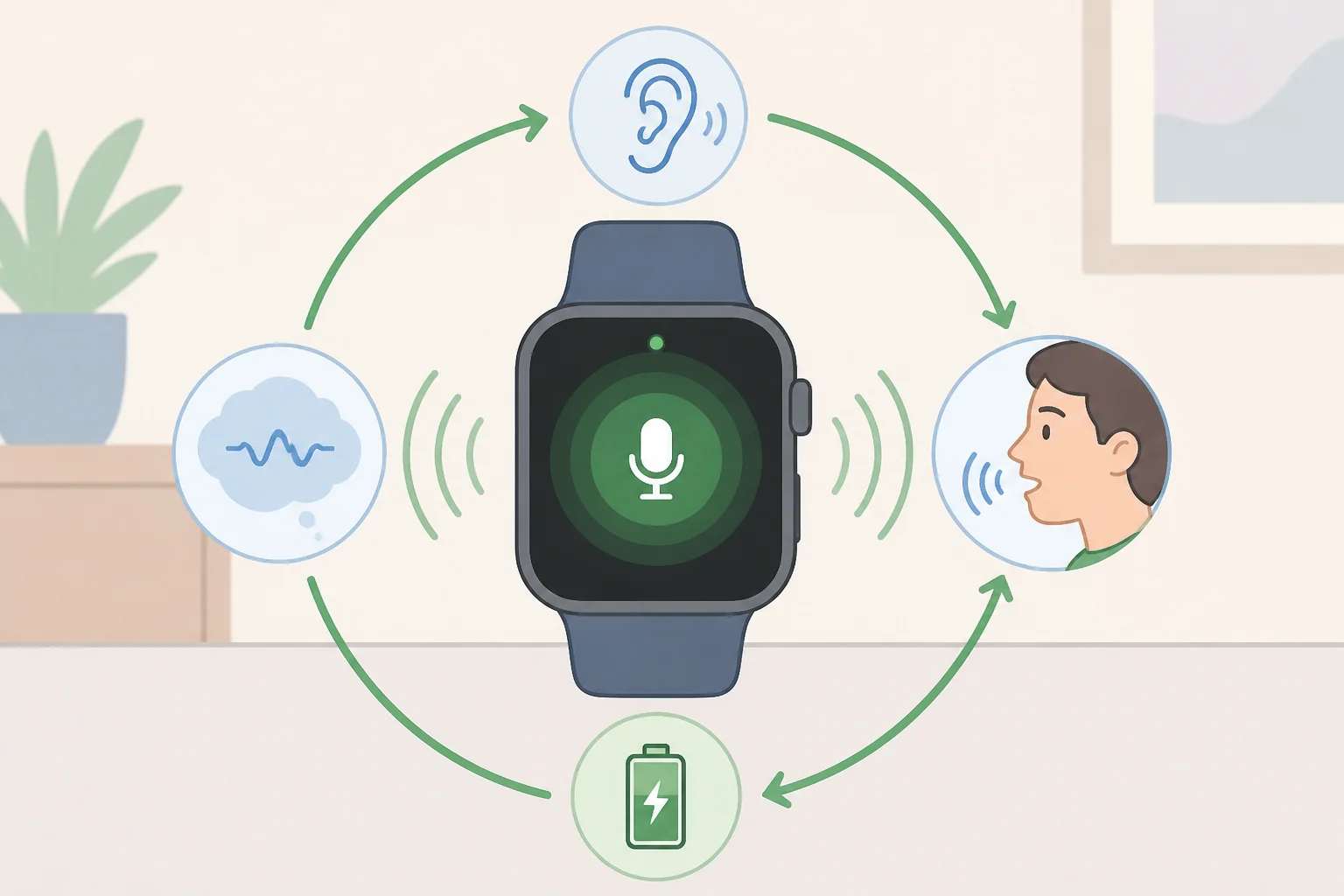
A wake word works by keeping the microphone listening for the trigger phrase rather than activating only when a button is pressed. That continuous listening carries a steady power cost a button-activated system never has (Android Authority).
How big that cost actually is remains unverified. Last year, before "OK Garmin" shipped on any wearable, independent analyst The5KRunner argued that Garmin's watches likely lacked a dedicated low-power voice co-processor, the kind of chip found in products like Qualcomm's Snapdragon W5+ Gen 1 (The5KRunner). Without one, the reasoning went, an always-on wake word would carry a real battery cost, estimated at roughly 10% to 20% (The5KRunner). That figure is lower than what some owners are reporting now, and it was a forecast made before the feature ever shipped, not a measurement of it. Garmin hasn't confirmed what voice hardware actually sits inside these watches, so a missing co-processor remains one plausible explanation, not a confirmed cause.
The5KRunner's earlier reporting noted that Garmin had used "OK Garmin" before, in products like the DriveSmart 66 and the SERV+ RV display, the latter mains-powered, meaning constant listening there never carried the same penalty it would on a battery-powered watch (The5KRunner). The same analysis floated the possibility of a dedicated voice co-processor eventually landing in Garmin's wearables, which could narrow this gap, though nothing in the reporting confirms current hardware includes one (The5KRunner). Bringing an always-listening wake word to a wrist-worn, battery-powered device is a different problem than running it on a dashboard display, and Garmin's own wearable documentation already concedes a battery cost without putting a number on it (Garmin support manual).
What's confirmed: continuous listening costs power, and Garmin itself flags reduced battery life. What's still open: the exact size of that drain on the Fenix 8 and Forerunner 970, and whether a missing co-processor is actually the cause. Nothing in the current reporting isolates OK Garmin's power draw under controlled, matched conditions.
Deciding whether to turn OK Garmin back on

Whether re-enabling the feature makes sense comes down to how often hands-free activation would actually get used.
Rarely reach for voice commands? There's little reason to turn OK Garmin back on. Manual activation offers the same commands without the hands-free trigger, and skipping the wake word avoids the reported battery cost entirely (Android Authority).
Rely on voice commands often, mid-workout, or with wet or gloved hands when pressing a button is a hassle? Test the trade-off on your own watch instead of taking a forum report at face value. Record the estimate at the same time each day, keep GPS activity and display settings as consistent as possible, and change one wake-word setting at a time. This won't measure battery drain with lab precision, but it will show whether the estimate shifts consistently once a setting changes.
Keep the comparison honest. The reported drops, 35% to 50%, come from user-submitted estimates on two specific models, the Fenix 8 and Forerunner 970, not a verified benchmark across Garmin's full lineup (Android Authority). A different watch, software version, or usage pattern could produce a different number.
Because OK Garmin and Phone Assistant are separate settings in the same Voice menu, testing them one at a time, rather than switching both off together, is the only way to tell which one, if either, is actually moving the number (Garmin support manual).
What to do next
Disabling OK Garmin under Watch Settings > System > Voice costs nothing to try, and it's the most reported fix for the battery estimates sliding on Fenix 8 and Forerunner 970 watches, even if it isn't a guaranteed one (Android Authority).
The underlying cause is still open. Garmin confirms a battery cost exists without quantifying it, and nothing in the current reporting isolates how much power continuous listening actually draws on these specific models. Whether that gap eventually closes through a software update or a future chip built for low-power listening remains to be seen. Until then, Garmin's release notes are the place to check before assuming the trade-off has quietly shifted on its own.