Google Pixel 11 Magic Capture feature: when to use it
A reviewer pointed a Pixel 11 at a jaguar mid-growl, missed the shot trying to tap the shutter by hand, and let the camera keep recording anyway. Seconds later, Magic Capture pulled a sharp, well-timed still from that same clip, the kind of moment conventional phone photography almost never saves (Android Authority, 2 days ago).
That's the pitch behind the Google Pixel 11 Magic Capture feature: record video, let Gemini pull the best frames out as photos, and stop choosing between filming an event and photographing it. It ships on every Pixel 11 model as a dedicated camera mode sitting alongside Photo and Video, but the quality ceiling, zoom range, and cloud dependency behind it differ by model, which matters before anyone relies on it at a birthday party or a concert (Google Blog, about ten weeks ago; Android Authority, 2 days ago).
It's a genuinely useful idea for fast, unpredictable moments. Based on the testing available so far, it is not a universal replacement for deliberately picking up Photo or Video mode.
How Magic Capture works on Pixel 11
Video of the Day
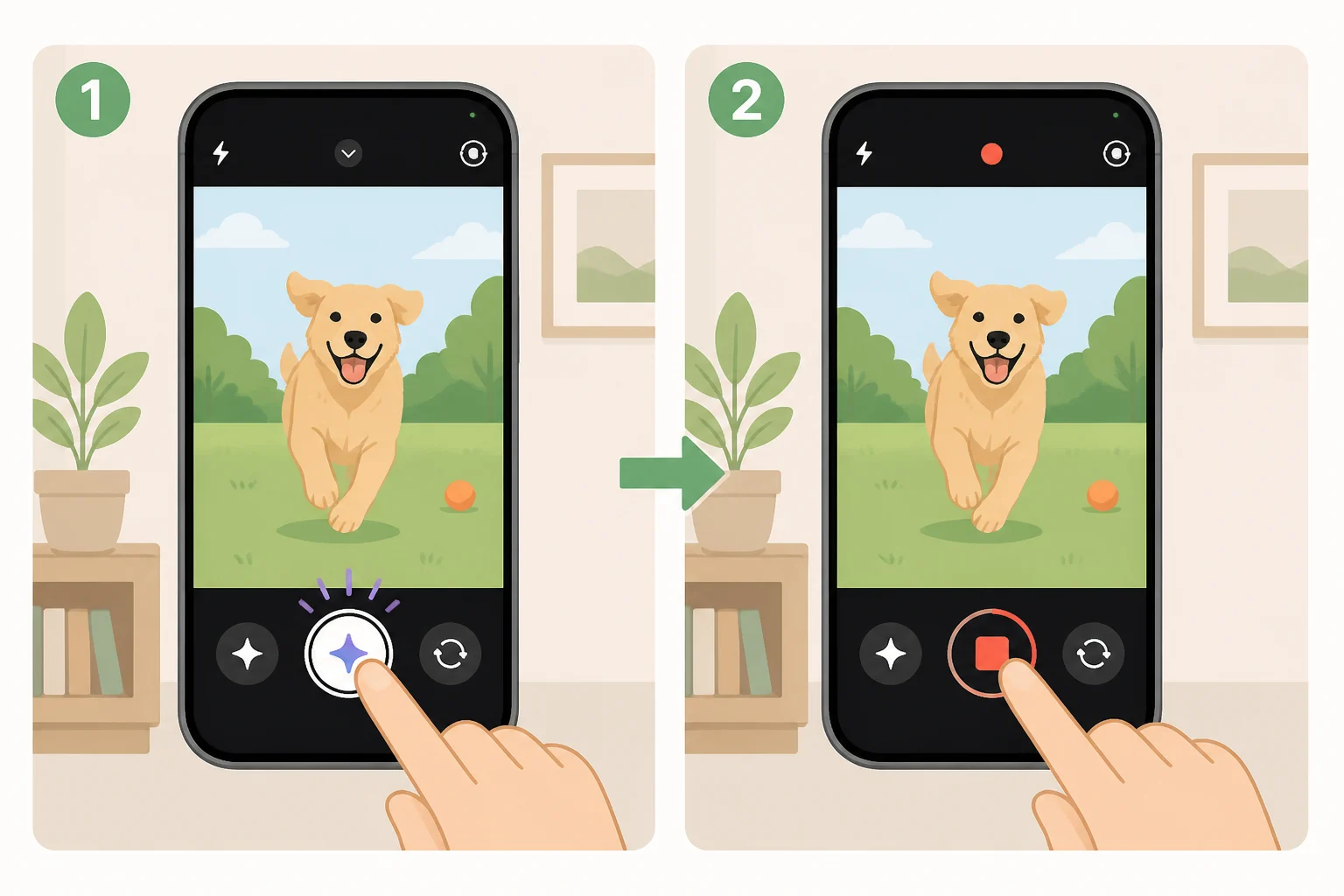
Open the camera app, tap the Magic Capture shutter, and record for up to two minutes while on-device AI analyzes expression, movement, and composition in real time, all while the video keeps rolling in the background (Android Authority, 2 days ago). Google's own description of the Pixel 11 AI camera feature says a typical session analyzes nearly 400 frames to produce well-timed, high-quality 12MP photos (Google Blog, about ten weeks ago).
This is Magic Capture photo extraction from video, not a simple frame grab. The phone saves extra HDR+ data during recording specifically so the pulled stills look like real photos instead of paused screenshots (Android Central, about six weeks ago).
Every session returns exactly five photos, regardless of clip length, according to Android Authority's hands-on testing (Android Authority, 2 days ago). Android Central describes Gemini picking out "several" moments without naming a fixed count, so treat the five-photo figure as reported behavior from one outlet's testing rather than a locked spec (Android Central, about six weeks ago). By default the feature auto-crops and straightens the selected images; that's an optional setting, and disabling it keeps the full, uncropped frame (Android Central, about six weeks ago).
Starting a session takes a few taps: open the Camera app, select Magic Capture, hit the white shutter to begin recording, then tap the red stop button when done. Results show up as a thumbnail in the viewfinder or inside Google Photos, and since a local Gemini agent handles the processing, the photos can take a few seconds to appear (Android Central, about six weeks ago).
Video of the Day
When Magic Capture beats standard photo mode
The clearest case for the feature is reaction time. Android Central's reviewer, who used a Pixel 11 Pro Fold for about a month before publishing, reported catching moments with kids and pets that would have been missed shooting regular photos by hand (Android Central, about six weeks ago). The jaguar shot is the sharpest single example of that same pattern: a subject moving too fast for manual timing, saved because the camera was already recording (Android Authority, 2 days ago).
A separate PhoneArena review of the Pixel 11 Pro XL tested Magic Capture across varied scenes and found the results "quite good" most of the time, a useful quality check from outside Google's own marketing, though that review doesn't specifically claim the feature saved shots a photographer would otherwise have missed (PhoneArena, about eight weeks ago). At a brightly lit yo-yo tournament, Android Authority's reviewer got sharp, zoomed-in shots timed to performers' reactions, evidence the feature can handle real action photography and not just staged family moments (Android Authority, 2 days ago).
The pattern across both outlets is consistent: when there's enough light and the subject sits at a reasonable distance, Magic Capture solves the part of phone photography that manual shooting struggles with most: human reaction time.
Choose your mode before you shoot: resolution, zoom, and cloud trade-offs
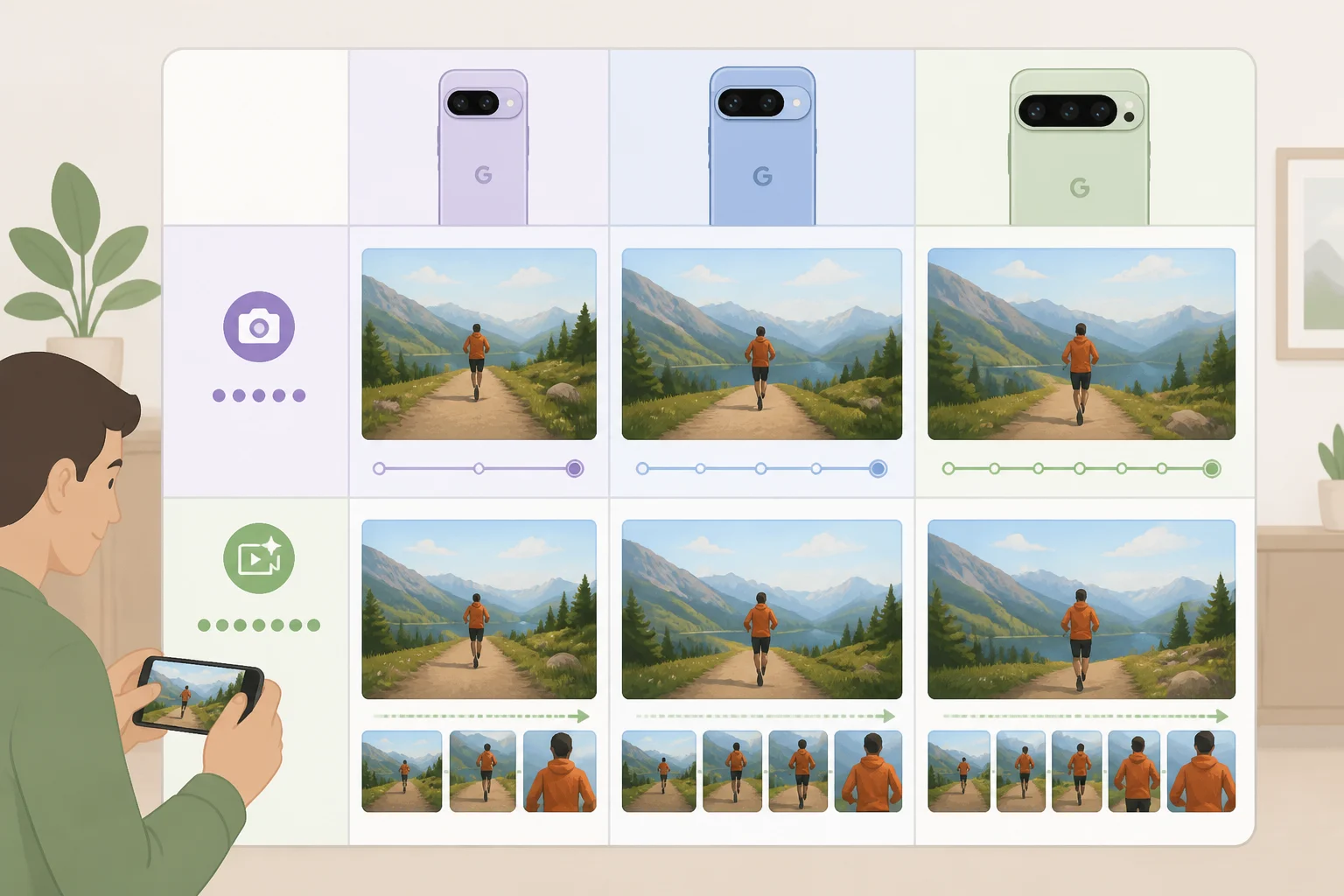
The quality ceiling drops once Magic Capture is turned on. Standard Magic Capture tops out at 1080p+ resolution at 30fps, even though normal Pixel 11 video can record at 4K and 60fps, so anyone expecting flagship-grade detail by default will be disappointed (Android Central, about six weeks ago).
Hardware tier changes what's possible from there. The base Pixel 11 and the Pixel 11 Pro Fold share the same weaker 10.8MP telephoto lens (Android Authority, 2 days ago). On the base Pixel 11 specifically, the reviewer's normal 5x optical zoom was capped to 4x once Magic Capture was active; that limit was documented on the base model, and the research doesn't separately confirm the same zoom cap applies to the Pro Fold's telephoto setup (Android Authority, 2 days ago).
The Pixel 11 Pro, Pro XL, and Pro Fold can all turn on Video Boost to push Magic Capture up to 4K with 10-bit HDR; the base Pixel 11 cannot (Android Authority, 2 days ago). PCMag's testing lines up with that: Magic Capture runs on-device at a basic 12MP HDR+ tier by default, and getting the higher-resolution output requires enabling Video Boost and waiting longer while the footage processes (PCMag, about seven weeks ago).
The clearest failure case so far: shooting a dim concert from a distance on a base Pixel 11 produced blurry, grainy Magic Capture photos, from the same reviewer who praised the yo-yo tournament results in good light (Android Authority, 2 days ago). That's not a reason to write the feature off. It's a reason to pick it deliberately, based on lighting, distance, and which Pixel 11 model is in hand.
What to check before you trust it with private moments

The three outlets covering Magic Capture don't fully agree on how much processing happens on the phone versus in the cloud, and that gap matters for anyone shooting something private. Android Central reports that Gemini's post-capture analysis stays local (Android Central, about six weeks ago). Android Authority says local AI handles the real-time analysis during recording, but cloud processing enhances the frames afterward (Android Authority, 2 days ago). PCMag describes a basic on-device 12MP HDR+ tier, with cloud access and Video Boost required for the highest-resolution output (PCMag, about seven weeks ago). Google hasn't published documentation that resolves which results require the cloud and which don't, so treat "what stays on the phone" as unresolved rather than settled.
That matters because Android Authority's own reporting flags a direct privacy consequence: Magic Capture videos and photos leave the device to be enhanced, something privacy-conscious users should know before recording a private event (Android Authority, 2 days ago). Anyone planning to use Magic Capture at a family gathering worth keeping offline should check whether cloud enhancement is enabled before shooting, not after.
Connectivity adds a second limit. PCMag notes that several of the Pixel 11's most hyped camera features need an active internet connection to deliver their full quality; users traveling without roaming data, stuck in a dead zone, or capped on data can't upload footage for full processing, though the temporary local file can still be viewed, edited, and shared until a connection returns (PCMag, about seven weeks ago). A separate example from the same testing, the Pixel 11's Pro Zoom AI feature, requires a 1.14GB download and a connection to work at all; that's a different feature, not proof Magic Capture itself needs the same download, but it's a reminder that connectivity assumptions run through several of the phone's newest camera tools (PCMag, about seven weeks ago).
Magic Capture, photo, or video: a quick decision guide
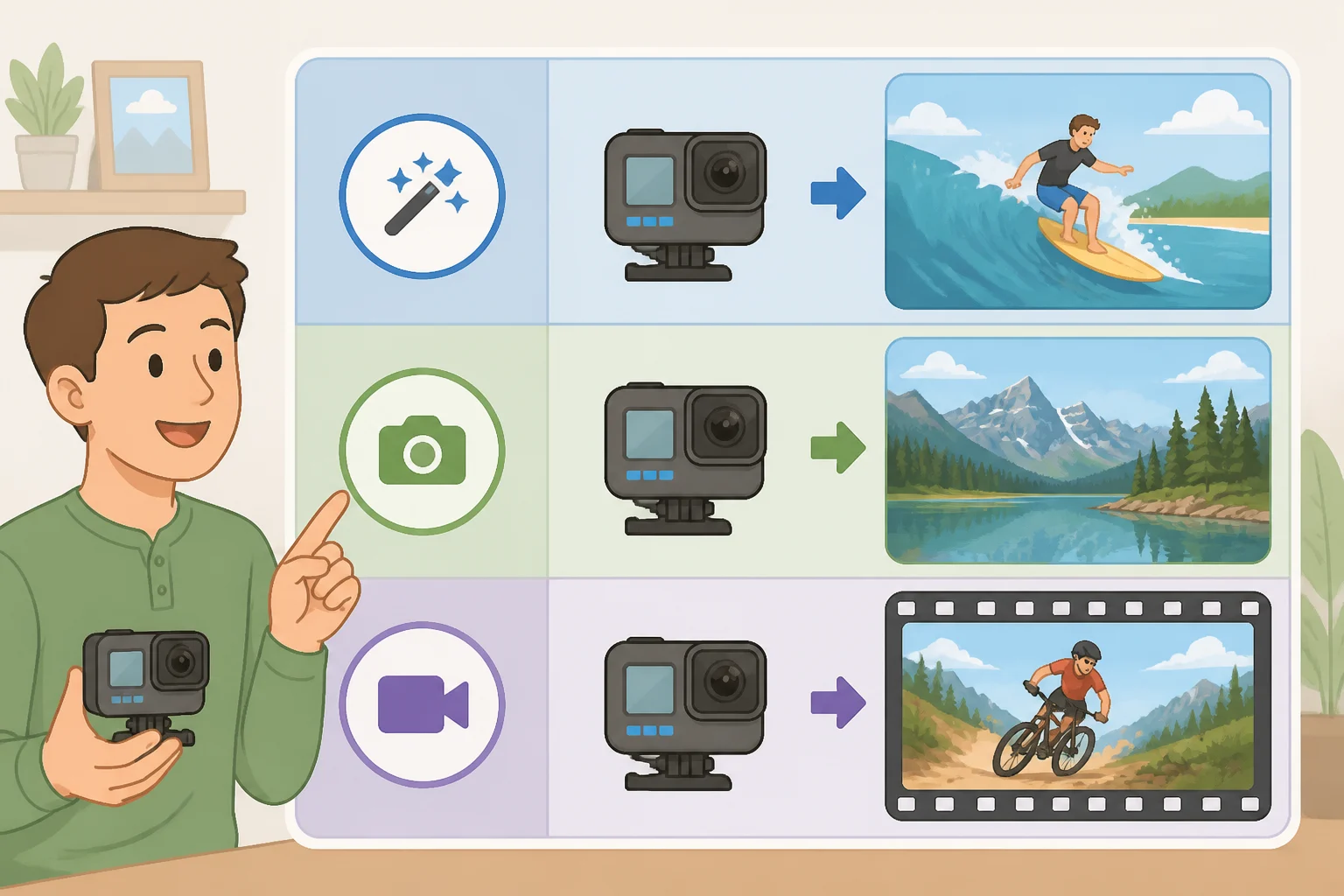
- Fast, unpredictable action in good light (kids, pets, wildlife, a birthday candle blowout): Magic Capture, since it removes the need to time a manual shutter press.
- One deliberate, full-resolution photo: standard Photo mode, which doesn't inherit Magic Capture's 1080p+ cap or forced five-photo limit.
- 4K/60fps footage where detail matters more than curated stills: standard Video mode on any Pixel 11.
- Higher-resolution Magic Capture output: Video Boost, but only on a Pro, Pro XL, or Pro Fold with a solid connection; the base Pixel 11 can't enable it, and the upgrade adds processing wait time.
- Dim venues or long zoom distances: skip Magic Capture and shoot manually; testing shows it struggles once light and distance work against it.
Where this leaves Pixel 11 owners
The case for the Google Pixel 11 Magic Capture feature holds up exactly where the testing above is strongest: well-lit, close-to-medium-distance, unpredictable action. Three independent outlets back that conclusion from different angles, extended real-world use, broad scene testing, and action photography under good light (Android Central, about six weeks ago; Android Authority, 2 days ago; PhoneArena, about eight weeks ago).
Because each session returns only five curated stills rather than a full record of everything that happened, don't make it the only way to document something irreplaceable. Pair it with a few manual shots, check whether cloud enhancement is acceptable for the event, and confirm there's a connection available if Video Boost matters for the final quality. Until Google documents exactly what stays on-device, that's the safest way to use a feature that's clearly good at catching moments, but not yet fully transparent about where those moments end up.